
1. Introduction
Thank you for choosing the Bonsaii C149-C Cross-Cut Shredder. This manual provides essential information for the safe and efficient operation, maintenance, and troubleshooting of your shredder. Please read these instructions carefully before use and retain them for future reference.

Image 1.1: The Bonsaii C149-C cross-cut shredder shown alongside a stack of lubricant sheets, highlighting the complete product package.
2. Important Safety Instructions
To reduce the risk of injury, fire, or electric shock, always follow these basic safety precautions:
- Read all instructions before operating the shredder.
- Keep children and pets away from the shredder.
- Keep loose clothing, jewelry, hair, and hands away from the paper entry slot.
- Do not shred metal objects, large paper clips, or hard materials.
- Do not use the shredder near water or heat sources.
- Unplug the shredder when not in use or before cleaning.
- Do not attempt to service the shredder yourself. Contact qualified service personnel.
3. Package Contents
Verify that all items are present in the package:
- Bonsaii C149-C Cross-Cut Shredder Unit
- Waste Bin
- 24-Pack Bonsaii Shredder Lubricant Sheets (Model: LS24)
- User Manual (this document)
4. Product Overview
The Bonsaii C149-C is a high-performance cross-cut shredder designed for home and office use. It features a robust motor, advanced cooling system, and convenient mobility.
Key Features:
- Continuous Operation: Up to 60 minutes of continuous shredding with an advanced cooling system.
- Shredding Capacity: Shreds up to 18 sheets of 20lb letter-size paper per pass.
- Shred Size: Produces tiny cross-cut particles measuring 13/64 x 1-37/64 inches (5 x 40mm).
- Versatility: Capable of shredding paper, credit cards, and staples.
- Quiet Operation: Operates at a low noise level of 62 dB.
- Mobility: Equipped with 4 casters for easy movement.
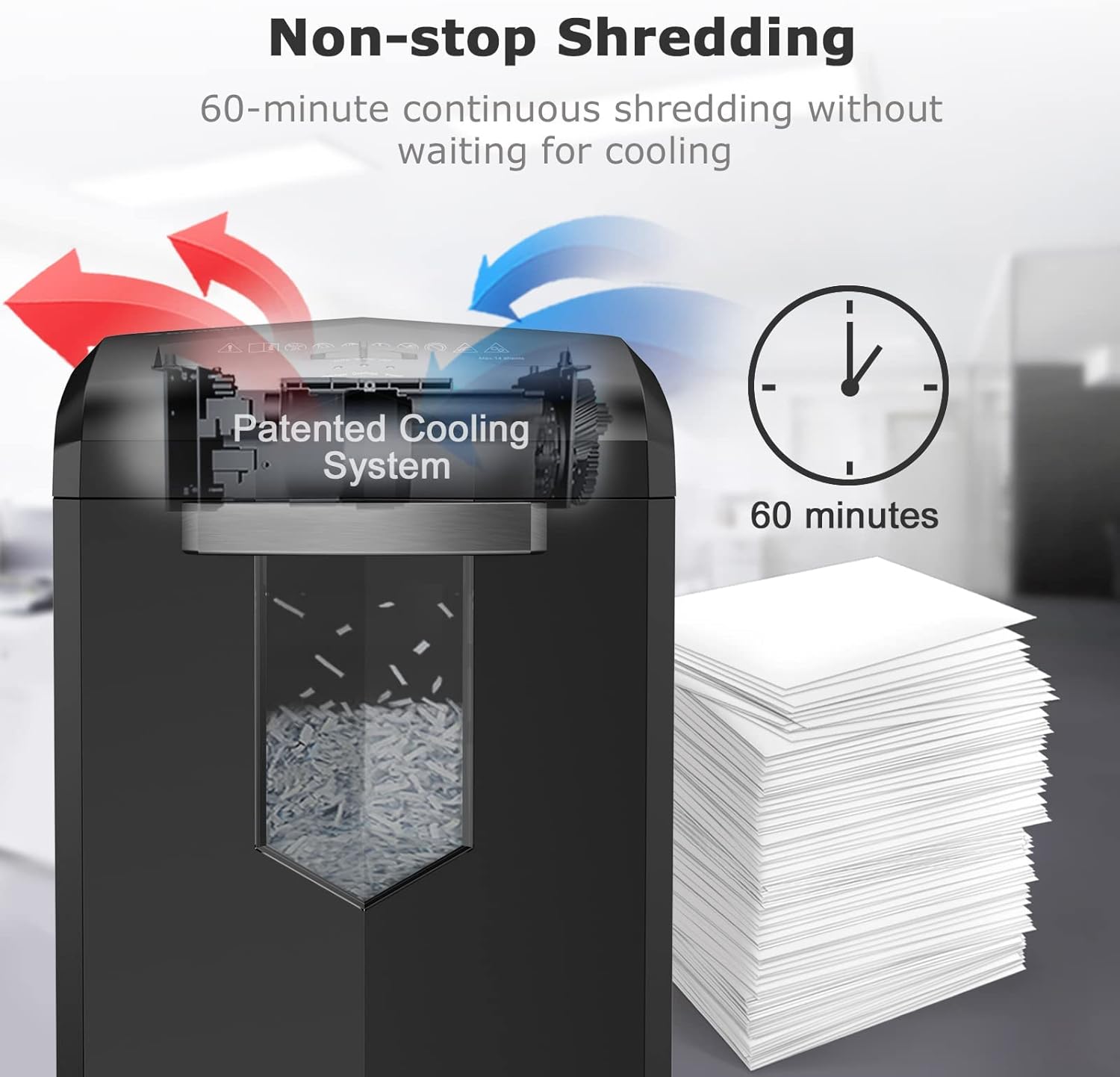
Image 4.1: An illustration detailing the Bonsaii shredder's patented cooling system, which enables up to 60 minutes of continuous shredding without overheating.

Image 4.2: The Bonsaii shredder demonstrating its capacity to shred up to 18 sheets of paper, with an overlay showing the precise cross-cut particle size.
5. Setup
- Unpack: Carefully remove the shredder and all components from the packaging.
- Position: Place the shredder on a flat, stable surface. Ensure the waste bin is correctly inserted into the shredder unit. The shredder will not operate if the bin is not properly seated.
- Connect Power: Plug the power cord into a standard electrical outlet.
- Power On: Locate the power switch, usually on the back or side of the unit, and turn it to the "ON" position.
6. Operating Instructions
6.1 Control Panel:
The control panel typically includes a slide switch with three positions:
- AUTO (On): The shredder will automatically start when paper is inserted and stop when shredding is complete.
- OFF: The shredder is powered off.
- REV (Reverse): Used to clear paper jams by reversing the shredding mechanism.
6.2 Shredding Documents:
- Ensure the shredder is plugged in and the power switch is set to "ON".
- Set the control panel switch to "AUTO".
- Insert paper (up to 18 sheets of 20lb letter-size paper) straight into the paper entry slot. The shredder will automatically start and stop.
- For credit cards, insert one card at a time into the designated slot (if available, otherwise use the main paper slot).
- Avoid exceeding the maximum sheet capacity to prevent jams and reduce motor strain.

Image 6.1: A hand carefully feeding a document into the paper entry slot of the Bonsaii shredder, demonstrating proper usage.
7. Maintenance
7.1 Emptying the Waste Bin:
Regularly check and empty the waste bin to prevent paper jams and ensure optimal performance. Unplug the shredder before removing the bin.
7.2 Lubricating the Shredder Blades (Using Lubricant Sheets):
To maintain shredder performance, prevent paper jams, and reduce static dust, lubricate the blades regularly using the provided Bonsaii Lubricant Sheets (Model: LS24).

Image 7.1: A stack of 24 Bonsaii shredder lubricant sheets, designed for maintaining shredder blades.

Image 7.2: Close-up of the Bonsaii lubricant sheet packaging, showing detailed instructions for use.
Instructions for using Lubricant Sheets:
- Ensure the shredder is in "AUTO" mode.
- Insert one lubricant sheet into the paper entry slot, just like shredding a piece of paper.
- Allow the shredder to completely shred the sheet.
- For optimal results, after shredding the sheet, switch the shredder to "REV" (Reverse) for 10 seconds to distribute the lubricant evenly.
- Repeat this process regularly, especially after heavy use or if shredder performance decreases.
Note: Do not tear the lubricant sheet or fold it before shredding. Do not use liquid oil, as it can damage the shredder and void the warranty.
7.3 Cleaning:
Wipe the exterior of the shredder with a soft, dry cloth. Do not use abrasive cleaners or solvents.
8. Troubleshooting
| Problem | Possible Cause | Solution |
|---|---|---|
| Shredder does not turn on. |
|
|
| Paper jam. |
|
|
| Shredder stops during operation. |
|
|
9. Specifications
- Model: C149-C
- Shred Type: Cross-Cut
- Shred Size: 13/64 x 1-37/64 inches (5 x 40mm)
- Sheet Capacity: Up to 18 sheets (20lb bond paper)
- Shreds: Paper, Credit Cards, Staples
- Continuous Run Time: 60 minutes
- Cool Down Time: Approximately 30-60 minutes
- Noise Level: 62 dB
- Mobility: 4 Casters
- Brand: Bonsaii
10. Warranty and Support
The Bonsaii C149-C Shredder typically comes with a one-year warranty from the date of purchase, covering defects in materials and workmanship. For specific warranty details, claims, or technical support, please refer to the warranty card included with your product or contact Bonsaii customer service directly.
For further assistance, please visit the official Bonsaii website or contact their customer support channels.


