
MAGLITE 670-D7
MAGLITE Phonograph Stylus 670-D7 Instruction Manual
Model: 670-D7 | Brand: MAGLITE
1. Introduction
This manual provides comprehensive instructions for the installation, operation, and maintenance of your MAGLITE 670-D7 phonograph stylus. Designed for optimal sound reproduction, this stylus features a durable diamond tip and is compatible with a wide range of turntables operating at 33 and 45 RPM. Proper handling and installation are crucial for achieving the best audio quality and extending the life of your stylus and records.
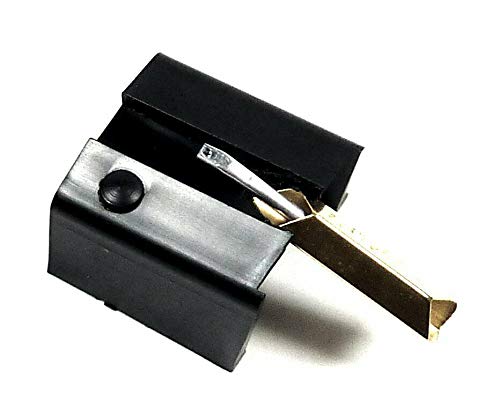
Figure 1: MAGLITE 670-D7 Phonograph Stylus. This image shows the stylus from an angled perspective, highlighting its black body and the metallic cantilever with the diamond tip.
2. Setup and Installation
Careful installation of the stylus is essential to prevent damage to the stylus, cartridge, or your records. Always handle the stylus by its body, avoiding contact with the delicate diamond tip.
- Power Off: Before beginning, ensure your turntable is powered off and unplugged from the mains electricity supply.
- Identify Current Stylus/Cartridge: Carefully examine your existing stylus and cartridge. It is critical that the replacement stylus matches the original in appearance and fit. If your turntable's cartridge has been changed previously, the 670-D7 stylus may not fit correctly. If unsure, consult a professional or compare thoroughly before proceeding.
- Remove Old Stylus: Gently grasp the body of the old stylus and pull it forward and slightly downward, away from the cartridge. Avoid excessive force.
- Install New Stylus: Hold the MAGLITE 670-D7 stylus by its plastic housing. Align the stylus with the cartridge opening and gently push it upwards and backwards until it clicks securely into place. Do not force it. Ensure it is seated firmly and flush with the cartridge body.
- Inspect: Visually inspect the installed stylus to ensure it is straight and securely attached to the cartridge. The diamond tip should be visible and undamaged.
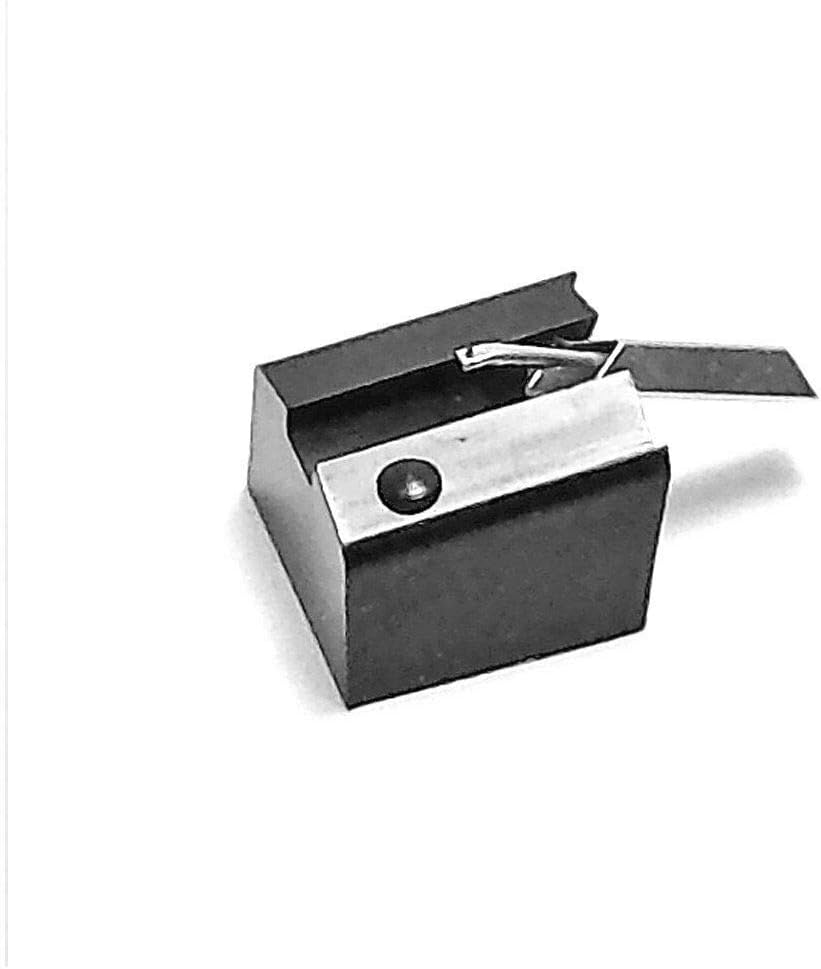
Figure 2: Close-up view of the MAGLITE 670-D7 stylus, showing the diamond tip and cantilever mechanism. This image helps in identifying the correct orientation for installation.
3. Operating Guidelines
The MAGLITE 670-D7 stylus is designed for playback of vinyl records at standard speeds. Adhere to the following guidelines for optimal performance and record longevity:
- Compatible Speeds: This stylus is suitable for playing records at 33 RPM (revolutions per minute) and 45 RPM. Ensure your turntable is set to the correct speed for the record you are playing.
- Tracking Force: Refer to your turntable or cartridge manufacturer's recommendations for the optimal tracking force. Incorrect tracking force can lead to premature stylus wear, record damage, and poor sound quality.
- Anti-Skate: Adjust your turntable's anti-skate setting according to the manufacturer's instructions to ensure even wear on the stylus and proper groove tracking.
- Gentle Handling: Always lower and raise the tonearm gently using the cueing lever. Avoid dropping the stylus onto the record.
- Clean Records: Play only clean records. Dust and debris can accumulate on the stylus tip, degrading sound quality and potentially damaging both the stylus and records.
4. Maintenance
Regular maintenance will prolong the life of your stylus and ensure consistent sound quality.
- Stylus Cleaning:
- Use a dedicated stylus cleaning brush or fluid.
- Brush the stylus gently from back to front (from the cantilever towards the tip) to remove dust and debris. Never brush side-to-side or front-to-back, as this can damage the cantilever.
- Clean the stylus before and after each listening session, or as needed.
- Inspection: Periodically inspect the stylus tip for wear or damage using a magnifying glass. A worn stylus can damage records and produce poor sound. Replace the stylus if the tip appears chipped, bent, or excessively worn.
- Storage: When not in use, ensure the stylus guard (if available) is in place to protect the tip. Keep your turntable covered to prevent dust accumulation.
5. Troubleshooting
If you experience issues with sound quality or playback, consider the following common troubleshooting steps:
- Poor Sound Quality (Muffled, Distorted):
- Ensure the stylus is clean (refer to Maintenance section).
- Verify the stylus is correctly seated in the cartridge.
- Check tracking force and anti-skate settings.
- Inspect the stylus for wear or damage. A worn stylus needs replacement.
- Ensure records are clean and free of dust.
- Skipping or Jumping:
- Check tracking force; it might be too light or too heavy.
- Adjust anti-skate.
- Ensure the record is flat and clean.
- Verify the stylus is not bent or damaged.
- No Sound or Intermittent Sound:
- Confirm all audio cables are securely connected.
- Ensure the turntable is powered on and connected to an appropriate phono input or pre-amplifier.
- Check if the stylus is fully inserted into the cartridge.
6. Specifications
| Stylus Tip: | Diamond, 0.7 mil radius |
| Compatible Speeds: | 33 RPM, 45 RPM |
| Replacement for Needles: | Audio Technica AT4-7D, AT4-55D; Columbia DSN-24; Denon DSN-24; JVC DT-12; Kenwood N-38; Onkyo DN-18, DN-24, DN-36, DN-36ST, DN-24ST; Sansui SC50, SV50, SN33, SN50; Sanyo Fisher ST-25J; Sony ND-124, ND-125, ND125P, ND-126, ND-131, ND-132, ND-124P, ND-125G, ND-126G, ND-126GA, ND D-127E, ND-131G, ND-132G, ND-132GA; Toshiba N-13C, N-13D; Yamaha N-5500 |
| Used in Cartridges: | Audio Technica AT4, AT55; Denon GM-20, JM-11; Kenwood V-38; Onkyo OC-18M, OC24M, OC-36M; Sanyo Fisher MG-2G-2G-2G-2.5J, ST25.J; Sansui SC-70, SC80; Sony V6-1200G, VG-266, VM-16G, VM-21, VM-22, VM-22G, VM-22P, VM-226, VM-22P, VM-24P, VM-26G, NS-12, VM-1200G; Toshiba C-27M; Yamaha CG-5500 |
| Manufacturer: | MAG |
| ASIN: | B08G86FB9C |
| First Available Date: | September 16, 2020 |
7. Warranty Information
Specific warranty details for the MAGLITE 670-D7 stylus are not provided in this manual. For information regarding warranty coverage, terms, and conditions, please refer to the product packaging or contact the seller directly. Keep your proof of purchase for any warranty claims.
8. Support
For further assistance, technical support, or inquiries regarding your MAGLITE 670-D7 phonograph stylus, please contact the seller "mirage des ondes" through the platform where the purchase was made. You may also visit the official MAGLITE brand store for general product information:
Ask a question about this manual
Ask about setup, troubleshooting, compatibility, parts, safety, or missing instructions. Manuals+ will review the question and use this page’s manual context to help answer it.