
SOMIC MS300
SOMIC MS300 Wireless Bluetooth Headphone User Manual
Model: MS300
Introduction
Thank you for choosing the SOMIC MS300 Wireless Bluetooth Headphones. This manual provides essential information for setting up, operating, and maintaining your headphones to ensure optimal performance and longevity. The MS300 headphones offer high-fidelity stereo sound, extended battery life, and versatile connectivity options for various devices.

Image: SOMIC MS300 Wireless Bluetooth Headphones in white, showcasing the sleek design.
Package Contents
- SOMIC MS300 Wireless Bluetooth Headphones
- 3.5mm Audio Cable (with built-in line mic)
- Charging Cable (USB)
- User Manual (this document)
Setup
Charging the Headphones
Before first use, fully charge your SOMIC MS300 headphones.
- Connect the charging cable to the charging port on the headphone.
- Connect the other end of the charging cable to a USB power source (e.g., computer USB port, USB wall adapter).
- The indicator light will show charging status (refer to LED indicator section for details).
- A full charge provides up to 72 hours of playtime. For quick use, a 5-minute charge can provide approximately 2 hours of playtime.

Image: SOMIC MS300 headphones on a desk, demonstrating the fast charging capability with text overlays indicating "Charge for 5 minutes" and "Used for 2 hours".
Powering On/Off
- To power on: Press and hold the Power Switch button until the indicator light illuminates.
- To power off: Press and hold the Power Switch button until the indicator light turns off.
Operating Instructions
Bluetooth Pairing (Wireless Mode)
The SOMIC MS300 headphones utilize advanced Qualcomm Bluetooth 5.0 for stable and fast connections. They can connect to two devices simultaneously.
- Ensure the headphones are powered off.
- Press and hold the Power Switch button for approximately 5-7 seconds until the indicator light flashes blue and red alternately, indicating pairing mode.
- On your device (smartphone, tablet, laptop), enable Bluetooth and search for "SOMIC MS300" in the list of available devices.
- Select "SOMIC MS300" to connect. Once connected, the indicator light will turn solid blue or flash blue slowly.
- To connect a second device: After connecting the first device, disable Bluetooth on the first device. Put the headphones back into pairing mode. Connect the second device. Then, re-enable Bluetooth on the first device; the headphones should automatically reconnect to both.

Image: A person wearing the SOMIC MS300 headphones, highlighting their comfortable and lightweight design for extended use.
Wired Mode Connection
The headphones can be used in wired mode with the included 3.5mm audio cable, even when the battery is depleted.
- Insert one end of the 3.5mm audio cable into the 3.5mm jack on the headphone.
- Insert the other end into the 3.5mm audio output of your device (e.g., cellphone, PC, laptop).
- In wired mode, the headphones function as passive headphones, and the built-in line mic on the cable can be used for calls.
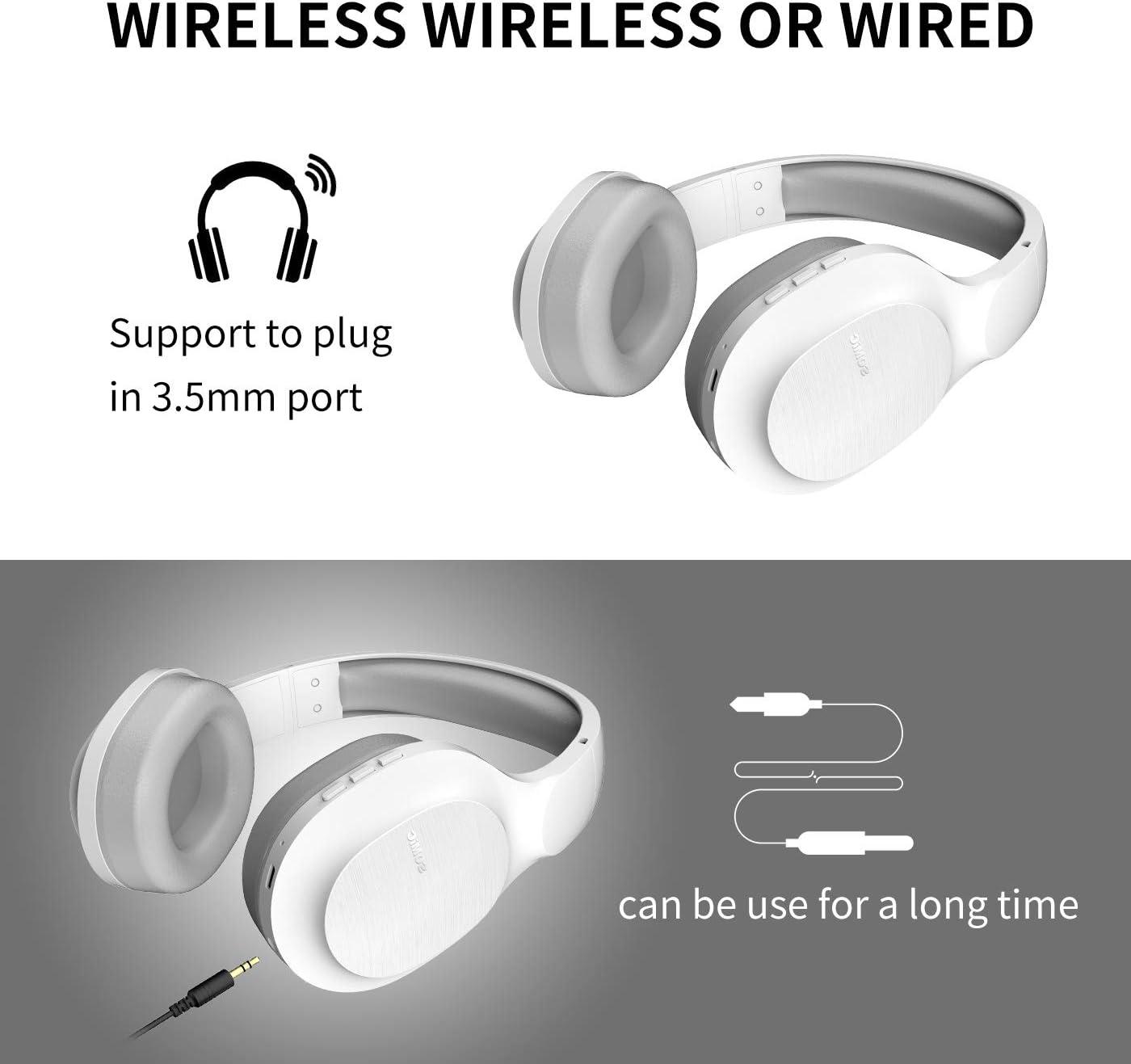
Image: SOMIC MS300 headphones demonstrating both wireless usage and the option to connect via a 3.5mm audio cable for wired listening.
Controls
The functional controls are conveniently located on the ear cup.
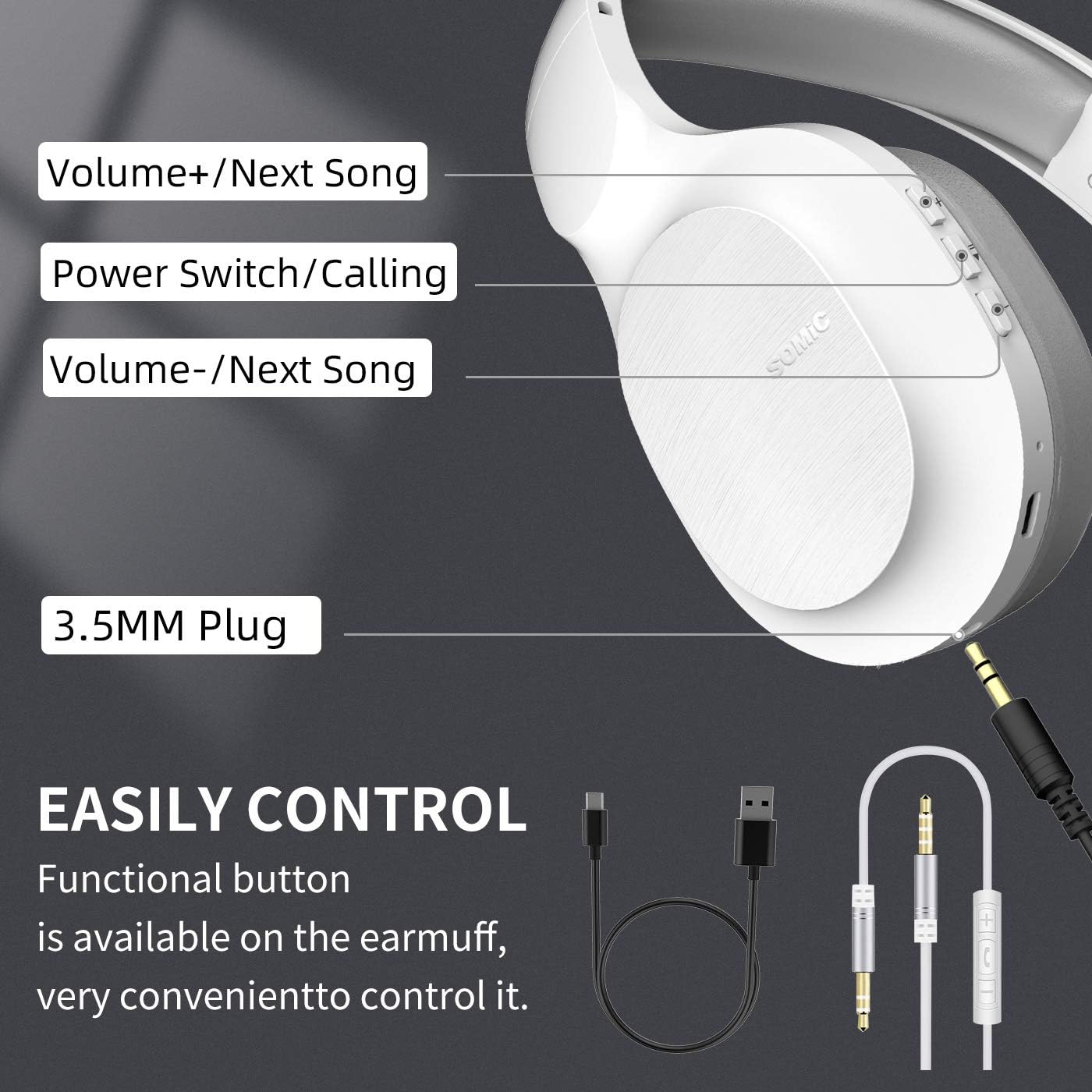
Image: A detailed diagram of the SOMIC MS300 headphone's right ear cup, labeling the Volume+/Next Song, Power Switch/Calling, Volume-/Previous Song buttons, and the 3.5mm plug.
- Volume + / Next Song:
- Short press: Increase volume.
- Long press: Skip to the next song.
- Power Switch / Calling:
- Short press: Play/Pause music.
- Short press (during call): Answer/End call.
- Long press: Power On/Off.
- Double press: Redial last number.
- Volume - / Previous Song:
- Short press: Decrease volume.
- Long press: Go to the previous song.
Maintenance
Proper maintenance ensures the longevity and optimal performance of your SOMIC MS300 headphones.
- Cleaning: Use a soft, dry cloth to clean the headphones. Do not use abrasive cleaners, alcohol, or chemical solvents.
- Storage: Store the headphones in a cool, dry place away from direct sunlight and extreme temperatures.
- Battery Care: Avoid fully discharging the battery frequently. If storing for a long period, charge the headphones to about 50% every few months.
- Avoid Moisture: Do not expose the headphones to water or excessive moisture.
- Handle with Care: Avoid dropping or subjecting the headphones to strong impacts.
Troubleshooting
| Problem | Possible Cause | Solution |
|---|---|---|
| Headphones do not power on. | Battery is low or depleted. | Charge the headphones fully. |
| Cannot pair via Bluetooth. | Headphones not in pairing mode; device Bluetooth off; too far from device. | Ensure headphones are in pairing mode (flashing red/blue). Turn on device Bluetooth. Move headphones closer to device (within 10 meters). |
| No sound in wireless mode. | Volume too low; headphones not connected; incorrect audio output selected on device. | Increase headphone and device volume. Re-pair headphones. Select "SOMIC MS300" as audio output on your device. |
| No sound in wired mode. | 3.5mm cable not fully inserted; cable damaged; device audio jack issue. | Ensure cable is fully inserted into both headphone and device. Try a different 3.5mm cable if available. Test with another device. |
| Poor sound quality. | Low battery; interference; source audio quality. | Charge headphones. Move away from other wireless devices. Try different audio source. |
Specifications
| Feature | Detail |
|---|---|
| Model Name | MS300 |
| Connectivity Technology | Wireless (Bluetooth 5.0), Wired (3.5mm Jack) |
| Bluetooth Version | 5.0 (Qualcomm chip) |
| Audio Driver Type | Dynamic Driver (40mm) |
| Frequency Range | 20 Hz - 20000 Hz (20 KHz) |
| Battery Life | Up to 72 Hours (music/talking time) |
| Charging Time (Fast Charge) | 5 minutes for 2 hours of use |
| Earpiece Shape | Over Ear |
| Material | Plastic, Memory-Protein Earmuffs |
| Control Type | Volume Control, Play/Pause, Call Answer/End, Track Skip |
| Product Dimensions | 8.66 x 4.33 x 10.24 inches |
| Item Weight | 15.5 ounces |
| Manufacturer | SOMIC |

Image: SOMIC MS300 headphones from behind, emphasizing their strong endurance with a "72" hours playtime graphic.
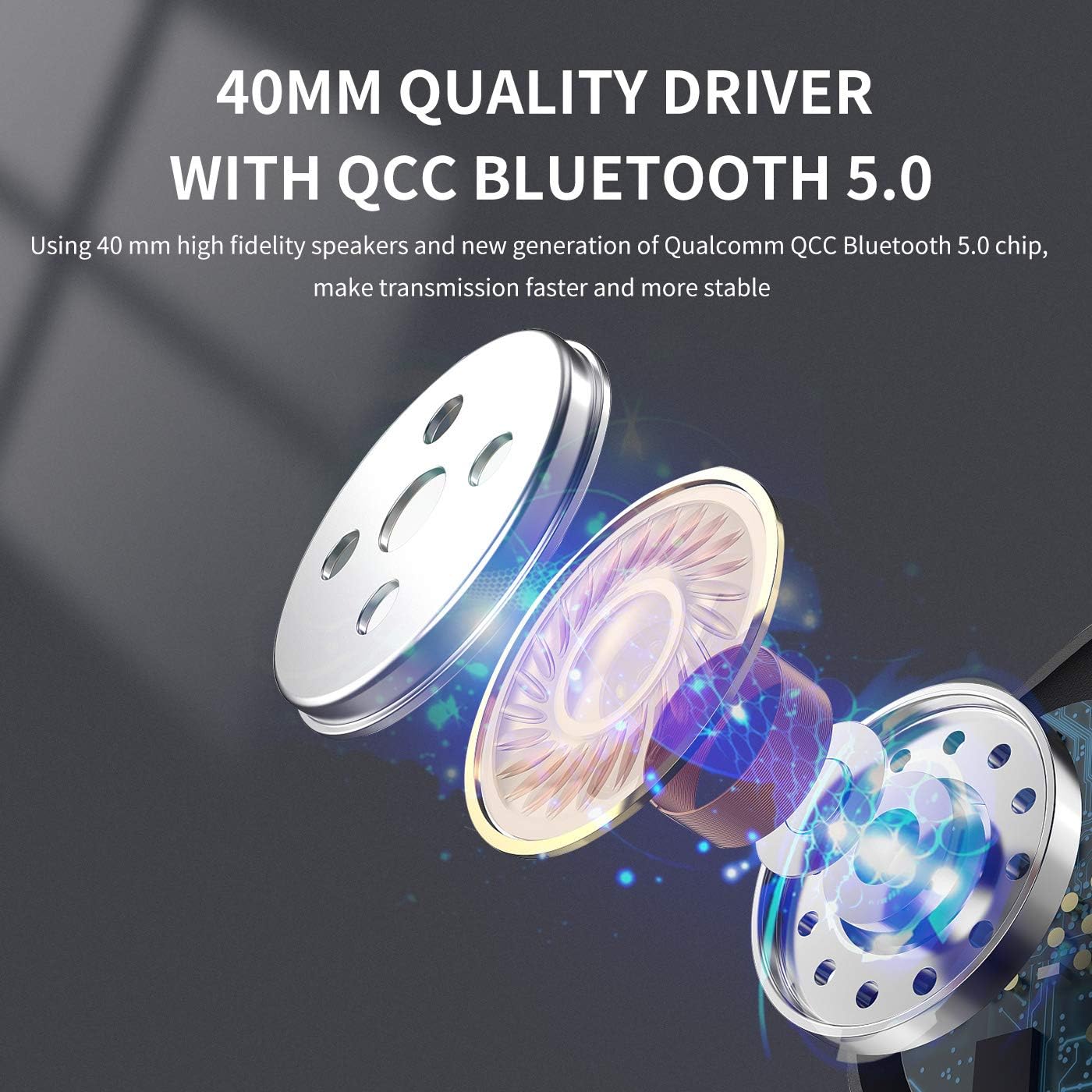
Image: An exploded view diagram illustrating the 40mm high-fidelity speakers and Qualcomm QCC Bluetooth 5.0 chip inside the SOMIC MS300 headphones.
Warranty and Support
SOMIC provides a standard warranty for its products. Please refer to the warranty card included in your package for specific terms and conditions, or visit the official SOMIC website for the most up-to-date warranty information.
For technical support, troubleshooting assistance, or warranty claims, please contact SOMIC customer service through their official website or the contact information provided on the product packaging.
SOMIC Official Website: Visit SOMIC Store on Amazon
Related documentsMS300


Ask a question about this manual
Ask about setup, troubleshooting, compatibility, parts, safety, or missing instructions. Manuals+ will review the question and use this page’s manual context to help answer it.