
1. Introduction
Thank you for choosing the EAGLE Digital Kitchen Weighing Scale, Model DLX-061. This precision scale is designed for accurate measurement in various applications, including kitchen use, diet management, and small item counting. It features a 6 kg capacity with 0.1 g accuracy, multiple unit options, a tare function, and a counting function. Please read this manual carefully to ensure proper use and maintenance of your scale.

Image: The EAGLE Digital Kitchen Weighing Scale DLX-061, showing its compact design and digital display.
2. Product Features
- High Precision Measurement: Equipped with super measurement sensors, offering 6 kg weighing capacity and 0.1 gram division.
- Multi-Unit Feature: Allows switching between g, oz, lb, kg, tl, and ct.
- Large Reverse LCD Display: Display size of 67 x 29 mm with 20 mm digit height, white background, and blue digits for easy readability.
- Tare Function: Measures net weight by zeroing out the container weight.
- Counting Function (PCS): Useful for counting small items.
- Auto Shutoff: Conserves battery life.
- Indicators: Low battery and overload indicators.
- Durable Material: Constructed with food-grade ABS square pan.
- Power Options: Dual power (adaptor + 2 AAA batteries).
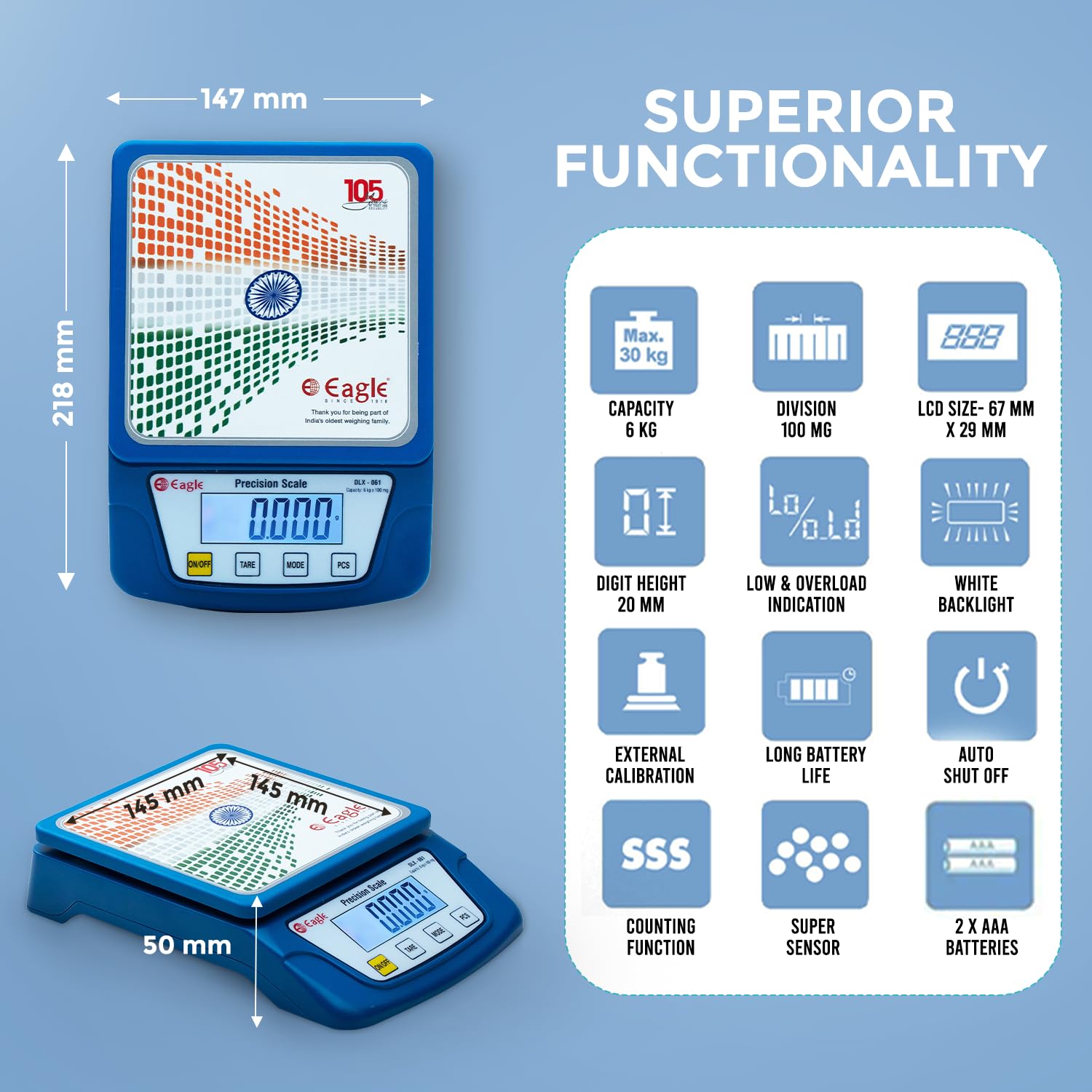
Image: Visual representation of the scale's superior functionality, including capacity, division, LCD size, digit height, low/overload indication, white backlight, external calibration, long battery life, auto shut off, counting function, super sensor, and battery type.
3. Setup
- Unpacking: Carefully remove the scale and all components from the packaging.
- Battery Installation: Open the battery compartment cover located on the underside of the scale. Insert 2 AAA batteries, ensuring correct polarity (+/-). Close the cover securely.
- Placement: Place the scale on a firm, flat, and stable surface to ensure accurate readings. Avoid placing it on soft or uneven surfaces, or near vibrating equipment.
- Power Connection (Optional): If using the power adapter, connect it to the scale's power port and plug it into a suitable electrical outlet.

Image: Contents of the product box, including the electronic weighing and counting scale, user manual, power adapter, and two AAA batteries.
4. Operating Instructions
4.1 Power On/Off
- Press the ON/OFF button to turn the scale on. The display will show "HELLO" then "EAGLE" before settling at "0.0".
- To turn off the scale, press and hold the ON/OFF button for a few seconds until the display turns off. The scale also features an auto-shutoff function to save power.
4.2 Tare Function
The Tare function allows you to subtract the weight of a container, so you can measure only the net weight of the ingredients.
- Place an empty container on the weighing platform. The display will show the container's weight.
- Press the TARE button. The display will reset to "0.0", indicating the container's weight has been tared.
- Add items to the container. The display will now show only the weight of the added items.

Image: A visual guide demonstrating the tare function: placing an empty container, pressing Tare to reset to zero, and then adding items to measure their net weight.
Video: Demonstration of turning on the scale, placing a container, using the tare function, and adding liquid to measure its weight. This video illustrates the basic operation and tare feature of the DLX-061 scale.
4.3 Unit Function
To switch between different weighing units (g, oz, lb, kg, tl, ct), press the MODE button. Each press will cycle through the available units.
4.4 Counting Function (PCS)
The PCS function allows you to count a quantity of small, uniformly weighted items.
- Place a sample quantity of items (e.g., 10, 20, 50, or 100 pieces) on the scale.
- Press and hold the PCS button until the display shows "PCS" and a number (e.g., "25").
- Press the MODE button to select the sample quantity that matches the number of items you placed on the scale.
- Press PCS again to confirm. The display will now show the count of the sample.
- Add more items, and the scale will display the total count.

Image: A detailed diagram illustrating the functions of the ON/OFF, TARE, MODE, and PCS buttons on the scale, along with the display area.
5. Maintenance
- Cleaning: Clean the scale with a damp cloth. Do not use abrasive cleaners or immerse the scale in water.
- Storage: Store the scale in a cool, dry place when not in use. Remove batteries if the scale will not be used for an extended period.
- Handling: Handle the scale with care. Avoid dropping it or subjecting it to strong impacts.
- Overload Protection: Do not exceed the maximum weight capacity of 6 kg to prevent damage.
6. Troubleshooting
| Problem | Possible Cause | Solution |
|---|---|---|
| Scale does not turn on. | Dead or incorrectly installed batteries. No power from adapter. | Check battery polarity, replace batteries. Ensure power adapter is correctly connected and functional. |
| Inaccurate readings. | Unstable surface, scale not tared, environmental factors (vibrations, drafts). | Place scale on a firm, level surface. Use the Tare function. Avoid drafts and vibrations. |
| "Lo" or "Low Battery" displayed. | Low battery power. | Replace the batteries. |
| "O-Ld" or "Overload" displayed. | Weight exceeds maximum capacity (6 kg). | Remove excess weight immediately to prevent damage to the scale. |
7. Specifications
| Feature | Detail |
|---|---|
| Brand | EAGLE |
| Model Number | DLX-061 |
| Weight Capacity Maximum | 6 Kilograms |
| Readout Accuracy | 0.1 Grams |
| Display Type | LCD (67 x 29 mm, 20 mm digit height, white backlight, blue digits) |
| Measurement Units | g, oz, lb, kg, tl, ct |
| Special Features | Tare Function, Counting Function, Auto Shutoff, Low Battery Indicator, Overload Indicator |
| Material Type | Plastic (Food Grade ABS Pan) |
| Item Weight | 405 Grams |
| Power Source | Battery powered (2x AAA batteries) or Power Adapter |
| Dimensions (Approx.) | Length: 218 mm, Breadth: 147 mm, Height: 50 mm |

Image: Technical drawing illustrating the dimensions (length, breadth, height) and pan size of the DLX-061 scale.
8. Warranty and Support
The EAGLE Digital Kitchen Weighing Scale DLX-061 comes with a 1-year replacement warranty against any manufacturing defects. Please note that breakage, water damage, battery issues, and general wear and tear are excluded from this warranty.
For any warranty claims, product-related issues, or support, please contact us:
- Email: service@egkantawalla.com
- Phone: 7030900185
- Manufacturer: E G KANTAWALLA PVT LTD. PUNE
- Address: Office No. 204, P T Gera Centre, Bund Garden Road, Pune-411001, Maharashtra, India
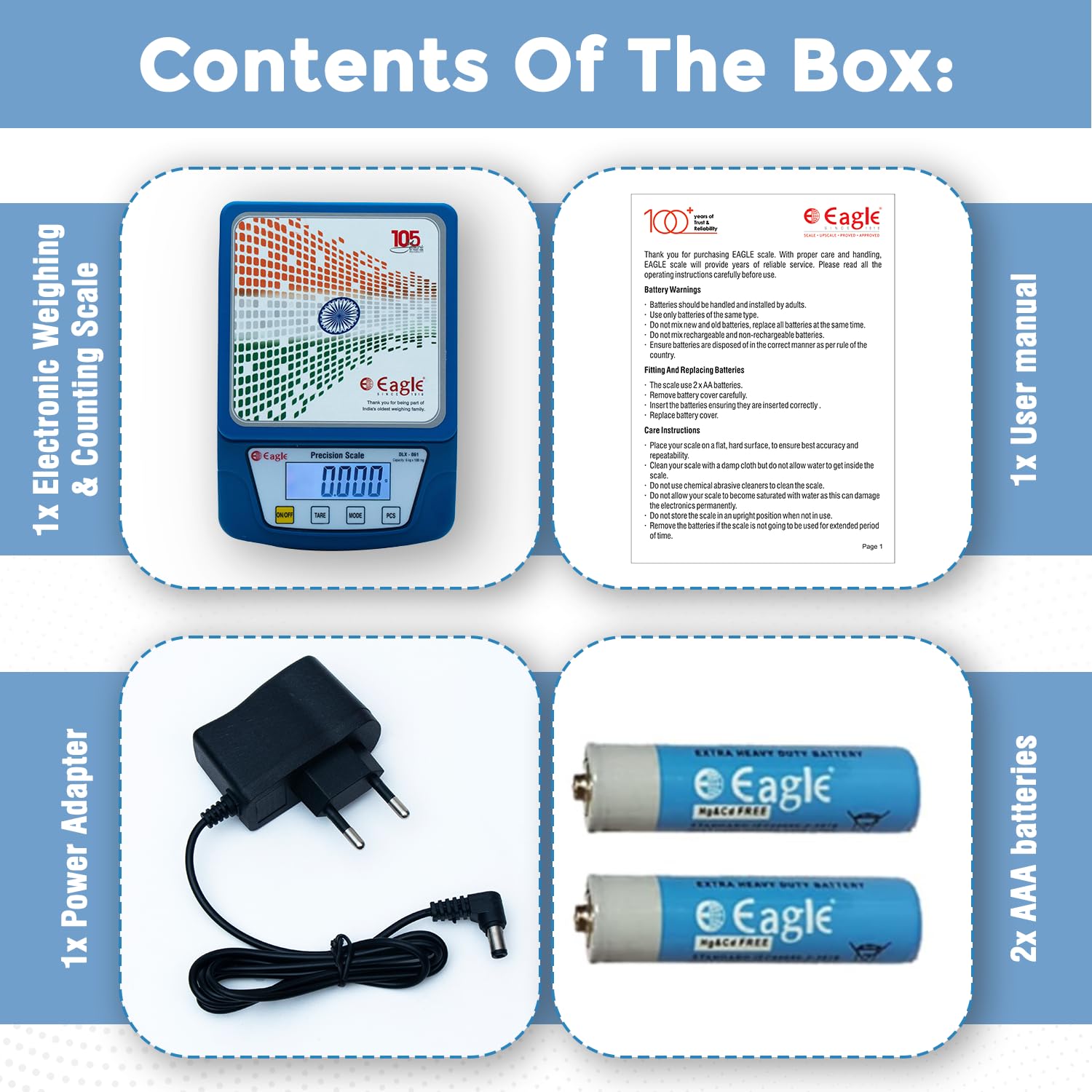
Image: Contact details for warranty and product-related queries, including email and phone number.
