
GRIFEMA GA1004
Contents
GRIFEMA GA1004 Key Lock Box User Manual
Model: GA1004
Introduction
This user manual provides detailed instructions for the installation, operation, and maintenance of your GRIFEMA GA1004 Key Lock Box. Please read this manual thoroughly before using the product to ensure proper function and safety. The GRIFEMA GA1004 is a robust and secure solution for storing keys, featuring a 4-digit combination lock for enhanced security.
Important Safety Information
- Ensure the lock box is securely mounted to a solid surface to prevent unauthorized removal.
- Do not share your combination code with unauthorized individuals.
- Regularly check the lock box for any signs of damage or tampering.
- Keep the combination mechanism clean and free from debris.
- Do not attempt to force the lock if it is not opening. Re-check your combination.
- This product is designed for key storage; do not store valuable items that could be damaged by environmental factors.
Product Overview
The GRIFEMA GA1004 Key Lock Box is constructed primarily from zinc alloy and steel for maximum durability. It features a 4-digit resettable combination lock and a sturdy shackle for hanging or mounting. The internal compartment is designed to securely hold multiple keys.

Figure 1: Front and open views of the GRIFEMA GA1004 Key Lock Box, showing the combination dial and internal key storage.

Figure 2: Detailed dimensions of the key lock box and its shackle, indicating internal and external measurements. Note: Do not remove the spring steel inside the box as it can affect opening.

Figure 3: Illustration of the key lock box's capacity, showing it can hold multiple keys and a card.
Setup and Combination Setting
Your GRIFEMA GA1004 Key Lock Box comes with a default combination of 0-0-0-0. Follow these steps to set your personalized combination:
Open the lock box: Dial the original code 0-0-0-0 to open the key lock box.

Figure 4: Dialing the default combination (0-0-0-0) to open the lock box.
Locate the RESET lever: Inside the opened box, push the RESET lever from position A to position B (usually a small switch on the back of the door mechanism).
Figure 5: Moving the internal reset lever to the 'B' position to prepare for setting a new code.
Set your new combination: While the lever is in position B, dial your desired 4-digit combination. Choose a memorable but secure code.
Figure 6: Setting the new 4-digit combination on the dials.
Return the RESET lever: Push the RESET lever back to position A. Your new combination is now set.
Figure 7: Returning the reset lever to the 'A' position to lock in the new combination.
Test your new combination: Close the key lock box and scramble the dials. Then, dial your new combination to ensure it opens correctly. If it does not open, repeat the steps from the beginning.
The 4-digit combination lock offers 10,000 possible combinations, making it significantly more secure than a 3-digit lock.

Figure 8: Visual representation of the 4-digit combination lock, highlighting its enhanced security with 10,000 combinations.
Mounting Options
The GRIFEMA GA1004 can be mounted in two primary ways: hanging or screw-fixed.
- Hanging: The sturdy shackle allows the lock box to be hung on door handles, fences, or other suitable fixtures.
- Screw-Fixed: For permanent installation, the lock box can be securely screwed to a solid surface like a wall or wardrobe. Mounting hardware (screws and wall plugs) is included.

Figure 9: Demonstrates suitable and unsuitable locations for key storage, showing the lock box hung on a door handle as a recommended method, and avoiding hiding keys under mats or rocks.

Figure 10: Included mounting hardware: screws and wall plugs for secure installation.
Installation Steps for Screw-Fixed Mounting
Adjust the Hole Position: Place the lock box against the desired mounting surface and mark the positions for drilling through the pre-drilled holes on the back of the unit.

Figure 11: Marking drill points on the wall using the lock box as a template.
Punch Holes: Use a drill to create holes at the marked positions. Ensure the drill bit size is appropriate for the included wall plugs.
Figure 12: Drilling holes into the wall at the marked positions.
Embed Expansion Tube (Wall Plugs): Insert the plastic wall plugs into the drilled holes. Tap them gently with a hammer until they are flush with the surface.
Figure 13: Inserting wall plugs into the drilled holes.
Fix the Lock Box with Screws: Align the lock box with the wall plugs and secure it using the provided screws. Tighten firmly but do not overtighten.
Figure 14: Securing the lock box to the wall using screws.
Operating Instructions
To open the GRIFEMA GA1004 Key Lock Box:
- Scramble the dials to hide the previous combination.
- Dial your set 4-digit combination, ensuring each number aligns correctly with the indicator line.
- Pull down the front cover to open the box.
- Retrieve or place keys inside.
To close and lock the box:
- Close the front cover firmly.
- Scramble the dials to hide your combination. The box is now locked.
Maintenance
Proper maintenance will ensure the longevity and reliable operation of your key lock box.
- Cleaning: Clean the exterior with a dry cloth. Do not use abrasive cleaners or solvents, as they may damage the finish.
- Mechanism Care: Periodically check the combination dials and the opening mechanism for any dust or debris. If necessary, use a soft brush to gently remove any build-up. Avoid lubricating the mechanism unless specifically instructed by the manufacturer.
- Inspection: Regularly inspect the shackle and the main body for any signs of wear, corrosion, or damage. If significant damage is observed, consider replacing the unit.
- Weather Resistance: While designed to be weather-resistant, prolonged exposure to extreme weather conditions (e.g., heavy rain, direct sunlight, freezing temperatures) may affect performance over time. Consider placing it in a sheltered location if possible.
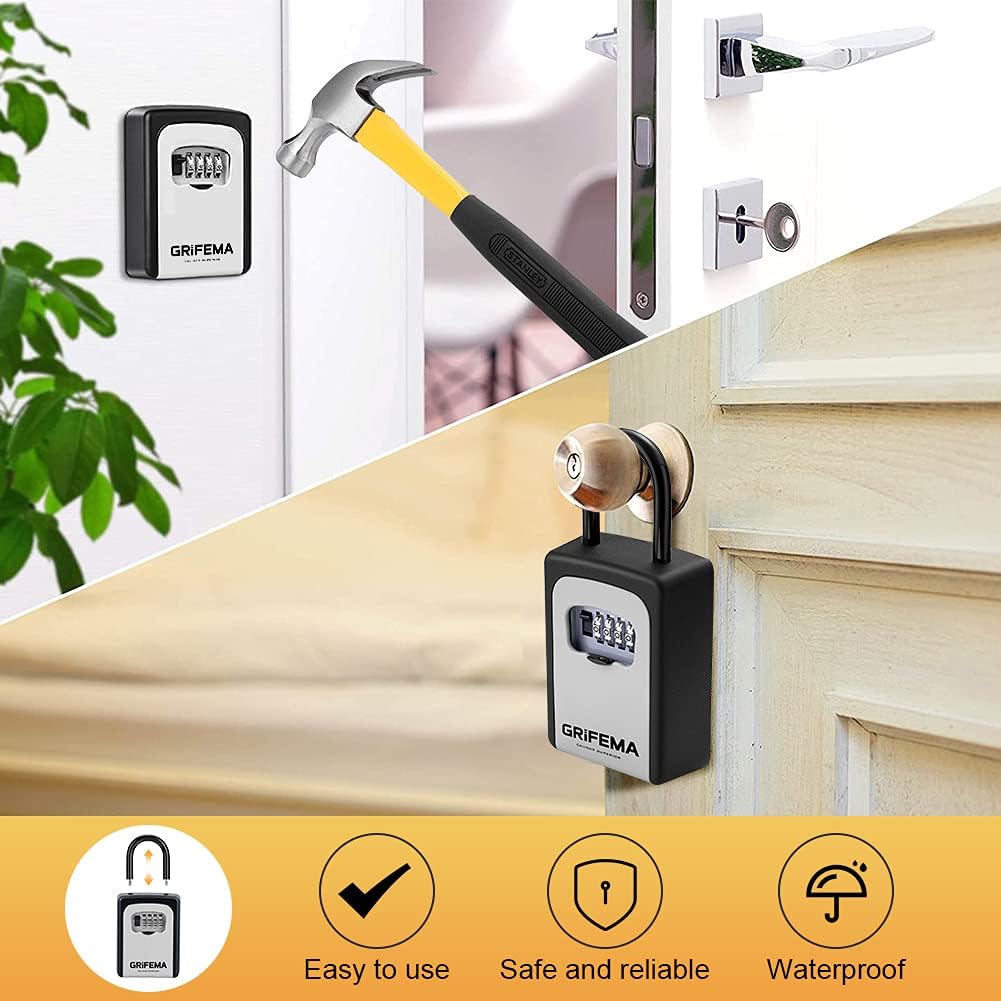
Figure 15: Key features of the GRIFEMA GA1004, including ease of use, safety, reliability, and weather resistance.
Troubleshooting
| Problem | Possible Cause | Solution |
|---|---|---|
| Lock box will not open. | Incorrect combination entered. Dials not aligned. Reset lever not fully returned to 'A' after setting. | Double-check your combination. Ensure each number is perfectly aligned with the indicator. If recently reset, ensure the reset lever is fully in position 'A'. Try resetting the combination if you have forgotten it (refer to "Setup" section). |
| Dials are stiff or hard to turn. | Dirt or debris in the mechanism. Lack of lubrication. | Clean the dials and surrounding area with a soft brush. Avoid using lubricants unless specified. |
| Lock box feels loose after mounting. | Screws are loose or wall plugs are not secure. | Tighten mounting screws. If the issue persists, re-evaluate the mounting surface and consider using larger wall plugs or a different mounting location. |
| Shackle is difficult to open/close. | Debris or minor misalignment. | Ensure the shackle is properly aligned with the opening. Clean any debris from the shackle mechanism. |
Specifications
| Feature | Detail |
|---|---|
| Product Dimensions (L x W x H) | 20 x 10 x 5 cm (approx. 7.87 x 3.94 x 1.97 inches) |
| Item Weight | 570 Grams (approx. 1.26 lbs) |
| Finish Type | Zinc |
| Care Instructions | Clean with a dry cloth |
| Number of Pieces | 1 (Key Lock Box) |
| Batteries Required | No |
| Included Components | 1 lock box, mounting screws, wall plugs |
| Model Number | GA1004 |
| Brand | GRIFEMA |
| Material | Metal (Zinc Alloy, Steel) |
| Lock Type | Combination Lock (4-digit) |
| Special Feature | Portable, Hanging, Weather Resistant, Robust, Resettable Combination |
Warranty and Support
For warranty information and customer support, please refer to the official GRIFEMA website or contact their customer service directly. Keep your purchase receipt as proof of purchase.
Visit the official GRIFEMA store: GRIFEMA Store on Amazon
Ask a question about this manual
Ask about setup, troubleshooting, compatibility, parts, safety, or missing instructions. Manuals+ will review the question and use this page’s manual context to help answer it.