
DEWENWILS HOSL04B
Contents
DEWENWILS 200W Multi-Tap Low Voltage Transformer
Model: HOSL04B
Product Overview
The DEWENWILS 200W Multi-Tap Low Voltage Transformer is designed to convert standard 120V AC household voltage to a safer 12V, 13V, 14V, or 15V AC output, suitable for low voltage landscape lighting systems. Its robust stainless steel construction ensures durability and protection against various weather conditions, making it ideal for outdoor use. The multi-tap output design allows for flexible circuit connections, accommodating different lighting requirements and cable run lengths.

Key Features
- Multi-tap Output: Converts 120V AC to 12V/13V/14V/15V AC, providing versatile voltage options for various landscape lighting needs.
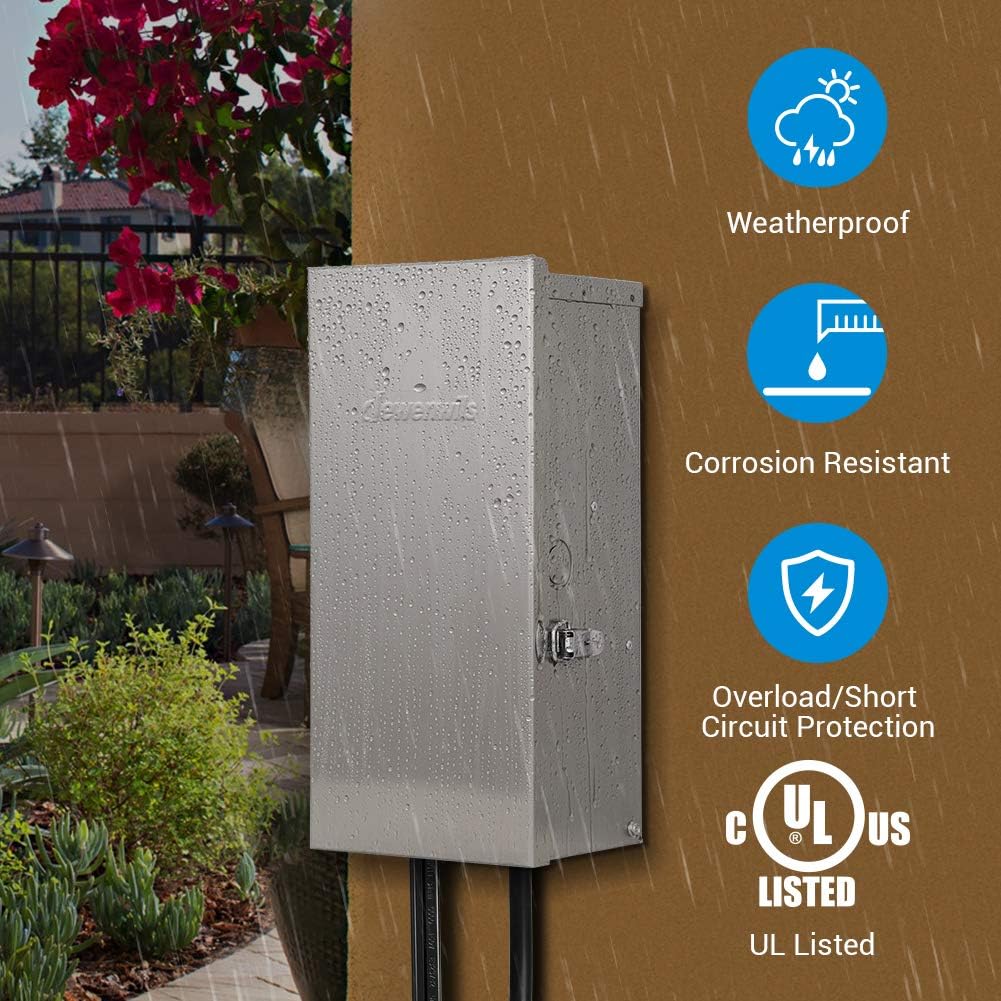
- Durable & Waterproof: Constructed from heavy-duty stainless steel with a tightly locked shield to protect against severe weather and prevent water ingress.
- Easy Installation: Features a built-in hanging hole and a 6ft SJTW 18AWG power cord for direct wall mounting. Knockouts and a removable black lid facilitate wire routing.
- Timer & Sensor Compatibility: Includes ports for adding a photocell sensor (not included) and a timer (sold separately) for automated operation. Compatible with smart plugs for advanced control.
- Automatic Circuit Breaker: Provides effective overload and short circuit protection. Ensure the total power of connected lighting does not exceed 80% of the transformer's 200W capacity.

Setup and Installation
Before installation, ensure the transformer is disconnected from the power source. Select a suitable indoor or outdoor wall location for mounting, ensuring it is on a non-combustible surface. Read all installation instructions thoroughly.
Mounting the Transformer
- Identify a secure mounting location on a wall.
- Use appropriate hardware (not included) to mount the transformer securely via its built-in hanging hole.
Wiring Connections
The transformer features multi-tap output terminals (COM1, COM2, 12V, 13V, 14V, 15V) for connecting your low voltage landscape lighting wires. The total power of your lighting system should not exceed 80% of the transformer's 200W capacity (i.e., 160W maximum load).
- To route wires, remove the knockout or the black lid at the bottom of the unit.
- Connect your landscape lighting wires to the desired voltage terminals (12V, 13V, 14V, or 15V) and one of the common terminals (COM1 or COM2). Use the higher voltage taps for longer wire runs to compensate for voltage drop.
- Ensure all connections are secure and properly insulated.


Safety Warnings
- Risk of Fire or Electric Shock: Install in accordance with all local and national electrical codes. Special wiring methods may be required for wiring through building structures.
- Suitable for indoor and outdoor use.
- Only for use with low voltage landscape luminaires or fittings and suitable for use with submersible luminaires or pumps.
- Do not exceed 1.67 Amps on the primary circuit.
Operation
Once installed and wired, the transformer is ready for operation.
- Power On/Off: Use the resettable switch located inside the transformer to turn the unit on or off.
- Voltage Selection: The multi-tap terminals allow you to select the appropriate output voltage (12V, 13V, 14V, or 15V) based on your lighting system's requirements and cable length.
- Automated Control (Optional): If a photocell sensor (not included) or timer (sold separately) is connected, the transformer will operate automatically based on light levels or programmed schedules.
- Overload Protection: The built-in automatic circuit breaker will trip if the connected load exceeds the transformer's capacity or if a short circuit occurs. If this happens, reduce the load or resolve the short circuit before resetting the breaker.
Maintenance
Regular maintenance helps ensure the longevity and optimal performance of your DEWENWILS transformer.
- Cleaning: Periodically wipe the stainless steel enclosure with a soft, damp cloth to remove dirt and debris. Avoid abrasive cleaners that could damage the finish.
- Connection Check: Annually inspect all wiring connections to ensure they are secure and free from corrosion. Tighten any loose terminals.
- Enclosure Integrity: Verify that the locking latch is securely closed to maintain the waterproof seal, especially after opening the unit for maintenance or adjustments.
- Load Management: Ensure the total wattage of connected lights remains within 80% of the transformer's capacity to prevent overloading and extend its lifespan.
Troubleshooting
| Problem | Possible Cause | Solution |
|---|---|---|
| Lights not turning on | No power to transformer; Resettable switch is OFF; Tripped circuit breaker; Loose wiring connections; Faulty lights. | Check power outlet; Turn resettable switch ON; Reset circuit breaker; Inspect and secure all wiring; Test individual lights. |
| Lights flickering or dim | Overloaded circuit; Voltage drop due to long wire runs or insufficient wire gauge; Loose connections. | Reduce total wattage of lights; Use a higher voltage tap (13V, 14V, or 15V); Use thicker gauge wire; Tighten connections. |
| Automatic circuit breaker trips frequently | Overload (total wattage exceeds 80% capacity); Short circuit in wiring or lights. | Reduce the number of connected lights; Inspect all wiring and light fixtures for damage or short circuits. |
| Timer/Photocell not working | Incorrect installation; Faulty sensor/timer; Obstruction blocking photocell. | Refer to sensor/timer instructions; Replace sensor/timer; Ensure photocell is not blocked by debris or shadows. |
Specifications
| Specification | Value |
|---|---|
| Model Number | HOSL04B |
| Wattage | 200 Watts |
| Input Voltage | 120 Volts AC |
| Output Voltage | 12V/13V/14V/15V AC |
| Current Rating | 16 Amps (Output) |
| Frequency | 60 Hz |
| Material | Stainless Steel |
| Dimensions (L x W x H) | 11.4 x 5.7 x 4.9 inches |
| Item Weight | 14.94 pounds |
| Power Cord Length | 6 ft (SJTW 18AWG/3C) |
| Special Features | Waterproof, Automatic Circuit Breaker |
| Certifications | ETL Listed |

Warranty and Support
For warranty information and customer support, please refer to the documentation included with your purchase or visit the official DEWENWILS website. You can also find additional product information and support resources on the DEWENWILS Amazon Store.
Ask a question about this manual
Ask about setup, troubleshooting, compatibility, parts, safety, or missing instructions. Manuals+ will review the question and use this page’s manual context to help answer it.