
1. Introduction
Welcome to the Skullcandy Hesh ANC Over-Ear Wireless Headphones. These headphones are designed to provide a premium audio experience with Active Noise Cancellation (ANC) and Ambient Mode, ensuring comfort and high-quality sound for various activities. This manual will guide you through the setup, operation, maintenance, and troubleshooting of your new headphones.
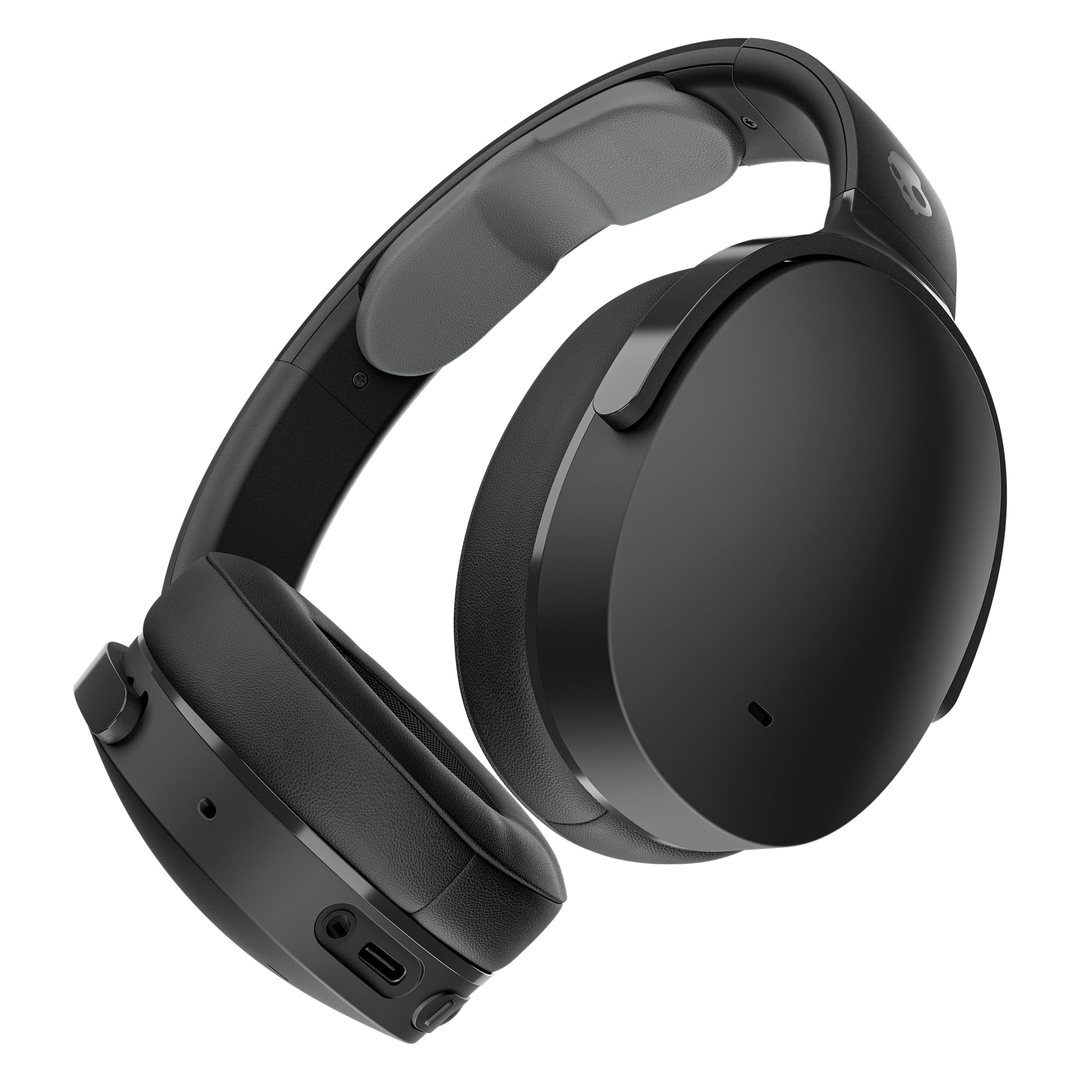
Figure 1.1: Skullcandy Hesh ANC Headphones (Black)
2. What's Included
Your Skullcandy Hesh ANC package includes the following items:
- Skullcandy Hesh ANC Wireless Headphones
- USB-C Charging Cable
- 3.5mm AUX Backup Cable
- User Guide (this document)

Figure 2.1: Package Contents
3. Product Overview
The Hesh ANC headphones feature a robust design with intuitive controls and advanced audio technologies.
Key Features:
- Active Noise Cancellation (ANC): Blocks external noise for focused listening.
- Ambient Mode: Allows you to hear your surroundings with a single touch.
- 22-Hour Battery Life: Extended playback with ANC activated.
- Rapid Charge: 10 minutes of charging provides 3 hours of playback.
- Built-in Tile™ Technology: Locate your headphones if misplaced.
- Foldable Design: For easy storage and portability.
- Integrated Controls: Manage music, calls, and volume directly from the earcups.

Figure 3.1: Hesh ANC Feature Overview
Physical Components:
- Earcups: Over-ear design for comfort and passive noise isolation.
- Headband: Adjustable for a secure fit.
- Control Buttons: Located on the earcups for various functions.
- USB-C Port: For charging.
- 3.5mm Audio Jack: For wired connection.

Figure 3.2: Front View of Hesh ANC Headphones

Figure 3.3: Side View of Hesh ANC Headphones with Controls
4. Setup
4.1. Charging Your Headphones
- Connect the USB-C charging cable to the charging port on your headphones.
- Connect the other end of the cable to a USB power source (e.g., wall adapter, computer USB port).
- The LED indicator will show charging status. A full charge takes approximately 3 hours.
- For rapid charge, 10 minutes of charging provides up to 3 hours of playback.

Figure 4.1: Battery Life and Rapid Charge
4.2. Bluetooth Pairing
- Ensure your headphones are fully charged.
- Press and hold the Power button for 3 seconds until the LED indicator flashes blue and red, indicating pairing mode.
- On your device (smartphone, tablet, computer), enable Bluetooth and search for available devices.
- Select "Hesh ANC" from the list of available devices.
- Once connected, the LED indicator will turn solid blue.
5. Operating Instructions
5.1. Power On/Off
- Power On: Press and hold the Power button for 1 second.
- Power Off: Press and hold the Power button for 3 seconds.
5.2. Active Noise Cancellation (ANC)
The Hesh ANC headphones feature adjustable 4-mic active noise canceling to block out ambient sounds.
- Activate ANC: Press the ANC button once.
- Deactivate ANC: Press the ANC button once again.

Figure 5.1: Active Noise Cancellation Feature
5.3. Ambient Mode
Ambient Mode allows you to hear your surroundings without removing your headphones.
- Activate Ambient Mode: Double-press the ANC button.
- Deactivate Ambient Mode: Double-press the ANC button again.
5.4. Music Controls
- Play/Pause: Press the Multi-function button once.
- Skip Forward: Press the Volume Up button for 2 seconds.
- Skip Backward: Press the Volume Down button for 2 seconds.
- Volume Up: Press the Volume Up button briefly.
- Volume Down: Press the Volume Down button briefly.
5.5. Call Controls
- Answer/End Call: Press the Multi-function button once.
- Reject Call: Press and hold the Multi-function button for 2 seconds.
5.6. Tile™ Technology
Your Hesh ANC headphones have built-in Tile™ technology, allowing you to locate them if they are misplaced.
- Download the Tile app on your smartphone.
- Follow the in-app instructions to activate and connect your Hesh ANC headphones to your Tile account.
- Use the Tile app to ring your headphones or see their last known location on a map.

Figure 5.2: Built-in Tile Technology
6. Maintenance
6.1. Cleaning
- Wipe the earcups and headband with a soft, dry, lint-free cloth.
- Do not use harsh chemicals, cleaning solvents, or strong detergents.
- Avoid getting moisture into any openings.
6.2. Storage
- When not in use, store the headphones in a cool, dry place.
- The foldable design allows for compact storage.

Figure 6.1: Foldable Design for Storage
7. Troubleshooting
| Problem | Possible Cause | Solution |
|---|---|---|
| Headphones not powering on | Low battery | Charge the headphones using the provided USB-C cable. |
| Cannot pair via Bluetooth | Headphones not in pairing mode; device Bluetooth off; previously paired device interfering. | Ensure headphones are in pairing mode (flashing red/blue). Turn off and on your device's Bluetooth. Forget previous pairings on your device. |
| No sound or poor audio quality | Volume too low; headphones not connected; audio source issue. | Increase volume on headphones and device. Re-pair headphones. Test with a different audio source or use the AUX cable. |
| ANC not working effectively | ANC not activated; improper fit. | Ensure ANC is activated. Adjust headphones for a snug fit over your ears. |
| Tile feature not working | Tile app not set up; headphones out of range. | Ensure the Tile app is installed and your headphones are connected within the app. Check if headphones are within Bluetooth range of your device. |
8. Specifications
| Feature | Detail |
|---|---|
| Model Name | Hesh ANC |
| Model Number | S6HHW-N740 |
| Brand | Skullcandy |
| Connectivity Technology | Wireless (Bluetooth 5.0), Wired (3.5mm Jack) |
| Headphone Form Factor | Over-Ear (Circumaural) |
| Noise Control | Active Noise Cancellation |
| Battery Life | Up to 22 hours (with ANC) |
| Charging Time | Approximately 3 hours |
| Rapid Charge | 10 minutes charge = 3 hours playback |
| Impedance | 32 Ohms |
| Frequency Response | 20 Hz - 20,000 Hz |
| Sensitivity | 99.63 dB |
| Control Type | Volume Control, Touch |
| Special Features | Active Noise Cancellation, Universal Phone Control, Volume Control, Foldable, Built-in Microphone, Tile Technology |
| Material | Plastic |
| UPC | 810015588512, 810145321560 |
9. Warranty and Support
9.1. Warranty Information
The Skullcandy Hesh ANC headphones come with a 1-year manufacturer's warranty from the date of purchase. This warranty covers manufacturing defects and failures under normal use. Please retain your proof of purchase for warranty claims.
For detailed warranty terms and conditions, please refer to the official Skullcandy website or contact customer support.
9.2. Customer Support
If you encounter any issues or have questions not covered in this manual, please contact Skullcandy customer support:
- Website: Visit the official Skullcandy support page for FAQs, troubleshooting guides, and contact options.
- Email/Phone: Refer to the Skullcandy website for specific contact details in your region.
For more information about Skullcandy products, visit the Skullcandy Store on Amazon.