Introduction
This manual provides essential information for the proper use and care of your Gecko Covers Rugged Cover. Designed for the iPad 10.2 (2019/2020/2021), this cover offers robust 360-degree protection while maintaining a slim profile. It features an integrated stand function and supports the iPad's automatic wake-up/sleep function. For optimal performance and longevity, please read these instructions carefully.
Setup: Installing Your iPad
Follow these steps to securely install your iPad into the Rugged Cover:
- Prepare the Cover: Open the front flap of the Rugged Cover. The cover consists of a rigid back shell and a foldable front cover.
- Align the iPad: Carefully align your iPad with the rigid back shell of the cover. Ensure that the camera, ports, and buttons on your iPad align with the corresponding cutouts in the case.
- Click into Place: Gently press your iPad into the back shell, starting from one corner and working your way around. You should hear a soft click as the iPad snaps securely into place. Ensure all edges of the iPad are fully seated within the protective frame of the case.
- Verify Fit: Once installed, check that all ports (charging, headphone jack), buttons (power, volume), and the camera are unobstructed and easily accessible.

Image: The Rugged Cover's rigid back shell and the iPad, illustrating how the device fits into the case.

Image: Rear view of the iPad fully installed in the Rugged Cover, highlighting the precise fit and access to the camera.
Operating Instructions
Using the Stand Function
The Rugged Cover features a versatile stand function for comfortable viewing and typing:
- Viewing Mode: Fold the front cover back to form a triangular stand. This position is ideal for watching videos, making video calls, or browsing.
- Typing Mode: For a lower angle suitable for typing, fold the front cover into a flatter triangular shape.

Image: The Rugged Cover folded into a stand, providing an optimal viewing angle for the iPad.

Image: Front view of the iPad in the Rugged Cover's stand configuration, ready for use.
Automatic Wake-up/Sleep Function
The cover is equipped with magnets that automatically wake your iPad when opened and put it to sleep when closed. This feature helps conserve battery life.
- To Wake: Simply open the front flap of the cover.
- To Sleep: Close the front flap securely over the iPad screen.
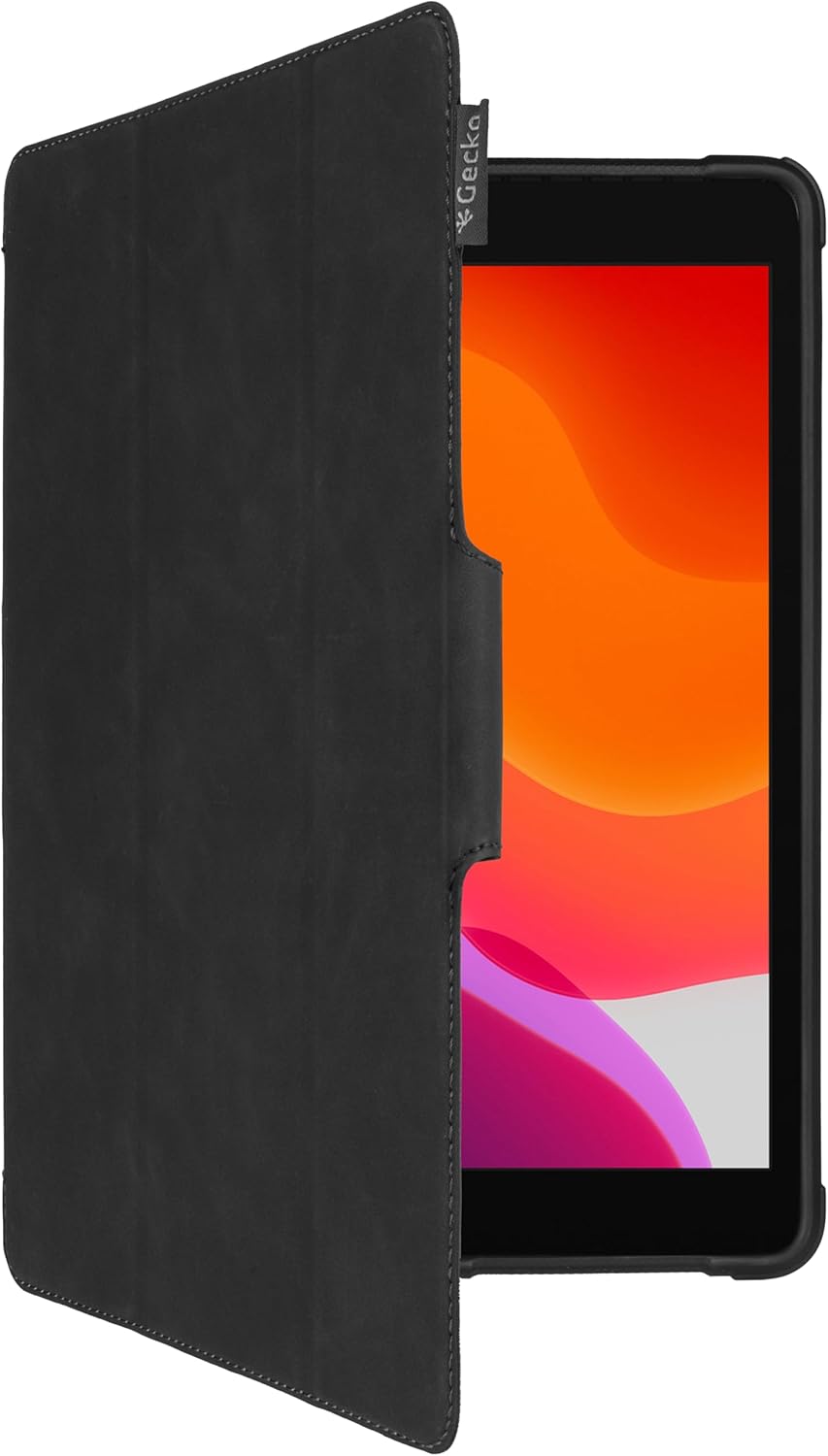
Image: The Rugged Cover with its front flap open, demonstrating the auto wake function.
Maintenance and Care
To ensure the longevity and appearance of your Rugged Cover, follow these maintenance guidelines:
- Cleaning: Wipe the exterior of the cover with a soft, damp cloth. Avoid using harsh chemicals, abrasive cleaners, or solvents, as these can damage the material.
- Dust Removal: Periodically remove your iPad from the cover and gently wipe away any dust or debris that may have accumulated between the device and the case. This prevents scratches and ensures a clean fit.
- Storage: When not in use, store the cover in a cool, dry place away from direct sunlight and extreme temperatures.
Troubleshooting
iPad Does Not Fit Securely
- Check Compatibility: Ensure your iPad model is compatible with this cover (iPad 10.2 inch, 2019/2020/2021 models).
- Re-installation: Remove the iPad and re-install it carefully, ensuring all corners and edges snap into place.
- Obstructions: Check for any foreign objects or debris inside the case that might prevent a proper fit.
Automatic Wake-up/Sleep Function Not Working
- Check iPad Settings: Ensure the "Lock/Unlock" feature is enabled on your iPad. Go to Settings > Display & Brightness and toggle "Lock/Unlock" on.
- Proper Closure: Make sure the front flap is fully closed and aligned with the iPad screen.
- Magnetic Interference: Ensure there are no strong magnets or metallic objects near the cover that could interfere with the auto wake/sleep function.
Specifications
Key specifications for the Gecko Covers Rugged Cover:
| Feature | Detail |
|---|---|
| Model Number | V10T90C1 |
| Compatible Devices | iPad 10.2 (2019/2020/2021) |
| Color | Black |
| Material | Plastic, Silicone |
| Dimensions (L x W x H) | 30 x 21 x 2 cm |
| Weight | 285 grams |
| Special Features | Lightweight, Stand Function, Auto Wake/Sleep, Military Standard Protection (MIL-STD-810H) |
Warranty and Support
For information regarding warranty coverage or technical support, please refer to the official Gecko Covers website or contact their customer service directly. Keep your purchase receipt as proof of purchase.
- Official Website: www.geckocovers.com (Example link, replace if specific link is known)
- Customer Service: Refer to the contact information provided with your product packaging or on the official website.


