
Important Safety Information
Please read and understand all safety instructions before using this product. Keep this manual for future reference.
- Do not expose the unit to rain or moisture to prevent fire or shock hazards.
- Avoid placing the unit near heat sources such as radiators, heat registers, stoves, or other apparatus (including amplifiers) that produce heat.
- Only use attachments/accessories specified by the manufacturer.
- Unplug this unit during lightning storms or when unused for long periods of time.
- Refer all servicing to qualified service personnel. Servicing is required when the unit has been damaged in any way.
- Do not mix old and new batteries. Do not mix alkaline, standard (carbon-zinc), or rechargeable (ni-cad, ni-mh, etc.) batteries.
Package Contents
Verify that all items are present upon opening the package:
- Studebaker SB3705PB Portable CD Player
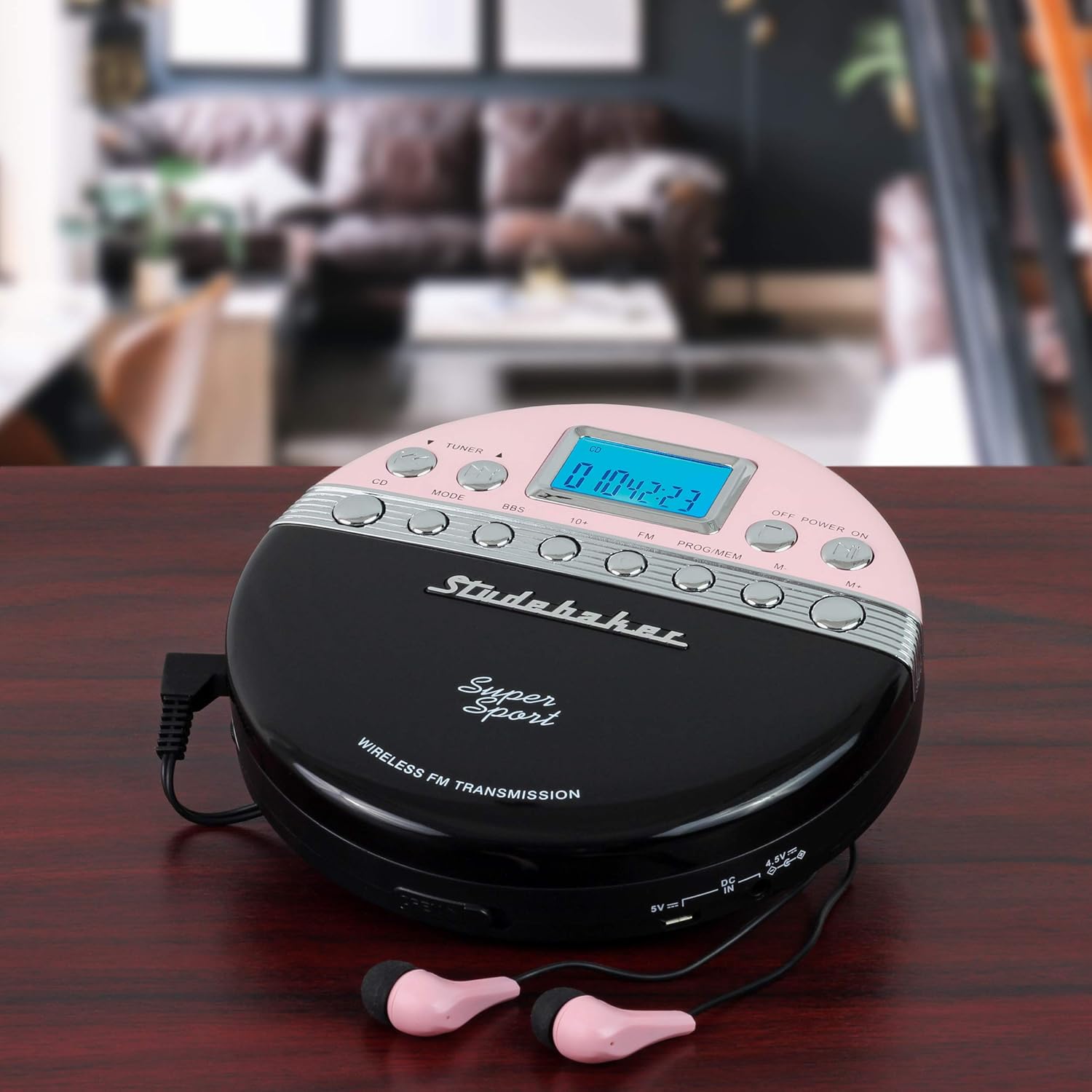
- Color Coordinated Stereo Earbuds
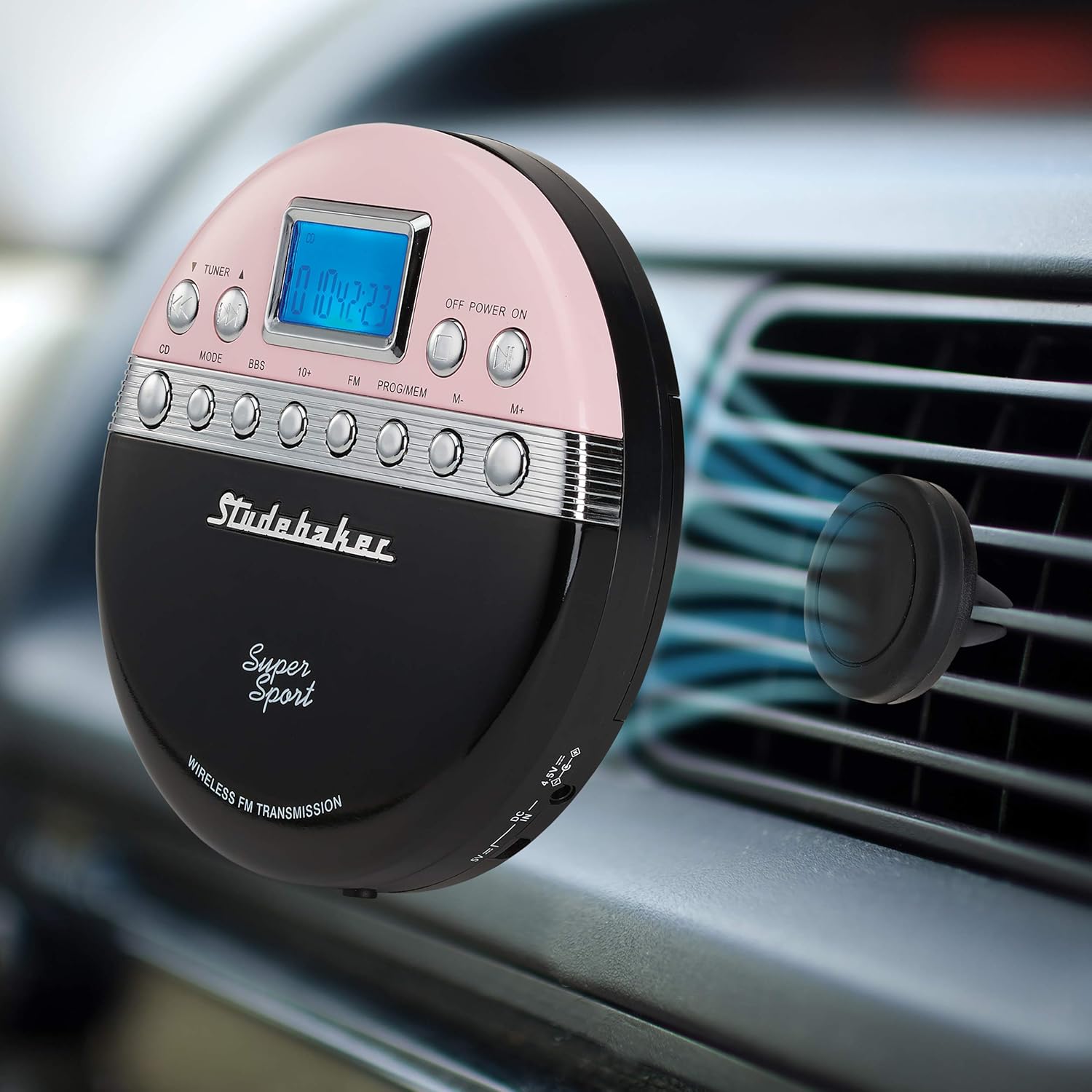
- Magnetic Holder for Car Vent
- USB Power Cable
- 2 x 'AA' (UM-3) Batteries
- Instruction Manual (this document)
Product Overview
The Studebaker SB3705PB is a portable CD player featuring wireless FM transmission, an FM stereo radio, and anti-skip protection. It is designed for versatile use, including in-car audio playback and personal listening.
Controls and Indicators
The device features a clear LCD display and an array of buttons for various functions:
- LCD Display: Shows track number, time, FM frequency, and other operational information.
- CD/Tuner Button: Switches between CD playback and FM radio mode.
- Mode Button: Selects playback modes (e.g., repeat, random).
- BBS Button: Activates Bass Boost Sound.
- 10+ Button: Skips forward by 10 tracks during CD playback.
- FM Button: Activates FM radio mode.
- PROG/MEM Button: Programs CD tracks or saves FM radio stations.
- M-/M+ Buttons: Adjusts FM transmission frequency or navigates menu options.
- OFF/POWER ON Button: Turns the unit on or off.
- Play/Pause Button: Starts or pauses CD playback.
- Stop Button: Stops CD playback.
- Skip/Search Buttons: Skips tracks or fast forwards/rewinds.
- Volume Control: Adjusts audio output level.
- DC IN 4.5V Port: For external power adapter (not included).
- 5V USB Port: For USB power source.
- Headphone Jack: For connecting earbuds or headphones.

Setup
Battery Installation
The unit operates on two 'AA' (UM-3) batteries (included). To install:
- Locate the battery compartment on the bottom of the unit.
- Slide the battery compartment cover open.
- Insert two 'AA' batteries, ensuring correct polarity (+/-) as indicated inside the compartment.
- Close the battery compartment cover securely.
Powering the Device
The SB3705PB can be powered by the installed 'AA' batteries or via the included USB cable. Connect the USB cable to the 5V USB port on the unit and to any standard USB power source (e.g., computer, car USB port, USB wall adapter).
Magnetic Holder Installation (for Car Use)
The included magnetic holder allows for convenient placement of the CD player in your vehicle.
- Attach the magnetic holder to a suitable car vent. Ensure it is securely fastened and does not obstruct your view or vehicle controls.
- The CD player has a built-in metal plate that will adhere to the magnetic holder.
- Gently place the back of the CD player onto the magnetic holder until it snaps into place.
Operating Instructions
Playing a CD
- Press the OFF/POWER ON button to turn on the unit.
- Slide the 'OPEN' switch to open the CD compartment lid.
- Carefully place a CD onto the center spindle with the label side facing up.
- Close the CD compartment lid firmly until it clicks.
- The unit will begin reading the CD. The track number and playback time will appear on the LCD display.
- Press the Play/Pause button to start playback.
- Use the Skip/Search buttons to navigate between tracks.
- Adjust the volume using the volume control.

Using the FM Transmitter (Wireless Car Audio)
This feature allows you to play your CDs through your car's FM radio wirelessly.
- Ensure the CD player is powered on and a CD is playing.
- Press the FM button on the CD player. The LCD display will show the current FM transmission frequency. The default frequency is 88.1 MHz.
- Tune your car radio to the same FM frequency displayed on the CD player.
- If the default frequency (88.1 MHz) has interference, press the M+ or M- buttons on the CD player to adjust the transmission frequency between 87.5-108 MHz. Select a clear, unused frequency on your car radio.
- Once both devices are tuned to the same frequency, the CD audio will play through your car speakers.
Using Earbuds
For personal listening, connect the included color-coordinated stereo earbuds into the headphone jack on the side of the CD player. Adjust the volume to a comfortable level.
Anti-Skip Protection
The SB3705PB features 60-second anti-skip protection to ensure uninterrupted audio playback during movement. This feature buffers audio data to prevent skips caused by minor shocks or vibrations.
Exercise Lock Switch
An exercise lock switch is provided to prevent accidental button presses during physical activity. Locate the switch on the unit and slide it to the 'LOCK' position to disable all control buttons. Slide it back to 'UNLOCKED' to regain control.
Maintenance
To ensure the longevity and optimal performance of your Studebaker SB3705PB CD player, follow these maintenance guidelines:
- Cleaning: Wipe the unit with a soft, dry cloth. Do not use abrasive cleaners or solvents. For the CD lens, use a specialized CD lens cleaner.
- Storage: When not in use for extended periods, remove the batteries to prevent leakage. Store the unit in a cool, dry place away from direct sunlight and extreme temperatures.
- CD Care: Handle CDs by their edges. Keep them clean and free of scratches to ensure proper playback.
Troubleshooting
If you encounter issues with your CD player, refer to the following table for common problems and solutions:
| Problem | Possible Cause | Solution |
|---|---|---|
| Unit does not power on. | Batteries are dead or incorrectly inserted; USB cable not connected. | Replace batteries, check polarity, or ensure USB cable is securely connected to a power source. |
| CD does not play or skips frequently. | CD is dirty, scratched, or inserted incorrectly; anti-skip buffer overwhelmed. | Clean the CD, try another CD, ensure CD is seated properly, avoid excessive movement. |
| No sound from car radio via FM transmission. | Incorrect FM frequency; car radio not tuned to CD player. | Ensure CD player and car radio are tuned to the exact same, clear FM frequency. Adjust frequency if interference occurs. |
| No sound from earbuds. | Earbuds not fully plugged in; volume too low; faulty earbuds. | Ensure earbuds are fully inserted, increase volume, try different earbuds. |
| Buttons are unresponsive. | Exercise lock switch is engaged. | Slide the exercise lock switch to the 'UNLOCKED' position. |
Specifications
| Feature | Detail |
|---|---|
| Model Number | SB3705PB |
| Product Dimensions | 1.32 x 5.47 x 5.47 inches |
| Item Weight | 9.6 ounces |
| Power Source | 2 x 'AA' batteries (included) or USB 5V |
| FM Transmission Frequency Range | 87.5 - 108 MHz |
| Anti-Skip Protection | 60 seconds |
| Special Features | Portable, FM Stereo PLL Radio, Magnetic Car Vent Holder, Exercise Lock Switch |
| Manufacturer | Spectra Merchandising International, Inc. |
Warranty and Support
For warranty information or technical support, please refer to the contact details provided with your product packaging or visit the official Studebaker website. Keep your purchase receipt as proof of purchase for any warranty claims.

