1. Introduction
The veicomtech Dual Ionic Foot Bath Detox Machine 805a is designed to facilitate a foot bath experience for up to two users simultaneously. This system utilizes an ionic process to interact with water molecules. It also includes an integrated MP3 music player for an enhanced user experience.
This manual provides essential information for the proper setup, operation, maintenance, and troubleshooting of your device. Please read all instructions carefully before first use.
2. Safety Information
Important Note: Do not place feet in the water during the initial phase of operation if you are observing water color changes. The water will change color due to the reaction of various minerals, salts in the water, and the positive and negative ions released by the product. This is a normal function of the detox foot bath machine and will occur even without body parts in the water. You may also observe deposits or foams during the process.
This product is not intended to diagnose, treat, cure, or prevent any disease or health condition. Consult with a healthcare professional before using this device if you have any medical conditions or concerns.
- Operate the machine strictly according to the instructions provided.
- Protect the foot detoxifying machine from high current.
- Ensure the device is placed on a stable, dry surface.
- Keep out of reach of children.
- Do not immerse the main unit in water or any other liquid.
- Unplug the device from the power outlet when not in use or before cleaning.
3. Package Contents
Please verify that all items listed below are included in your package:
- 1x veicomtech Dual Ionic Foot Bath Detox Machine (Main Unit)
- 2x Ion Arrays
- 2x Wrist Straps
- 2x Earphones
- 1x Power Cord
- 1x USB Cable
- 5x Foot Basin Liners (disposable)
- 2x Spare Fuses
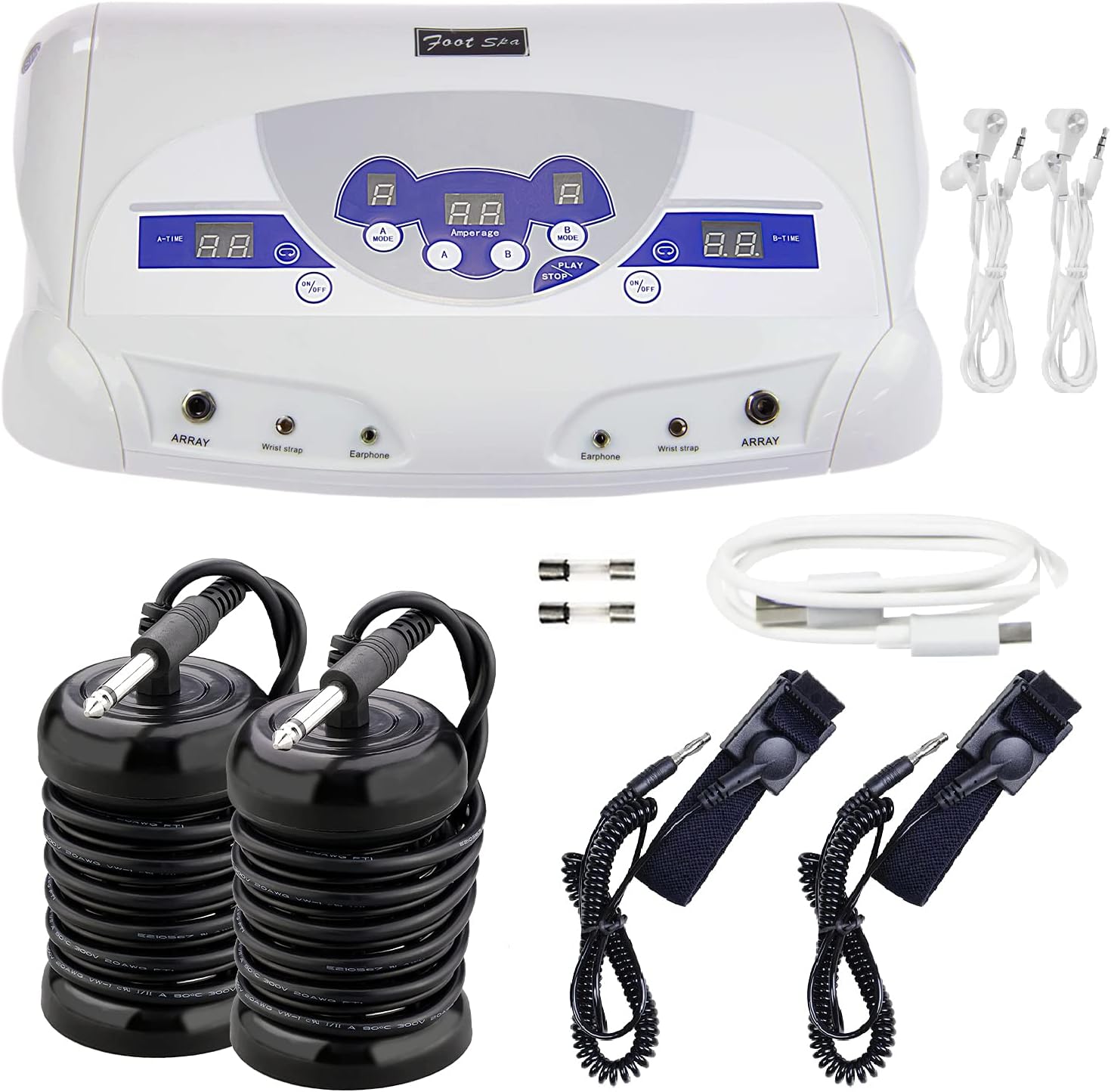
This image displays the complete set of items provided with the veicomtech Dual Ionic Foot Bath Detox Machine 805a. It shows the central control unit, two black ion arrays, two black wrist straps, two white earphones, a white USB cable, and two small fuses. This visual confirms the contents of the package.
4. Setup Instructions
Follow these steps to set up your veicomtech Dual Ionic Foot Bath Detox Machine:
- Placement: Place the main unit on a stable, flat, and dry surface, away from water sources.
- Power Connection: Connect the power cord to the power interface on the back of the main unit, then plug it into a standard electrical outlet.
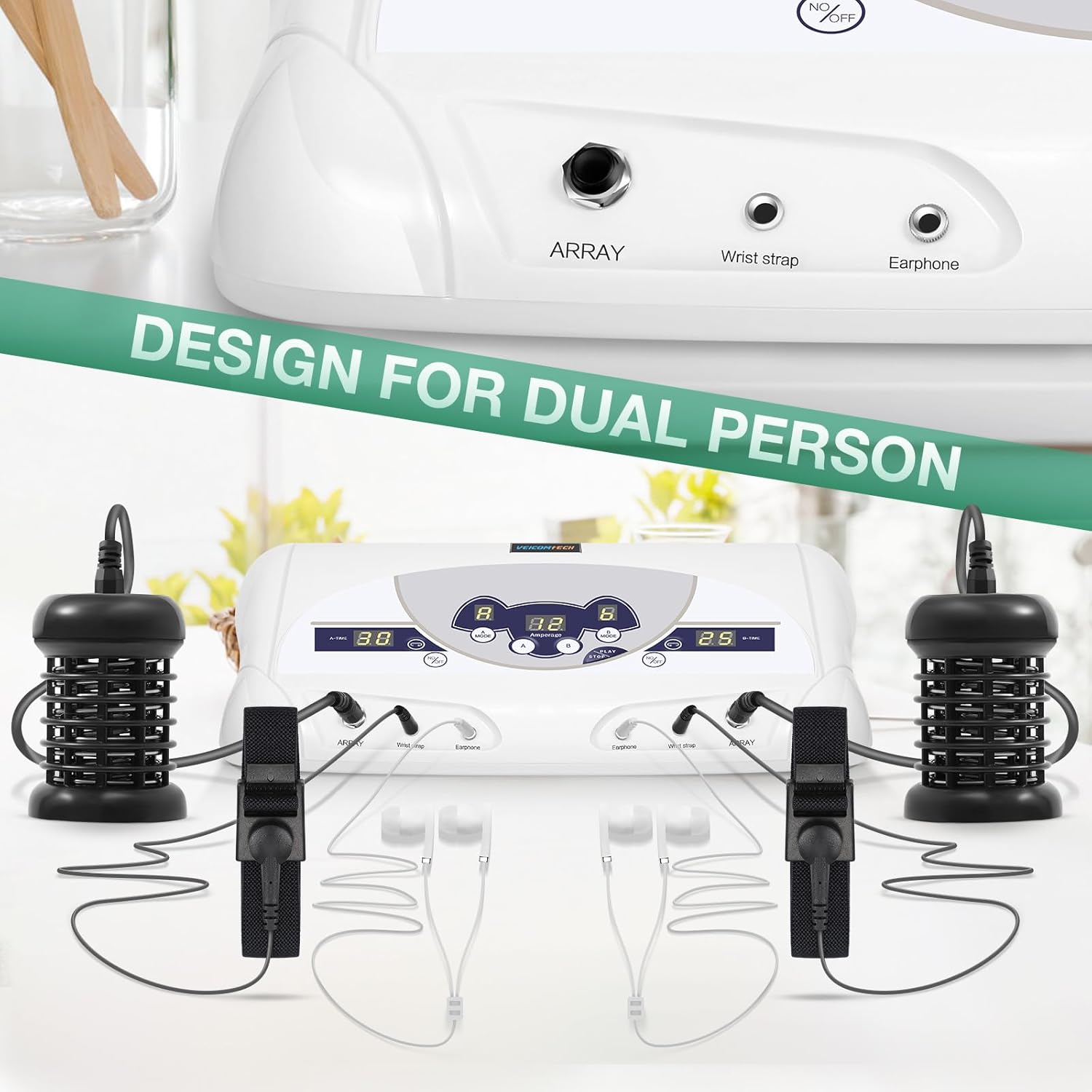
- Array Connection: Insert the two ion arrays into the "ARRAY" ports on the front panel of the machine. There are two ports, one for each user (A and B).
- Wrist Strap Connection: Connect the two wrist straps into the "Wrist strap" ports on the front panel.
- Earphone Connection (Optional): If you wish to use the MP3 function, plug the earphones into the "Earphone" ports.
- USB Connection (for MP3): To load music, connect the USB cable to the "USB interface" on the back of the machine and to a computer.
This image shows the back of the veicomtech Dual Ionic Foot Bath Detox Machine 805a, clearly labeling the power interface where the power cord connects and the USB interface for connecting to a computer to manage MP3 files.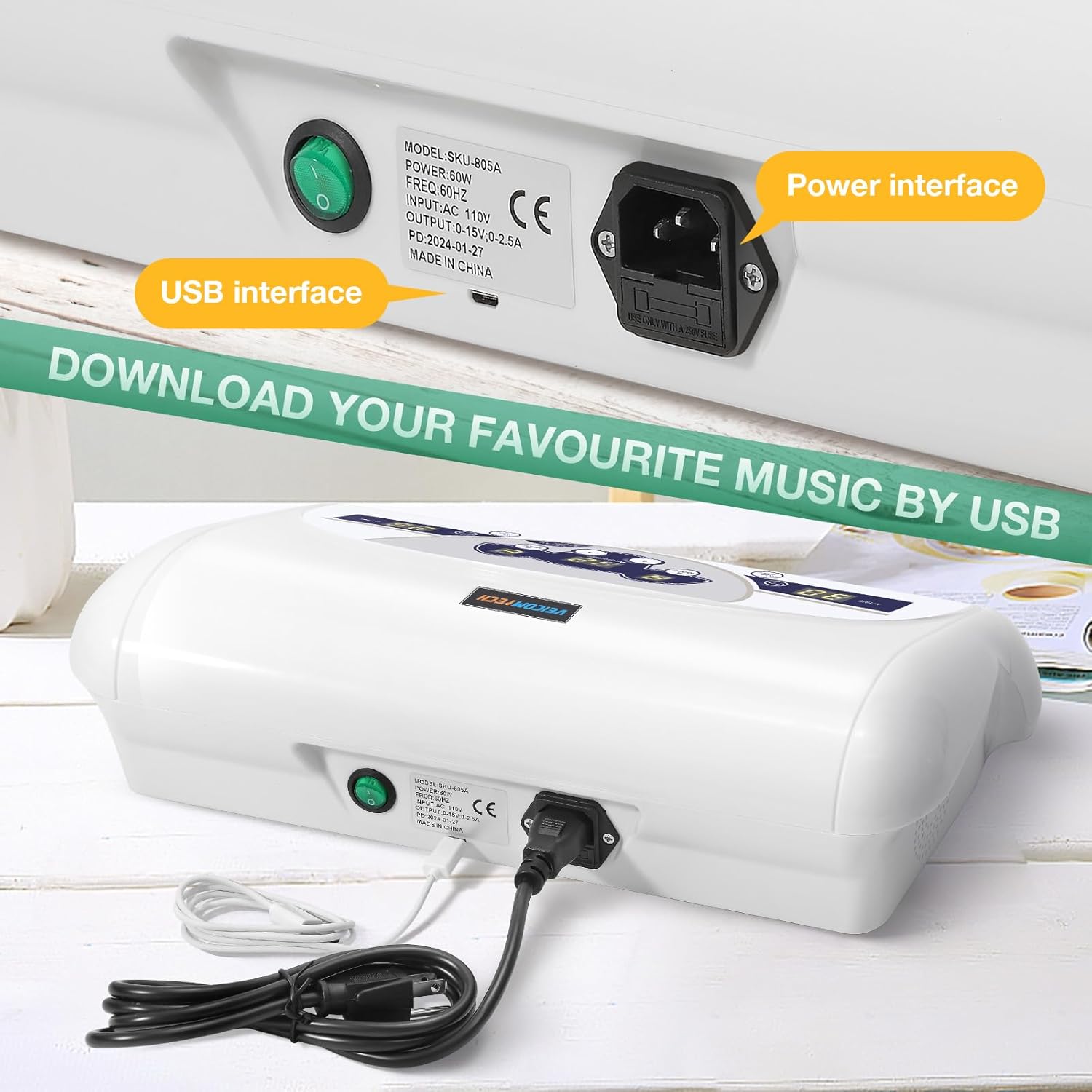
This image illustrates the front panel of the veicomtech Dual Ionic Foot Bath Detox Machine 805a, indicating the input jacks for the ion arrays, wrist straps, and earphones for both user A and user B.
5. Operating Instructions
Once the machine is set up, follow these steps to begin a foot bath session:
- Prepare Foot Basins: Fill two non-metallic foot basins with warm water. Ensure the water level is sufficient to cover the ion arrays and your feet. Add a small amount of non-iodized salt (e.g., sea salt) to the water to improve conductivity, if desired.
- Place Arrays: Submerge one ion array into each foot basin. Ensure the array is fully covered by water.
- Wear Wrist Straps: Securely attach a wrist strap to each user's wrist. Ensure good skin contact.
- Power On: Turn on the main unit using the power switch.
- Select Mode: For each user (A and B), press the "MODE" button to cycle through the available modes (A-E). The manual does not specify the differences between these modes; please refer to the manufacturer for detailed information on each mode's function.
- Set Time: Press the "TIME" button for each user to set the desired session duration.
- Start Session: Press the "ON/OFF" button for each user to start their foot bath session. The display will show the active time and amperage.
- MP3 Music (Optional): If earphones are connected, press the "PLAY/STOP" button to start or stop music. Short press to skip to the next song, long press to adjust volume.
- Foot Placement: Once the session has started and the machine is operating, carefully place your feet into the respective foot basins.
- Monitor Session: Observe the water color changes during the session. The session will automatically end after the set time.
- End Session: After the session, remove your feet, turn off the machine, and unplug it from the power outlet.

This image shows a single user comfortably seated on a couch, with their feet in a foot basin connected to the veicomtech Dual Ionic Foot Bath Detox Machine 805a. This illustrates a typical setup for a personal foot bath session.

This image depicts two users engaging in a foot bath session concurrently, utilizing the dual functionality of the veicomtech Dual Ionic Foot Bath Detox Machine 805a. Each user has their feet in a separate basin, and wrist straps are visible on their wrists, connected to the main unit.
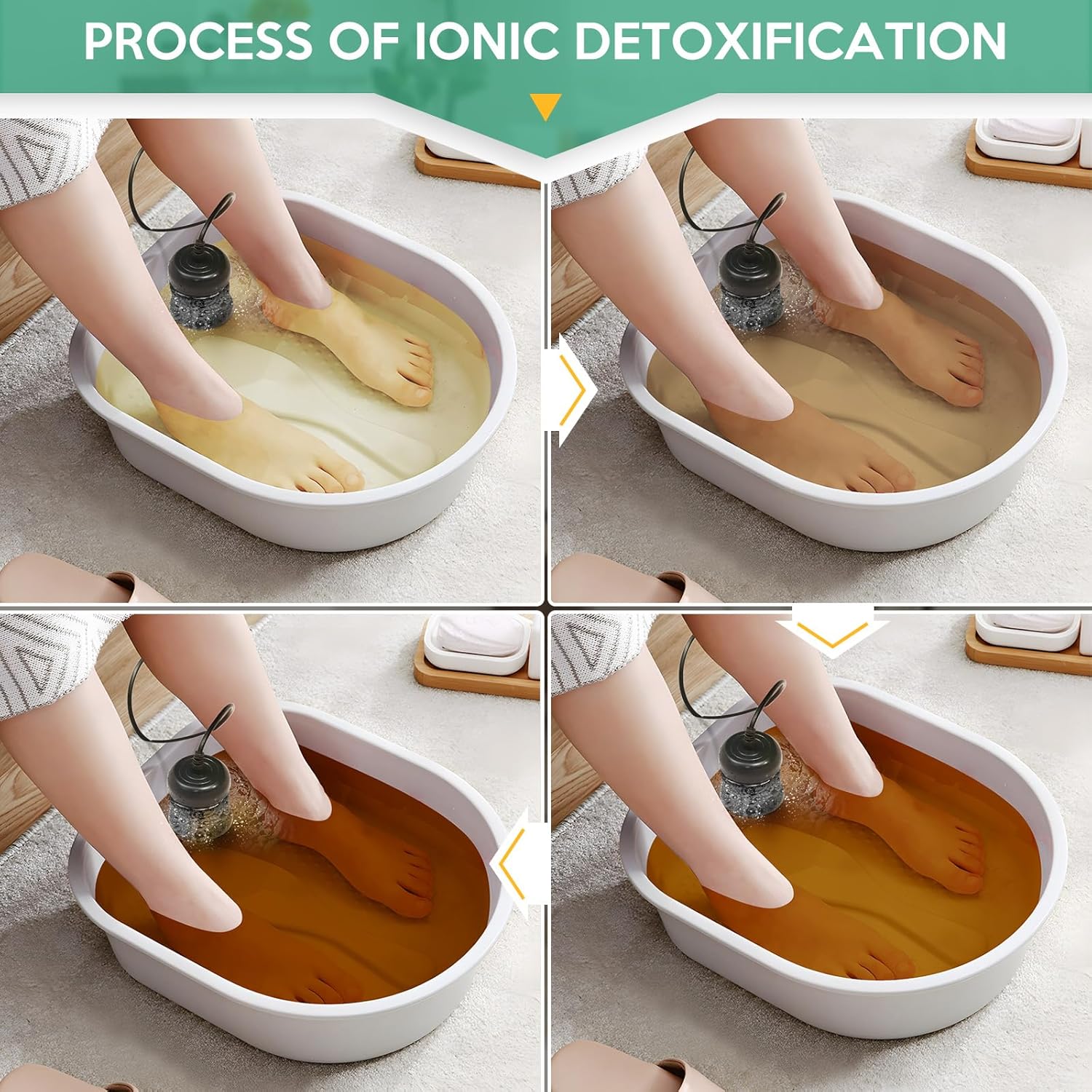
This image displays a series of four panels showing the water in a foot basin changing color over time during an ionic foot bath session. The water progresses from clear to a light yellow, then to a brownish hue, and finally to a dark brown, illustrating the expected visual changes.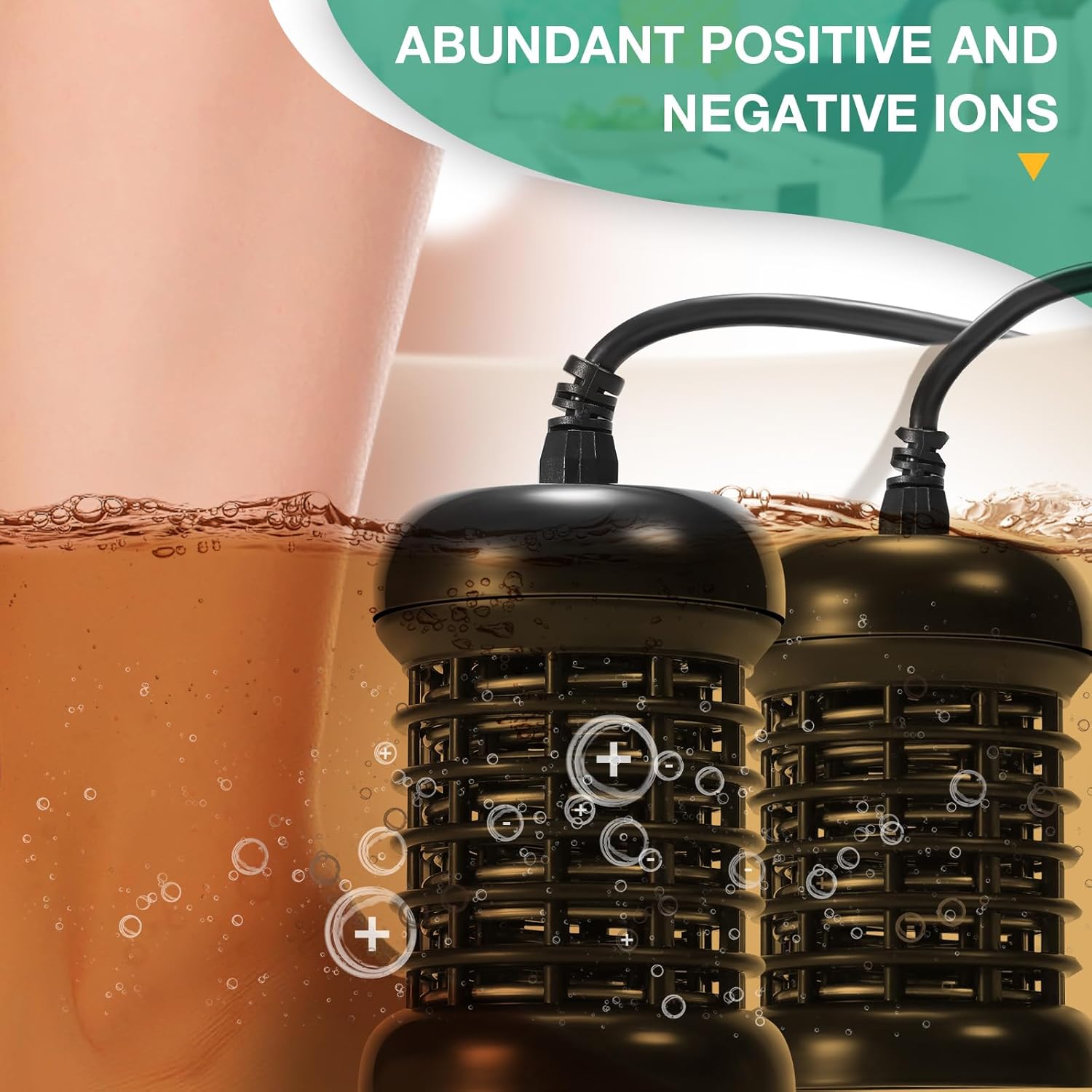
This close-up image focuses on an ion array submerged in water, with visible bubbles indicating the release of positive and negative ions during the foot bath process.
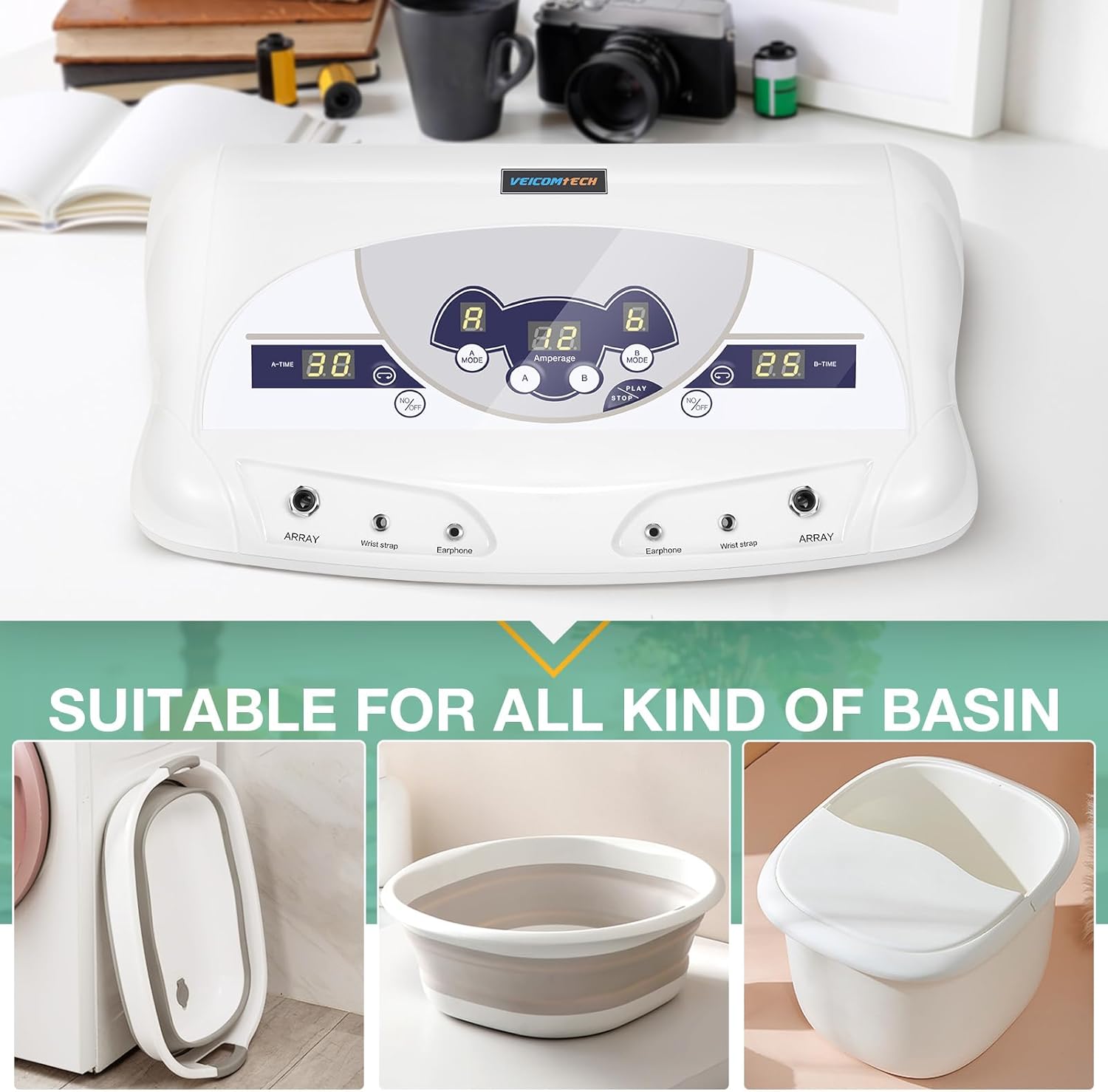
This image provides a detailed view of the control panel of the veicomtech Dual Ionic Foot Bath Detox Machine 805a, highlighting the various buttons and displays. Labels indicate the functions for selecting modes (A-MODE, B-MODE), viewing amperage, and controlling the MP3 player (Play/Stop).

This image presents a five-step visual guide demonstrating the operation of the veicomtech Dual Ionic Foot Bath Detox Machine 805a. It shows finger presses on the control panel for setting the mode, setting the time, playing music, adjusting volume, and finally starting the machine.
6. Maintenance
Proper maintenance ensures the longevity and optimal performance of your device.
6.1 Cleaning the Ion Arrays
- After each use, disconnect the ion arrays from the main unit.
- Rinse the arrays thoroughly with clean tap water to remove any residue.
- For stubborn deposits, soak the arrays in a solution of 50% white vinegar and 50% water for 10-15 minutes, then scrub gently with a non-abrasive brush.
- Rinse again and allow them to air dry completely before storage.
6.2 Cleaning the Main Unit
- Ensure the machine is unplugged before cleaning.
- Wipe the exterior of the main unit with a soft, damp cloth.
- Do not use abrasive cleaners, solvents, or immerse the unit in water.
- Ensure all ports are dry before reconnecting any components.
6.3 Storage
- Store the machine and all accessories in a cool, dry place, away from direct sunlight and extreme temperatures.
- Keep components organized to prevent damage.
7. Troubleshooting
If you encounter issues with your veicomtech Dual Ionic Foot Bath Detox Machine, please refer to the following common problems and solutions:
| Problem | Possible Cause | Solution |
|---|---|---|
| Machine does not power on. | Power cord not properly connected; Power outlet malfunction; Blown fuse. | Ensure power cord is securely plugged into both the machine and the outlet. Test the outlet with another device. Check and replace the fuse if necessary (refer to fuse replacement instructions). |
| Water does not change color significantly. | Insufficient salt in water; Array not fully submerged; Array worn out; Machine malfunction. | Add a small amount of non-iodized salt to the water. Ensure the array is completely covered by water. Replace the ion array if it has been used extensively. Contact customer support if the issue persists. |
| No sound from MP3 player. | Earphones not properly connected; Volume too low; No music files on device. | Ensure earphones are fully plugged in. Adjust volume using the long press function on the PLAY/STOP button. Connect via USB to check if music files are loaded. |
| Machine stops unexpectedly. | Session time expired; Power interruption; Overload protection activated. | Check the set session time. Ensure stable power supply. If overload protection is suspected, turn off the machine, wait a few minutes, and restart. |
| Unclear function of A-E modes. | Information not provided in manual. | The specific functions of modes A through E are not detailed in this manual. For clarification, please contact veicomtech customer support. |
8. Specifications
Technical specifications for the veicomtech Dual Ionic Foot Bath Detox Machine 805a:
| Feature | Detail |
|---|---|
| Product Dimensions | 15 x 6 x 4 inches |
| Weight | 8.55 Pounds |
| Item Model Number | 31017935 |
| Manufacturer | Veicomtech |
| Power Source | Corded Electric |
| Material | Metal |
| Color | 805a |
9. Warranty and Support
For warranty information, technical support, or any questions not covered in this manual, please contact veicomtech customer service. Refer to your purchase documentation for specific contact details or visit the official veicomtech website.