
Sony VG-C4EM
Instruction Manual for Sony VG-C4EM Vertical Grip
Model: VG-C4EM
Introduction
This manual provides detailed instructions for the proper use and maintenance of the Sony VG-C4EM Vertical Grip, designed for Sony Alpha Full Frame Mirrorless Cameras including a7R IV, a7 IV, a9 II, a7S III, and Alpha One models. The grip enhances handling during vertical shooting and extends operational time by accommodating two NP-FZ100 batteries. This bundle also includes a compatible replacement FZ100 battery, a dual charger, and a 64GB memory card.
Product Overview
The Sony VG-C4EM Vertical Grip bundle includes the following components:
- Sony VG-C4EM Vertical Grip
- Compatible Replacement NP-FZ100 Battery
- Compatible Dual Battery Charger for NP-FZ100 Batteries
- Lexar 64GB Class 10 SDXC Memory Card

Figure 1: Overview of the Sony VG-C4EM Vertical Grip and included accessories.
Setup
1. Attaching the Vertical Grip to the Camera
- Ensure your camera is powered off.
- Remove the battery from your camera's battery compartment.
- Align the mounting screw of the VG-C4EM grip with the tripod socket on the bottom of your camera.
- Slide the grip into place, ensuring the electrical contacts align.
- Tighten the mounting screw securely using the thumbwheel on the grip until it is firm. Do not overtighten.

Figure 2: Front view of the Sony Alpha camera with the VG-C4EM Vertical Grip attached.

Figure 3: Side view of the Sony Alpha camera with the VG-C4EM Vertical Grip attached, showing secure fit.
2. Installing Batteries
The VG-C4EM grip holds two NP-FZ100 batteries, significantly extending your camera's operating time.
- Open the battery tray on the side of the vertical grip.
- Insert up to two NP-FZ100 batteries into the designated slots, ensuring correct orientation according to the polarity indicators.
- Close the battery tray securely.
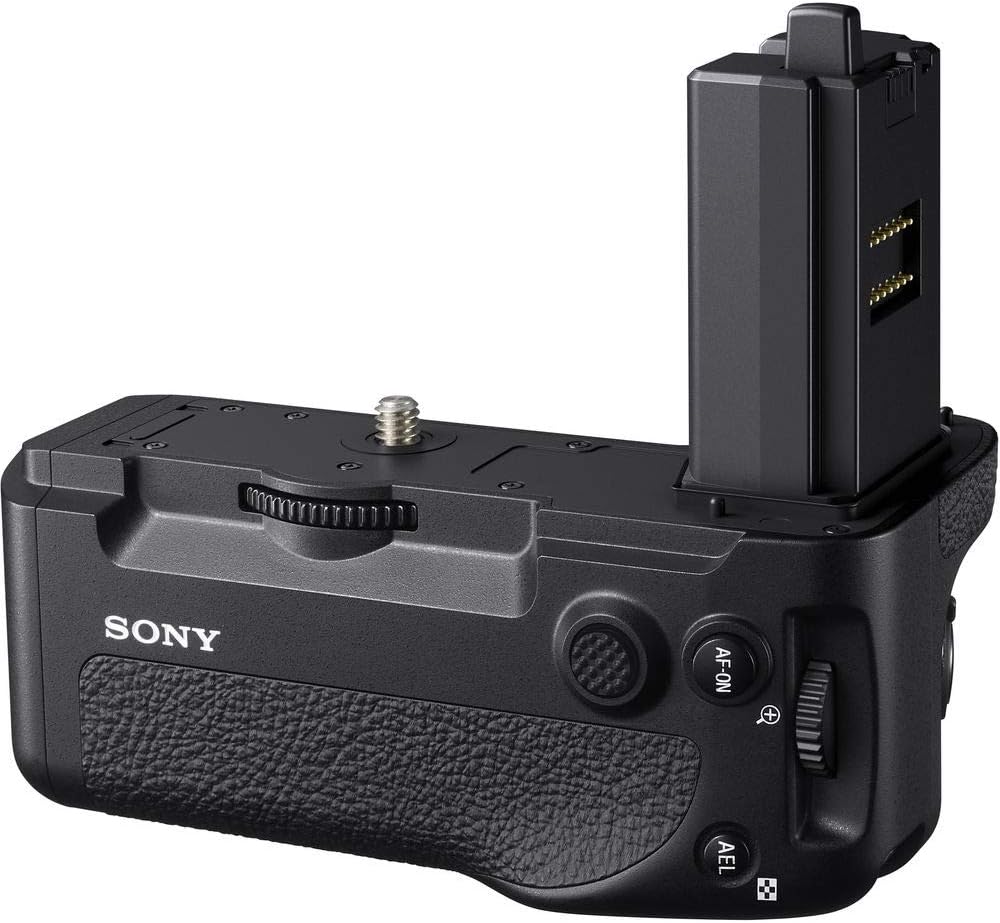
Figure 4: The VG-C4EM Vertical Grip with the battery compartment open, ready for battery insertion.
3. Charging Batteries with the Dual Charger
Use the included dual battery charger to charge your NP-FZ100 batteries.
- Connect the dual charger to a power source using the provided USB cable.
- Insert one or two NP-FZ100 batteries into the charging slots.
- The indicator lights on the charger will show the charging status. They typically turn green when charging is complete.
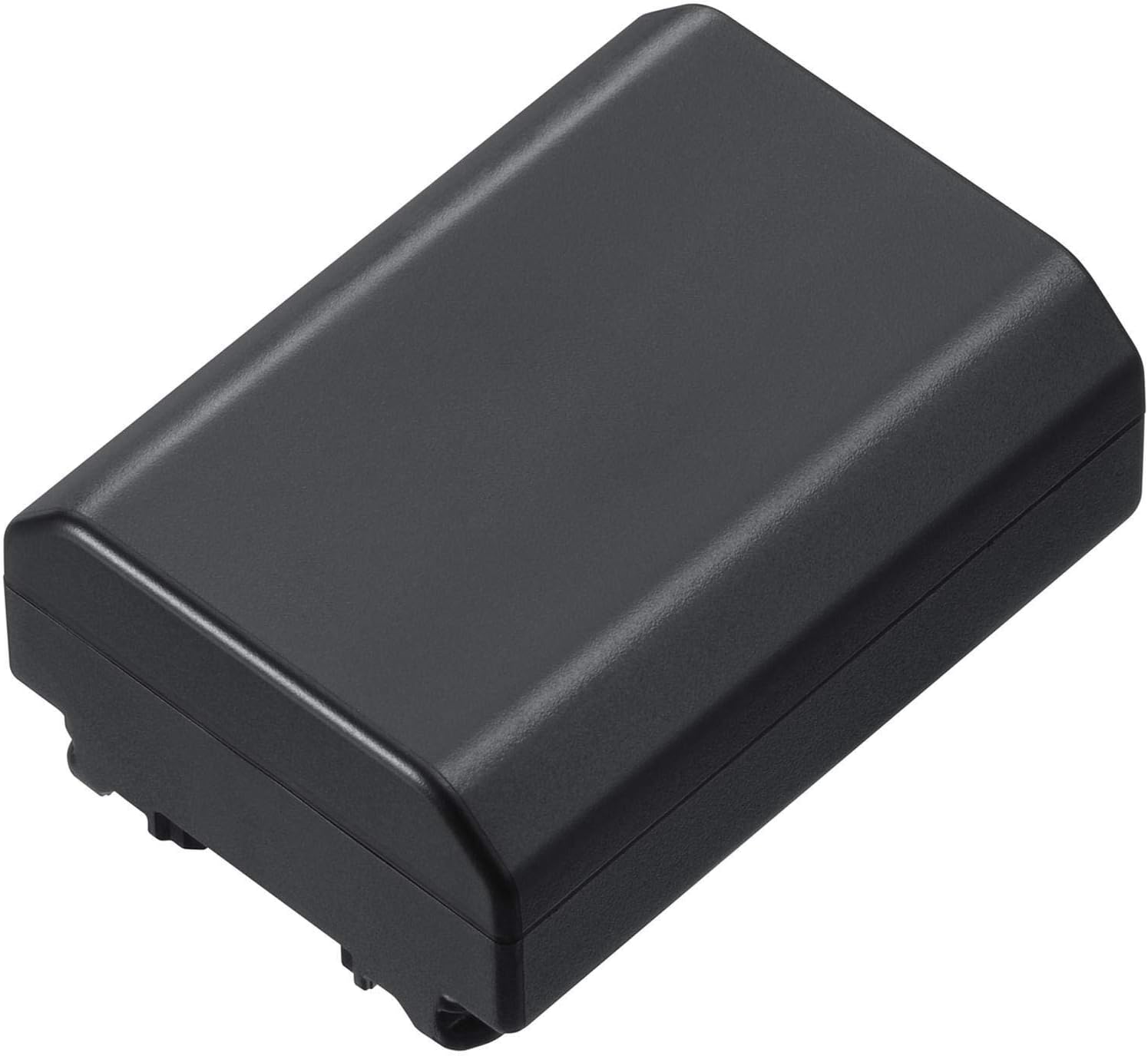
Figure 5: The dual battery charger for NP-FZ100 batteries, showing two charging slots and a USB port.
4. Inserting the Memory Card
The 64GB Lexar SDXC memory card is for storing your photos and videos.
- Locate the memory card slot on your camera (typically on the side or bottom).
- Insert the Lexar 64GB SDXC card with the label facing the correct direction until it clicks into place.
- Format the memory card in your camera's menu before first use to ensure optimal performance and compatibility.
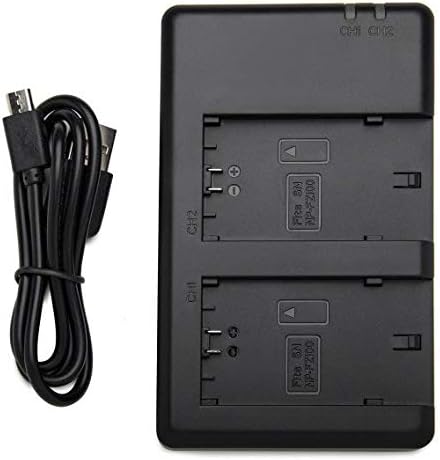
Figure 6: The Lexar 64GB Class 10 SDXC Memory Card.
Operating the Vertical Grip
The VG-C4EM Vertical Grip is designed to provide a comfortable and stable shooting experience, especially when holding the camera in a vertical orientation. It replicates key camera controls for seamless operation.
Key Controls and Functions
- Shutter Button: Located on the top right of the grip, it functions identically to the camera's shutter button for capturing photos.
- AF-ON Button: Activates autofocus, allowing you to separate focusing from shutter release.
- AEL Button: Locks the exposure, useful for maintaining consistent exposure in varying light conditions.
- Control Dials: Front and rear dials replicate the camera's dials for quick adjustment of aperture, shutter speed, or other assigned functions.
- Multi-selector Joystick: Provides intuitive control for navigating menus and selecting autofocus points.

Figure 7: Close-up of the replicated controls on the VG-C4EM Vertical Grip.
Benefits of the Vertical Grip
- Enhanced Ergonomics: Provides a more natural and comfortable grip when shooting in portrait orientation, reducing wrist strain.
- Extended Battery Life: Holds two NP-FZ100 batteries, effectively doubling your camera's operational time for longer shooting sessions.
- Consistent Control: Replicates essential camera controls, ensuring a consistent shooting experience whether holding the camera horizontally or vertically.
- Improved Stability: Adds weight to the bottom of the camera, which can improve balance and stability, especially with larger lenses.
Maintenance
Proper care and maintenance will ensure the longevity and optimal performance of your vertical grip and accessories.
- Cleaning the Grip: Use a soft, dry cloth to wipe down the grip. For stubborn dirt, slightly dampen the cloth with water. Avoid using harsh chemicals or abrasive materials.
- Battery Care:
- Store batteries in a cool, dry place when not in use.
- Avoid fully discharging batteries frequently, as this can reduce their lifespan.
- Do not expose batteries to extreme temperatures.
- If storing for extended periods, charge batteries to about 50% capacity.
- Memory Card Handling:
- Always power off the camera before inserting or removing the memory card.
- Avoid touching the metal contacts on the card.
- Store the card in its protective case when not in use to prevent damage.
- Environmental Protection: The VG-C4EM grip features a dust and moisture resistant design. However, avoid prolonged exposure to heavy rain or dusty environments to prevent damage.
Troubleshooting
This section addresses common issues you might encounter with your vertical grip and accessories.
| Problem | Possible Cause | Solution |
|---|---|---|
| Grip controls not responding. | Grip not securely attached; camera not recognizing grip; grip power switch off (if applicable). | Ensure the grip is firmly attached and the mounting screw is tight. Remove and reattach the grip. Check camera settings for external grip recognition. |
| Batteries in grip not powering camera. | Batteries incorrectly inserted; batteries depleted; faulty battery. | Check battery orientation. Charge batteries fully using the dual charger. Try different batteries to isolate a faulty one. |
| Memory card error. | Card not inserted correctly; card corrupted; card full. | Reinsert the memory card. Try formatting the card in-camera (note: this will erase all data). Back up data and try a different card if issues persist. |
| Dual charger not charging batteries. | Loose USB connection; faulty cable/power source; faulty charger. | Ensure USB cable is securely connected to both charger and power source. Try a different USB cable or power adapter. Test with different batteries. |
Specifications
| Feature | Detail |
|---|---|
| Product Model Number | E1SNVGC4EM |
| Compatible Cameras | Sony Alpha a7R IV, a7 IV, a9 II, a7S III, Alpha One |
| Battery Type Supported | NP-FZ100 (x2) |
| Product Dimensions | 5.1 x 4.3 x 2.6 inches |
| Item Weight | 13.6 ounces |
| Manufacturer | Sony |
| Dust and Moisture Resistance | Yes (Magnesium alloy design) |
Warranty and Support
The Sony VG-C4EM Vertical Grip comes with a Limited 1-Year Warranty from the manufacturer. For warranty claims or technical support, please refer to the official Sony support channels or contact your point of purchase.
Always ensure you are using genuine or certified compatible accessories to maintain product performance and warranty validity.
Related Documents - VG-C4EM
 |
Sony FE 28-60mm F4-5.6 OSS Lens Overview Comprehensive overview of the Sony FE 28-60mm F4-5.6 OSS lens, covering key features, advantages, compatibility, and package contents. |
 |
Sony α9 III (ILCE-9M3) Startup Guide: Get Started with Your New Camera This startup guide for the Sony α9 III (ILCE-9M3) interchangeable lens digital camera provides essential information for initial setup, preparations, and basic operations. Learn how to insert memory cards, attach lenses, prepare the battery, and begin shooting with your new Sony camera. Refer to the comprehensive Help Guide for detailed instructions. |
 |
Sony VG-C5 Vertical Grip Operating Instructions Operating instructions for the Sony VG-C5 Vertical Grip. Learn how to attach, insert batteries, charge, and troubleshoot your Sony camera grip. |
 |
Sony PlayStation 5 Vertical Stand Instruction Manual Official instruction manual for the Sony PlayStation 5 Vertical Stand (Model CFI-ZVS1), detailing setup, safety, care, specifications, and warranty information. |
 |
Sony VG-C70AM Vertical Grip User Manual User manual for the Sony VG-C70AM Vertical Grip, providing detailed instructions on installation, battery usage, operation, troubleshooting, and specifications for DSLR-A700 cameras. |
 |
Sony VG-C3EM Vertical Grip Operating Instructions Detailed operating instructions for the Sony VG-C3EM Vertical Grip, including setup, usage, troubleshooting, and specifications for Sony Alpha cameras. |
Ask a question about this manual
Ask about setup, troubleshooting, compatibility, parts, safety, or missing instructions. Manuals+ will review the question and use this page’s manual context to help answer it.