
Introduction
This manual provides essential instructions for the safe and efficient operation of your Alecto DBX-80 Baby Monitor. Please read this manual thoroughly before using the device and retain it for future reference. The Alecto DBX-80 is an audio baby monitor designed to provide reliable sound monitoring of your baby.

Image: The Alecto DBX-80 Baby Monitor, showing both the portable parent unit and the plug-in baby unit. The parent unit features a display, control buttons, and a speaker, while the baby unit has a microphone and a display.
Important Safety Information
- Keep the baby unit and its adapter cord out of reach of children (at least 1 meter away from the crib).
- Do not place the baby unit inside the crib or playpen.
- Ensure all cables are securely placed to prevent strangulation hazards.
- Use only the provided power adapters.
- Do not expose the units to water or moisture. The device is not waterproof.
- Avoid placing units near heat sources or direct sunlight.
- This device is not a medical device and should not replace responsible adult supervision.
Package Contents
Upon unpacking, please verify that all items listed below are present and undamaged:
- 1x Baby Unit
- 1x Parent Unit with Belt Clip
- 1x Power Adapter
- 1x NI-MH 600mAh Rechargeable Battery (for Parent Unit)
- 1x USB to Micro USB Charging Cable
- 1x Universal Instruction Manual (available in NL/FR/DE/EN/ES/IT)

Image: An illustration showing the components included in the Alecto DBX-80 package: the baby unit, parent unit with belt clip, adapter, USB charging cable, and the multi-language manual.
Setup Instructions
1. Charging the Parent Unit
Before first use, fully charge the parent unit. Connect the USB charging cable to the parent unit and the power adapter, then plug the adapter into a wall outlet. The battery indicator on the parent unit display will show charging status. A full charge can provide up to 9 hours of operation.

Image: The parent unit is shown with a battery icon indicating its rechargeable nature and up to 9 hours of battery life.
2. Positioning the Baby Unit
The baby unit is designed to plug directly into a wall socket. Choose a socket that is within 1 meter of the baby's crib but not directly accessible by the baby. Ensure the unit is stable and the microphone is facing towards the baby's sleeping area for optimal sound detection.

Image: The baby unit is depicted plugging directly into a wall outlet, highlighting its convenient design. Other features like out-of-range warning, belt clip, built-in flashlight, and clear backlit display are also indicated.
3. Pairing Units (if necessary)
The units are typically pre-paired from the factory. If pairing is required or you are adding an additional baby unit (model DBX-80BU, sold separately), refer to the detailed instructions in the universal manual provided in the box. The system supports up to two baby units.
Image: This image illustrates that the system can be expanded with a second baby unit (indicated by "x2") to monitor two rooms simultaneously.
Operating Instructions
1. Power On/Off
To power on the parent unit, press and hold the power button (usually marked with a circle and a vertical line) until the display illuminates. To power off, press and hold the same button until the display turns off. The baby unit powers on automatically when plugged into an outlet.
2. Volume Adjustment
Use the up and down arrow buttons on the parent unit to adjust the listening volume. The current volume level will be displayed on the screen.
3. Microphone Sensitivity
The microphone sensitivity of the baby unit is adjustable. This feature allows you to set how sensitive the baby unit's microphone is to sounds. A higher sensitivity setting will pick up quieter sounds, while a lower setting will only activate for louder noises. Refer to the universal manual for specific steps to adjust this setting.

Image: This image highlights the adjustable microphone sensitivity feature of the parent unit and the VOX (Voice Operated eXchange) function with Eco-mode on the baby unit, which activates the monitor automatically upon detecting sound.
4. VOX Function (Eco Mode)
The Alecto DBX-80 features a VOX (Voice Operated eXchange) function, also known as Eco Mode. When activated, the baby unit will only transmit sound when it detects noise above a certain threshold. This conserves battery life and reduces continuous transmission. The parent unit will remain silent until sound is detected from the baby unit.
5. Range and Signal
The monitor offers a maximum range of up to 3000 meters (3 KM) in optimal conditions (open field). Obstacles such as walls, floors, and other electronic devices can significantly reduce this range. An "out of range" warning will alert you if the connection between the parent and baby unit is lost.
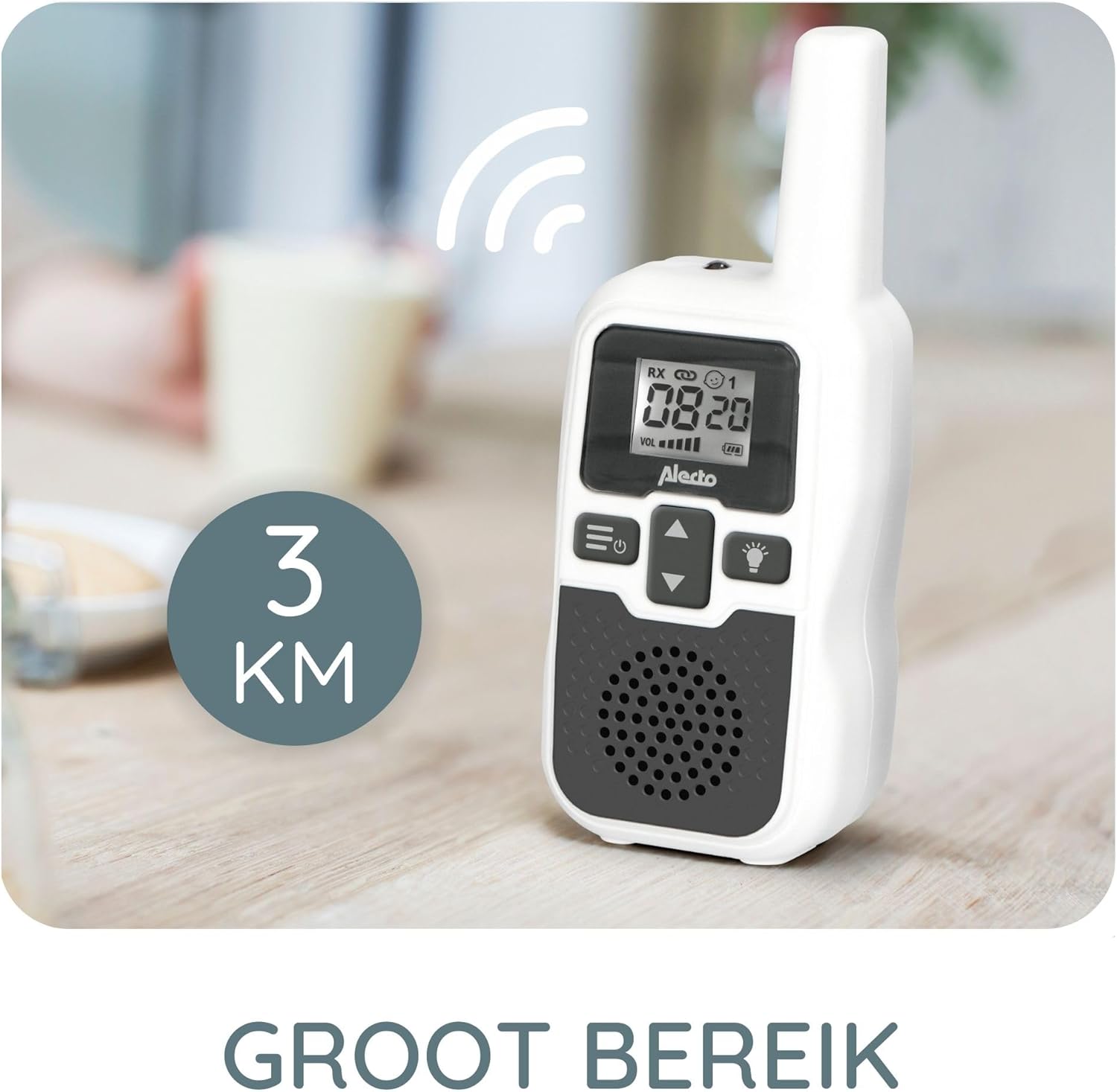
Image: The parent unit is shown with a graphic indicating a 3 KM range, emphasizing its long-distance monitoring capability.
6. Built-in Flashlight
The parent unit includes a built-in flashlight for convenience in low-light conditions. Press the flashlight button (usually marked with a light bulb icon) to turn it on or off.
7. Belt Clip
The parent unit is equipped with a belt clip for easy portability, allowing you to carry it with you as you move around your home.
Maintenance
- Cleaning: Clean the units with a soft, dry cloth. Do not use abrasive cleaners or solvents.
- Storage: If storing the device for an extended period, ensure the parent unit's battery is fully charged, then disconnect it from power. Store in a cool, dry place.
- Battery Care: To prolong battery life, avoid overcharging or completely draining the battery frequently.
Troubleshooting
| Problem | Possible Cause | Solution |
|---|---|---|
| No sound from parent unit. | Volume too low; units out of range; baby unit not powered on; VOX mode active. | Increase volume; move units closer; ensure baby unit is plugged in; check VOX sensitivity settings. |
| Static or interference. | Too far apart; interference from other electronic devices (Wi-Fi, cordless phones). | Move units closer; reposition units away from other electronics. |
| Parent unit battery drains quickly. | Old battery; continuous use without charging; VOX mode not active. | Ensure full charge before use; activate VOX mode; consider replacing battery if old. |
| "Out of Range" warning. | Units are too far apart or too many obstacles. | Move parent unit closer to the baby unit. Reduce obstacles between units. |
Technical Specifications
- Brand: Alecto
- Model: DBX-80
- Color: White
- Number of Channels: 8
- Frequency Range: 446 MHz
- Maximum Range: Up to 3000 meters (3 KM) in open field
- Voltage: 230 Volts (AC)
- Battery Composition (Parent Unit): NiMH
- Rechargeable Battery: Yes (Parent Unit)
- Special Features: Battery indicator, VOX function, Built-in flashlight (Parent Unit), Adjustable microphone sensitivity
- Water Resistance Level: Not waterproof
- Compatible Devices: Alecto Rayons PMR VHF (for additional baby units)

Image: This image provides the dimensions of both the parent unit (13.3 cm height, 5.2 cm width) and the baby unit (9 cm height, 6.5 cm width).
Warranty and Support
For warranty information, technical support, or service inquiries, please refer to the contact details provided in the universal manual included with your product or visit the official Alecto website. Keep your proof of purchase for warranty claims.
Manufacturer: Alecto


