Introduction
This manual provides comprehensive instructions for the proper installation and maintenance of your Membrane Solutions MSA3/MSA3S Genuine Air Filter Replacement. Using genuine filters ensures optimal performance and compatibility with your Membrane Solutions air purifier.
Product Overview: 4-in-1 Filtration Technology
The Membrane Solutions MSA3/MSA3S replacement filter features a 4-in-1 filtration system designed to capture various airborne particles and odors:
- Nonwoven Pre-filter: Captures larger particles such as hair and fabric fibers.
- H13 True HEPA Filter: Captures 99.97% of particles as small as 0.3 microns, including pet dander, dust, pollen, and smoke. It also captures 98.29% of 0.01 micron particles.
- Activated Carbon Filter: Traps odors, volatile organic compounds (VOCs), and other gaseous pollutants, making it suitable for environments with pets or smokers.
- Plastic Support Mesh: Provides structural integrity and protects the carbon structure within the filter.
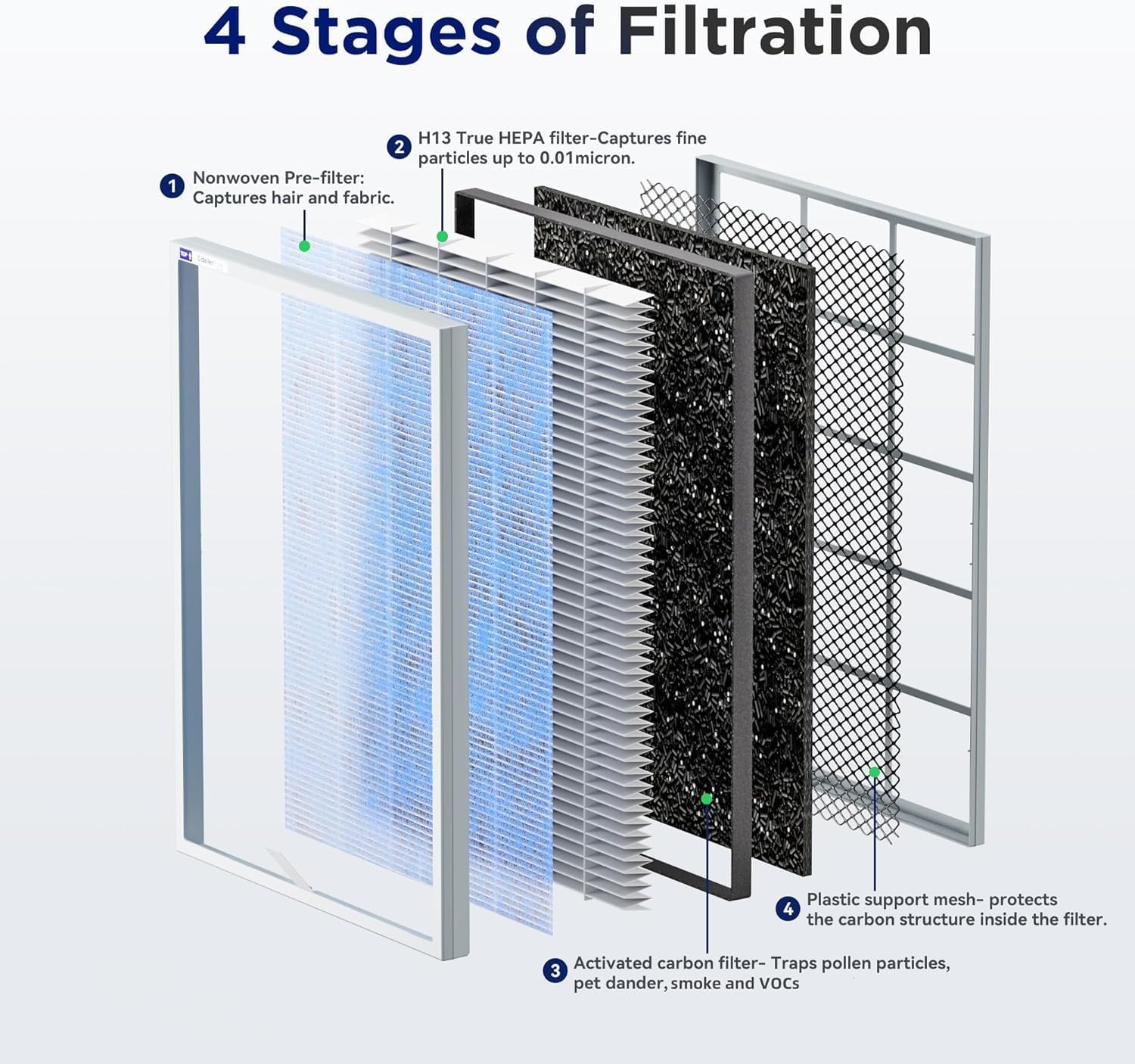
Image: Detailed view of the 4-stage filtration system, showing the nonwoven pre-filter, H13 True HEPA filter, activated carbon filter, and plastic support mesh.
Compatibility and Important Considerations
This filter is specifically designed for Membrane Solutions MSA3 and MSA3S air purifiers. Using unauthorized replacement filters may lead to:
- Reduced airflow and filtration performance.
- Potential damage to the air purifier.
- Voiding of product warranty.

Image: Visual warning indicating that incompatible filters can cause the MSA3 purifier to malfunction, perform poorly, or generate excessive noise.
Filter Replacement Procedure
Follow these steps to replace the air filter in your Membrane Solutions MSA3/MSA3S air purifier:
- Power Off and Unplug: Ensure the air purifier is turned off and unplugged from the power outlet before proceeding.
- Remove Front Cover: Gently pull the top of the front cover to detach it from the air purifier.
- Remove Old Filter: Locate the old filter inside the unit. Use the pull tabs to carefully remove it. Immediately place the used filter into a plastic bag to contain any dust or debris.
- Unpack New Filter: Remove the new filter from its plastic packaging. Ensure all packaging materials are discarded.
- Insert New Filter: Observe the 'INSERT' arrows on the side of the new filter. These arrows indicate the correct direction for installation. Insert the filter into the air purifier from the top, ensuring it fits securely.
- Replace Front Cover: Align the tabs on the bottom of the front cover with the slots on the air purifier, then push the cover firmly until it snaps into place.
- Power On and Reset: Plug the air purifier back into the power outlet and turn it on. Press and hold the 'Reset' button on the control panel for a few seconds until the filter indicator light resets.

Image: Visual guide demonstrating the correct method of inserting the filter from the top, ensuring the cover closes securely.
Instructional Videos:
Changing and Comparing the MSA3 Air Filter Replacement
Video: A user demonstrates the process of changing the MSA3 air filter, including removing the old filter and installing a new one.
Replace the filter for the new version of the air purifier
Video: A step-by-step guide on replacing the filter in the new version of the air purifier, highlighting the chip recognition feature.
Maintenance
The filter service life is typically 6-8 months, depending on usage and air quality. Regular replacement ensures continuous effective air purification. Always remove the filter from its plastic bag before installation.
Specifications
| Feature | Detail |
|---|---|
| Product Dimensions | 11.49 x 1.18 x 15.62 inches |
| Item Weight | 1.58 pounds |
| Manufacturer | Membrane Solutions |
| Item Model Number | MSA3, MSA3S |
| UPC | 850071881790 |
| Filtration Type | 4-in-1 H13 True HEPA Filter |
Manufacturer Information
For additional products and support, please visit the official Membrane Solutions Store.


