1. Important Safety Instructions
Please read and save these important safety instructions before using this product. Failure to follow these instructions may result in electric shock, fire, or serious personal injury.
- Always unplug the fan from the power outlet before cleaning, servicing, or moving it.
- Do not operate any fan with a damaged cord or plug. Discard fan or return to an authorized service facility for examination and/or repair.
- Do not run cord under carpeting. Do not cover cord with throw rugs, runners, or similar coverings. Do not route cord under furniture or appliances. Arrange cord away from traffic area and where it will not be tripped over.
- Do not insert or allow fingers or foreign objects to enter any ventilation or exhaust opening as this may cause an electric shock or fire, or damage the fan.
- Do not block air intakes or exhaust in any manner. Do not use on soft surfaces, like a bed, where openings may become blocked.
- This fan is intended for indoor use only. Do not use outdoors.
- To reduce the risk of fire or electric shock, do not use this fan with any solid-state speed control device.
- Do not use this fan in wet or humid locations such as bathrooms.
- Keep the fan out of reach of children and pets.
2. Product Overview
The FanFair 7-inch Air Fan is a compact and efficient personal fan designed for quiet cooling in various indoor environments such as bedrooms, homes, or offices. It features a durable construction and a space-saving design, making it suitable for placement on a desk or floor.
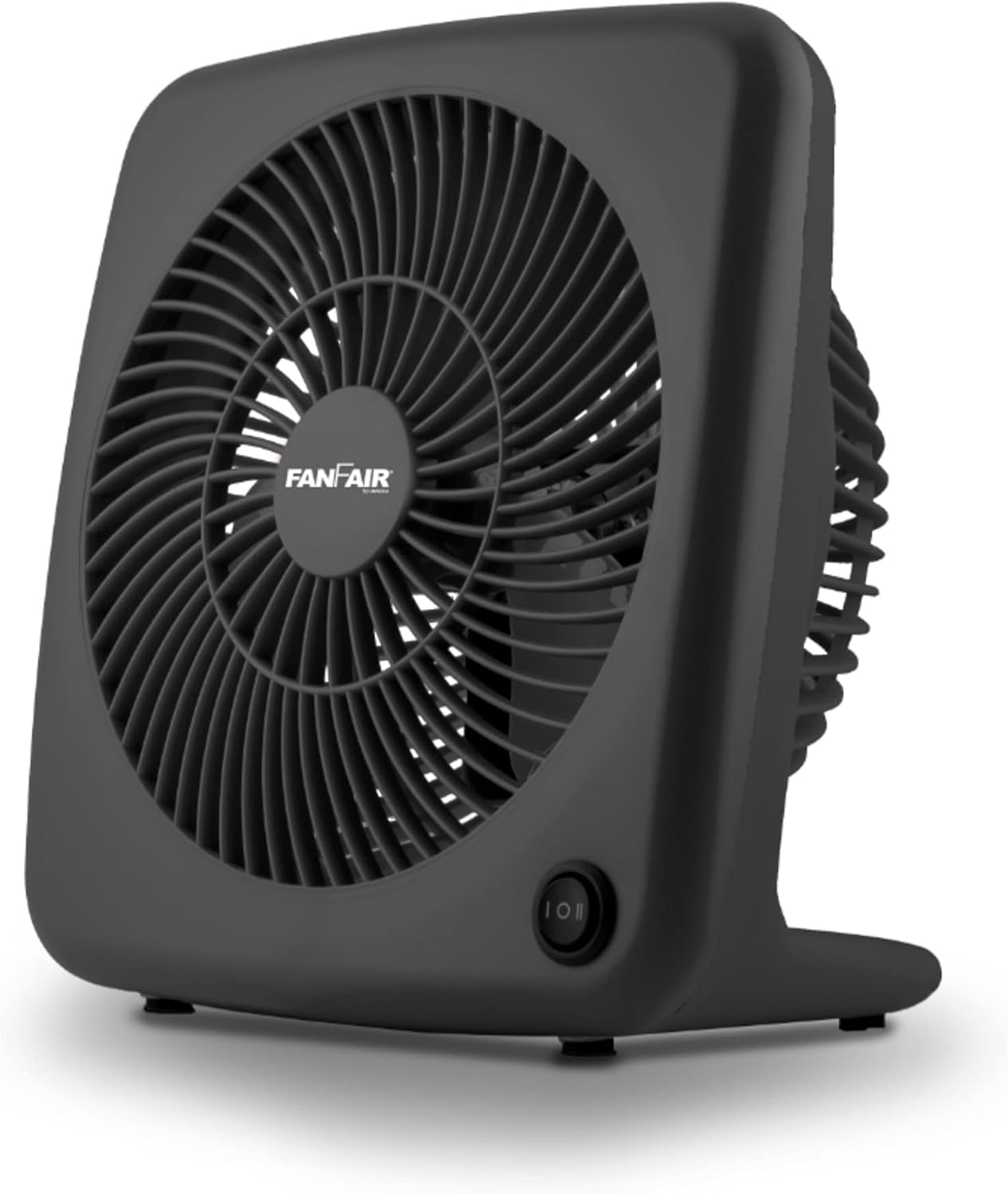
Image 1: Front-right view of the FanFair 7-inch Air Fan, showcasing its compact black design and front grille.
Key features include a 35-watt powerful motor, three-wing propellers for maximized airflow, and two speed selections for customized cooling. The fan also incorporates a built-in carry handle for easy portability.

Image 2: Angled view of the FanFair 7-inch Air Fan, highlighting its side profile and the integrated power switch.
3. Setup
- Unpacking: Carefully remove the FanFair 7-inch Air Fan from its packaging. Retain the packaging for future storage or transport.
- Placement: Place the fan on a stable, flat surface such as a desk, table, or floor. Ensure there is adequate space around the fan for proper air circulation and that the air intake and exhaust are not blocked.
- Power Connection: Plug the fan's power cord into a standard 120V AC electrical outlet. Ensure the outlet is easily accessible.
4. Operating Instructions
The FanFair 7-inch Air Fan features a simple push-button control for power and speed selection.
- Turning On/Off: Locate the push-button switch on the front base of the fan. Press the button once to turn the fan on to its low-speed setting. Press it again to cycle through the speeds and turn off.
- Adjusting Speed: The fan has two power levels.
- Press the button once for Low Speed.
- Press the button a second time for High Speed.
- Press the button a third time to turn the fan Off.
5. Maintenance
Regular cleaning and maintenance will help ensure the longevity and optimal performance of your FanFair 7-inch Air Fan.
- Cleaning the Exterior: Always unplug the fan before cleaning. Use a soft, damp cloth to wipe the exterior surfaces of the fan. Do not use abrasive cleaners or solvents, as these may damage the finish.
- Cleaning the Grille: Periodically, use a vacuum cleaner with a brush attachment to remove dust and debris from the front and rear grilles. This helps maintain efficient airflow.
- Storage: When not in use for extended periods, store the fan in a cool, dry place, preferably in its original packaging, to protect it from dust and damage.
- No User-Serviceable Parts: The fan blades and motor are not designed for user disassembly or lubrication. Do not attempt to open the fan housing.
6. Troubleshooting
If you experience issues with your FanFair 7-inch Air Fan, please refer to the following common problems and solutions:
| Problem | Possible Cause | Solution |
|---|---|---|
| Fan does not turn on. | Not plugged in; Power outlet not working; Fan switch is off. | Ensure the power cord is securely plugged into a working outlet. Test the outlet with another device. Press the power button to turn the fan on. |
| Weak or no airflow. | Grilles are blocked by dust or debris; Fan is on low speed. | Unplug the fan and clean the grilles using a vacuum cleaner. Press the power button to cycle to a higher speed setting. |
| Unusual noise during operation. | Fan is not on a stable surface; Foreign object inside the fan. | Place the fan on a firm, level surface. Unplug the fan and carefully inspect the grilles for any foreign objects. Do not attempt to open the fan. If the noise persists, discontinue use and contact customer support. |
7. Specifications
| Brand | Fanfair |
| Model Name | FBF-700K |
| Product Dimensions | 7 x 7 x 5 inches |
| Item Weight | 2.3 pounds |
| Color | Black |
| Power Source | Corded Electric |
| Wattage | 35 watts |
| Number of Blades | 3 |
| Number of Power Levels | 2 |
| Control Method | Touch (Push Button) |
| Blade Material | Plastic |
| Indoor/Outdoor Usage | Indoor |
8. Warranty and Support
For warranty information, please refer to the documentation included with your purchase or visit the official Fanfair website. Specific warranty terms and conditions may vary.
If you require technical support or have questions not covered in this manual, please contact Fanfair customer service through their official channels. Contact information is typically available on the product packaging or the manufacturer's website.