1. Introduction and Overview
Welcome to the user manual for your new Panasonic 7 Kg Fully-Automatic Top Loading Washing Machine, model NA-F70AH9MRB. This appliance is designed to provide efficient and thorough cleaning for your laundry with advanced features such as the Built-In Heater and Active Foam System. Please read this manual carefully before operating the machine to ensure safe and optimal performance.

Figure 1: Front view of the Panasonic NA-F70AH9MRB 7 Kg Fully-Automatic Top Loading Washing Machine in Middle Free Silver. This image displays the sleek design and top-loading access of the appliance.
Key Features:
- Built-In Heater: Provides intensive removal of stains and germs by heating water to optimal temperatures.
- Active Foam System: Generates fine, dense foam that penetrates deep into fabrics to lift dirt and stains effectively.
- 7 Kg Capacity: Ideal for families with 3 to 4 members.
- 5 Star Energy Rating: Ensures high energy efficiency, leading to lower electricity consumption.
- 702 RPM Spin Speed: Higher spin speed for faster drying of clothes.
- 10 Wash Programs: Offers a variety of cycles to suit different fabric types and washing needs.
- Easy Wide Opening: Designed for effortless loading and unloading of even large laundry loads.
2. Safety Information
To prevent injury to the user or other people and property damage, the following instructions must be followed. Incorrect operation due to ignoring instructions may cause harm or damage.
- Electrical Safety: Ensure the washing machine is connected to a properly grounded electrical outlet. Do not use extension cords or adapters. Disconnect power before cleaning or maintenance.
- Water Safety: Ensure water supply hoses are securely connected to prevent leaks. Do not operate the machine if there is a water leak.
- Children and Pets: Keep children and pets away from the washing machine during operation. Do not allow children to play on or inside the appliance.
- Flammable Materials: Do not wash items that have been soiled with flammable substances (e.g., gasoline, cooking oil) as this may result in fire or explosion.
- Hot Surfaces: The water inside the machine can become hot during wash cycles, especially when using the built-in heater. Exercise caution when opening the lid after a hot wash.
- Installation: The machine must be installed on a firm, level surface. Improper installation can lead to excessive vibration and noise.
3. Setup and Installation
Proper installation is crucial for the performance and longevity of your washing machine.
3.1 Unpacking
- Carefully remove all packaging materials, including the base packaging and any protective films.
- Check for any damage during transit. If damaged, do not proceed with installation and contact customer service.
- Ensure all included accessories (1 Washer unit, 1 User Manual, 1 Warranty Card) are present.
3.2 Placement
Place the washing machine on a solid, level floor. Avoid placing it on carpets or uneven surfaces. Ensure there is adequate space around the machine for ventilation and access.
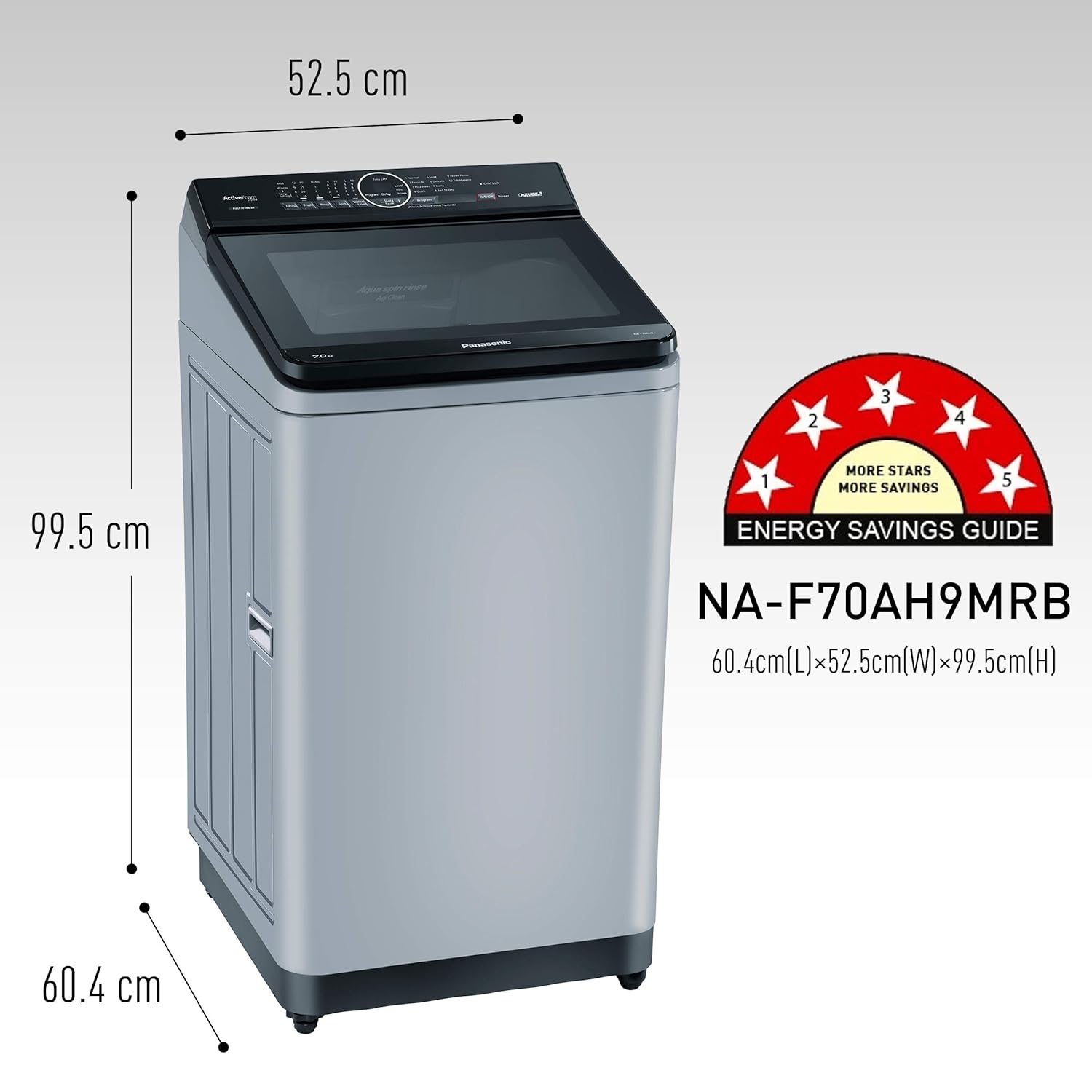
Figure 2: Dimensions of the Panasonic NA-F70AH9MRB washing machine. The machine measures 60.4 cm (L) x 52.5 cm (W) x 99.5 cm (H), providing essential information for placement.
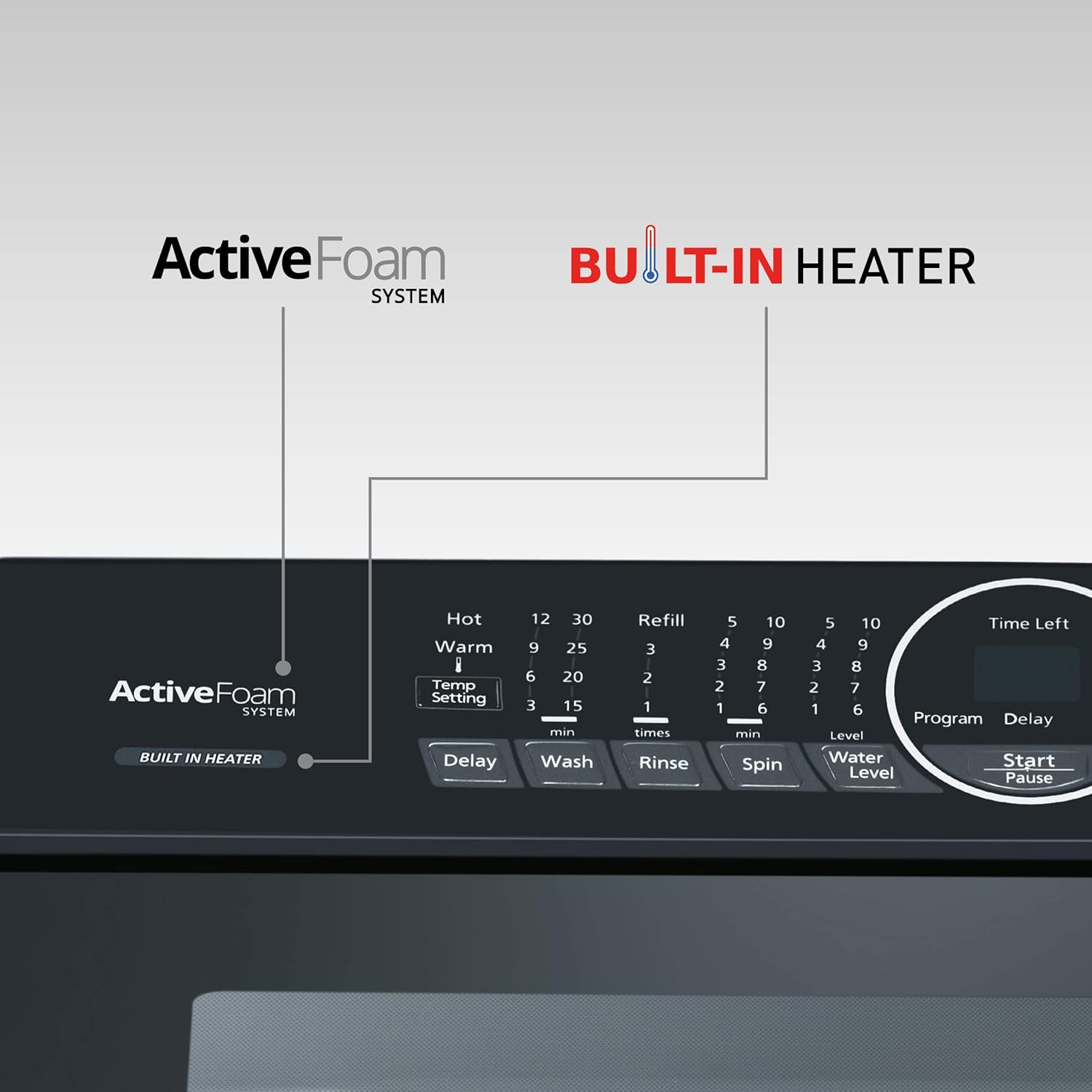
Figure 3: The Panasonic NA-F70AH9MRB washing machine positioned in a typical laundry area, demonstrating its compact footprint and suitability for various home environments.
3.3 Water Connection
- Connect the water inlet hose to a cold water tap with a 3/4-inch thread. Ensure the connection is tight to prevent leaks.
- Position the drain hose into a standpipe or laundry tub, ensuring it is securely fixed to prevent dislodging during operation.
3.4 Power Connection
- Plug the power cord into a dedicated, grounded 230V AC, 50Hz electrical outlet.
- Do not overload the circuit or use multi-plugs.
4. Operating Instructions
Follow these steps for effective and safe operation of your washing machine.
4.1 Control Panel Overview

Figure 4: Close-up view of the control panel on the Panasonic NA-F70AH9MRB washing machine, showing buttons for program selection, temperature setting, and cycle stages.
The control panel features a central dial for program selection, buttons for temperature setting, delay start, and individual cycle stages (Wash, Rinse, Spin), along with a digital display for time left and program status.
4.2 Loading Laundry
- Sort laundry by fabric type, color, and degree of soiling.
- Open the lid and load clothes loosely into the drum, ensuring not to overload the machine. The 7 kg capacity refers to dry laundry weight.
4.3 Adding Detergent and Additives
- Add the recommended amount of detergent to the detergent dispenser.
- If using fabric softener, add it to the designated compartment in the dispenser.
4.4 Selecting a Wash Program
Turn the program dial to select one of the 10 available wash programs based on your laundry needs. Common programs include:
- Normal
- Delicate
- Heavy Duty
- Quick Wash
- Saree/Duvet
- Wool
- Child Care
- Tub Clean
- Rinse + Spin
- Spin Only
4.5 Using Special Features
Your washing machine is equipped with advanced features for enhanced cleaning.

Figure 5: Visual representation of key features including Built-in Heater, Active Foam System, Easy Wide Opening, and Eco Aquabeat, highlighting their benefits for effective washing.
Active Foam System:
This system creates fine, high-density foam before the wash cycle begins. The foam penetrates deep into fabric fibers, surrounding and lifting dirt particles for a more thorough clean. This feature is automatically integrated into most wash programs.
Built-In Heater:
The built-in heater allows for washing with warm or hot water, which is highly effective for removing stubborn stains and sanitizing clothes.

Figure 6: Illustration of the Built-in Heater's effect on stain removal. Warm water (37°C) helps dissolve sebum and oily stains, while hotter water (40°C) softens and fully dissolves them, activating detergent enzymes for superior cleaning.
To use the heater, select a program that supports hot water wash and adjust the temperature setting on the control panel if available for that program.
4.6 Starting a Wash Cycle
- After loading laundry, adding detergent, and selecting the program, press the Start/Pause button.
- The machine will automatically detect the load size and fill with the appropriate amount of water.
- The display will show the estimated time remaining for the cycle.
4.7 End of Cycle
Once the wash cycle is complete, the machine will signal with a chime. Remove laundry promptly to prevent wrinkles and odors.
5. Maintenance and Care
Regular maintenance ensures your washing machine operates efficiently and extends its lifespan.
5.1 Cleaning the Exterior
- Wipe the exterior of the machine with a soft, damp cloth.
- Do not use abrasive cleaners, solvents, or harsh chemicals.
5.2 Cleaning the Detergent Dispenser
- Periodically remove the detergent dispenser drawer and rinse it under running water to remove any detergent residue.
- Clean the dispenser housing with a small brush if necessary.
5.3 Cleaning the Lint Filter
The lint filter collects lint and debris during the wash cycle. Clean it regularly to maintain washing performance.
- Locate the lint filter, usually inside the drum or near the top rim.
- Remove the filter and clean any accumulated lint under running water.
- Reinsert the filter securely.
5.4 Tub Cleaning
Use the "Tub Clean" program periodically to clean the washing machine drum and prevent mold or odor buildup. Follow the instructions for the Tub Clean cycle in your machine's specific program guide.
5.5 Winterizing (for cold climates)
If the machine is to be left in an unheated area during winter, drain all water from the hoses and pump to prevent freezing and damage. Consult a qualified technician if unsure.
6. Troubleshooting
Before contacting customer service, please refer to the following table for common issues and their solutions.
| Problem | Possible Cause | Solution |
|---|---|---|
| Machine does not start | Power cord unplugged; Lid not closed properly; Program not selected; Start/Pause button not pressed. | Check power connection; Close lid firmly; Select a program; Press Start/Pause. |
| Water does not fill | Water tap closed; Water inlet hose kinked; Water pressure too low. | Open water tap; Straighten hose; Check water supply. |
| Water does not drain | Drain hose kinked or blocked; Lint filter clogged. | Straighten or clear drain hose; Clean lint filter. |
| Excessive vibration/noise | Machine not level; Shipping bolts not removed; Overloaded or unbalanced load. | Adjust leveling feet; Ensure all shipping bolts are removed; Redistribute laundry evenly. |
| Clothes not clean | Too much or too little detergent; Incorrect program selected; Overloaded machine. | Use correct detergent amount; Select appropriate program; Reduce load size. |
If the problem persists after attempting these solutions, please contact Panasonic customer support.
7. Specifications
Detailed technical specifications for the Panasonic NA-F70AH9MRB washing machine.
| Feature | Detail |
|---|---|
| Brand | Panasonic |
| Model | NA-F70AH9MRB |
| Capacity | 7 Kilograms |
| Energy Efficiency | 5 Star |
| Maximum Rotational Speed | 702 RPM |
| Installation Type | Freestanding |
| Form Factor | Top-Loading |
| Special Features | 5 Star Energy Rating, Active Foam System, Built in Heater, Water Reuse |
| Colour | Middle Free Silver |
| Control Console | Fully Automatic |
| Number of Option Cycles | 10 |
| Voltage | 230 Volts |
| Material | Steel |
| Item Weight | 31 kg |
| Item Dimensions (LxWxH) | 60.4 x 52.5 x 99.5 Centimeters |
| Included Components | 1 Washer unit, 1 User Manual, 1 Warranty Card |
8. Warranty and Support
8.1 Warranty Information
Your Panasonic NA-F70AH9MRB washing machine comes with a manufacturer's warranty to cover defects in materials and workmanship.
- Product Warranty: 2 Years on the entire product.
- Motor Warranty: 12 Years on the motor.
Please retain your purchase receipt and warranty card for future reference. The warranty terms and conditions are detailed in the included Warranty Card.
8.2 Customer Support
For technical assistance, service requests, or inquiries regarding your product, please contact Panasonic customer support. Refer to the contact information provided in your Warranty Card or visit the official Panasonic website for the most up-to-date support details.
Online Support: Visit the official Panasonic India website for FAQs, troubleshooting guides, and service center locators.


