
1. Product Overview
The eKids Super Mario Walkie Talkies provide two-way radio communication for children, featuring designs inspired by Mario and Luigi. These devices are designed for ease of use and portability, suitable for both indoor and outdoor play.

Image: Front view of the eKids Super Mario and Luigi Walkie Talkies.
2. Package Contents
Your eKids Super Mario Walkie Talkies package includes:
- 2 x Walkie Talkie Radios (Mario and Luigi themed)
- Wrist Straps (attached)
- Belt Clips (attached)
- 4 x AAA Batteries (included for initial use)
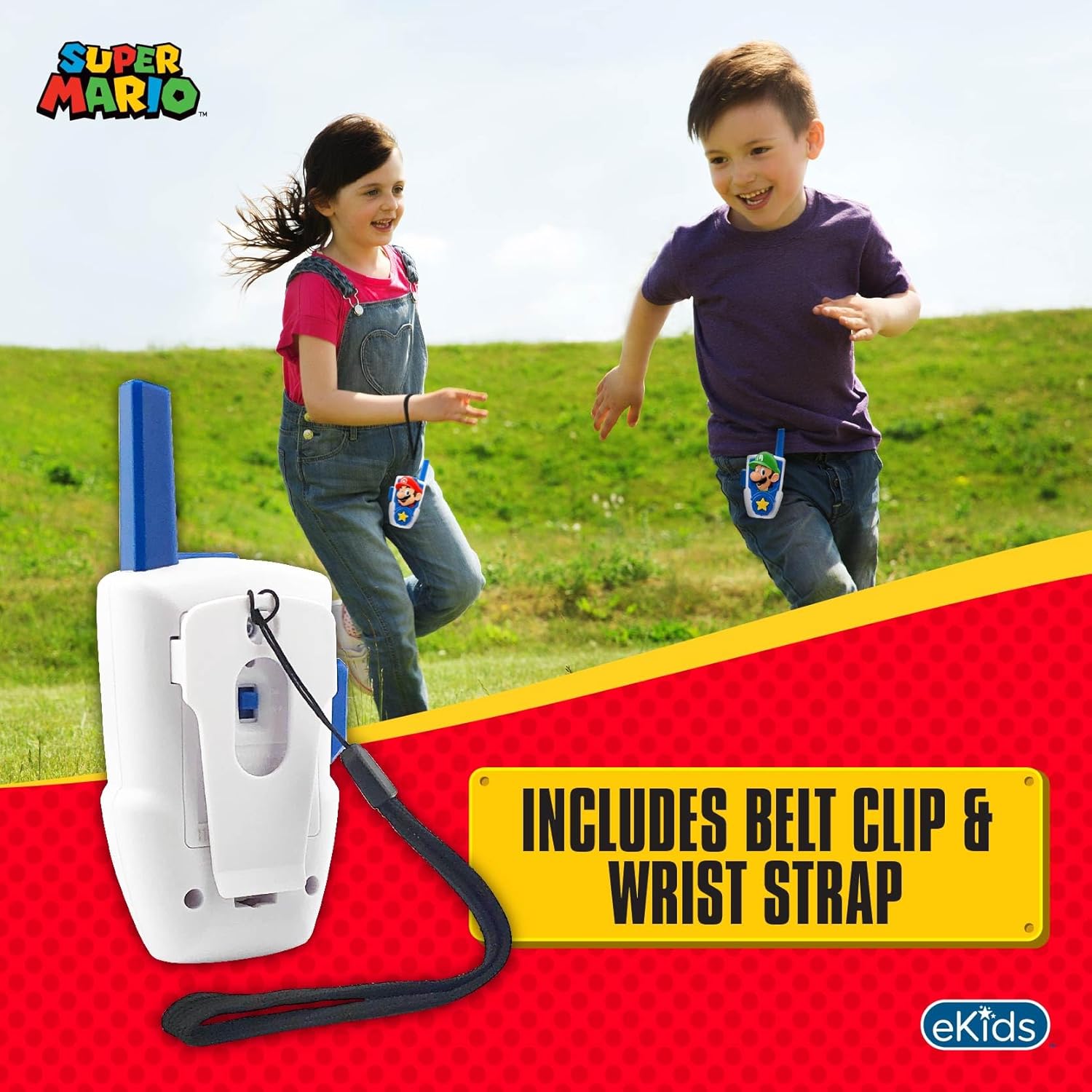
Image: Rear view of an eKids Super Mario Walkie Talkie, highlighting the integrated belt clip and wrist strap for portability.
3. Setup
3.1 Battery Installation
- Locate the battery compartment on the back of each walkie talkie.
- Using a small Phillips head screwdriver (not included), unscrew the battery compartment cover.
- Insert 2 x AAA batteries into each walkie talkie, ensuring correct polarity (+/-).
- Replace the battery compartment cover and secure it with the screw.
Note: 4 x AAA batteries are required in total (2 per walkie talkie). Batteries are included for initial use.
4. Operating Instructions
4.1 Power On/Off
Locate the Power switch, typically on the back or side of the unit. Slide the switch to the 'ON' position to power on the walkie talkie. Slide to 'OFF' when not in use to conserve battery life.
4.2 Communication (Push-to-Talk)
- Ensure both walkie talkies are powered on.
- To speak, press and hold the large 'Push-to-Talk' (PTT) button, usually located on the side of the unit.
- Speak clearly into the microphone.
- Release the PTT button to listen for a response. Only one person can speak at a time.
4.3 Range and Performance
These walkie talkies offer an extended range of up to 500 feet under ideal conditions. Performance may vary based on terrain, weather, electromagnetic interference, and obstructions. The devices are designed for static-free communication.

Image: A child using an eKids Super Mario Walkie Talkie, illustrating its extended range and static-free features.
Video: A demonstration of the eKids Super Mario Bros Walkie Talkies in use, showcasing their features and functionality.
5. Maintenance
5.1 Cleaning
Wipe the walkie talkies with a soft, dry cloth. Do not use abrasive cleaners or immerse the units in water.
5.2 Battery Care
Always turn off the walkie talkies when not in use. If the devices will not be used for an extended period, remove the batteries to prevent leakage and damage.
5.3 Storage
Store the walkie talkies in a cool, dry place away from direct sunlight and extreme temperatures.
6. Troubleshooting
6.1 No Power
- Ensure the Power switch is in the 'ON' position.
- Check if the batteries are correctly installed with the proper polarity.
- Replace with fresh AAA batteries if current batteries are depleted.
6.2 Poor Sound Quality or Range
- Ensure both walkie talkies are within the effective range (up to 500 feet under ideal conditions).
- Reduce obstructions between the two units (e.g., walls, large structures).
- Check battery levels; low batteries can affect performance.
- Ensure the PTT button is fully pressed when speaking and fully released when listening.
7. Specifications
| Feature | Detail |
|---|---|
| Model Number | MO-207.FXV0 |
| Item Weight | 8.1 ounces |
| Product Dimensions | 2.93 x 1.68 x 5.45 inches |
| Batteries Required | 4 x AAA batteries (2 per unit) |
| Number of Channels | 1 |
| Talking Range Maximum | 750 Feet (under ideal conditions) |
| Water Resistance Level | Not Water Resistant |
| Included Components | 2 walkie talkie radios |
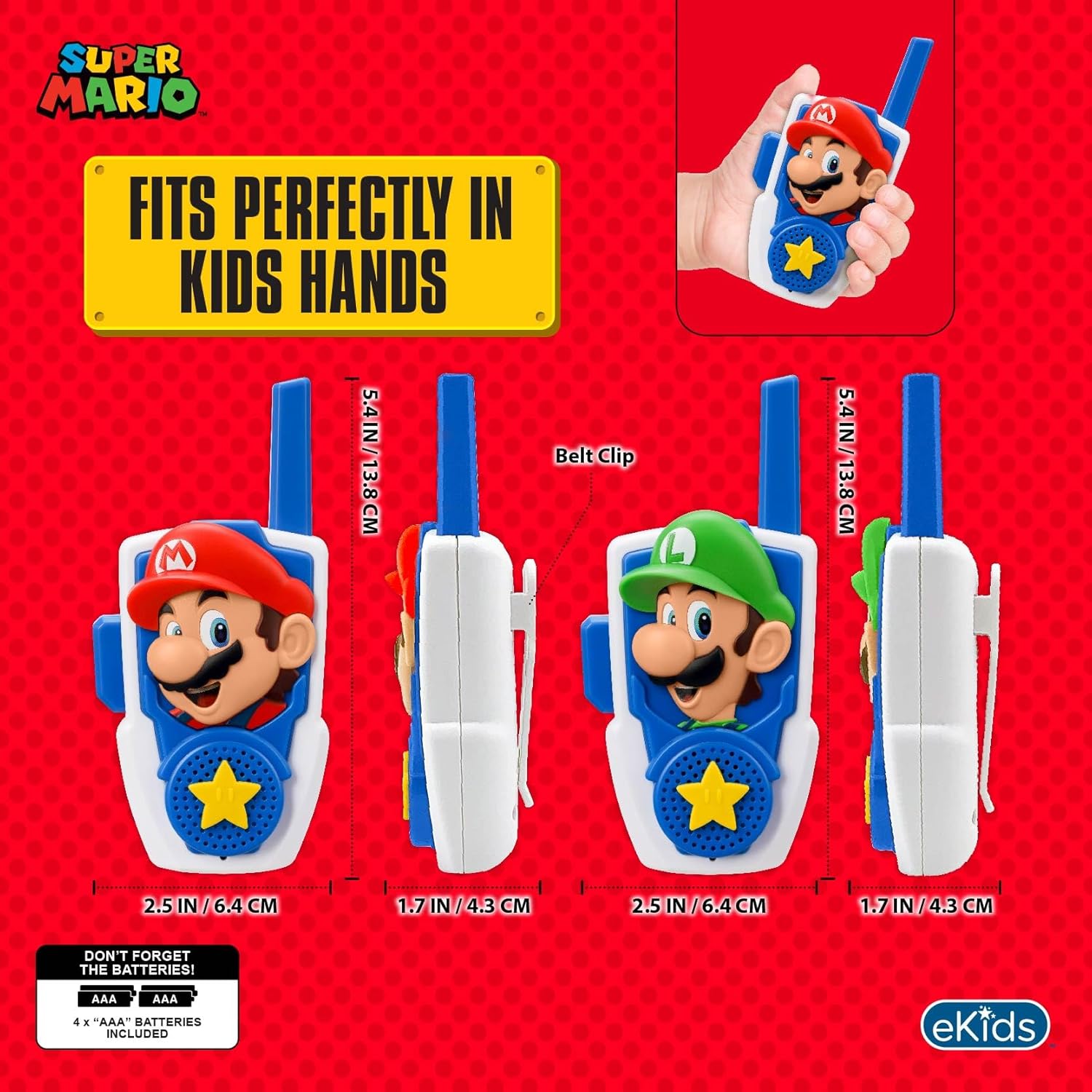
Image: Detailed dimensions of the eKids Super Mario Walkie Talkies.
8. Warranty Information
This product comes with a 1-year limited warranty. Please retain your proof of purchase for warranty claims. For detailed warranty terms and conditions, refer to the product packaging or contact customer support.
9. Support
For further assistance, troubleshooting, or to inquire about warranty services, please visit the eKids official website or contact their customer support directly. Contact information can typically be found on the product packaging or their official website.


