
Product Overview
The Razer DeathAdder V2 Pro is a high-performance wireless gaming mouse designed for exceptional comfort and precision. It features advanced optical sensor technology and durable optical switches for a superior gaming experience.
- FOCUS PLUS 20K DPI OPTICAL SENSOR: Auto-calibrates across mouse mat and reduces cursor drift for industry-leading precision.
- 25% FASTER THAN COMPETING WIRELESS MICE: Razer HyperSpeed wireless technology offers extreme low-latency and interference reduction.
- IMMERSIVE, CUSTOMIZABLE CHROMA RGB LIGHTING: Supports 16.8 million colors with included preset profiles, syncing with gameplay and Razer Chroma-enabled peripherals.
- 70 HOURS OF INTENSE GAMING: Enjoy up to 120 hours of battery life in Bluetooth mode, or up to 70 hours with HyperSpeed Wireless.
- 88G LIGHTWEIGHT DESIGN: Redesigned for better FPS gaming in the most iconic, ergonomic form factor.

Front view of the Razer DeathAdder V2 Pro Wireless Gaming Mouse.
Official product video showcasing the Razer DeathAdder V2 Pro's features and design.
Setup
To set up your Razer DeathAdder V2 Pro, follow these steps:
- Unboxing: Carefully remove the mouse and its accessories from the packaging. The box includes the Razer DeathAdder V2 Pro mouse, a Razer Speedflex charging cable, a USB dongle adapter, and an Important Product Information Guide.
- Connectivity Options: Your mouse supports three modes of connection:
- Razer HyperSpeed Wireless (2.4 GHz): For ultra-fast, low-latency gaming. Plug the USB dongle adapter into an available USB port on your computer. The dongle can be stored in a compartment on the underside of the mouse when not in use.
- Bluetooth: For general use and extended battery life (up to 120 hours). Activate Bluetooth pairing mode on the mouse and connect it via your computer's Bluetooth settings.
- Wired (USB): Connect the Razer Speedflex charging cable to the mouse and your computer's USB port. This mode also charges the mouse.
- Software Installation: For full customization and advanced features, download and install the Razer Synapse software from the official Razer website. This software allows you to configure DPI settings, program buttons, customize RGB lighting, and manage profiles.

The Razer DeathAdder V2 Pro utilizes HyperSpeed Wireless for optimal performance.
Operating the Mouse
The Razer DeathAdder V2 Pro is designed for intuitive operation and high performance.
- DPI Adjustment: The mouse features a FOCUS PLUS 20K DPI Optical Sensor. You can adjust the DPI (dots per inch) sensitivity on-the-fly using the dedicated buttons located behind the scroll wheel, or through the Razer Synapse software for more granular control.
- Programmable Buttons: The mouse has 8 programmable buttons. These can be customized via Razer Synapse to perform various functions, macros, or keybinds, enhancing your gaming efficiency.
- Chroma RGB Lighting: Personalize your mouse with 16.8 million colors and various lighting effects using Razer Synapse. The lighting can also sync with other Razer Chroma-enabled devices and games.
- Battery Life: The mouse offers up to 70 hours of battery life in HyperSpeed Wireless mode and up to 120 hours in Bluetooth mode. Monitor battery status via Razer Synapse.
- Ergonomic Design: The 88g lightweight design and ergonomic form ensure maximum comfort during extended gaming sessions, reducing hand fatigue.
- Optical Mouse Switches: Equipped with 2nd-Gen Razer Optical Mouse Switches, the mouse eliminates unintended double-clicks and offers a rapid, precise response with every click.
- Fine-Tuned Scroll Wheel Tactility: The scroll wheel provides satisfying feedback with a distinct, notched feel for precise scrolling.
- Injection-Molded Rubber Side Grips: Textured side grips provide a secure hold for better control during intense gameplay.
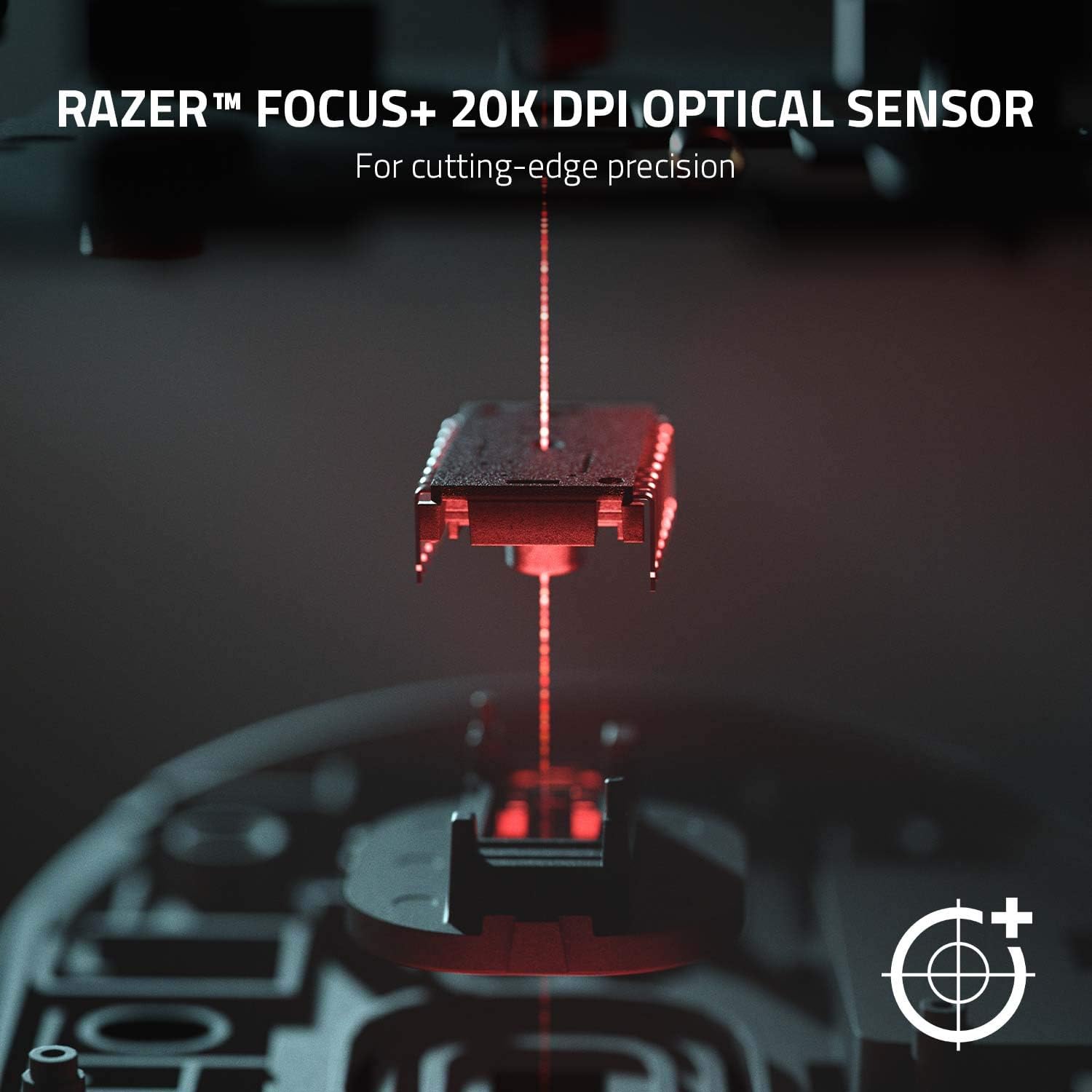
Detail of the Razer Focus Plus 20K DPI Optical Sensor for cutting-edge precision.

The 2nd Generation Razer Optical Mouse Switch eliminates unintended double clicks.

The 88g ergonomic form of the mouse provides maximum comfort.

The scroll wheel offers satisfying feedback with a distinct, notched feel.

Injection-molded rubber side grips provide a secure hold for the mouse.
Maintenance
To ensure the longevity and optimal performance of your Razer DeathAdder V2 Pro, regular maintenance is recommended:
- Cleaning: Use a soft, dry cloth to wipe down the mouse regularly. For stubborn dirt, a slightly damp cloth can be used, but avoid excessive moisture. Do not use harsh chemicals or abrasive materials.
- Sensor Cleaning: Periodically inspect the optical sensor area on the underside of the mouse for dust or debris. Use a can of compressed air to gently clear any obstructions.
- Storage: When not in use, store the mouse in a clean, dry environment. If transporting, use the included pouch to protect it from scratches and impacts.
- Cable Care: If using the wired mode, ensure the Speedflex cable is not kinked or excessively bent to prevent damage.
Troubleshooting
If you encounter issues with your Razer DeathAdder V2 Pro, try the following troubleshooting steps:
- Connectivity Issues:
- Ensure the USB dongle is securely plugged into a working USB port. Try a different port.
- If using Bluetooth, ensure Bluetooth is enabled on your computer and the mouse is in pairing mode. Try re-pairing the device.
- Switch to wired mode to confirm the mouse is functional.
- Lag or Disconnects:
- Ensure the mouse is fully charged.
- Minimize interference by keeping the mouse close to the USB dongle or Bluetooth receiver.
- Update Razer Synapse software and mouse firmware to the latest versions.
- Battery Life Concerns:
- While advertised for up to 70 hours (HyperSpeed) or 120 hours (Bluetooth), actual battery life can vary based on usage, RGB lighting settings, and environmental factors.
- Reduce RGB brightness or disable lighting to extend battery life.
- Ensure the mouse is fully charged before each use.
- Buttons Not Responding:
- Check Razer Synapse to ensure buttons are correctly mapped and not disabled.
- Clean around the buttons to remove any debris that might be causing sticking.
Specifications
| Feature | Detail |
|---|---|
| Brand | Razer |
| Series | DeathAdder V2 Pro |
| Item Model Number | RZ01-03350100-R3U1 |
| Hardware Platform | PC, Mac |
| Operating System | Windows 11 |
| Item Weight | 3.1 ounces |
| Product Dimensions | 2.86 x 1.68 x 5 inches |
| Color | Black |
| Power Source | Battery Powered |
| Batteries | 1 Lithium Polymer batteries required. (included) |
| Connectivity Technology | Bluetooth |
| Special Feature | Wireless |
| Movement Detection Technology | Optical |
| Average Battery Life (in hours) | 120 Hours |
What's in the Box
- Razer DeathAdder V2 Pro
- Razer Speedflex charging cable
- USB dongle adapter
- Important Product Information Guide
Warranty and Support
For detailed warranty information and support, please refer to the official Razer website or the included Important Product Information Guide.
A digital version of the user guide is available for download: User Guide (PDF)
The product typically comes with a 30-day return policy. Extended protection plans may be available for purchase.