
Introduction
The Artika Galaxy LED-Integrated Flushmount Ceiling Light Fixture with Bluetooth Speaker is a smart and connected lighting solution designed to enhance your living space. This fixture combines efficient LED lighting with an integrated Bluetooth speaker and RGB ambient lighting, offering both illumination and audio entertainment. Its functionality can be controlled via the Artika app, allowing for brightness adjustments and customizable light-and-music experiences. With a long lifespan of 50,000 hours, the Galaxy fixture provides lasting performance.

An angled view of the Artika Galaxy LED flushmount ceiling light fixture, showcasing its overall design and the central speaker component.
Safety Information
Please read and understand all instructions before beginning installation. Failure to do so may result in electric shock, fire, or other injuries that could be hazardous or even fatal. Keep this manual for future reference.
- WARNING: Risk of electric shock. Disconnect power at the circuit breaker or fuse box before installation or servicing.
- All electrical connections must be in accordance with local codes and ordinances, as well as the National Electrical Code (NEC) and Canadian Electrical Code (CEC).
- Consult a qualified electrician if you are unsure about proper installation procedures.
- Do not install this fixture in wet locations. Suitable for indoor use only.
- Ensure all wiring connections are secure and properly insulated.
- Do not modify the fixture in any way. Any modifications may void the warranty and create safety hazards.
Package Contents
Verify that all components are present before beginning installation:
- Artika Galaxy LED-Integrated Flushmount Ceiling Light Fixture
- Mounting Hardware (screws, wire nuts, etc.)
- Instruction Manual
Setup and Installation
This fixture is designed for hardwired ceiling installation. Professional installation is recommended.
Pre-Installation
- Turn off power at the main circuit breaker or fuse box.
- Carefully unpack the fixture and its components. Keep all parts organized.
- Ensure the mounting surface is clean, dry, and structurally sound to support the fixture's weight.
Wiring Instructions
- Connect the fixture's ground wire (green or bare copper) to the house supply ground wire.
- Connect the fixture's white wire to the house supply white (neutral) wire.
- Connect the fixture's black wire to the house supply black (live) wire.
- Secure all connections with wire nuts and electrical tape.
Mounting the Fixture
- Attach the mounting bracket to the junction box using the provided screws.
- Carefully lift the fixture and align it with the mounting bracket.
- Secure the fixture to the mounting bracket using the provided screws. Ensure it is flush with the ceiling.
- Once installed, restore power at the circuit breaker.
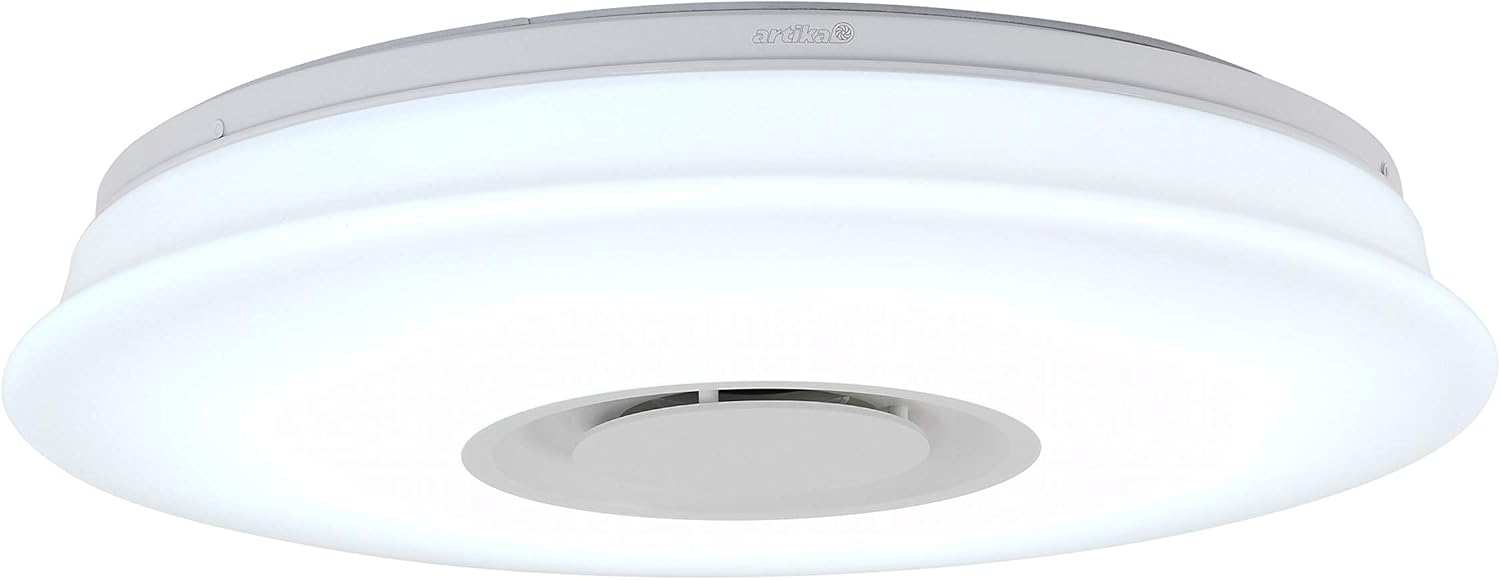
This image shows the Artika Galaxy LED flushmount ceiling light fixture from a frontal perspective, highlighting its sleek, circular design and integrated Bluetooth speaker grille at the center.
Operating Instructions
The Artika Galaxy fixture offers versatile control options for both lighting and audio.
Powering On/Off
The fixture can be turned on or off using a standard wall light switch. It is compatible with most LED dimmers for brightness control.

This image illustrates the dimmable capability of the Artika Galaxy light, with one half showing full brightness and the other half showing a dimmed state. The light can be adjusted to various brightness levels.
Bluetooth Speaker Pairing
- Ensure the light fixture is powered on.
- On your mobile device, navigate to the Bluetooth settings.
- Search for available devices and select "Artika Galaxy" (or similar name) to pair.
- Once paired, you can stream audio from your device through the integrated speaker.

This image depicts the Artika Galaxy light fixture installed on a ceiling in a modern living space, with graphic representations of music notes flowing from it, emphasizing its integrated Bluetooth speaker functionality.
Artika App Control
For full functionality, download the Artika app from your device's app store. The app allows you to:
- Adjust brightness levels (dimmable).
- Change light color (RGB ambient mode).
- Adjust color temperature (tunable white).
- Choreograph light and music shows.

This image demonstrates the tunable white feature of the Artika Galaxy light, displaying a split view with one side emitting a warm white light and the other a cool white light. Users can adjust the color temperature to suit their preference.

This image showcases the RGB color changing capabilities of the Artika Galaxy light, displaying various vibrant colors such as green, blue, and yellow. The light can produce a spectrum of colors for ambient lighting.
Maintenance
The Artika Galaxy fixture requires minimal maintenance.
- Cleaning: Disconnect power before cleaning. Wipe the fixture with a soft, damp cloth. Do not use abrasive cleaners or solvents, as they may damage the finish or electrical components.
- LEDs: The LED components are integrated and designed for a long lifespan (50,000 hours). They are not user-replaceable.
Troubleshooting
If you experience issues with your Artika Galaxy fixture, refer to the following common solutions:
| Problem | Possible Cause | Solution |
|---|---|---|
| Light does not turn on. | No power to the fixture. Loose wiring connection. Faulty wall switch. | Check circuit breaker or fuse. Ensure all wiring connections are secure (power off first). Test the wall switch with another device. |
| Bluetooth speaker not connecting. | Fixture not in pairing mode. Device too far from fixture. Already paired with another device. | Ensure fixture is powered on. Move your device closer to the fixture. Disconnect from other devices or restart the fixture. |
| Light flickers or dims unexpectedly. | Incompatible dimmer switch. Loose wiring. | Ensure your dimmer switch is compatible with LED fixtures. Check wiring connections (power off first). |
| App control not working. | Bluetooth not enabled on device. App not updated. Fixture not recognized by app. | Ensure Bluetooth is enabled on your mobile device. Update the Artika app to the latest version. Try restarting the app and the light fixture. |
Specifications
| Feature | Detail |
|---|---|
| Brand | Artika |
| Model Name | Galaxy LED-Integrated Flushmount |
| Model Number | CL-GLX-C |
| Light Type | LED |
| Wattage | 24 watts (Light Source Wattage: 3 watts) |
| Voltage | 120 volts (Accepted Voltage Frequency: 100 to 240 Volts and 60 Hertz) |
| Color Temperature | 6000 Kelvin (Tunable White) |
| Light Color | Multicolor (RGB Ambient Mode) |
| Special Features | Dimmable, Integrated Bluetooth Speaker, RGB Light Ambient Mode |
| Light Source Operating Life | 50,000 hours |
| Connectivity | Bluetooth (App Control) |
| Material Type | Aluminum |
| Indoor/Outdoor Usage | Indoor |
| Power Source Type | Hardwired |
| Specification Met | Energy Star |
| GTIN/UPC | 846979030644 |
Warranty
This Artika Galaxy LED-Integrated Flushmount Ceiling Light Fixture is covered by a 3 Year Manufacturer Warranty from the date of purchase. This warranty covers defects in materials and workmanship under normal use. For warranty claims, please contact Artika customer service with your proof of purchase.
Support
For technical assistance, troubleshooting, or customer service inquiries, please contact Artika directly:
- Manufacturer: ARTIKA FOR LIVING INC.
- Address: 1756 50e avenue, Lachine, Qc, H8T2V5 Canada
- Customer Service: 1-866-661-9606