
Introduction
This manual provides detailed instructions for the DUDAO U5Plus U5S Wireless Bluetooth Earphones. Please read this manual carefully before using the product to ensure proper operation and to maximize your user experience. These earphones are designed for various activities including workouts, commuting, and leisure listening.

Image: DUDAO U5S Wireless Bluetooth Earphones, showcasing the neckband design and in-ear buds.
Package Contents
Verify that all items are present in your package:
- DUDAO U5Plus U5S Wireless Bluetooth Earphones
- Charging Cable
- User Manual (this document)
Product Features
- High-Quality Sound: Equipped with 10 mm drivers and a bio-cellulose diaphragm for clear treble. Features BassUp mode for enhanced bass.
- Ergonomic Design: Lightweight silicone neckband with a titanium alloy steel core for a secure and comfortable fit. Adjustable cable length for personalized comfort.
- Magnetic Earbuds: Built-in magnetic suction allows the earbuds to clasp together when not in use, preventing tangling and loss.
- Bluetooth 4.1 Connectivity: Provides stable wireless transmission up to 10 meters. Supports automatic pairing and call-back features.
- Long Playback Time: Up to 7 hours of music playback on a single charge. Supports iOS power display.
- TF Memory Card Support: Integrated MP3 player functionality via TF card slot.
- Noise Cancelling Microphone: For clear call quality.
- Water Resistant: Designed to withstand splashes and sweat.

Image: Magnetic earbuds for secure storage when not in use.

Image: Ergonomic in-ear design for comfortable and secure fit.
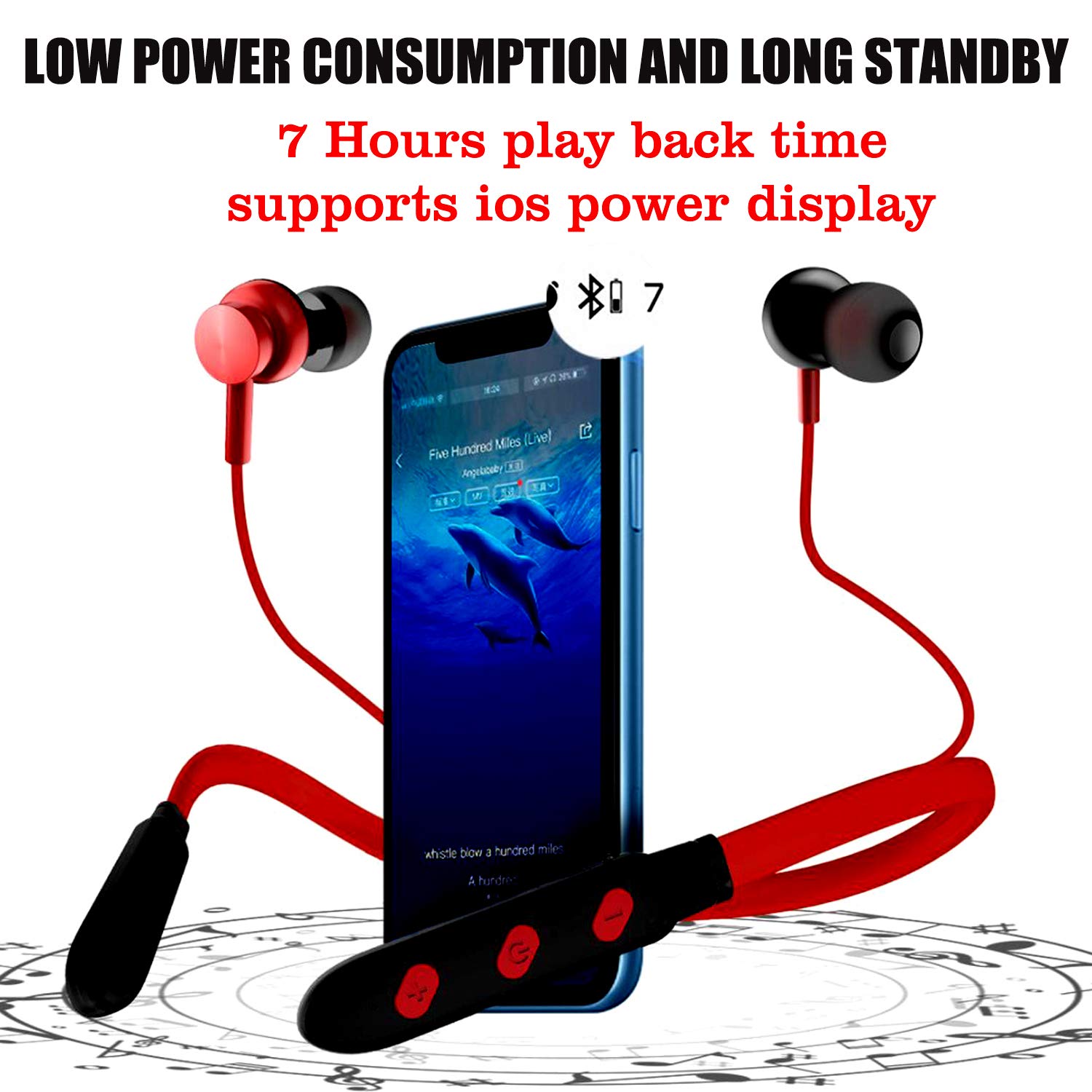
Image: Earphones displaying 7 hours of playback time and iOS power display.

Image: Neckband design with adjustable cable length for enhanced comfort.
Setup
1. Charging the Earphones
Before first use, fully charge the earphones. Connect the charging cable to the charging port on the neckband and to a USB power source. The LED indicator will show charging status and turn off or change color when fully charged.
2. Bluetooth Pairing
- Ensure the earphones are turned off.
- Press and hold the Multi-function button (usually the power button) until the LED indicator flashes red and blue alternately, indicating pairing mode.
- On your device (smartphone, tablet, laptop), enable Bluetooth and search for available devices.
- Select "DUDAO U5Plus" or "DUDAO U5S" from the list of found devices.
- Once paired, the LED indicator will flash blue slowly or turn off, and you will hear a confirmation tone.

Image: Close-up of the control panel on the neckband, highlighting Bluetooth 4.1 and pairing features.
3. TF Card Insertion (Optional)
If you wish to use the MP3 player function, insert a TF (microSD) memory card with your music files into the designated slot on the neckband. The earphones will automatically switch to MP3 mode or allow you to select it.
Operating Instructions
Controls Overview
| Button/Action | Function |
|---|---|
| Power Button (Multi-function) |
|
| Volume Up (+) |
|
| Volume Down (-) |
|
Making and Receiving Calls
- Answer Call: Short press the Power/Multi-function button.
- End Call: Short press the Power/Multi-function button.
- Reject Call: Press and hold the Power/Multi-function button for 2 seconds.
- Redial Last Number: Double-press the Power/Multi-function button.
Music Playback
- Play/Pause: Short press the Power/Multi-function button.
- Next Track: Long press the Volume Up (+) button.
- Previous Track: Long press the Volume Down (-) button.
- Volume Adjustment: Short press Volume Up (+) or Volume Down (-) buttons.
Switching Modes (Bluetooth/TF Card)
If a TF card is inserted, the earphones may automatically switch to MP3 mode. Refer to the specific button on your device (if available, often a dedicated mode button or a long press on a volume button) to switch between Bluetooth and TF card playback modes.
Maintenance
- Cleaning: Use a soft, dry cloth to clean the earphones. Do not use harsh chemicals or abrasive materials.
- Storage: When not in use, store the earphones in a cool, dry place. The magnetic earbuds help prevent tangling.
- Water Resistance: While water resistant, avoid submerging the earphones in water or exposing them to heavy rain. Dry thoroughly if they get wet.
- Battery Care: To prolong battery life, avoid fully discharging the battery frequently. Charge regularly.
Troubleshooting
| Problem | Solution |
|---|---|
| Earphones do not turn on. | Ensure the earphones are charged. Connect to a power source and try again. |
| Cannot pair with device. |
|
| No sound or low volume. |
|
| Call quality issues. |
|
| TF card not recognized. |
|
Specifications
| Feature | Detail |
|---|---|
| Model Name | DUDAO U5Plus in-Ear Wireless Bluetooth Earphones with Mic |
| Model Number | U5S-RED |
| Connectivity Technology | Wireless (Bluetooth 4.1) |
| Wireless Range | Up to 10 meters |
| Ear Placement | In Ear |
| Form Factor | Neckband |
| Drivers | 10 mm |
| Noise Control | Active Noise Cancellation (Microphone) |
| Microphone | In-Line, Stereo |
| Material | Plastic (earbuds), Silicone/Titanium Alloy Steel (neckband) |
| Control Type | Media Control (Buttons) |
| Special Features | Fast Charging, TF Memory Card MP3 Support, Magnetic Suction Earbuds, Water Resistant |
| Battery Type | Lithium Polymer |
| Item Weight | 150 Grams |
| Product Dimensions | 20 x 15 x 3 cm |
| Compatible Devices | Laptop, Smartphone |
| Model Year | 2019 |
Warranty and Support
Warranty: This product comes with a 6-month warranty from the date of purchase. Please retain your proof of purchase for warranty claims.
Customer Support: For any assistance, technical support, or warranty inquiries, please contact DUDAO customer care:
- Phone: +91 11-47321600
- Address: Handa Telecom Dudao India, 101 Mall Road, Kingsway Camp, GTB Nagar Metro Station Gate No 1, NEW DELHI, DELHI 110009
You can also visit the official DUDAO store on Amazon for more information: DUDAO Store