
DUDAO U5S-BLACK
DUDAO U5Plus In-Ear Wireless Bluetooth Earphones User Manual
Model: U5S-BLACK
Introduction
Thank you for choosing the DUDAO U5Plus In-Ear Wireless Bluetooth Earphones. This manual provides essential information for the proper setup, operation, and maintenance of your device. Please read it thoroughly before use to ensure optimal performance and longevity of your earphones.
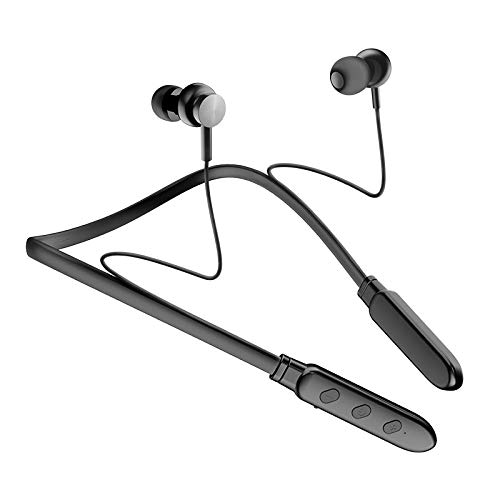
Image: The DUDAO U5Plus In-Ear Wireless Bluetooth Earphones in black, showcasing their neckband design and in-ear buds.
Safety Information
Please observe the following safety guidelines to prevent damage to the device or personal injury:
- Do not charge the earphones if they are wet.
- Permanent hearing loss may result from long-term exposure to sound at high volumes. Use as low a volume as possible and avoid prolonged use of the headsets at excessive sound pressure levels.
Package Contents
Ensure all items are present in the package:
- DUDAO U5Plus In-Ear Wireless Bluetooth Earphones
- Charging Cable
- User Manual (this document)
Product Features
The DUDAO U5Plus earphones are designed for convenience and performance:
- Wireless Connectivity: Seamlessly connects via Bluetooth V4.1 +EDR for a wire-free listening experience.
- Built-in Microphone: Enables hands-free calling and voice assistant activation.
- TF Memory Card MP3 Support: Allows direct playback from a TF memory card for standalone music listening.
- Noise Cancelling Microphone: Ensures clear communication by reducing background noise during calls.
- Magnetic Earbuds: Automatic magnetic suction for secure storage when not in use.
- Ergonomic Design: Adjustable cable length and tilt-in-ear design for comfort and secure fit.
- Long Standby Time: Up to 7 hours of playback time.
- Water Resistant: Designed to withstand splashes and sweat.

Image: The DUDAO U5S Sports Bluetooth Headset, highlighting its tangle-free design.

Image: Close-up of the magnetic earbuds, illustrating their automatic magnetic suction feature for convenient storage.
Setup Instructions
Charging the Earphones
- Connect the charging cable to the Mini USB port on the earphones.
- Plug the other end of the cable into a USB power source (e.g., computer USB port, wall adapter).
- The indicator light will show charging status (refer to product specific light behavior if available, otherwise general).
- Once fully charged, disconnect the cable.
Bluetooth Pairing
- Ensure the earphones are fully charged and turned off.
- Press and hold the multi-function button (usually the power button) until the indicator light flashes red and blue alternately, indicating pairing mode.
- On your device (smartphone, tablet, laptop), enable Bluetooth and search for available devices.
- Select "DUDAO U5Plus" or "U5S-BLACK" from the list of found devices.
- Once connected, the indicator light will typically turn solid blue or flash blue slowly.
- The earphones support automatic pairing with previously connected devices.

Image: The control panel of the DUDAO U5Plus, illustrating its Bluetooth 4.1 connectivity and automatic pairing feature.
Operating Instructions
Basic Functions
- Power On/Off: Press and hold the multi-function button.
- Play/Pause: Short press the multi-function button.
- Volume Up/Down: Short press the '+' or '-' buttons.
- Next/Previous Track: Long press the '+' (next) or '-' (previous) buttons.
Call Management
- Answer/End Call: Short press the multi-function button.
- Reject Call: Long press the multi-function button.
- Redial Last Number: Double-press the multi-function button.
TF Card MP3 Playback
- Insert a TF memory card with MP3 audio files into the designated slot on the earphones.
- The earphones will automatically switch to TF card playback mode.
- Use the play/pause and track navigation buttons as described above.
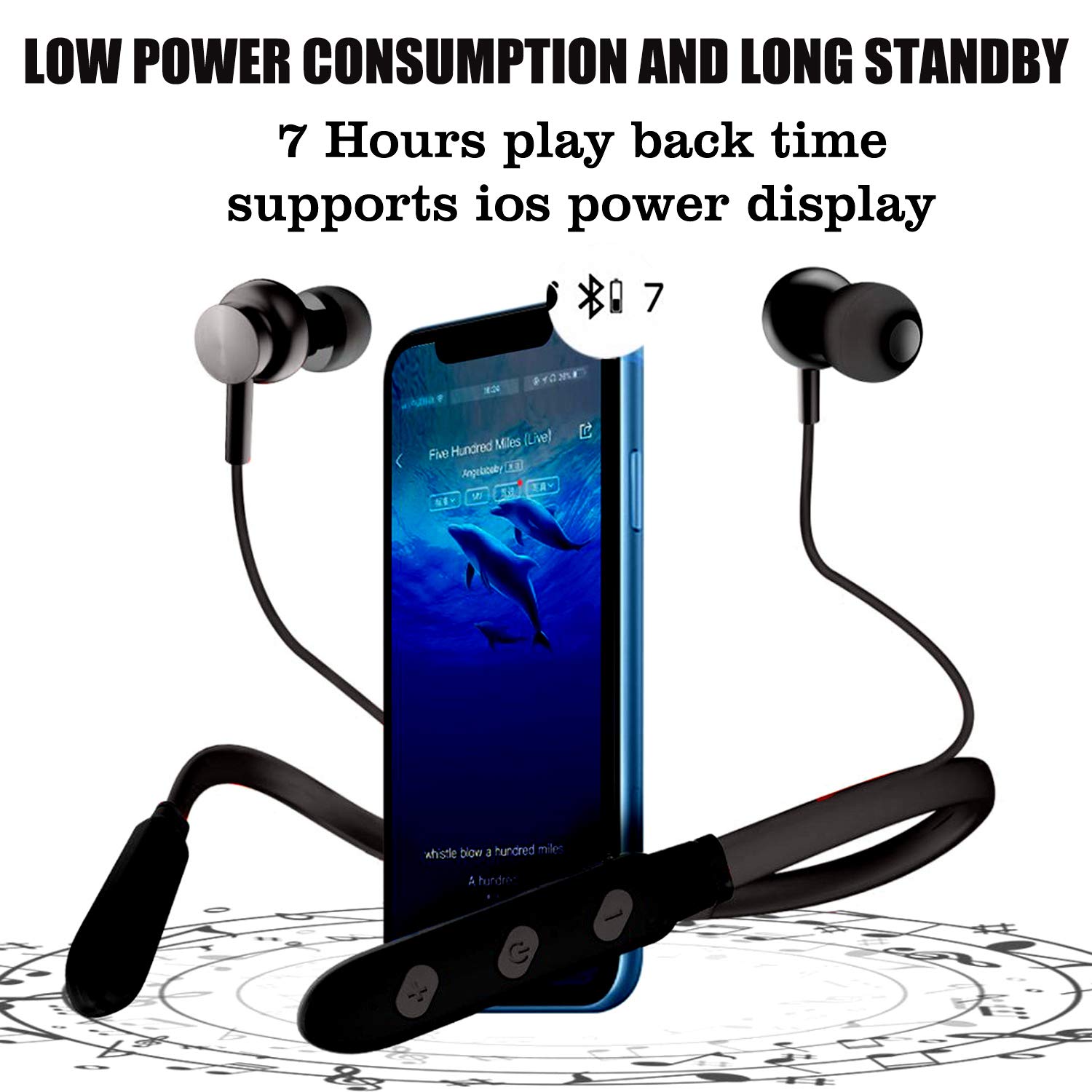
Image: The DUDAO U5Plus earphones connected to a smartphone, illustrating the 7-hour playback time and iOS power display support.
Maintenance
- Clean the earphones regularly with a soft, dry cloth.
- Avoid using harsh chemicals or abrasive materials.
- Store the earphones in a cool, dry place when not in use.
- Do not expose to extreme temperatures or direct sunlight for prolonged periods.
- Keep the charging port free of dust and debris.
Troubleshooting
| Problem | Possible Cause | Solution |
|---|---|---|
| Earphones do not power on. | Low battery. | Charge the earphones fully. |
| Cannot pair with device. | Earphones not in pairing mode; Bluetooth off on device; device too far. | Ensure earphones are in pairing mode (flashing red/blue). Turn on Bluetooth on your device. Move earphones closer to the device (within 10m). |
| No sound or low volume. | Volume too low; not connected; incorrect audio output. | Increase volume on earphones and connected device. Re-pair earphones. Check audio output settings on your device. |
| Poor call quality. | Weak signal; background noise. | Move to an area with better signal. The noise-cancelling microphone helps, but extreme noise can still affect quality. |
| TF card not recognized. | Card not inserted correctly; unsupported format. | Reinsert the TF card. Ensure files are in MP3 format. |
Specifications
- Model: U5S-BLACK
- Connectivity Technology: Wireless (Bluetooth)
- Wireless Communication Technology: Bluetooth V4.1 +EDR
- Wireless Transmission Range: Up to 10 meters
- Frequency Response: 50Hz~20KHz
- Noise Control: Active Noise Cancellation (Microphone)
- Headphones Jack: Mini USB
- Power Source: Battery-Powered (Lithium Polymer)
- Playback Time: Approximately 7 hours
- Material: Tangle Free Material, Sweat Proof
- Water Resistance Level: Water Resistant
- Control Type: Media Control (Buttons)
- Item Weight: 160 Grams
- Product Dimensions: 20 x 15 x 3 cm
- Compatible Devices: iPhone, Android smartphones, Mobile with Bluetooth compatible, Laptop

Image: An overhead view of the DUDAO U5Plus, showcasing its ergonomic design with adjustable cable length for comfort.

Image: A close-up of the DUDAO U5Plus earbud in an ear, demonstrating the comfortable tilt-in-ear design.
Warranty and Support
Warranty: The DUDAO U5Plus earphones come with a 12 Months Replacement Warranty on Manufacturing Defects.
Product Support: Lifetime Product Support Guarantee is provided.
For customer care and support, please contact:
Handa Telecom Dudao India101 Mall Road, Kingsway Camp,
GTB Nagar Metro Station Gate No 1
NEW DELHI, DELHI 110009
Customer Care: +91 11-47321600
Ask a question about this manual
Ask about setup, troubleshooting, compatibility, parts, safety, or missing instructions. Manuals+ will review the question and use this page’s manual context to help answer it.