Introduction
This manual provides essential information for the safe and efficient use of your Samsung 32-inch Odyssey G5 Gaming Monitor. Please read this manual thoroughly before operating the device and retain it for future reference. The Samsung Odyssey G5 monitor features a 32-inch WQHD (2560x1440) curved display with a 144Hz refresh rate, 1ms response time, AMD FreeSync Premium, and HDR10 support, designed to enhance your visual experience.
Package Contents
Verify that all components are present in the package:
- Samsung 32-inch Odyssey G5 Gaming Monitor
- Stand Base and Neck
- Power Cable
- HDMI Cable
- DisplayPort Cable
- Installation CD (or link to online manual/drivers)
- Quick Setup Guide
- Warranty Card
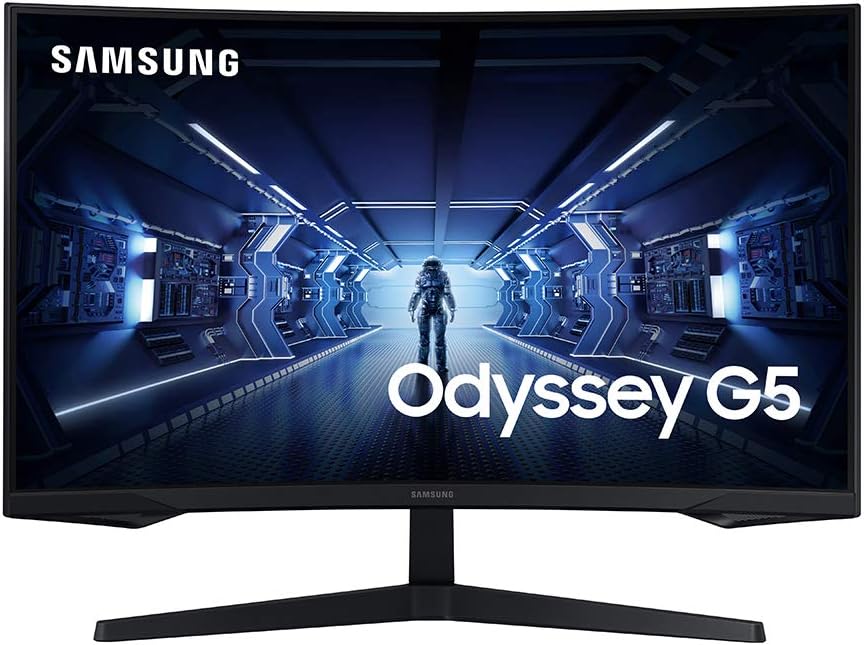
Image: Front view of the Samsung 32-inch Odyssey G5 Gaming Monitor, showcasing its curved screen and sleek design.
Setup
1. Assembling the Stand
- Carefully place the monitor face down on a soft, clean cloth to prevent scratches.
- Attach the stand neck to the monitor using the provided screws.
- Connect the stand base to the stand neck, securing it with the thumb screw.

Image: Side profile of the Samsung Odyssey G5 monitor, illustrating the attached stand and the curvature of the screen.
2. Connecting the Monitor
The monitor supports HDMI and DisplayPort connections. Ensure your computer's graphics card supports the desired resolution and refresh rate.
- Power Connection: Connect the power cable to the monitor's power input and then to a wall outlet.
- Video Connection:
- For optimal performance (WQHD 144Hz), use the provided DisplayPort cable to connect your computer to the monitor's DisplayPort input.
- Alternatively, use the HDMI cable to connect your computer to one of the monitor's HDMI inputs.

Image: Detailed view of the monitor's rear input panel, showing HDMI, DisplayPort, and power connections.

Image: Rear view of the Samsung Odyssey G5 monitor, highlighting the port area and VESA mount compatibility.
Operating Instructions
1. Powering On/Off
Press the power button located on the bottom center of the monitor to turn it on or off. The power indicator light will illuminate when the monitor is on.
2. On-Screen Display (OSD) Menu
The OSD menu allows you to adjust various monitor settings. Use the joystick button located on the bottom center of the monitor to navigate the menu.
- Picture: Adjust brightness, contrast, sharpness, and color temperature.
- Game: Enable/disable FreeSync Premium, adjust response time, and activate Low Input Lag.
- OSD: Change OSD language, transparency, and display time.
- System: Access general settings like input source selection, power-saving modes, and factory reset.
3. Key Features
- 1000R Curved Screen: The monitor's curvature is designed to match the human eye's field of view, reducing eye strain and enhancing immersion.

Image: Diagram showing the 1000R curvature and its benefit for human eye comfort and immersion.
- WQHD Resolution (2560x1440): Provides a higher pixel density than Full HD, resulting in sharper images and more screen real estate.

Image: Visual comparison demonstrating the increased detail and clarity of WQHD resolution (2560x1440) compared to Full HD (1920x1080).
- 144Hz Refresh Rate: Delivers smoother motion and reduced input lag compared to standard 60Hz monitors.

Image: Illustration comparing the smoothness of a 144Hz refresh rate versus a conventional 60Hz monitor, showing less motion blur.
- 1ms Response Time (GtG): Minimizes motion blur and ghosting for fast-paced action.

Image: Visual comparison highlighting the reduced blur and sharper image quality with a 1ms response time compared to a conventional monitor.
- AMD FreeSync Premium: Synchronizes the monitor's refresh rate with your graphics card's frame rate to eliminate screen tearing and stuttering.

Image: Comparison showing the visual difference between AMD FreeSync Premium enabled and disabled, demonstrating tear-free gameplay.
- HDR10 Support: Enhances contrast and color accuracy for a more dynamic visual experience.

Image: Visual comparison illustrating the enhanced color vibrancy and contrast provided by HDR10 support versus a conventional monitor.
Maintenance
- Cleaning the Screen: Gently wipe the screen with a soft, lint-free cloth. For stubborn marks, use a monitor-specific cleaning solution applied to the cloth, not directly to the screen.
- Cleaning the Casing: Use a soft, dry cloth to wipe the monitor casing. Avoid abrasive cleaners or solvents.
- Ventilation: Ensure the monitor's ventilation openings are not blocked to prevent overheating.
- Storage: When not in use for extended periods, store the monitor in a cool, dry place, ideally in its original packaging.
Troubleshooting
| Problem | Possible Cause | Solution |
|---|---|---|
| No power | Power cable disconnected; Power outlet faulty | Check power cable connections; Try a different power outlet. |
| No image on screen | Video cable disconnected; Incorrect input source selected; Computer in sleep mode | Ensure video cable is securely connected; Select correct input source via OSD; Wake up computer. |
| Image is blurry or distorted | Incorrect resolution; Graphics driver issue | Set display resolution to 2560x1440; Update graphics drivers. |
| Screen tearing or stuttering | FreeSync Premium not enabled; Graphics card not compatible | Enable FreeSync Premium in OSD and graphics card settings; Ensure compatible AMD graphics card is used. |
Specifications
| Feature | Detail |
|---|---|
| Model Name | LC32G55TQWNXZA |
| Screen Size | 32 Inches |
| Panel Type | Curved (1000R) |
| Resolution | WQHD (2560 x 1440) |
| Refresh Rate | 144Hz |
| Response Time | 1ms (GtG) |
| Aspect Ratio | 16:9 |
| HDR Support | HDR10 |
| Adaptive Sync | AMD FreeSync Premium |
| Connectivity | 1x HDMI, 1x DisplayPort |
| Dimensions (WxHxD with Stand) | 27.96 x 17.3 x 5.35 inches (approx.) |
| Weight (with Stand) | 16.22 pounds (approx.) |

Image: Diagram showing the approximate dimensions of the Samsung Odyssey G5 monitor with its stand.
Warranty and Support
For warranty information and technical support, please refer to the warranty card included in your product package or visit the official Samsung support website. You can also find drivers, firmware updates, and additional documentation there.
- Samsung Support Website: www.samsung.com/us/support/
- Product Registration: Register your product online to receive support and warranty updates.


