1. Introduction
This manual provides detailed instructions for the safe and efficient operation of your KODAK Dock ERA Plus Instant Photo Printer. Please read this manual thoroughly before using the product and retain it for future reference. The KODAK Dock ERA Plus allows you to print high-quality 4x6 inch photos directly from your compatible devices using dye sublimation technology.
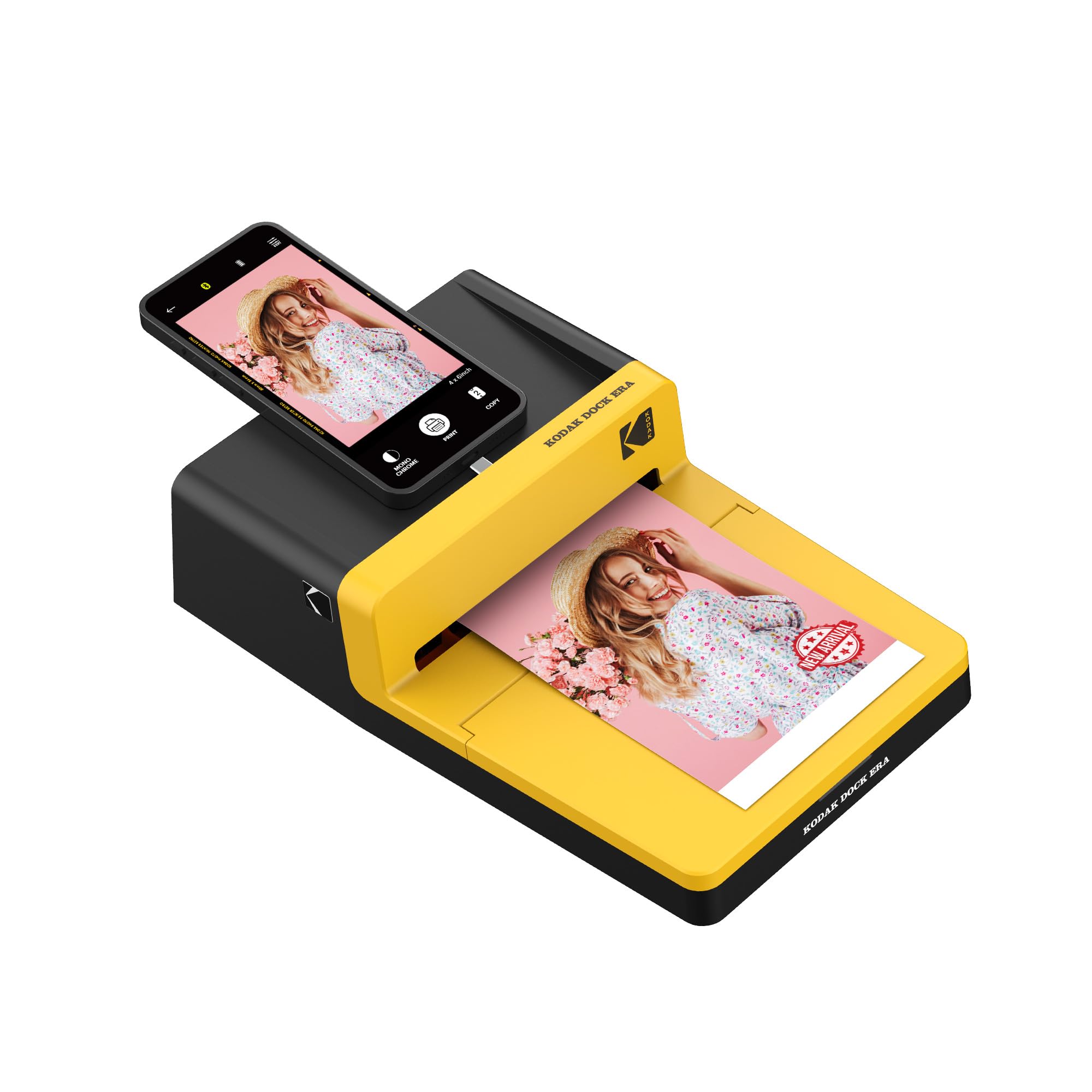
Figure 1: KODAK Dock ERA Plus Instant Photo Printer in use.
2. Setup
2.1 Unboxing and Components
Before setup, ensure all components are present:
- KODAK Dock ERA Plus Photo Printer (Model: PHC-120)
- 4x6 Photo Paper Cartridge (initial 10 sheets)
- Additional 80 sheets of 4x6 photo paper
- USB Cable
- Docking Pin with Lightning Connector
2.2 Power Connection
- Connect the provided USB cable to the printer's power port.
- Plug the other end of the USB cable into a compatible power adapter (not included) and then into a wall outlet.
- Press the power button on the side of the printer to turn it on. The indicator light will illuminate.
2.3 Loading Paper and Cartridge
- Open the paper tray cover on the printer.
- Insert the photo paper cartridge into its designated slot until it clicks into place.
- Load the 4x6 photo paper into the paper tray with the glossy side facing up and the KODAK logo (if present) facing down. Ensure the paper stack is aligned correctly.
- Close the paper tray cover.
2.4 Device Connection
The printer supports both direct docking and Bluetooth connectivity.
- Direct Docking: For compatible iOS devices, connect your smartphone directly to the docking pin on the printer.
- Bluetooth: For other devices (Android, Laptops, PC), ensure Bluetooth is enabled on your device. Open the KODAK Photo Printer app, navigate to settings, and pair with 'Kodak Era'.
3. Operating Instructions
3.1 KODAK Photo Printer App
Download the 'KODAK Photo Printer' app from your device's app store. This app is essential for selecting, editing, and printing your photos.
3.2 Selecting and Editing Photos
- Open the KODAK Photo Printer app.
- Browse your device's photo gallery within the app.
- Select the photo you wish to print.
- Use the app's editing tools to adjust the image, apply filters, or choose between bordered or borderless prints.
3.3 Printing Process (4PASS Technology)
The KODAK Dock ERA Plus utilizes 4PASS (Dye Sublimation) technology for vibrant, long-lasting prints. The printing process involves four passes:
- The paper passes through the printer to apply the yellow layer.
- The paper passes again to apply the magenta layer.
- A third pass applies the cyan layer.
- The final pass applies a protective laminating layer, making the print fingerprint and water-resistant.
To initiate printing, tap the 'Print' button in the app. The printer will automatically handle the 4-pass process.
Video 1: Demonstration of the KODAK Photo Printer App and the 4-pass printing process.
4. Maintenance
4.1 Replacing the Cartridge
When the ink cartridge is empty or the print quality degrades, replace it with a new KODAK 4x6 Photo Paper Cartridge.
- Ensure the printer is powered off.
- Open the cartridge cover on the side of the printer.
- Gently remove the used cartridge.
- Insert the new cartridge, ensuring it is correctly oriented, until it clicks into place.
- Close the cartridge cover.
4.2 Cleaning the Printer
Regularly clean the exterior of the printer with a soft, dry cloth. Avoid using liquid cleaners or abrasive materials.
5. Troubleshooting
| Problem | Possible Cause | Solution |
|---|---|---|
| Printer not turning on | No power, loose cable | Check power connection, ensure cable is secure. |
| Unable to connect via Bluetooth | Bluetooth off, printer not in pairing mode | Ensure printer is on and Bluetooth is enabled on your device. Restart both devices. |
| Poor print quality | Low ink, incorrect paper loading, low image resolution | Replace cartridge, ensure paper is loaded glossy side up, use high-resolution images. |
| Paper jam | Improper paper loading | Carefully remove jammed paper. Ensure paper is loaded correctly. |
6. Specifications
- Brand: KODAK
- Model Name: PHC-120 (Dock ERA Plus)
- Printing Technology: Dye Sublimation
- Connectivity Technology: Bluetooth, USB
- Print Media: Glossy photo paper
- Sheet Size: 4 x 6 inches
- Maximum Color Print Resolution: 1200 dpi or higher
- Maximum Black and White Print Resolution: 1200 dpi or higher
- Color Depth: 24 bpp
- Ink Color: Black, Cyan, Magenta, Yellow
- Control Method: App
- Product Dimensions: 2.7"D x 6.53"W x 2.7"H
- Max Input Sheet Capacity: 120
- Output Sheet Capacity: 120
- Included Components: 4x6 Photo Paper Cartridge, USB Cable, Docking Pin with Lightning Connector
7. Warranty and Support
This KODAK product is covered by a Manufacturer Warranty. For specific warranty terms, duration, and to register your product, please refer to the warranty card included in your product packaging or visit the official KODAK support website. For technical assistance, troubleshooting, or service inquiries, please contact KODAK customer support.


