
Introduction
This manual provides essential instructions for the safe and effective use of your PKPOWER Car DC Adapter. This adapter is designed to provide power to compatible Peak power supply cords and battery chargers, ensuring reliable operation in your vehicle. Please read this manual thoroughly before use and retain it for future reference.
Safety Information
To prevent injury or damage to the adapter or connected devices, observe the following safety precautions:
- Do not expose the adapter to moisture or extreme temperatures.
- Ensure the vehicle's power outlet (cigarette lighter socket) is clean and free of debris before inserting the adapter.
- Verify that the voltage and current requirements of your device match the adapter's output specifications.
- Do not attempt to disassemble or modify the adapter. This may void the warranty and pose a safety risk.
- Keep the adapter away from children.
- Disconnect the adapter from the vehicle's power outlet when not in use.
- If the adapter shows signs of damage, discontinue use immediately.
This product features OVP (Over Voltage Protection), OCP (Over Current Protection), and SCP (Short Circuit Protection) to safeguard your devices.
Setup
Follow these steps to set up your Car DC Adapter:
- Identify the vehicle's DC power outlet. This is typically a 12V cigarette lighter socket.
- Ensure the vehicle's engine is running or the accessory power is on, depending on your vehicle's design.
- Insert the car DC adapter plug firmly into the vehicle's power outlet. Ensure a secure connection.
- Connect your compatible Peak power supply cord or battery charger to the adapter's output port. Refer to your Peak device's manual for specific connection instructions.

Image 1: PKPOWER Car DC Adapter. This image shows the adapter's main body with a coiled power cord, ready for insertion into a vehicle's DC power outlet.
Operating Instructions
Once the adapter is properly set up, you can begin using it to power your compatible devices:
- Power On: After connecting the adapter and your device, turn on your Peak power supply or battery charger according to its own instructions.
- Monitor Operation: Observe your device to ensure it is receiving power and functioning correctly.
- Disconnect Safely: When finished, first turn off your connected device, then disconnect it from the adapter. Finally, remove the adapter from the vehicle's power outlet.
Compatible Models: This adapter is compatible with Peak models including PKCOCG, PKC1AO, PKCOAS, PKCOAN, PKC0BF-01, PKC0AQ, PKCOAO, and PKCOAA. Always confirm compatibility with your specific device.
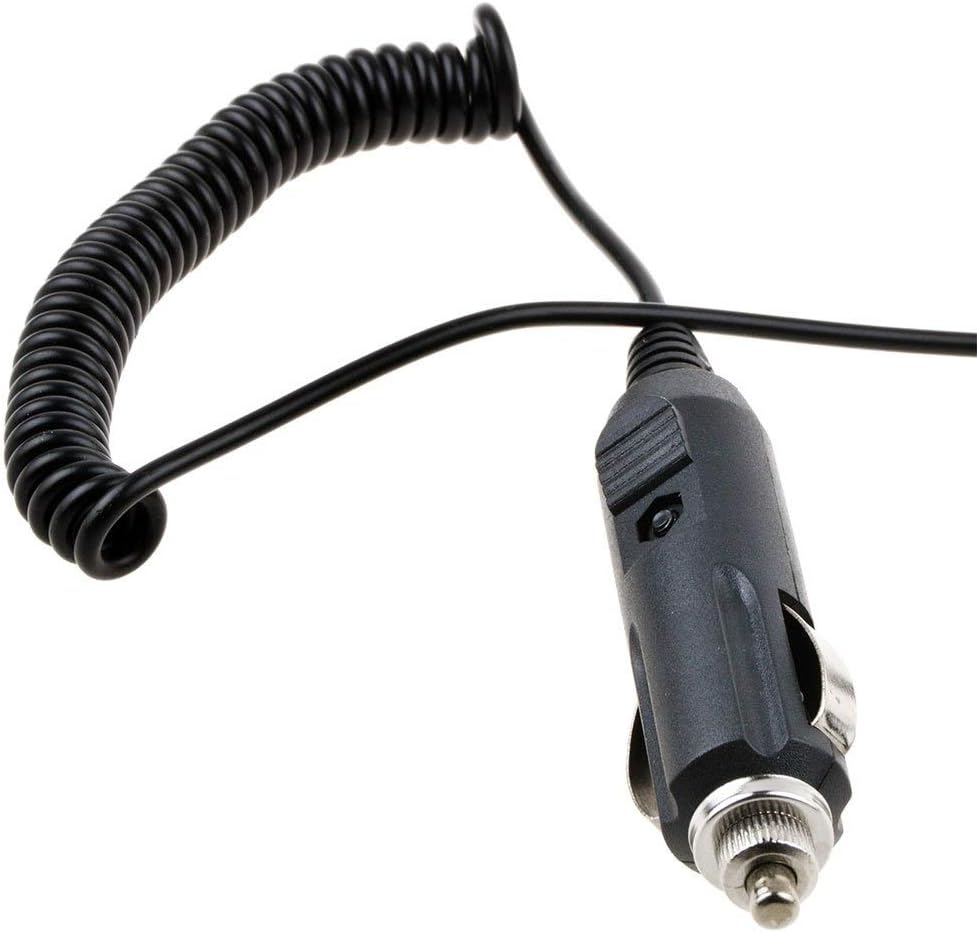
Image 2: PKPOWER Car DC Adapter showing the straight cord section leading to the coiled part. This view highlights the robust construction of the adapter's plug and cable.
Maintenance
Proper maintenance ensures the longevity and safe operation of your adapter:
- Cleaning: Use a dry, soft cloth to wipe the adapter. Do not use liquid cleaners or solvents.
- Storage: Store the adapter in a cool, dry place away from direct sunlight and moisture when not in use. Avoid tightly coiling the cord to prevent damage.
- Inspection: Periodically inspect the adapter and its cord for any signs of wear, cuts, or damage. If damage is found, discontinue use.
Troubleshooting
If you encounter issues with your PKPOWER Car DC Adapter, refer to the following common problems and solutions:
| Problem | Possible Cause | Solution |
|---|---|---|
| Adapter not providing power. | Loose connection in vehicle outlet. | Ensure the adapter is firmly seated in the vehicle's DC power outlet. |
| Vehicle's power outlet is not active. | Start the vehicle's engine or turn on accessory power. Check vehicle's fuse for the power outlet. | |
| Connected device is incompatible or faulty. | Verify device compatibility and test the device with another known working power source. | |
| Adapter feels hot during use. | Normal operation under load. | A slight warmth is normal. If it becomes excessively hot, disconnect immediately and check for short circuits or overloaded devices. |
If the problem persists after attempting these solutions, please contact customer support.
Specifications
| Feature | Detail |
|---|---|
| Input | 100-240V 50-60Hz (Note: This refers to the original AC adapter specifications, the car adapter uses 12V DC input from the vehicle.) |
| Protection Features | OVP (Over Voltage Protection), OCP (Over Current Protection), SCP (Short Circuit Protection) |
| Certifications | CE / FCC / RoHS certified |
| Connector Type | Auxiliary (Car DC Plug) |
| Compatible Devices | Peak PKCOCG, PKC1AO, PKCOAS, PKCOAN, PKC0BF-01, PKC0AQ, PKCOAO, PKCOAA Power Supply Cords and Battery Chargers |
| Color | Black |
| Model Number | BG-20200807-ER118 |
Warranty
This PKPOWER product is covered by a 1-year manufacturer's warranty from the date of purchase. This warranty covers defects in materials and workmanship under normal use. It does not cover damage resulting from misuse, accident, modification, or unauthorized repair. Please retain your proof of purchase for warranty claims.
Customer Support
For technical assistance, warranty claims, or any questions regarding your PKPOWER Car DC Adapter, please contact our customer service. Our friendly and reliable customer service team aims to respond within 24 hours.
Please refer to your purchase documentation or the PKPOWER official website for specific contact details.