1. Introduction
This manual provides detailed instructions for the HAYLOU T19 True Wireless Earbuds. Please read this manual thoroughly before use to ensure proper operation and to maximize the product's performance. The HAYLOU T19 earbuds offer advanced features such as in-ear detection, smart noise cancelling, and APTX infrared sensor technology for an enhanced audio experience.
Video: Overview of HAYLOU T19 True Wireless Earbuds features and design.
2. What's in the Box
- HAYLOU T19 True Wireless Earbuds (Left and Right)
- Charging Case
- Ear Cushions (various sizes)
- USB-C Charging Cable
- User Manual
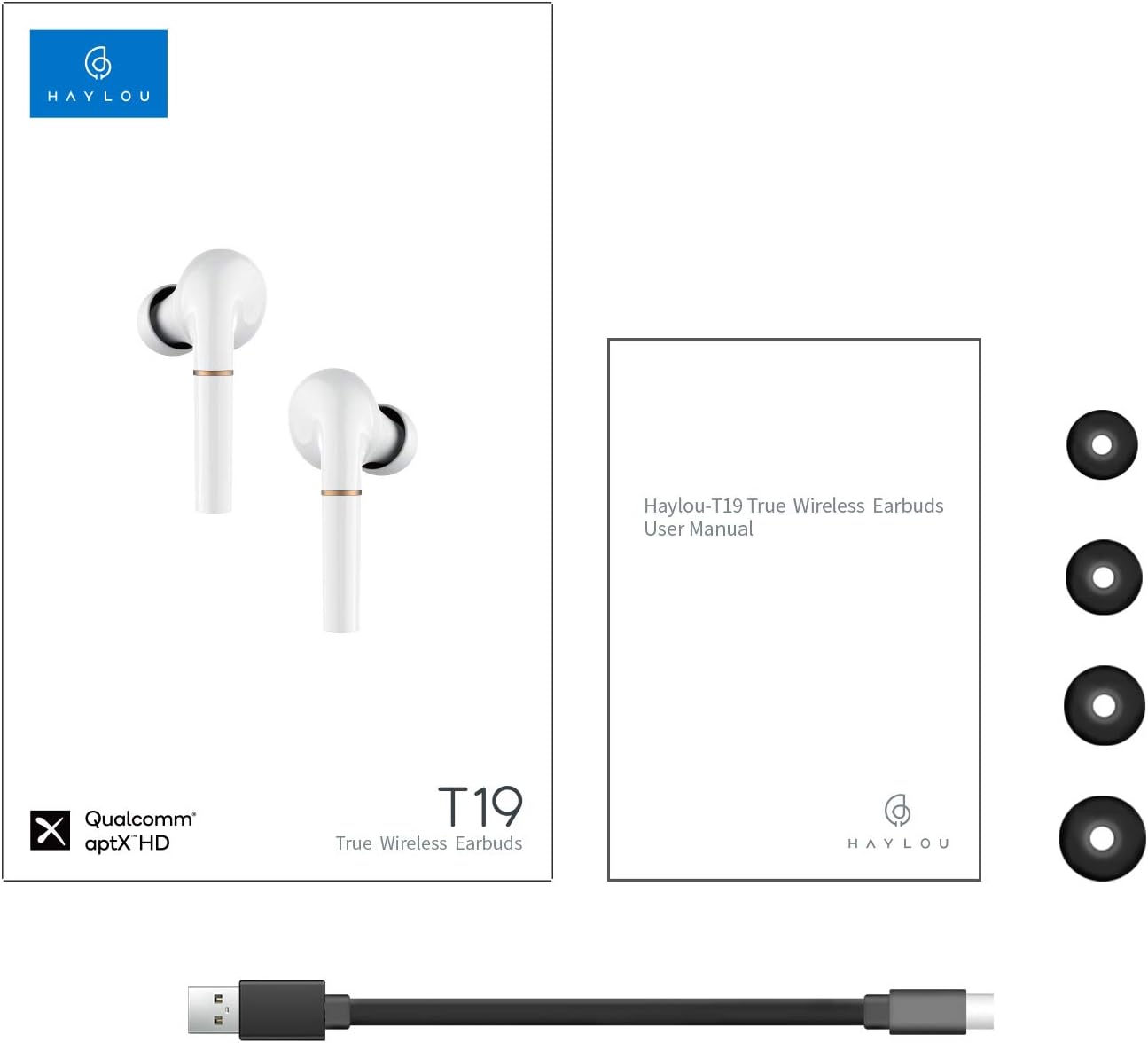
Image: Contents of the HAYLOU T19 package, including earbuds, charging case, ear tips, USB-C cable, and user manual.
3. Product Overview
The HAYLOU T19 earbuds are designed for comfort and high-quality audio. Each earbud features a sleek design with an in-ear fit, while the compact charging case provides extended battery life and convenient storage.

Image: The HAYLOU T19 True Wireless Earbuds shown with their charging case.
4. Setup
4.1. Initial Charging
Before first use, fully charge the earbuds and the charging case. Connect the provided USB-C charging cable to the charging port on the bottom of the case and a power source. The LED indicator on the case will show charging status.
4.2. Pairing with Your Device
- Remove both earbuds from the charging case. They will automatically power on and enter pairing mode.
- Enable Bluetooth on your smartphone or other device.
- In the Bluetooth device list, select 'Haylou T19' to connect.
- Once connected, you will hear a confirmation prompt.
4.3. App Connection (Optional)
For advanced features and customization, download the official HAYLOU app from your device's app store. The app allows you to check battery status, customize touch controls, select sound effects, and perform a one-key reset.

Image: A smartphone displaying the pop-up connection interface for the Haylou T19 earbuds and the Haylou app. Note: iOS devices do not support the pop-up function, but the app functions normally.
5. Operating Instructions
5.1. Power On/Off
- Power On: Remove earbuds from the charging case. They will power on automatically.
- Power Off: Place earbuds back into the charging case. They will power off automatically and begin charging.
5.2. Smart Wear Detection
The earbuds feature smart wear detection. Music playback will automatically pause when an earbud is removed from your ear and resume when placed back in.

Image: A diagram showing how smart wear detection works, pausing audio when earbuds are removed and resuming when worn.
5.3. Touch Controls
The HAYLOU T19 earbuds utilize touch-sensitive panels for various functions. The touch panel is located on the upper part of the earbud stem.
- Pause Music: Take out earbuds.
- Play Music: Put on earbuds.
- Previous Track: Double click the left earbud.
- Next Track: Double click the right earbud.
- Answer/End Calls: Double click either earbud.
- Summon Voice Assistant: Triple click either earbud (in standby mode).

Image: Visual guide to the touch operations on the HAYLOU T19 earbuds, detailing single, double, and triple click functions.
5.4. Audio Performance
The HAYLOU T19 earbuds are engineered to deliver a balanced audio profile with resounding treble, delicate alto, and vigorous bass, providing an immersive listening experience. They incorporate APTX infrared sensor technology for high-fidelity sound.

Image: A detailed view of the earbud's wool biological unit, highlighting its capability to produce resounding treble, delicate alto, and vigorous bass.
5.5. Low Latency Mode
The earbuds feature low latency performance, ensuring minimal delay between audio and video, which is beneficial for gaming and watching videos.
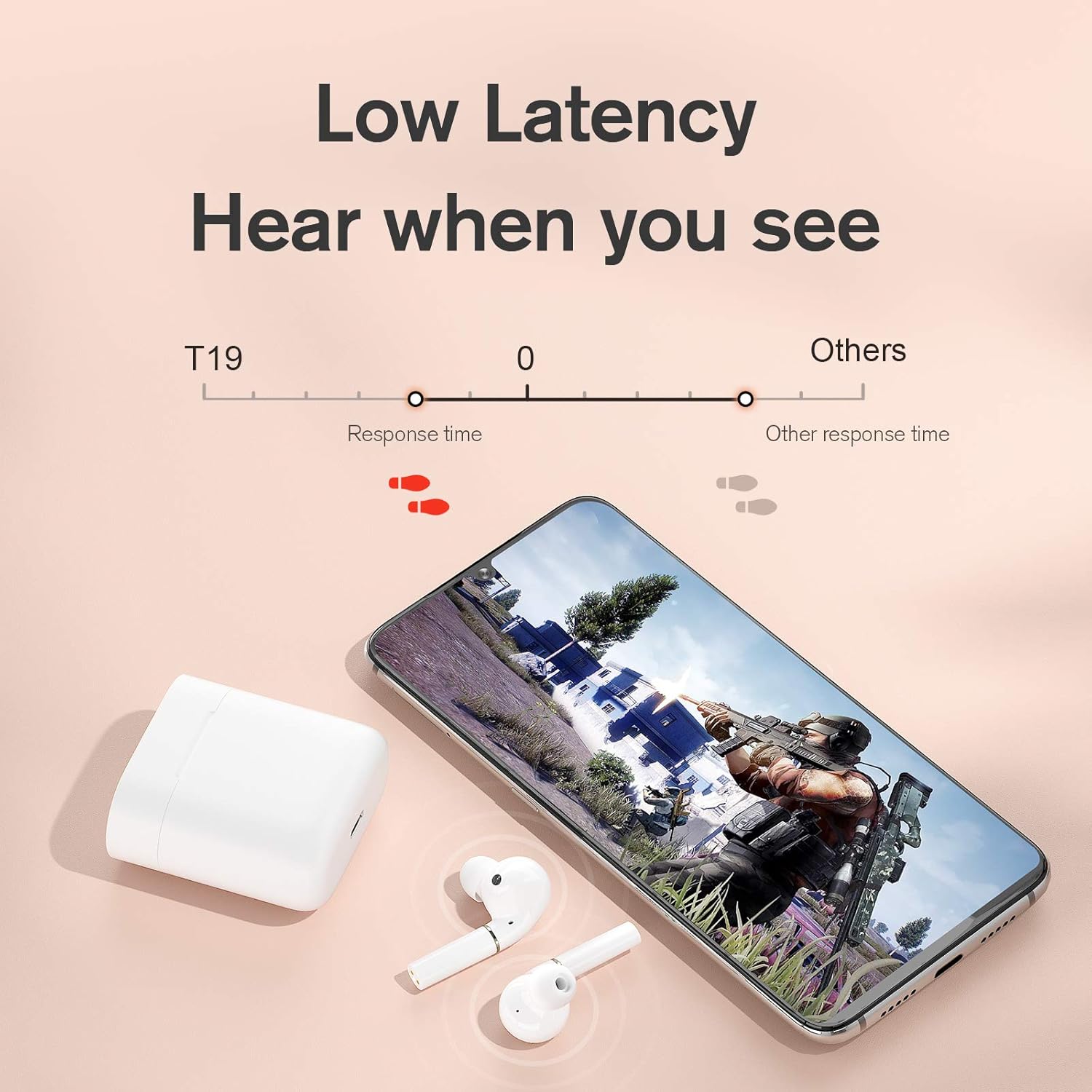
Image: A graphic demonstrating the low latency of the T19 earbuds, ideal for synchronized audio and video, particularly in gaming scenarios.
6. Maintenance
To ensure the longevity and optimal performance of your HAYLOU T19 earbuds, follow these maintenance guidelines:
- Regularly clean the earbuds and charging case with a soft, dry, lint-free cloth.
- Avoid using liquids, sprays, or abrasive cleaners, as these can damage the product.
- Store the earbuds and case in a cool, dry place away from extreme temperatures and direct sunlight.
- Keep the charging contacts on both the earbuds and the case clean to ensure proper charging.
7. Troubleshooting
7.1. Common Issues and Solutions
- One Earbud Mute: If one earbud is mute, it may be due to unusual connectivity. Please perform a factory reset (see section 7.2), remove the connectivity record on your phone, and then re-connect.
- Earbuds Fail to Charge: Check the battery status of the charging case. Ensure the charging contacts on both the earbuds and the case are clean and free from debris.
- LED Does Not Turn On When Charging Case: If the LED light on the charging case does not illuminate when connected to power, it may indicate that the case is already fully charged.
- Connectivity Issues: If connection issues persist, ensure both earbuds are charged and within range of your device. Try disabling and re-enabling Bluetooth on your device, or perform a factory reset.
7.2. Factory Reset
If you encounter persistent issues, a factory reset can often resolve them:
- Charge the earbuds and open the lid of the charging case.
- Tap the touch button on either earbud 7 times. The LED will blink red and white for 3 seconds. Then, close the lid of the charging case.
- On your phone or device, remove or 'forget' the 'Haylou T19' Bluetooth connection from your Bluetooth settings.
- Power on the earbuds by removing them from the case and re-connect as described in section 4.2.
8. Specifications
| Model Name | Haylou-T19 |
| Connectivity Technology | Wireless |
| Wireless Communication Technology | Bluetooth 5.0 |
| Material | Plastic |
| Product Dimensions | 4.02 x 6.22 x 1.42 inches |
| Item Weight | 4.9 ounces (0.14 Kilograms) |
| Battery Life | Up to 30 Hours (with charging case) |
| Water Resistance Level | Waterproof |
| Control Method | Voice, Touch |
| Special Features | Microphone Included, Active Noise Cancellation, In-Ear Detection, APTX Infrared Sensor |
| Compatible Devices | Bluetooth-enabled Devices |
| Manufacturer | Haylou |

Image: Illustration highlighting the Bluetooth 5.0 connectivity and Qualcomm flagship chip for enhanced speed and stability.
9. Warranty and Support
For detailed warranty information, please refer to the warranty card or documentation included with your original purchase. Keep your proof of purchase (receipt or order confirmation) as it may be required for warranty claims.
For technical support, troubleshooting assistance, or to inquire about service, please visit the official HAYLOU website or contact their customer service department using the contact information provided in your product packaging or on their website.


