Introduction
This manual provides essential information for the safe and efficient operation of your Commercial Cool 2.8 Cu. Ft. Upright Freezer. Please read all instructions carefully before use and retain this manual for future reference. This compact upright freezer is designed to provide additional frozen storage space for your home, garage, or RV, featuring an adjustable thermostat, reversible door, and space-saving design.

Figure 1: Front view of the Commercial Cool 2.8 Cu. Ft. Upright Freezer in white.
Safety Information
Always follow basic safety precautions when using electrical appliances to reduce the risk of fire, electric shock, and injury to persons.
- Ensure the freezer is properly grounded.
- Do not operate the freezer with a damaged cord or plug.
- Keep ventilation openings clear of obstruction.
- Do not store explosive substances such as aerosol cans with a flammable propellant in this appliance.
- Unplug the freezer before cleaning or performing maintenance.
- This appliance is intended for household use only.
Setup
1. Unpacking and Placement
Carefully remove all packaging materials. Place the freezer on a flat, stable surface away from direct sunlight or heat sources. The space-saving, flat-back design allows for placement against a wall or in a corner, making it ideal for various locations such as a house, RV camper, or garage.

Figure 2: The compact design of the freezer allows for versatile placement in various home environments.
2. Reversible Door Installation
The freezer features a reversible door, allowing it to open from either the left or right side. This flexibility ensures it can fit into almost any space. Refer to the detailed instructions in the full user manual (PDF) for steps on how to reverse the door swing.

Figure 3: The reversible door feature provides flexibility for placement.
3. Leveling
Use the adjustable leveling legs to ensure the freezer is stable and level. Proper leveling is crucial for efficient operation and to prevent excessive vibration.
4. Initial Power-On
After placement and leveling, plug the freezer into a dedicated 115V AC outlet. Allow the freezer to stand for at least 2-4 hours before loading with food to allow the refrigerant to settle and the interior to reach the desired temperature.
Operating Instructions
1. Temperature Controls
The freezer features a 6-setting adjustable thermostat to maintain optimal freezing temperatures for various food items. Setting '1' is the coolest, and '6' is the coldest. Adjust the dial according to your storage needs and the ambient temperature.

Figure 4: The temperature control dial allows for precise temperature adjustments across 6 settings.
2. Storage Capacity and Shelves
This upright freezer offers a 2.8 cubic feet storage capacity, providing ample space for backup meat, frozen meals, and other frozen goods. It includes three full-width aluminum shelves for organized storage and additional storage space on the door.
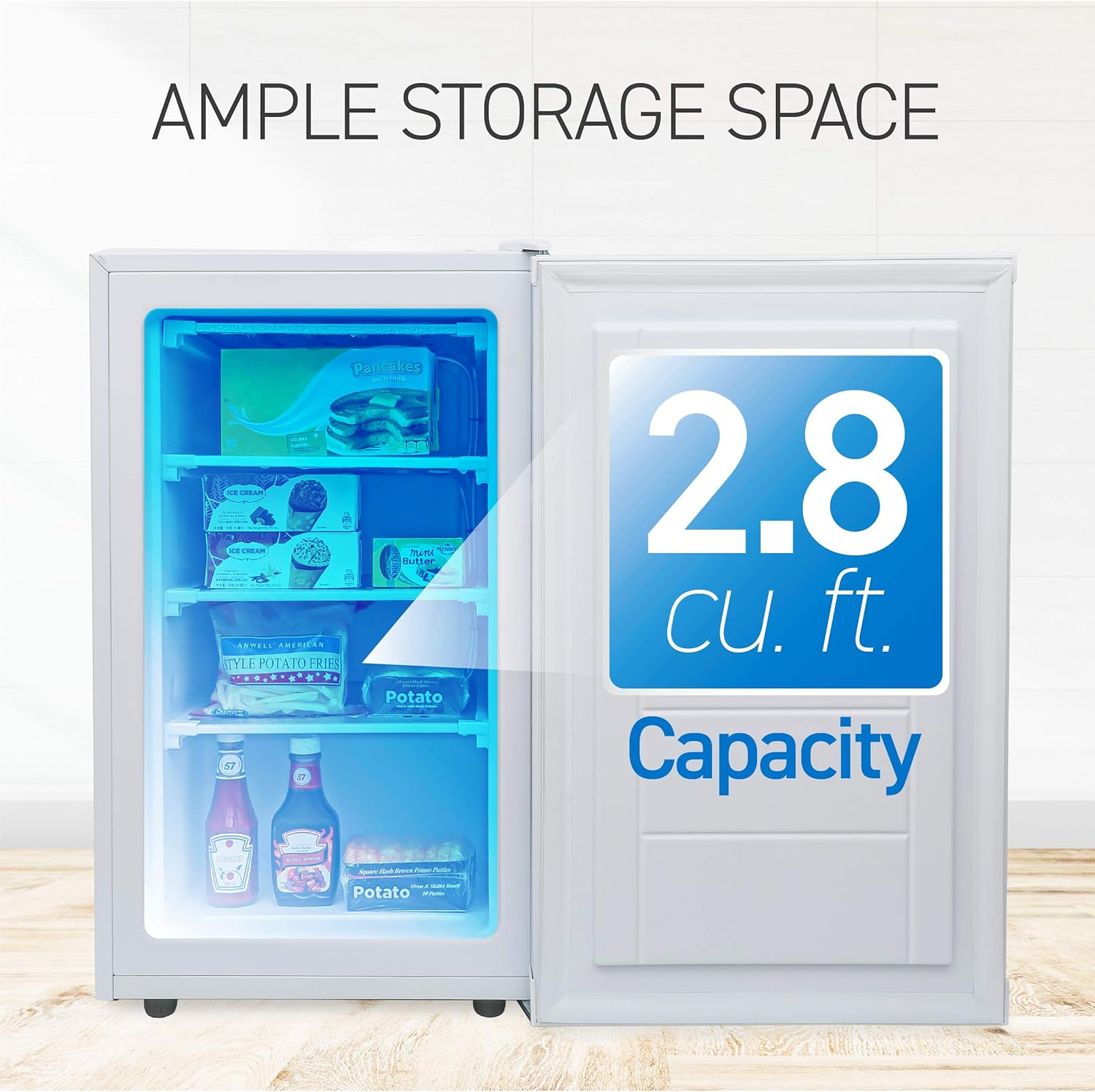
Figure 5: The freezer's interior with 2.8 cubic feet capacity and organized shelving.
3. Energy Saving Features
The freezer is ETL energy and safety certified and uses environmentally friendly R600a refrigerant, contributing to faster cooling and lower energy consumption, which can result in reduced energy bills.

Figure 6: The freezer utilizes R600a refrigerant for efficient and energy-saving operation.
Maintenance
1. Cleaning
To clean the interior, unplug the freezer and remove all food items. Wash the interior surfaces with a solution of mild detergent and warm water. Wipe dry with a soft cloth. The shelves can be removed for easier cleaning. For the exterior, wipe with a damp cloth and mild soap, then dry thoroughly.
2. Defrosting
This freezer is not frost-free and will require manual defrosting periodically. When frost accumulation reaches about 1/4 inch (6 mm) thick, unplug the freezer, remove all food, and allow the frost to melt naturally. You can place towels at the bottom to absorb water. Once defrosted, clean and dry the interior before plugging it back in and returning food.
Troubleshooting
If you experience issues with your freezer, consult the following common troubleshooting tips. For more detailed solutions, refer to the full user manual or contact customer support.
| Problem | Possible Cause | Solution |
|---|---|---|
| Freezer does not operate. | Not plugged in; circuit breaker tripped; temperature control set to "OFF". | Check power connection; reset breaker; adjust temperature control. |
| Temperature is not cold enough. | Door opened too frequently; large amount of warm food added; poor air circulation; temperature setting too high. | Minimize door openings; allow food to cool before placing in freezer; ensure proper spacing for air flow; adjust temperature to a colder setting. |
| Excessive frost build-up. | Door not sealed properly; frequent door openings; high humidity. | Check door gasket for proper seal; reduce frequency of door openings; defrost the unit as needed. |
Specifications
| Feature | Detail |
|---|---|
| Brand | Commercial Cool |
| Model Number | CCUN28W |
| Capacity | 2.8 Cu. Ft. |
| Color | White |
| Dimensions (D x W x H) | 19.5" x 21.5" x 33.33" |
| Item Weight | 50.7 pounds |
| Voltage | 115 Volts |
| Wattage | 28 watts |
| Refrigerant | R600a |
| Certification | ETL |
| Included Components | 3 interior shelves |

Figure 7: Key dimensions of the upright freezer.
Product Overview Video
Video 1: An overview of the 2.8 cu. ft. compact upright freezer, highlighting its features and benefits.
Warranty and Support
Your Commercial Cool Upright Freezer comes with a Limited One Year Warranty. For warranty claims, technical assistance, or customer support, please refer to the contact information provided in the full user manual (PDF) or visit the official Commercial Cool website.
Additional resources:


