Introduction
Thank you for choosing the Aiwa ESP-350WT True Wireless Stereo (TWS) Earbuds. This manual provides essential information on how to set up, operate, and maintain your earbuds to ensure optimal performance and longevity. Please read these instructions carefully before use.
Package Contents
Please check the package for the following items:
- Aiwa ESP-350WT TWS Earbuds (Left and Right)
- Charging Case
- USB Charging Cable (braided nylon)
- Silicone Eartips (Sizes S, M, L)
- Instruction Manual
Product Overview
The Aiwa ESP-350WT earbuds are designed for a comfortable and secure fit, offering high-quality wireless audio. Each earbud features intuitive touch controls for easy management of music and calls.
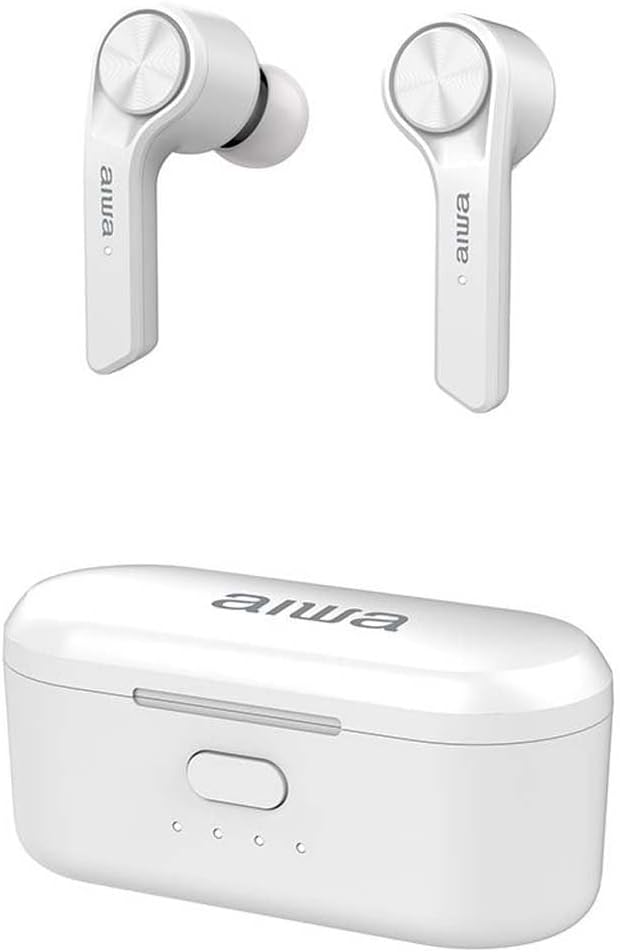
The Aiwa ESP-350WT True Wireless Stereo earbuds are shown alongside their compact white charging case. The earbuds feature a sleek design with the Aiwa logo visible on each stem.
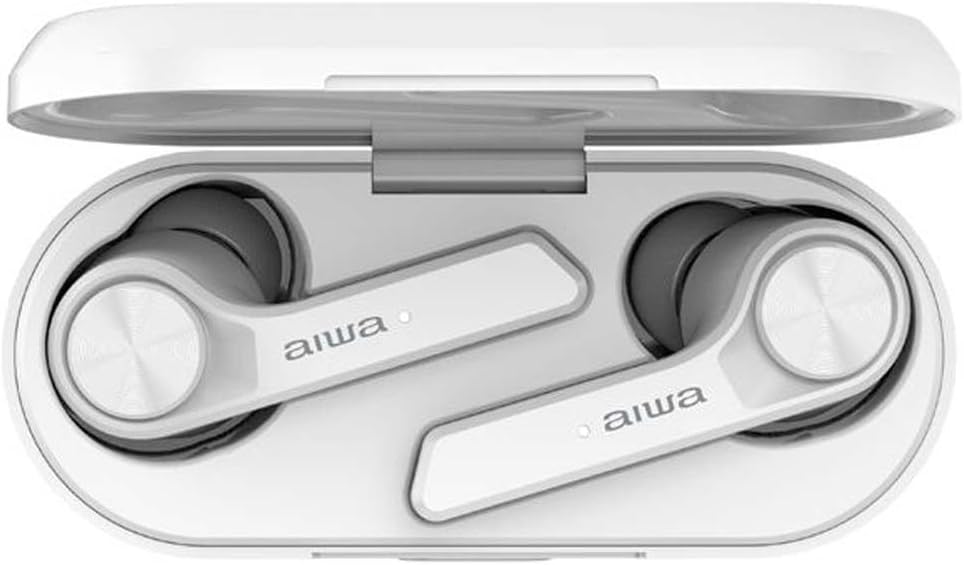
The Aiwa ESP-350WT earbuds are securely placed within their open charging case. This view demonstrates how the earbuds are stored and charged, with the charging contacts visible.
Setup
1. Charging the Earbuds and Case
Before first use, fully charge the earbuds and the charging case. The charging case provides approximately 12 hours of additional battery life for the earbuds.
- Place the earbuds into the charging case. Ensure they are correctly seated in their respective slots (L for left, R for right).
- Connect the USB charging cable to the charging port on the case and to a compatible USB power source.
- The indicator lights on the charging case will illuminate to show charging status. Once fully charged, the lights may change or turn off.
2. Pairing with a Bluetooth Device
The earbuds use Bluetooth 5.0 for a stable wireless connection.
- Open the charging case. The earbuds will automatically power on and enter pairing mode.
- On your device (smartphone, tablet, etc.), enable Bluetooth and search for available devices.
- Select "Aiwa ESP-350WT" from the list of found devices.
- Once connected, you will hear an audible confirmation, and the earbud indicator lights will stop flashing.
- If pairing fails, place the earbuds back into the case, close it, and then repeat the steps.
Operating Instructions
The Aiwa ESP-350WT earbuds feature touch controls on both earbuds for convenient operation.
Power On/Off
- Power On: Open the charging case, or long-press the touch area on both earbuds for 3 seconds.
- Power Off: Place the earbuds back into the charging case and close the lid, or long-press the touch area on both earbuds for 5 seconds.
Music Playback
- Play/Pause: Single tap on either earbud.
- Next Track: Double tap on the right earbud.
- Previous Track: Double tap on the left earbud.
Call Management
- Answer/End Call: Single tap on either earbud.
- Reject Call: Long-press the touch area on either earbud for 2 seconds.
Volume Control
- Volume Up: Triple tap on the right earbud.
- Volume Down: Triple tap on the left earbud.
Maintenance
Cleaning
- Regularly clean the earbuds, especially the eartips and charging contacts, with a soft, dry, lint-free cloth.
- Do not use harsh chemicals, cleaning solvents, or strong detergents.
- Ensure the charging contacts on both the earbuds and the case are free from dust and debris to maintain proper charging.
Storage
- When not in use, store the earbuds in their charging case to protect them and keep them charged.
- Store in a cool, dry place, away from extreme temperatures and direct sunlight.
Troubleshooting
If you encounter any issues with your Aiwa ESP-350WT earbuds, please refer to the following common solutions:
- Earbuds not pairing: Ensure both earbuds are charged. Place them back in the case, close the lid, wait a few seconds, then open the lid to re-initiate pairing mode. Forget the device from your phone's Bluetooth settings and try pairing again.
- No sound from one earbud: Check if both earbuds are charged. Try resetting the earbuds by placing them in the case and then taking them out. Ensure your device's audio output is set to the earbuds.
- Charging issues: Verify that the charging cable is securely connected to both the case and the power source. Clean the charging contacts on the earbuds and inside the case. Try a different USB cable or power adapter.
- Low volume: Adjust the volume on both your connected device and using the earbud touch controls.
If the problem persists, please contact customer support for further assistance.
Specifications
- Model Name: ESP-350WT
- Brand: Aiwa
- Connectivity Technology: Wireless
- Wireless Communication Technology: Bluetooth 5.0
- Form Factor: In-Ear
- Impedance: 32 Ohms
- Special Features: Lightweight, Touch Control
- Battery: 1 Lithium-ion battery (rechargeable)
- Material: Silicone, Nylon (for cable)
- Color: White
Warranty and Support
Aiwa products are manufactured to high-quality standards. For information regarding warranty coverage, technical support, or service, please refer to the warranty card included in your package or visit the official Aiwa website. Keep your proof of purchase for warranty claims.


