
Xundd XPC-006-02 for Samsung Galaxy Note 20 Ultra
Xundd Galaxy Note 20 Ultra Case
Product Instruction Manual
1. Introduction
Thank you for choosing the Xundd Galaxy Note 20 Ultra Case. This manual provides essential information for the proper installation, use, maintenance, and troubleshooting of your new phone case. Designed to offer superior protection and enhance your device's functionality, this case combines military-grade drop protection with a sleek, transparent design.
Please read this manual thoroughly before using the product to ensure optimal performance and longevity.
2. Product Features
The Xundd Galaxy Note 20 Ultra Case is engineered with advanced features to protect your device while maintaining its aesthetic appeal:
- Military-Grade Drop Protection: Features a soft TPU frame with built-in air cushion technology in all corners, providing 360° protection. Tested and certified to survive drops from up to 5 feet onto hard surfaces.
- Premium Transparent Acrylic Backshell: Showcases the original design and true color of your Samsung Galaxy Note 20 Ultra, offering high clarity and resistance to yellowing.
- PSP Arc-shaped Handle Design: Ergonomically designed for a comfortable and secure grip, ideal for extended use without fatigue, especially during gaming.
- Heat Dissipation Holes: Equipped with 28 heat dissipation holes to help prevent your phone from overheating during intensive use, ensuring smooth operation.
- Enhanced Camera and Screen Protection: Features 0.8mm raised bezels around both the camera module and the screen to protect against scratches and direct impact when placed on flat surfaces.
- Precise Cutouts and Button Design: Independent button design and perfect cutouts for all ports, speakers, camera, and charging hole, ensuring easy access to all features.
- Wireless Charging Compatible: Designed to support wireless charging without the need to remove the case.

Figure 2.1: Exploded view showing the case's construction with PC material, soft TPU frame, heat dissipation holes, and premium acrylic back.
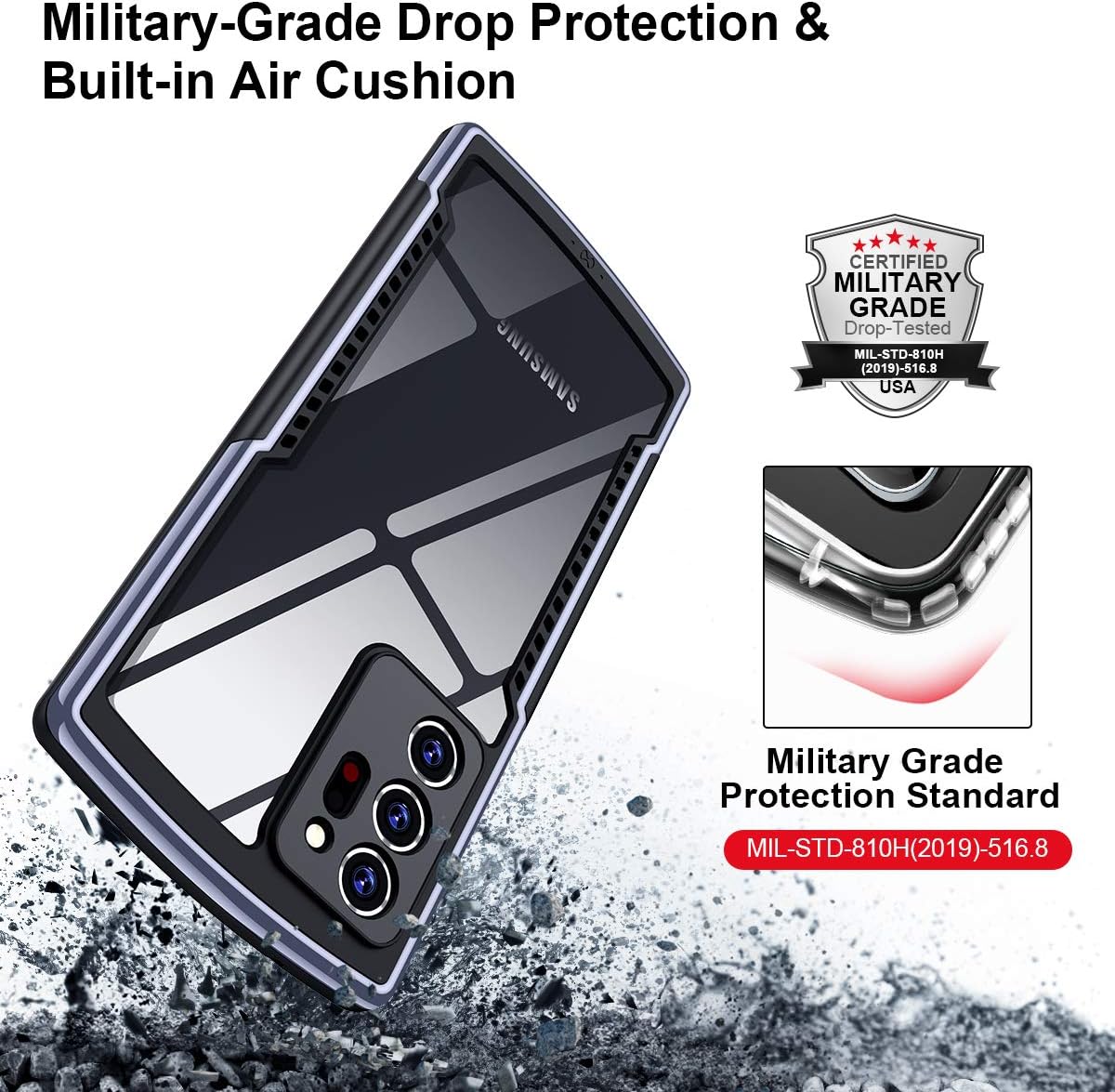
Figure 2.2: Visual representation of the military-grade drop protection standard (MIL-STD-810H) achieved by the case.
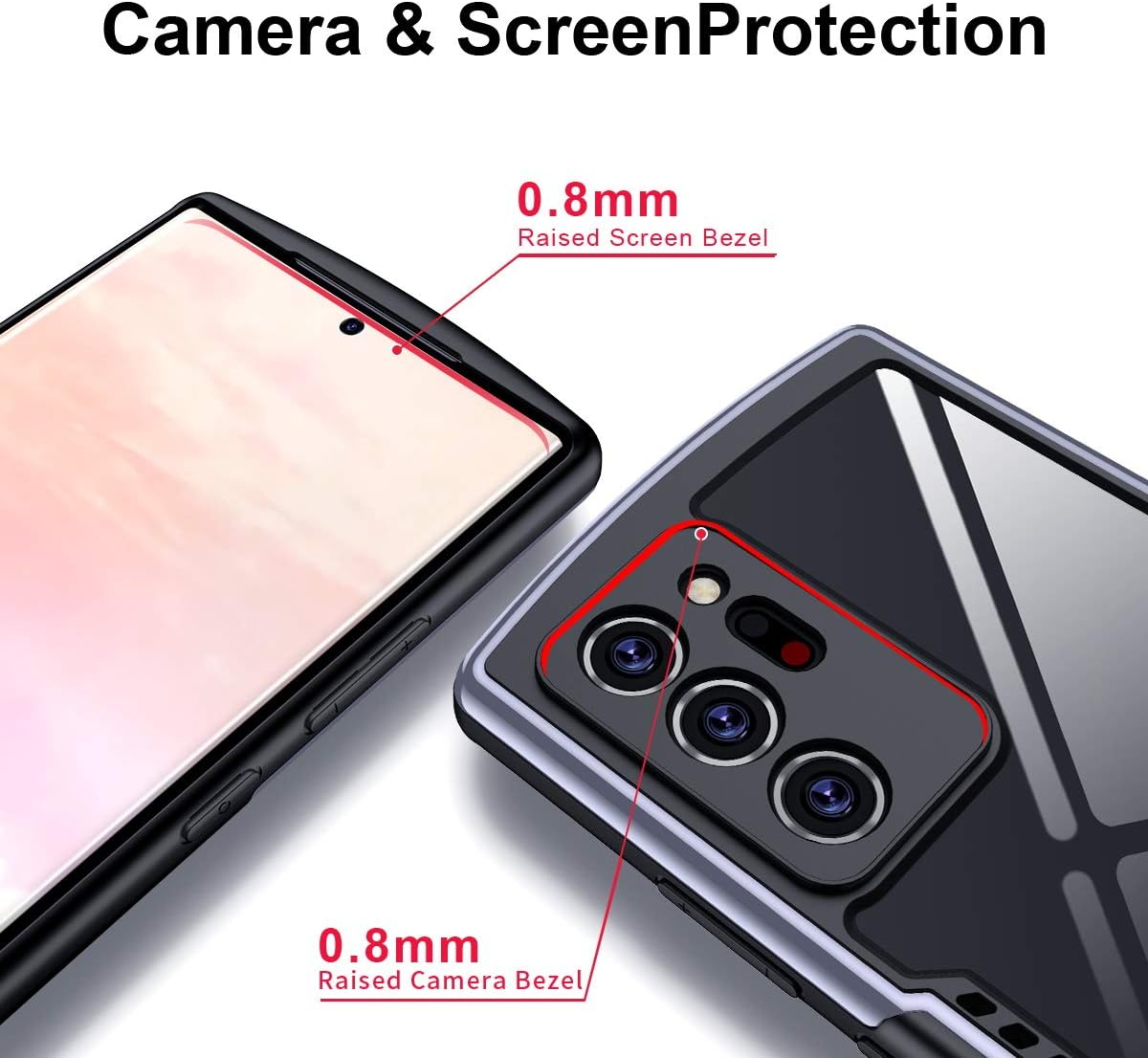
Figure 2.3: Detail showing the 0.8mm raised bezels designed to protect the phone's camera and screen from direct contact with surfaces.
3. Setup and Installation
Follow these steps to properly install your Xundd case on your Samsung Galaxy Note 20 Ultra:
- Preparation: Ensure your phone is clean and free of dust or debris. You may use a soft, dry cloth to wipe down your device.
- Installation:
- Hold the phone with the screen facing up.
- Align the top edge of your phone with the top edge of the case.
- Gently push the phone into the case, starting from the top, then working your way down, ensuring all corners snap securely into place.
- Verify that all buttons align correctly with the case's independent button covers and that all ports are accessible through the precise cutouts.
- Removal: To remove the case, gently peel back one of the top corners of the case from the phone, then carefully work your way around the edges until the phone can be lifted out. Avoid excessive force to prevent damage to the case or phone.

Figure 3.1: The Xundd case showcasing its design from both front and back perspectives when installed on the device.
4. Operating Instructions
Once installed, the Xundd case allows full functionality of your Samsung Galaxy Note 20 Ultra:
- Button Access: The independent button design ensures tactile feedback and easy pressing of volume and power buttons.
- Port Access: All cutouts for the charging port, S Pen slot, and speakers are precisely aligned for unobstructed access.
- Wireless Charging: The case is designed to be thin enough to allow seamless wireless charging. Simply place your phone with the case on a compatible wireless charging pad.

Figure 4.1: The Xundd case supports wireless charging, allowing convenient power replenishment without removal.

Figure 4.2: The ergonomic PSP arc-shaped handle provides a comfortable and secure grip, enhancing the gaming experience.
5. Maintenance and Care
To keep your Xundd case in optimal condition and ensure its longevity:
- Cleaning: Wipe the case regularly with a soft, damp cloth to remove dust, fingerprints, and smudges. For tougher stains, a mild soap solution can be used, followed by wiping with a clean, dry cloth. Avoid harsh chemicals or abrasive materials, as they may damage the case's finish.
- Storage: When not in use, store the case in a cool, dry place away from direct sunlight and extreme temperatures.
- Avoid Sharp Objects: While the case offers robust protection, avoid contact with sharp objects that could scratch the acrylic back or TPU frame.

Figure 5.1: The clear acrylic back allows the phone's original color and design to be visible, while the case provides a comfortable grip.
6. Troubleshooting
If you encounter any issues with your Xundd case, please refer to the following common solutions:
| Problem | Possible Cause | Solution |
|---|---|---|
| Difficulty accessing S Pen. | The S Pen cutout may feel snug. | Ensure the phone is fully seated in the case. Use the tip of your finger or a non-abrasive tool to press the S Pen for ejection. |
| Case feels loose or doesn't fit properly. | Incorrect installation or incompatible model. | Re-install the case, ensuring all corners are securely snapped. Verify that your phone is a Samsung Galaxy Note 20 Ultra, as this case is specifically designed for that model. |
| Wireless charging not working. | Misalignment on charging pad or incompatible charger. | Ensure the phone is centered on the wireless charging pad. Confirm your charging pad is Qi-compatible and functioning correctly. |
If the issue persists, please contact Xundd customer support for further assistance.
7. Specifications
| Attribute | Detail |
|---|---|
| Brand | Xundd |
| Manufacturer | XUNDD |
| Part Number | XPC-006-02 |
| Compatible Phone Model | Samsung Galaxy Note 20 Ultra |
| Material | Acrylic, Thermoplastic Polyurethane (TPU) |
| Form Factor | Bumper |
| Special Features | Military-grade drop protection, Transparent back, Raised bezels, Wireless charging compatible, Heat dissipation holes |
| Product Dimensions | 40.61 x 22.83 x 2.54 cm; 0.64 g (Approximate) |
8. Warranty and Support
Warranty: Our products come with a 30-day warranty from the date of purchase. This warranty covers manufacturing defects and issues arising from normal use.
Customer Support: If you have any questions, concerns, or require assistance with your Xundd Galaxy Note 20 Ultra Case, please do not hesitate to contact us. Our customer service team is committed to resolving your inquiries within 24 hours.
For support, please refer to the contact information provided with your product packaging or on the official Xundd website.
Ask a question about this manual
Ask about setup, troubleshooting, compatibility, parts, safety, or missing instructions. Manuals+ will review the question and use this page’s manual context to help answer it.