
Introduction
The OXO Good Grips 5-lb Kitchen Scale with Pull-Out Display is designed for precise measurement of food items up to 5 pounds (approximately 2.27 kg). Its features include a pull-out display to prevent shadowing from large containers, a tare function for zeroing out container weight, and an easy-to-read backlit LCD. This manual provides instructions for proper setup, operation, maintenance, and troubleshooting to ensure optimal performance.

Image: Top view of the OXO Good Grips 5-lb Kitchen Scale, showing the weighing platform and the pull-out display unit.
Setup
- Unpacking: Carefully remove the scale from its packaging. Ensure all components, including the scale and four AAA batteries, are present.
- Battery Installation: Locate the battery compartment on the underside of the scale. Open the compartment cover, insert the four AAA batteries, ensuring correct polarity (+/-). Close the compartment cover securely.
- Placement: Place the scale on a flat, stable, and level surface to ensure accurate readings. Avoid placing it near heat sources or in direct sunlight.
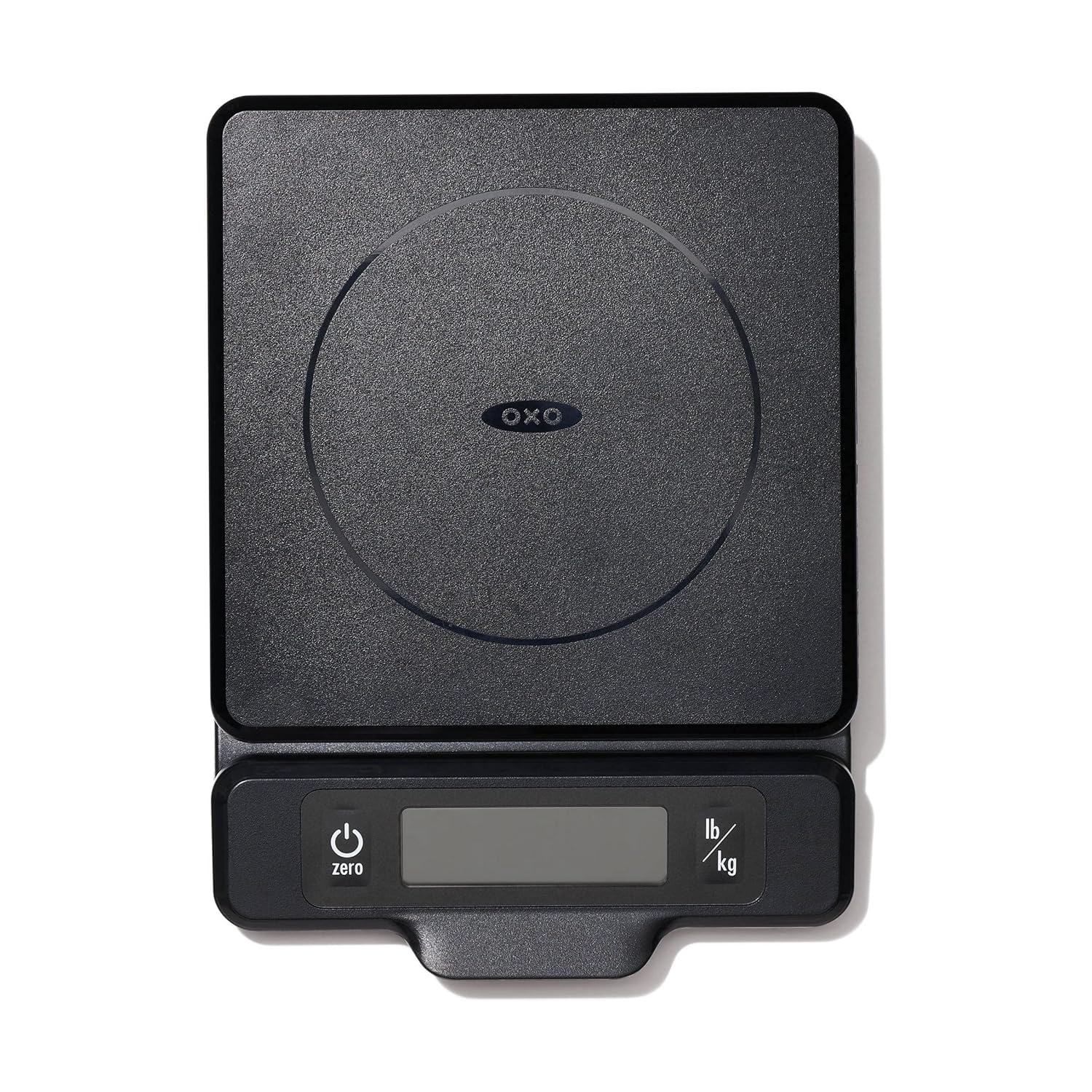
Image: Side view of the OXO Good Grips 5-lb Kitchen Scale with its display unit extended forward, illustrating the pull-out feature.
Operating Instructions
- Power On/Off: Press the Power button (usually marked with a circle and a vertical line) to turn the scale on. Press and hold the Power button to turn it off. The scale will automatically shut off after a period of inactivity to conserve battery life.
- Selecting Units: Press the Unit button (usually marked "lb/kg") to cycle through available measurement units: pounds (lb) and grams (g). The selected unit will be displayed on the screen.
- Weighing Items: Place the item directly onto the center of the weighing platform. The weight will be displayed on the LCD screen.
- Tare Function (Zero): To weigh ingredients in a container, first place the empty container on the platform. Press the Zero button. The display will reset to zero. You can then add ingredients to the container, and only the weight of the ingredients will be measured. This function can be used multiple times to add different ingredients to the same container.
- Pull-Out Display: For larger bowls or plates that might obstruct the view of the display, gently pull the display unit forward from the base. This extends the screen, allowing for clear visibility of measurements.
- Capacity Indicator: The scale features a convenient meter that shows how much of the 5-pound (2.27 kg) capacity remains, helping to prevent overloading.
Maintenance
- Cleaning: The weighing platform is removable for easy cleaning. Hand wash the platform with mild soap and water, then dry thoroughly. Wipe the base of the scale with a damp cloth. Do not immerse the main unit in water.
- Battery Replacement: When the battery indicator appears on the display, replace all four AAA batteries with new ones to ensure continued accuracy and functionality.
- Storage: Store the scale in a dry place away from extreme temperatures. Its thin profile allows for simple storage in drawers or cabinets.
Troubleshooting
- Inaccurate Readings: Ensure the scale is on a flat, stable surface. Check that the batteries are properly installed and not low. Avoid placing items off-center on the platform.
- Display Not Turning On: Verify that the batteries are new and correctly inserted. If the issue persists, try replacing the batteries.
- "Err" Message: An "Err" message typically indicates that the scale has been overloaded beyond its 5-pound capacity. Remove the item immediately. If the message persists after removing the item, try turning the scale off and on again.
- Display Flickering: This may indicate low battery power. Replace the batteries.
Specifications
| Brand | OXO |
| Model Number | 11238300 |
| Material | Plastic |
| Color | Black |
| Weight Capacity | 5 pounds (approx. 2.27 kg) |
| Measurement Units | Pounds (lb), Grams (g) |
| Readout Accuracy | 1 gram (g) |
| Display Type | LCD with Backlight |
| Power Source | 4 x AAA Batteries (Included) |
| Item Weight | 590 g |
Warranty
The OXO Good Grips 5-lb Kitchen Scale is covered by the OXO Better Guarantee. If you experience an issue with your OXO product, please contact OXO for a repair or replacement. This guarantee reflects OXO's commitment to product quality and customer satisfaction.
Support
For further assistance, product information, or to report an issue, please visit the official OXO website or contact their customer support directly. Keep your product model number (11238300) and purchase details handy when seeking support.

