
Introduction
Thank you for choosing the Torkase 66-inch Smart Floor Lamp. This intelligent LED torchiere offers versatile lighting with color-changing capabilities, dimmable brightness, and convenient control options via touch, mobile app, and voice commands through Alexa or Google Home. This manual provides essential information for safe operation, assembly, setup, and maintenance of your new smart lamp.

Image: The Torkase Smart Floor Lamp providing ambient lighting in a modern living space.
Safety Instructions
- Read all instructions before assembly and use.
- Do not operate the lamp with a damaged cord or plug.
- Ensure the lamp is placed on a stable, level surface to prevent tipping.
- This lamp is for indoor use only. Do not expose to water or high humidity.
- Do not attempt to disassemble or modify the lamp. Contact customer support for service.
- Keep away from heat sources and direct sunlight.
- Use only with a 2.4GHz Wi-Fi network for smart features.
Package Contents
Verify that all components are present before assembly:
- Lamp Head (with integrated LED)
- Upper Pole Section
- Middle Pole Section
- Lower Pole Section (with control panel and USB port)
- Lamp Base
- Power Adapter
- User Manual
Assembly Instructions
Follow these steps to assemble your Torkase Smart Floor Lamp:
- Carefully unpack all components from the packaging.
- Screw the Lower Pole Section into the Lamp Base clockwise until secure.
- Connect the Middle Pole Section to the Lower Pole Section by screwing it clockwise. Ensure the wires inside are not pinched.
- Connect the Upper Pole Section to the Middle Pole Section, screwing clockwise.
- Attach the Lamp Head to the Upper Pole Section, screwing clockwise until firmly in place.
- Plug the power adapter into the lamp's power input, then plug the adapter into a standard wall outlet.

Image: Visual guide for assembling the lamp's pole sections and base.
Setup: App & Wi-Fi Pairing
To unlock smart features, connect your lamp to the Smart Life app:
- Download the Smart Life App: Search for "Smart Life" in your smartphone's app store (iOS or Android) and install it.
- Register/Log In: Open the app and create a new account or log in if you already have one.
- Enter Pairing Mode: With the lamp plugged in, long-press the Power Button on the lamp's control panel for 5-7 seconds until the lamp starts blinking rapidly. This indicates it's in pairing mode.
- Add Device in App: In the Smart Life app, tap the "+" icon in the top right corner to add a device. Select "Lighting" > "Light Source (Wi-Fi)" or allow the app to auto-discover the device.
- Connect to Wi-Fi: Enter your 2.4GHz Wi-Fi network name and password. The lamp does not support 5GHz Wi-Fi.
- Confirm Blinking: Confirm that the lamp is blinking rapidly in the app.
- Pairing: The app will begin connecting to the lamp. Once connected, the lamp will stop blinking and remain steadily lit. You can then rename the device in the app.
If pairing fails, ensure your Wi-Fi network is 2.4GHz, your password is correct, and the lamp is close to your router. Try resetting the lamp by unplugging it for 10 seconds and plugging it back in, then re-enter pairing mode.

Image: The Smart Life application displaying color and brightness controls for the lamp.
Operating Instructions
Touch Control
The lamp features a touch-sensitive control panel located on the lower pole section:
- Power Button (Circular Icon):
- Short Touch: Turn the lamp ON or OFF.
- Long Touch (5-7 seconds): Enter Wi-Fi pairing mode (lamp blinks rapidly).
- Color/Brightness Button (Square Icon):
- Short Touch: Cycle through 10 preset color modes.
- Long Touch: Adjust brightness from 1% to 100%. Release when desired brightness is reached.
- USB Charging Port: A built-in 5V 1A USB port is available for charging mobile devices or powering small USB accessories.

Image: Close-up of the lamp's control panel, highlighting the power button, color/brightness button, and USB charging port.
App Control (Smart Life)
Once connected to the Smart Life app, you can access advanced controls:
- ON/OFF: Toggle the lamp power.
- Brightness Adjustment: Precisely dim the light from 1% to 100%.
- Color Changing (RGBCW): Select from 16 million colors (RGB) or adjust white light temperature (CCT) from 2700K (warm white) to 6500K (cool daylight).
- Scene Modes: Choose from pre-set lighting scenes or create custom scenes.
- Music Sync: Synchronize the lamp's lighting effects with music playing on your device.
- Time Schedule: Set timers for the lamp to turn on/off at specific times.
- DIY Lighting Mode: Customize your own lighting effects and save them.

Image: The lamp's dimming capability shown across a range from 1% to 100% brightness.

Image: The lamp showcasing its RGBW color-changing capabilities and music synchronization feature.
Voice Control (Alexa & Google Home)
Integrate your Torkase Smart Floor Lamp with Amazon Alexa or Google Home for hands-free control:
- Link Smart Life Account: In your Alexa or Google Home app, navigate to the "Skills" or "Works with Google" section. Search for "Smart Life" and enable the skill/service. Log in with your Smart Life account credentials.
- Discover Devices: Once linked, ask your voice assistant to "Discover devices" or manually initiate device discovery in the app. Your Torkase lamp will appear.
- Voice Commands: You can now control your lamp using voice commands. Examples:
- "Alexa, turn on [Lamp Name]."
- "Hey Google, set [Lamp Name] to blue."
- "Alexa, dim [Lamp Name] to 50 percent."
- "Hey Google, change [Lamp Name] to warm white."
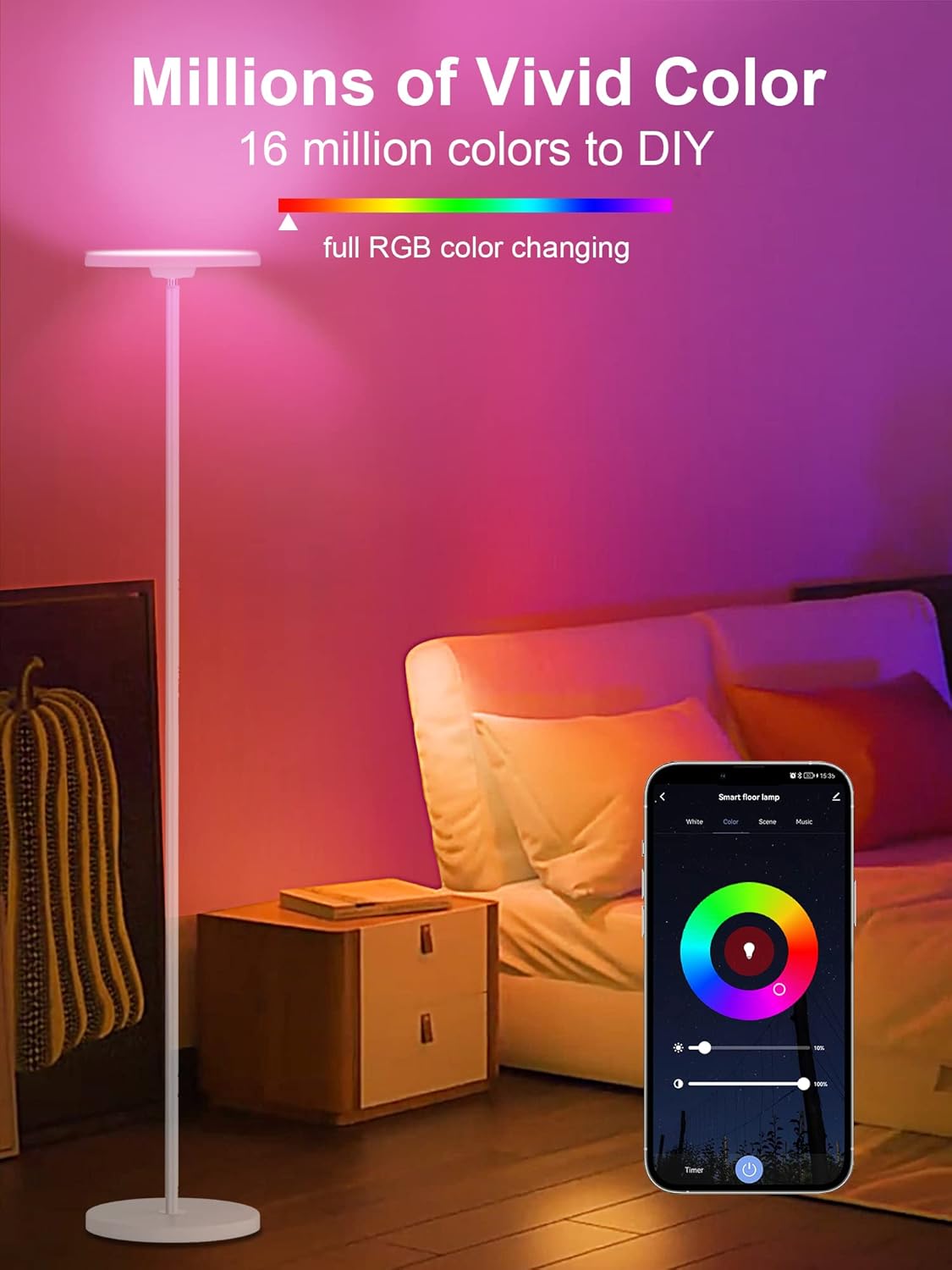
Image: A couple interacting with an Alexa device to control the smart floor lamp by voice.

Image: A smart floor lamp responding to a Google Assistant voice command in a contemporary living room setting.
Features Overview
- RGBCW Multi-Color: Offers 16 million colors (RGB) and adjustable white light (Cool White to Warm White).
- Uplight & Downlight Design: Unique design projects uniform, eye-friendly light both upwards and downwards.
- Super Bright: Provides 2000LM brightness at 6000K daylight, equivalent to a 150-watt incandescent bulb.
- Memory Function: The lamp remembers your last brightness and color settings when turned off and on.
- Adjustable Lamp Head: The lamp head can be adjusted by 30 degrees to direct light as needed.
- Stable Lamp Base: Designed for stability and safety.
Troubleshooting
- Lamp not turning on: Ensure the power adapter is securely plugged into both the lamp and a working wall outlet.
- Lamp not connecting to Wi-Fi:
- Confirm your Wi-Fi network is 2.4GHz. 5GHz networks are not supported.
- Ensure the lamp is in rapid blinking mode (long-press power button).
- Check your Wi-Fi password for accuracy.
- Move the lamp closer to your Wi-Fi router during setup.
- Restart your router and try again.
- Voice control not working:
- Verify that your Smart Life account is correctly linked to Alexa or Google Home.
- Ensure the lamp is online in the Smart Life app.
- Try rediscovering devices in your Alexa/Google Home app.
- Use the exact name you assigned to the lamp in the Smart Life app.
- Lamp unresponsive to touch control: Unplug the lamp for 10 seconds, then plug it back in to reset.
Specifications
| Model Number | TK-FL-A-White |
| Dimensions (D x W x H) | 9.8"D x 9.8"W x 66"H |
| Item Weight | 8.8 Pounds |
| Light Source Type | LED |
| Brightness | 2000 Lumens |
| Color Temperature | 2700K - 6500K (RGBCW) |
| Wattage | 25 Watts |
| Voltage | 120 Volts |
| Control Method | App, Touch, Voice (Alexa, Google Assistant) |
| Connectivity | Wi-Fi (2.4GHz only) |
| Material | Metal, Plastic |
| USB Output | 5V 1A |
Maintenance
To ensure the longevity and optimal performance of your lamp:
- Cleaning: Disconnect the power before cleaning. Wipe the lamp with a soft, dry cloth. Do not use abrasive cleaners or solvents.
- Storage: If storing the lamp, disassemble it carefully and store it in its original packaging in a dry, cool place.
- LEDs: The integrated LED light source is designed for long-term use and is not user-replaceable.
Warranty and Support
Torkase provides a 360-day warranty for this product, covering manufacturing defects from the date of purchase. Additionally, lifetime technical support is available.
For warranty claims, technical assistance, or any questions regarding your Torkase Smart Floor Lamp, please contact Torkase customer support through the retailer's platform or visit the official Torkase website for contact information.
Please have your model number (TK-FL-A-White) and proof of purchase ready when contacting support.