
Benro TTOR35CGX35
Benro Tortoise Columnless Carbon Fiber Three Series Tripod Kit with GX35 Ball Head User Manual
Model: TTOR35CGX35
Introduction
The Benro Tortoise Series Tripod is designed as a compact, lightweight travel tripod, offering significant weight capacity and stability. Its columnless design results in a compact folded diameter, enhancing portability. This manual provides detailed instructions for the proper setup, operation, maintenance, and troubleshooting of your Benro Tortoise Columnless Carbon Fiber Three Series Tripod Kit with GX35 Ball Head. Please read this manual thoroughly before using the product to ensure optimal performance and longevity.
What's in the Box
- Benro Tortoise Columnless Carbon Fibre Three Series Tripod with GX35 Ball Head
- Carrying Case
- Spiked Feet (for outdoor use)
- Hex Keys (for adjustments)

Image: Contents of the Benro Tortoise Tripod Kit, showing the folded tripod, its dedicated carrying case, a set of spiked feet, and hex keys for maintenance.
Setup Instructions
1. Unfolding the Tripod
- Grasp the tripod legs and gently pull them outwards until they lock into one of the available leg angle positions. The tripod features automatic leg angle adjustment, allowing changes with a push of a button.
- Extend the leg sections by twisting the leg locks counter-clockwise to loosen, pulling out the desired section, and then twisting clockwise to secure. Repeat for all leg sections on each leg.

Image: The Benro Tortoise Tripod fully extended, demonstrating its maximum height and stable leg spread.
2. Attaching the Ball Head (if not pre-attached)
The GX35 Ball Head is typically pre-attached. If not, ensure it is securely screwed onto the tripod's mounting plate. Tighten firmly to prevent rotation.
3. Mounting Your Camera
- Locate the Arca-Swiss style quick release plate on the GX35 Ball Head.
- Attach the quick release plate to the bottom of your camera by screwing the D-ring or coin slot screw into the camera's tripod socket. Ensure it is tight and secure.
- Open the clamp on the ball head by turning the locking knob.
- Slide the camera with the attached quick release plate into the clamp. Ensure it is seated correctly.
- Tighten the locking knob firmly to secure the camera. Always double-check that the camera is securely mounted before releasing your grip.
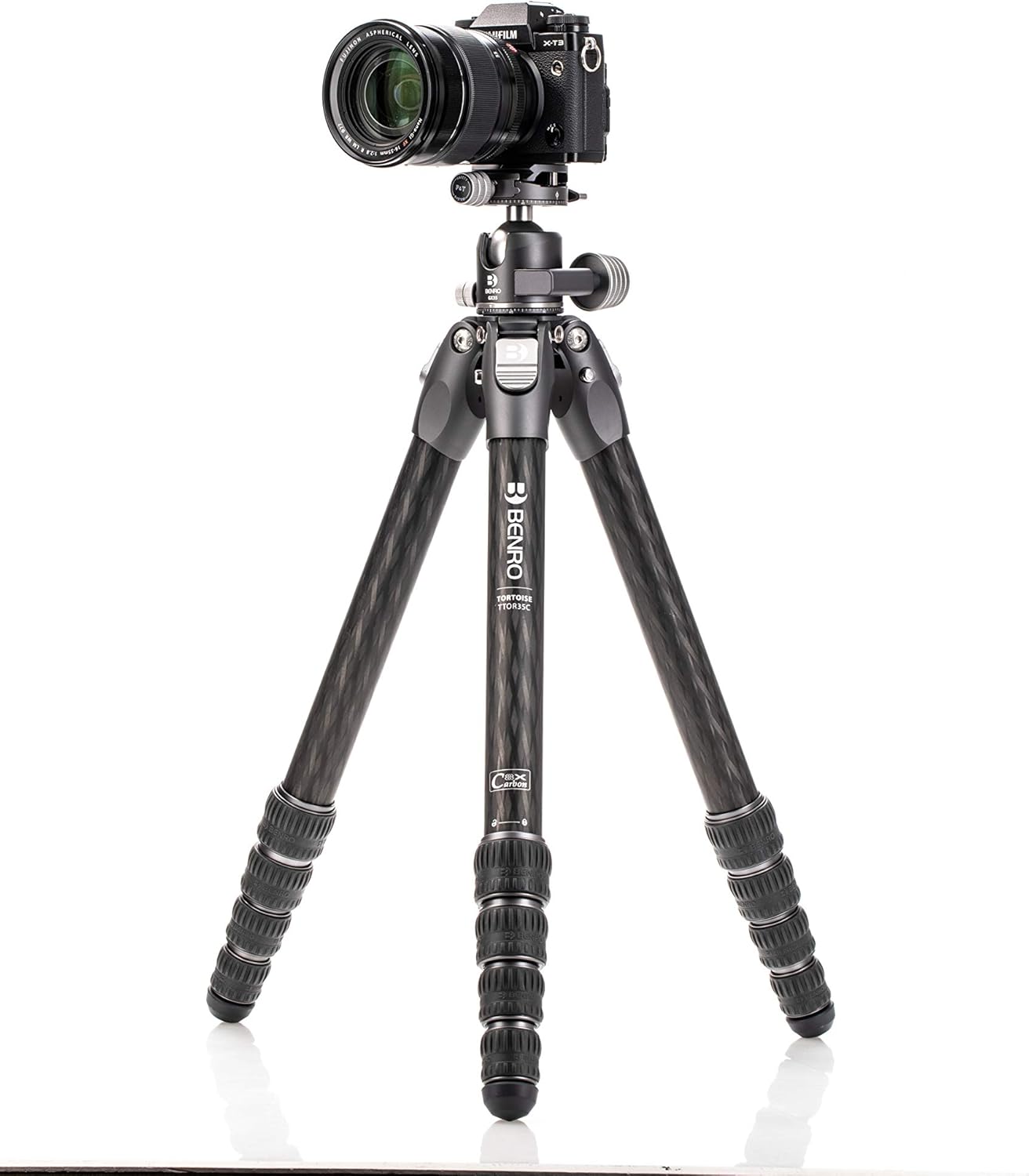
Image: A camera securely mounted on the Benro Tortoise Tripod, demonstrating the GX35 Ball Head's functionality.
Operating Instructions
Adjusting Leg Angles
Each leg features an automatic leg angle adjustment mechanism. Press the button near the top of each leg to release the lock and adjust the leg to one of the predefined angles. This allows for stable positioning on uneven terrain or for low-angle shots.

Image: A detailed view of the leg angle adjustment button on the Benro Tortoise Tripod, highlighting its ergonomic design.
Using the GX35 Ball Head
- Main Locking Knob: This large knob controls the movement of the ball. Loosen it to adjust the camera's angle freely, then tighten to lock it in position.
- Panning Lock Knob: A smaller knob typically located at the base of the ball head. Loosen this to rotate the camera horizontally (panning) without affecting the tilt. Tighten to lock the panning movement.
- Friction Control (if present): Some ball heads have a separate friction control knob, often integrated with the main locking knob, to adjust the resistance of the ball movement when loosened. This helps prevent sudden drops of heavy cameras.

Image: A close-up of the Benro GX35 Ball Head, showing the main locking knob, panning lock, and quick release plate mechanism.
Low-Angle Shooting
To achieve extremely low angles, spread the tripod legs to their widest angle setting. The columnless design allows the tripod to get very close to the ground, providing maximum stability for low-perspective shots.

Image: The Benro Tortoise Tripod configured for low-angle photography, with legs spread wide and close to the ground.
Maintenance
- Cleaning: After use, especially in dusty, sandy, or wet environments, wipe down the tripod legs and ball head with a clean, damp cloth. Avoid using harsh chemicals.
- Leg Locks: Periodically check that the leg locks are functioning smoothly. If they become stiff, clean any debris and apply a small amount of silicone-based lubricant (avoid oil-based lubricants).
- Ball Head: Keep the ball head clean and free of dust. Do not disassemble the ball head unless you are experienced with such repairs, as it may affect its performance and warranty.
- Storage: Store the tripod in its carrying case in a dry, cool place when not in use.
Troubleshooting
| Problem | Possible Cause | Solution |
|---|---|---|
| Tripod legs not extending/retracting smoothly | Dirt, sand, or debris in leg locks; overtightened leg locks. | Clean leg sections and locks. Apply a small amount of silicone lubricant if necessary. Ensure leg locks are not overtightened. |
| Camera not secure on ball head | Quick release plate not properly attached to camera; quick release clamp not fully tightened. | Ensure the quick release plate screw is tight on the camera. Fully tighten the ball head's quick release clamp knob. |
| Ball head movement is stiff or gritty | Dust or debris inside the ball head mechanism. | Clean the exterior of the ball head. Avoid disassembling. If the issue persists, contact Benro customer support. |
| Tripod unstable | Legs not fully extended or locked; uneven ground; excessive load. | Ensure all leg sections are fully extended and locked. Adjust leg angles for stability on uneven surfaces. Do not exceed the maximum load capacity. |
Specifications
| Feature | Detail |
|---|---|
| Model Name | TTOR35CGX35 |
| Load Capacity | 33.07 lb / 15 kg |
| Max Height (without Center Column) | 61.42" / 156 cm |
| Minimum Working Height | 7.5" / 19 cm |
| Folded Length | 22.05" / 56 cm |
| Diameter (folded) | 3.15" / 8.0 cm |
| Materials | Carbon Fiber |
| Item Weight | 4.23 lb / 1.92 kg |
| Tripod Head Type | Ball Head (GX35) |
| Special Features | Columnless design, Automatic Leg Angle Adjustment, Dual Panning Ballhead, Compact, Portable |
Warranty Information
Benro products are typically covered by a limited warranty against defects in materials and workmanship. For specific warranty terms, duration, and registration, please refer to the official Benro website or the warranty card included with your product. Keep your proof of purchase for warranty claims.
Customer Support
For further assistance, technical support, or spare parts, please contact Benro customer service. You can find contact information on the official Benro website:
Benro Official Website: www.benro.com
When contacting support, please have your product model number (TTOR35CGX35) and purchase date available.
Related documentsTTOR35CGX35


Ask a question about this manual
Ask about setup, troubleshooting, compatibility, parts, safety, or missing instructions. Manuals+ will review the question and use this page’s manual context to help answer it.