
SEDETA SEDETA-M001
SEDETA 94.5" Home Office & Gaming Desk Instruction Manual
Model: SEDETA-M001
Introduction
This manual provides detailed instructions for the assembly, operation, and maintenance of your SEDETA 94.5" Home Office & Gaming Desk. Designed for two users, this versatile desk features integrated storage, LED lighting, a power strip with USB ports, a keyboard tray, and a monitor stand. Please read this manual thoroughly before beginning assembly or operation to ensure safe and correct usage.

Figure 1: Overview of the SEDETA 94.5" Home Office and Gaming Desk, showcasing its dual-user design, integrated power strip, and LED lighting.
Safety Information
Important Safety Precautions:
- Always assemble the desk according to the provided instructions.
- Ensure all parts are securely fastened before use.
- Place the desk on a flat, stable surface to prevent tipping or injury.
- Do not overload the desk or shelves beyond the maximum weight recommendation of 325 lbs.
- Keep liquids away from the integrated power strip and electronic components.
- Ensure proper ventilation around electronic devices placed on the desk.
Package Contents
Before beginning assembly, verify that all components listed below are present and undamaged. If any parts are missing or damaged, please contact customer support.
- Desk Panels (various sizes)
- Metal Frame Components
- Integrated Power Strip with AC Outlets and USB Ports
- LED Light Strip
- Keyboard Tray
- Monitor Stand
- Assembly Hardware (screws, bolts, nuts, etc.)
- Assembly Tools (if included)
- Instruction Manual
Setup and Assembly
Assembly of the SEDETA 94.5" desk requires careful attention to detail. It is recommended to have two people for assembly. Follow the numbered steps in the included assembly guide for best results. Ensure all connections are tight but do not overtighten screws.
1. Unpacking and Part Identification
Carefully unpack all components and lay them out on a clean, soft surface to prevent scratches. Identify each part using the provided parts list in the separate assembly guide.
2. Frame Assembly
Begin by assembling the metal frame components. Ensure the frame is stable before attaching the desk panels.

Figure 2: The desk frame and overall dimensions. The desk measures 94.5 inches in length, 21.6 inches in depth, and 30 inches in height.
3. Attaching Desk Panels and Shelves
Attach the main desktop panels to the assembled frame. Then, install the two open storage shelves in the central section. These shelves provide ample space for books, office supplies, and other items.
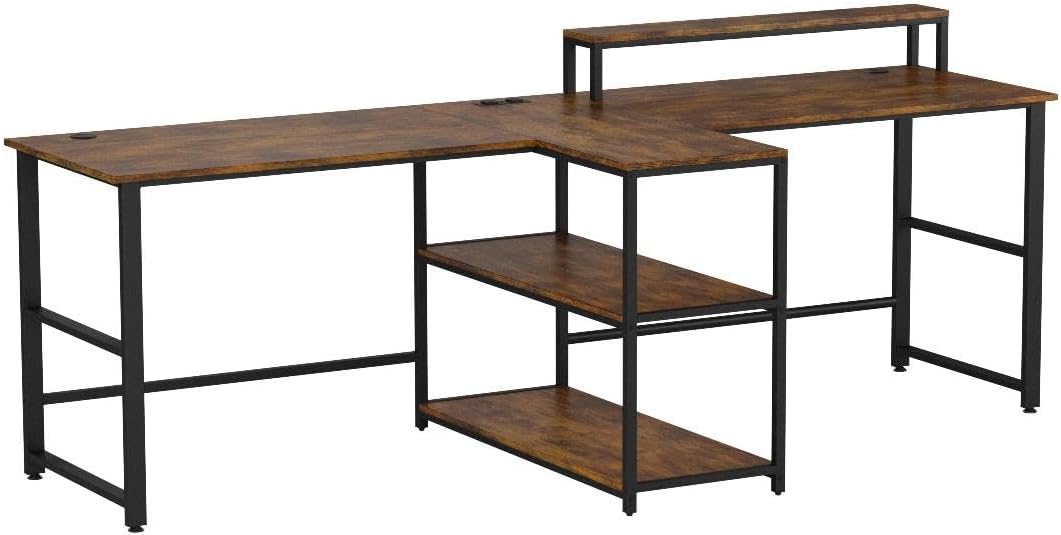
Figure 3: Detail of the large storage capacity provided by the two open shelves, designed to help organize office supplies efficiently.
4. Installing Keyboard Tray and Monitor Stand
Mount the slide-out keyboard tray beneath the main desktop. Position the monitor stand on the desktop as desired. The monitor stand is designed to raise monitors to an ergonomic height.
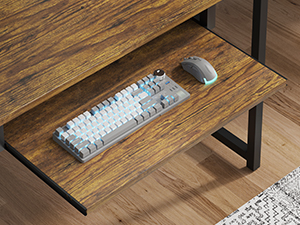
Figure 4: The convenient slide-out keyboard tray, suitable for a keyboard and mouse.
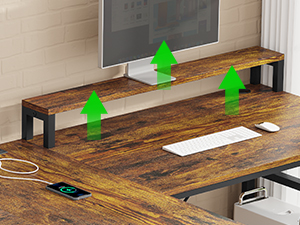
Figure 5: The monitor stand, designed to elevate displays for improved ergonomics.
5. Power Strip and LED Light Installation
Integrate the power strip into the designated grommet hole on the desktop. Connect the LED light strip along the underside or back edge of the desk as per the separate LED light instructions. Ensure all cables are managed safely.

Figure 6: The built-in power strip, featuring two AC outlets and two USB charging ports for convenient device power.

Figure 7: The desk illuminated by the RGB LED light strip, enhancing the gaming and working atmosphere.
6. Adjusting Leveling Feet
The desk is equipped with adjustable leveling feet. Adjust these feet to ensure the desk is stable and level on uneven floors or carpets.
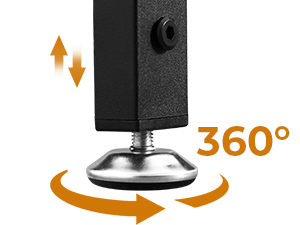
Figure 8: Detail of the 360-degree adjustable desk leg pads for stability.
Operating Instructions
Using the Integrated Power Strip
The desk includes a built-in power strip with two 125V/12A AC outlets and two 5V/2A PowerIQ-enabled USB charging ports. Simply plug the desk's main power cord into a wall outlet. You can then connect up to four devices simultaneously to the integrated power strip.

Figure 9: Specifications and features of the integrated power strip.
Controlling the LED Light Strip
The RGB LED light strip can be controlled via a mobile application or a physical key control. It offers over 60,000 colors and 29 flashing modes. Key features include:
- Music Sync Function: The LED light color changes with the rhythm of sound and music, utilizing a built-in sensitivity adjustable microphone.
- Timer Function: Set the lights to turn on or off at specific times.
- App Control: Download the specified mobile application for full control over colors, modes, and functions.
- Key Control: Use the physical controller for basic adjustments.
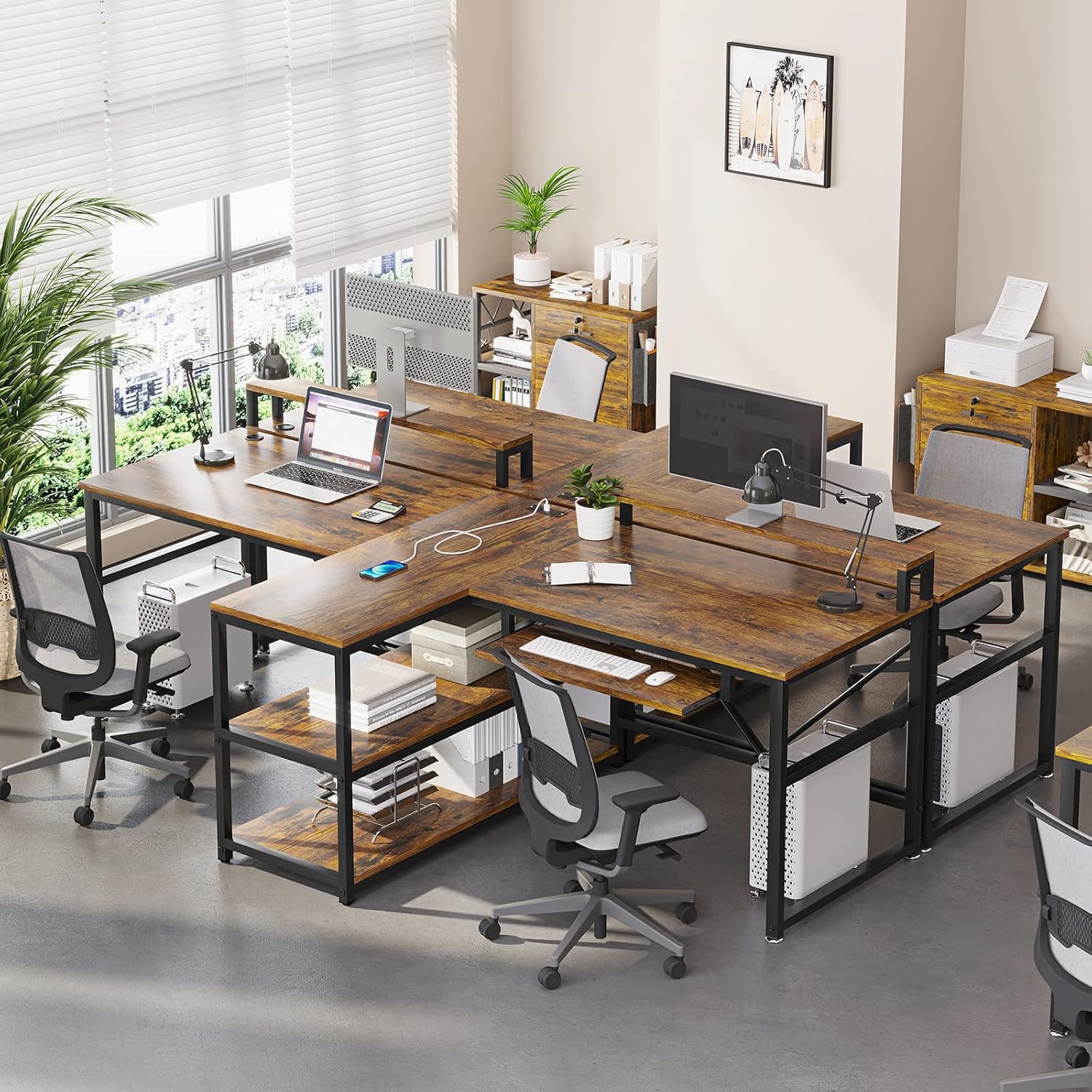
Figure 10: Overview of the LED light strip's control options and features.
Configuring Desk Layouts
The modular design of the SEDETA desk allows for four different configurations to suit various space and user needs. Refer to the assembly guide for detailed instructions on how to reconfigure the desk.
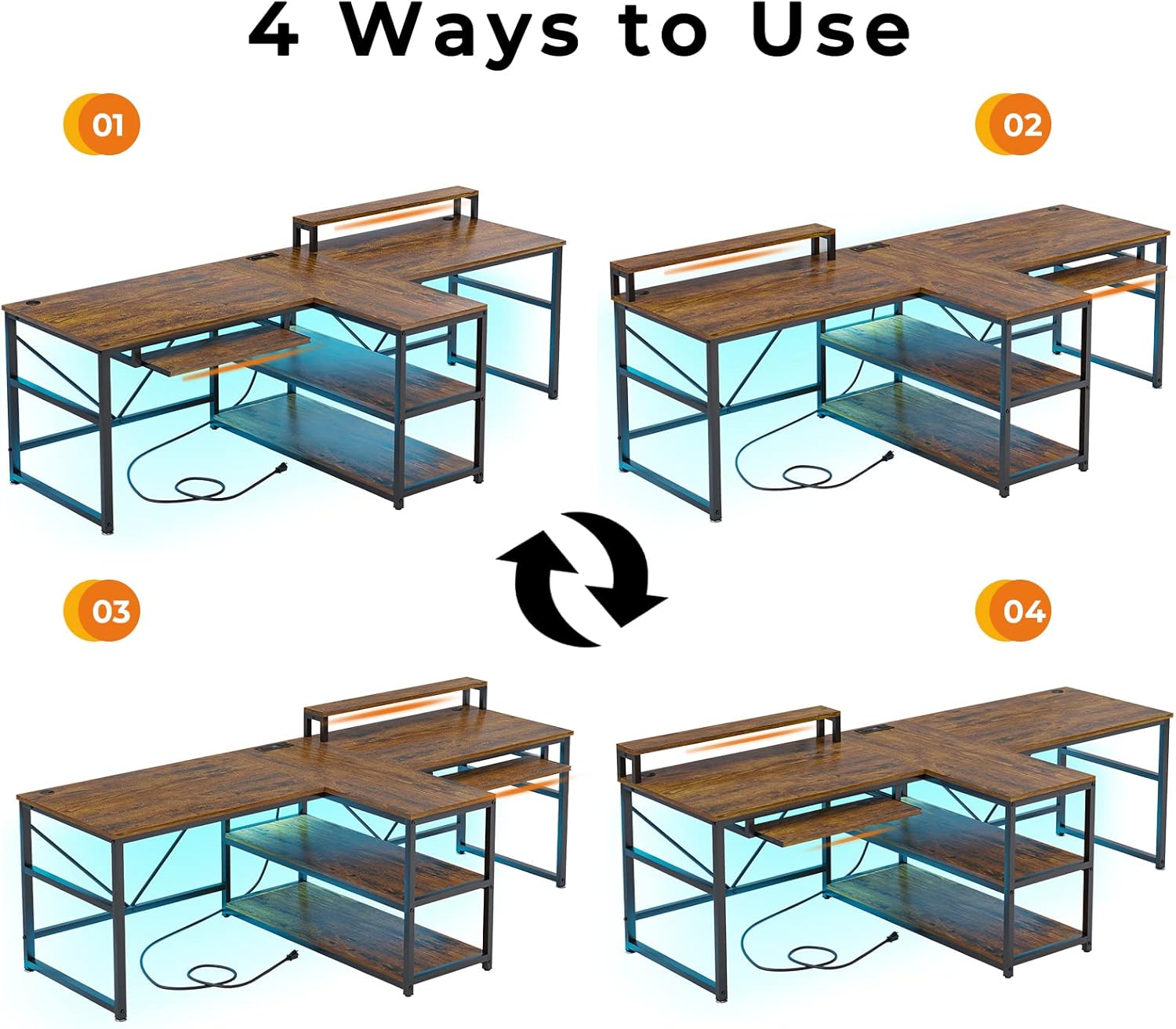
Figure 11: Visual representation of the four possible desk configurations.
Maintenance
To ensure the longevity and appearance of your SEDETA desk, follow these maintenance guidelines:
- Cleaning: Wipe surfaces with a soft, damp cloth. Avoid harsh chemicals or abrasive cleaners, which can damage the finish.
- Spills: Clean up spills immediately to prevent staining or damage to the engineered wood.
- Hardware: Periodically check all screws and bolts to ensure they remain tight. Retighten if necessary.
- LED Lights: Keep the LED strip free from dust. If the lights malfunction, refer to the troubleshooting section.
Troubleshooting
This section addresses common issues you might encounter with your desk.
| Problem | Possible Cause | Solution |
|---|---|---|
| Desk is wobbly or unstable. | Uneven floor; loose assembly hardware. | Adjust the leveling feet at the bottom of the desk legs. Check and tighten all assembly screws and bolts. |
| LED lights are not working or flickering. | Loose connection; power issue; defective LED strip. | Ensure the LED strip is properly connected to its power source. Check if the power strip is receiving power. If the issue persists, the LED strip may be defective; contact customer support for assistance. |
| Power strip is not providing power. | Desk's main power cord unplugged; circuit breaker tripped. | Verify the desk's main power cord is securely plugged into a working wall outlet. Check your home's circuit breaker. |
| Difficulty during assembly (e.g., holes not aligning). | Incorrect part orientation; manufacturing variance. | Double-check the part numbers and orientation against the assembly guide. Some parts may appear similar but have subtle differences. If a part is genuinely misaligned or defective, contact customer support for a replacement. |
Specifications
| Feature | Detail |
|---|---|
| Brand | SEDETA |
| Model Number | SEDETA-M001 |
| Product Dimensions (L x W x H) | 94.5" x 21.6" x 30" |
| Color | Rustic Brown |
| Material | Engineered Wood (Top), Metal (Frame) |
| Maximum Weight Recommendation | 325 lbs |
| Power Strip | 2 AC Outlets (125V/12A), 2 USB Ports (5V/2A) |
| LED Light Strip | RGB, App/Key Control, Music Sync, Timer Function |
| Included Components | Keyboard Tray, Monitor Stand, Storage Shelves |
| Assembly Required | Yes |
Warranty and Support
Warranty: This product comes with a Limited Warranty. For specific details regarding coverage and duration, please refer to the warranty information provided with your purchase or contact SEDETA customer service.
Returns: The product is eligible for a 30-day easy return policy. Please refer to your purchase platform's return guidelines for detailed instructions.
Customer Support: If your item arrives damaged, scratched, or with missing parts, or if you encounter any issues not covered in this manual, please contact SEDETA customer support for assistance. We are committed to providing free replacements or partial refunds for such issues.
For further assistance, you may visit the official SEDETA store: SEDETA Store on Amazon
Related Documents - SEDETA-M001
 |
SEDETA Computer Desk Assembly Instructions - Model 70.8 Comprehensive assembly guide for the SEDETA Computer Desk (Model 70.8) with storage shelves. This manual provides step-by-step instructions, parts identification, and hardware details for building your workstation. |
 |
Hinomi Warranty Policy - Terms, Periods, and Claims Official warranty policy from Hinomi covering chairs, desks, and accessories. Details warranty periods, terms, exclusions, and how to make a claim. |
 |
WatchGas UNI Sustainable Single Gas Detector User Manual User manual for the WatchGas UNI Sustainable Single Gas Detector, providing comprehensive instructions on operation, activation, modes, configuration, maintenance, alarm summaries, troubleshooting, specifications, and warranty information for this portable toxic gas monitor. |
 |
WatchGas UNI Sustainable Single Gas Detector User Manual Comprehensive user manual for the WatchGas UNI Sustainable portable single gas detector. Covers operation, activation, modes, configuration, calibration, maintenance, alarm summaries, troubleshooting, specifications, and limited warranty. |
 |
Computer Desk with Keyboard Tray - User Manual and Assembly Guide Comprehensive user manual for the Wrought Studio Computer Desk with Keyboard Tray, including assembly instructions, parts list, safety precautions, and multilingual support. Features a pull-out keyboard tray. |
 |
ErGear EGKB03 Keyboard Tray Instruction Manual Instruction manual for the ErGear EGKB03 keyboard tray, covering safety, parts, tools, and step-by-step installation for rectangular and L-shaped desks. Learn how to mount and use your under-desk keyboard tray. |
Ask a question about this manual
Ask about setup, troubleshooting, compatibility, parts, safety, or missing instructions. Manuals+ will review the question and use this page’s manual context to help answer it.