
Introduction
Thank you for choosing the havit MS72 Wired USB Gaming Mouse. This manual provides essential information for the proper installation, operation, and maintenance of your new gaming mouse. Please read this manual thoroughly before using the product to ensure optimal performance and longevity.
The havit MS72 features an ergonomic design, an anti-slipping surface, and adjustable DPI settings (800-1200 DPI) for precise control. It also includes RGB lighting for an enhanced aesthetic experience.
Package Contents
- havit MS72 Wired USB Gaming Mouse
- User Manual
Setup
Follow these steps to set up your havit MS72 Gaming Mouse:
- Connect the USB Cable: Locate an available USB port on your computer (desktop or laptop). Insert the USB connector of the havit MS72 mouse into the USB port.
- Automatic Driver Installation: Your operating system (Windows, macOS, Linux) should automatically detect the mouse and install the necessary drivers. This process may take a few moments.
- Verify Functionality: Once the drivers are installed, the mouse's RGB lighting should illuminate, and the cursor should respond to movement. Test the left, right, and scroll wheel functions.
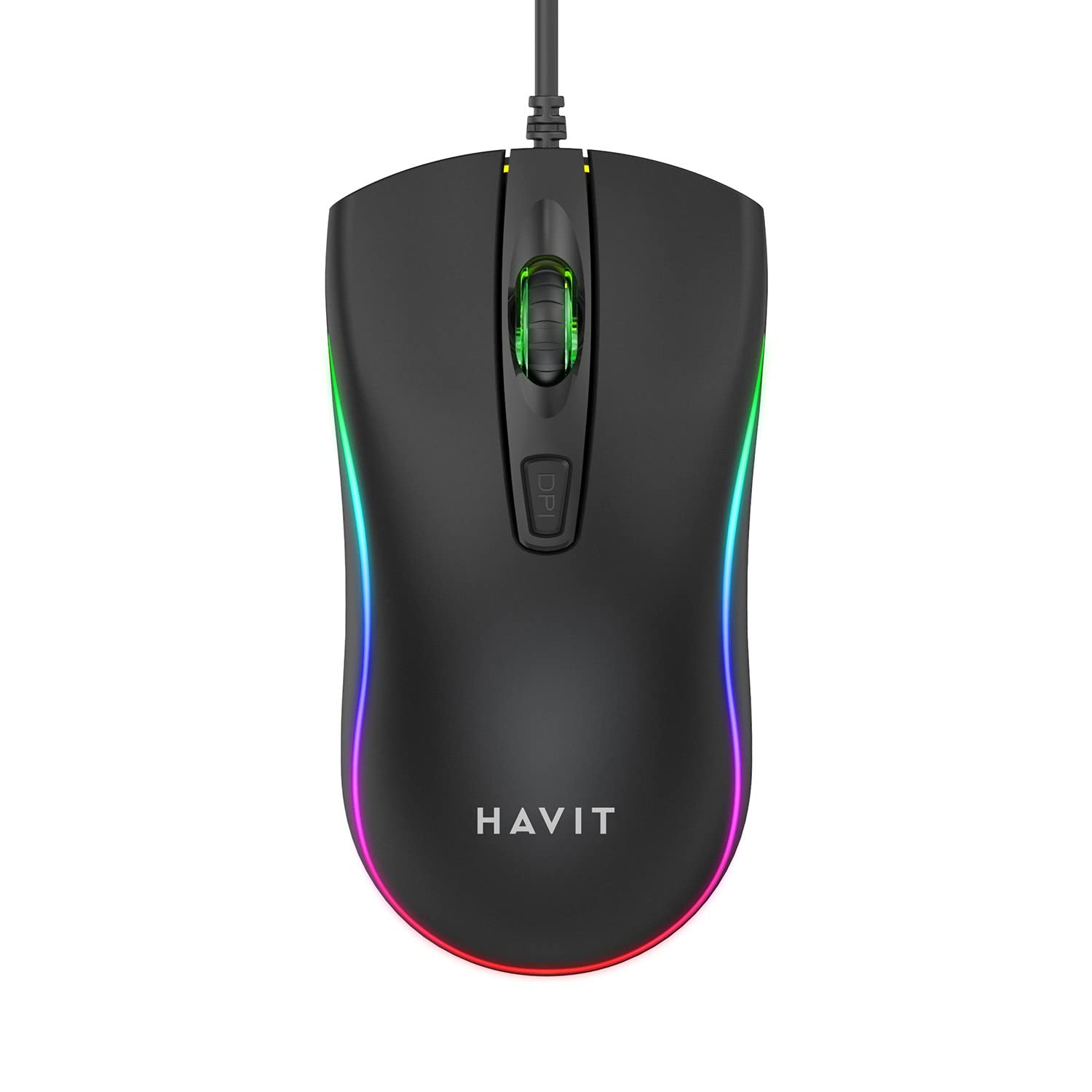
Image: The havit MS72 Gaming Mouse with its USB cable connected, showcasing its ergonomic design and RGB lighting.
Operating Instructions
The havit MS72 Gaming Mouse is designed for intuitive use. Here are its primary functions:
- Left Click Button: Standard primary click function.
- Right Click Button: Standard secondary click function, typically for context menus.
- Scroll Wheel: Used for scrolling through documents and web pages. Can also function as a middle click button.
- DPI Adjustment Button: Located behind the scroll wheel. Press this button to cycle through the available DPI settings (800 DPI and 1200 DPI). The mouse's sensitivity will change with each press.
- Side Buttons (Forward/Backward): Typically located on the left side of the mouse. These buttons are commonly used for navigation (e.g., forward/backward in web browsers) or can be programmed for specific in-game actions.
- RGB Lighting: The mouse features integrated RGB lighting that cycles automatically. There are no user-adjustable controls for the lighting patterns or colors.
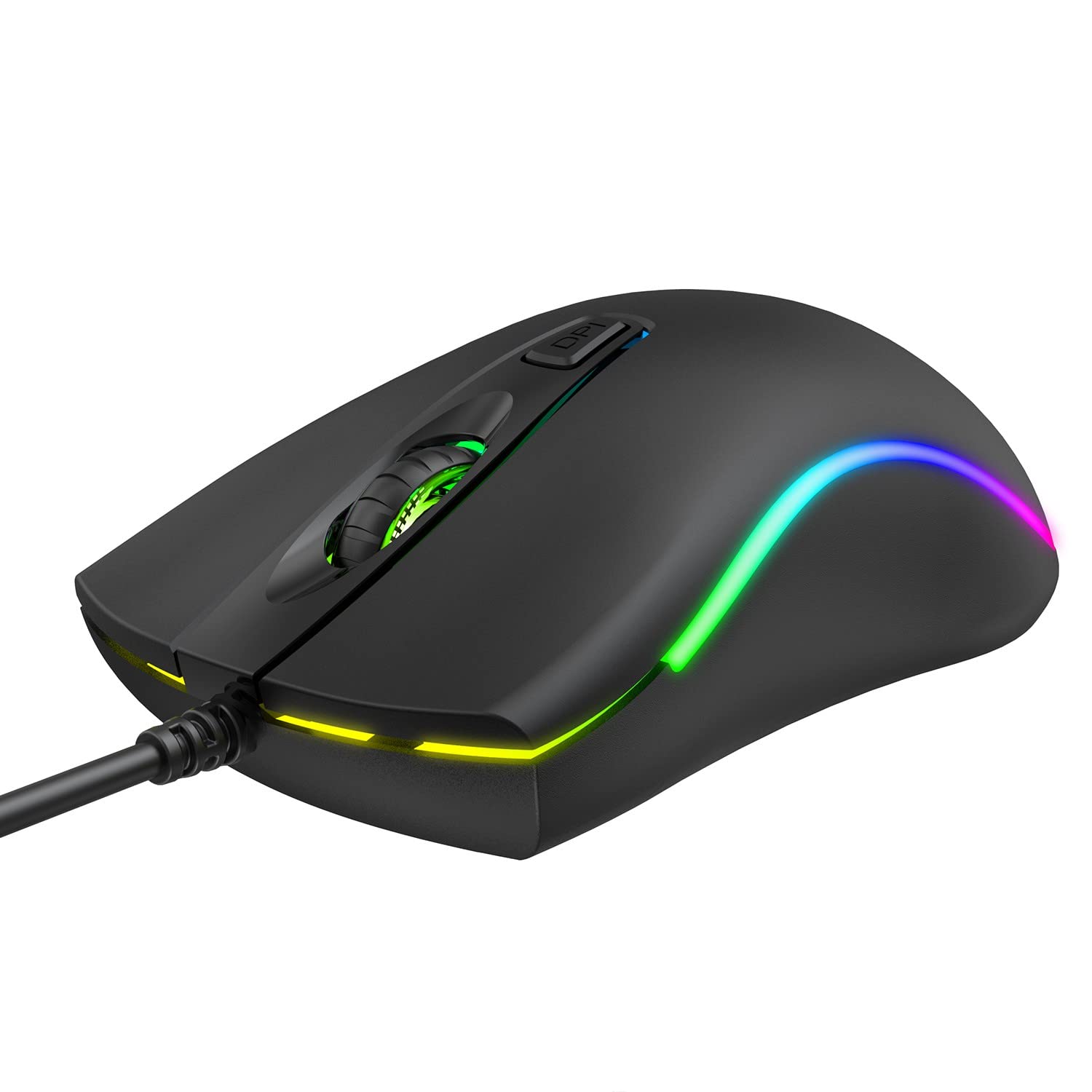
Image: Top view of the havit MS72 Gaming Mouse, highlighting the scroll wheel and the DPI adjustment button.

Image: Side view of the havit MS72 Gaming Mouse, illustrating the placement of the forward and backward side buttons.
Maintenance
Proper maintenance ensures the longevity and optimal performance of your gaming mouse:
- Cleaning: Use a soft, dry cloth to wipe the surface of the mouse. For stubborn dirt, slightly dampen the cloth with water or a mild cleaning solution. Avoid harsh chemicals or abrasive materials.
- Optical Sensor: Periodically clean the optical sensor on the underside of the mouse with a cotton swab to prevent tracking issues.
- Cable Care: Avoid sharply bending or twisting the USB cable. Store the mouse in a way that prevents stress on the cable connection.
- Storage: When not in use for extended periods, store the mouse in a clean, dry environment away from direct sunlight and extreme temperatures.
Troubleshooting
If you encounter issues with your havit MS72 Gaming Mouse, refer to the following common solutions:
| Problem | Possible Cause | Solution |
|---|---|---|
| Mouse not responding | Loose USB connection, faulty USB port, driver issue. |
|
| Cursor movement is erratic or jumpy | Dirty optical sensor, unsuitable mouse pad surface. |
|
| DPI button not changing sensitivity | Software conflict, button malfunction. |
|
| RGB lighting not working | Power issue, internal fault. |
|
Specifications
| Brand | havit |
| Model | MS72 |
| Connectivity Technology | USB (Wired) |
| Movement Detection Technology | Optical |
| DPI Settings | 800-1200 DPI (Two gears) |
| Hand Orientation | Ambidextrous |
| Special Features | Ergonomic Design, Anti-Slipping Surface, RGB Light |
| Compatible Operating Systems | Linux, Windows 7, Windows XP, macOS |
| Hardware Platform | Laptop, Personal Computer |
| Product Dimensions (LxWxH) | 11.4 x 6 x 3.8 cm |
| Item Weight | 150 g |
Warranty and Support
The havit MS72 Wired USB Gaming Mouse comes with a standard manufacturer's warranty. Please refer to the warranty card included with your product for specific terms and conditions.
For technical support, warranty claims, or any product-related inquiries, please contact the importer/manufacturer directly:
- Importer: Origin Marketing Private Limited
- Address: 121 Raj Ratna Industrial Estate, Liberty Garden, Malad West, Mumbai 400064
- Phone: 022 40224087
- Email: service@originmarketing.in
When contacting support, please have your product model (MS72) and purchase details readily available.


