
1. Important Safety Instructions
Please read all instructions carefully before installation and use. Retain this manual for future reference. Failure to follow these instructions may result in electric shock, fire, or other hazards.
- WARNING: Risk of electric shock. Disconnect power at the fuse or circuit breaker before installation or servicing.
- Installation must be performed by a qualified electrician in accordance with national and local electrical codes.
- Ensure the product is suitable for the intended application.
- Do not use with dimmers unless explicitly stated in the wiring diagrams.
- This emergency driver is UL Listed, ensuring compliance with safety standards for commercial environments.
- Do not attempt to open or modify the unit. There are no user-serviceable parts inside.
2. Product Overview
The LEONLITE 4W LED Emergency Driver is designed to provide backup power to compatible LED fixtures during power outages. It features a rechargeable battery that ensures continuous illumination for at least 90 minutes after a power interruption, once fully charged for 24 hours. This driver is suitable for commercial applications such as offices, schools, and hospitals.
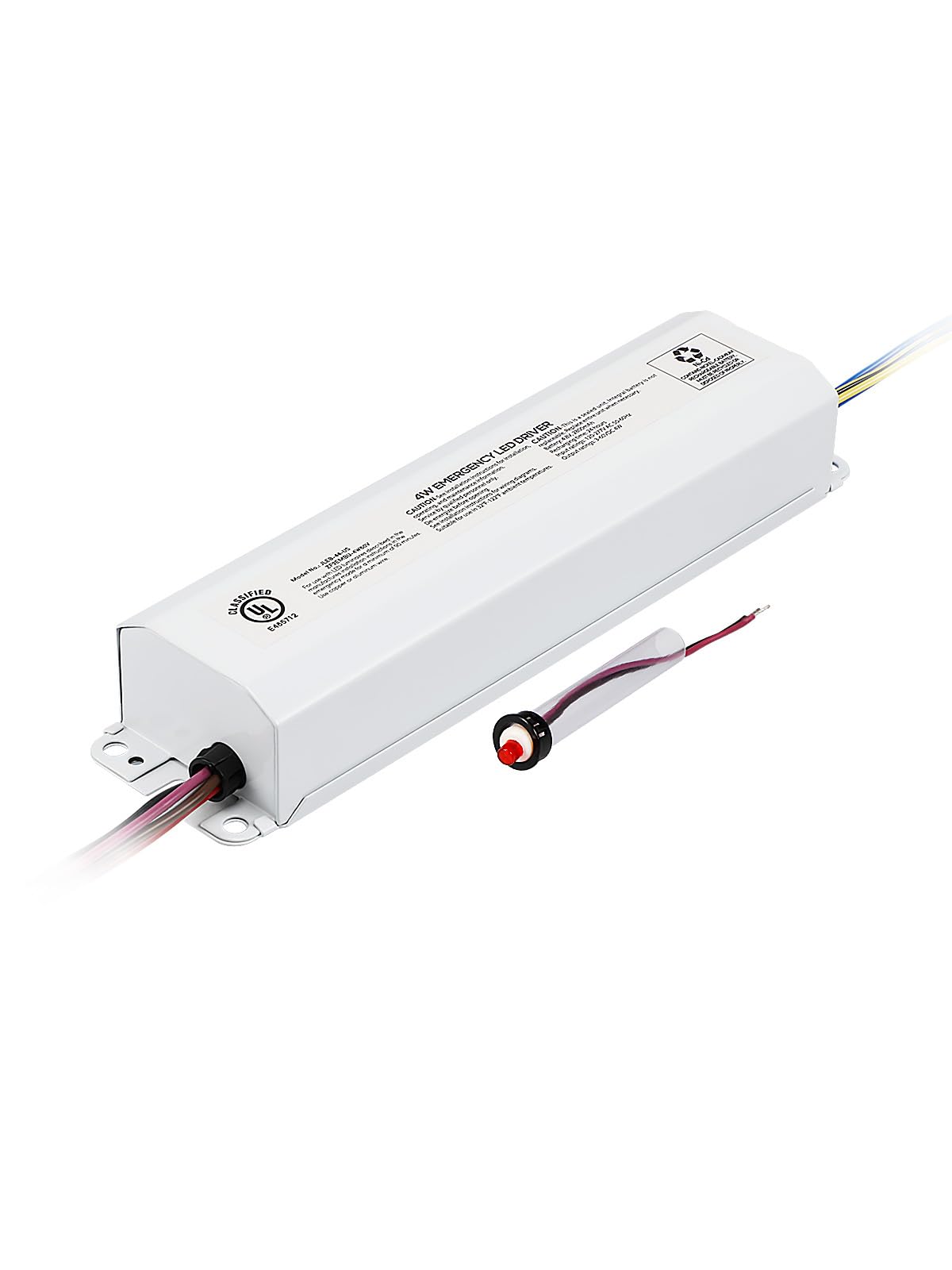
Image 2.1: The LEONLITE 4W LED Emergency Driver.
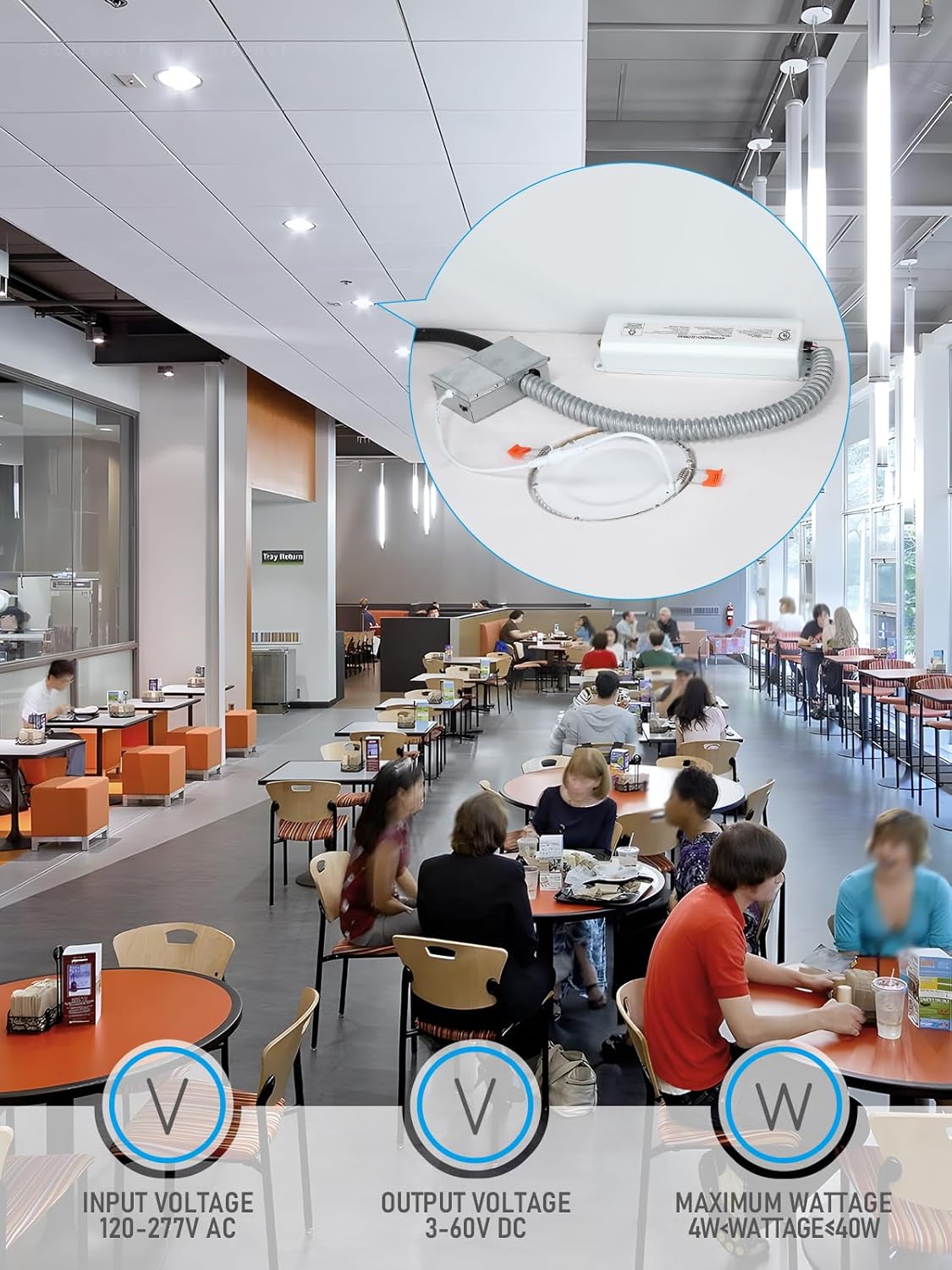
Image 2.2: Application example of the emergency driver in a commercial setting, highlighting input voltage (120-277V AC), output voltage (3-60V DC), and maximum wattage (4W < Wattage ≤ 40W).

Image 2.3: The emergency driver installed in an office environment, emphasizing its UL Listed certification, 2-year warranty, and suitability for damp locations.
3. Package Contents
Verify that all components are present before beginning installation:
- LEONLITE 4W LED Emergency Driver Unit
- Test Switch with Indicator Light
- Wire Nuts
- Mounting Screws
- Cable Gland/Strain Relief

Image 3.1: All items included in the product package.
4. Specifications
| Brand | LEONLITE |
| Model Number | 90414 |
| Wattage | 4 Watts |
| Input Voltage | 120V-277V AC |
| Output Voltage | 3-60V DC |
| Maximum Fixture Wattage | 4W - 40W |
| Emergency Duration | 90 minutes (after 24 hours charging) |
| Certifications | UL Listed |
| Dimensions (L x W x H) | 9.37 x 2.36 x 1.46 inches (238 x 60 x 37.2 mm) |
| Material | Metal (Housing) |

Image 4.1: Detailed dimensions of the emergency driver unit.
5. Installation Instructions
This emergency driver is designed for easy integration with compatible LED fixtures (4W-40W), including recessed downlights, panel lights, and troffer lights with external drivers. It is not compatible with T8 Tube lamps with internal drivers.
5.1 Pre-Installation
- IMPORTANT: Ensure power is OFF at the circuit breaker before starting any installation work.
- Verify that the LED fixture you intend to use is compatible with the emergency driver's specifications.
- The emergency driver requires sufficient space for mounting inside the lamp body or in the ceiling.

Image 5.1: The emergency driver connected to a recessed light, illustrating the ease of installation without requiring fixture disassembly.
5.2 Wiring Diagrams
Refer to the following diagrams for correct wiring based on your LED driver type. Always ensure secure connections using wire nuts.

Image 5.2: Comprehensive wiring diagrams for various LED driver configurations: non-dimmable, 0-10V dimmable, and Triac dimmable. Follow the color-coded connections carefully.
5.3 Installation Steps (General)
- Turn off power to the fixture at the circuit breaker.
- Mount the emergency driver unit securely within the fixture housing or an accessible junction box.
- Connect the AC input wires (Black and White) from the emergency driver to the unswitched AC power supply (120-277V AC).
- Connect the output wires (Red and White) from the emergency driver to the LED load (fixture).
- Connect the LED driver's output to the LED load as per the specific wiring diagram (Image 5.2).
- Install the test switch and indicator light in an accessible location. Connect its wires (Violet and Brown) to the corresponding wires from the emergency driver.
- Ensure all connections are tight and properly insulated.
- Restore power and test the emergency function.
5.4 Installation Video Guide
Watch this video for a visual guide on installing the LED Emergency Driver:
Video 5.1: A detailed video demonstrating the wiring and installation process for the LED Emergency Driver.
6. Operation
6.1 Initial Charging
Upon initial installation, allow the emergency driver to charge for at least 24 hours to ensure the backup battery is fully charged. This will enable the unit to provide its full 90-minute emergency duration.
6.2 Emergency Mode
When AC power to the fixture is interrupted, the emergency driver will automatically switch to emergency mode, providing 4W of illumination to the connected LED fixture for a minimum of 90 minutes.
6.3 Test Switch
The included test switch allows for manual testing of the emergency function. Pressing the test button will simulate a power outage, activating the emergency mode. The indicator light on the test switch will illuminate when the unit is in emergency mode or charging.
Video 6.1: A brief overview of the 4W LED Emergency Driver's features, including its 90-minute illumination capability and application in various settings.
7. Maintenance
Regular maintenance ensures optimal performance and longevity of your emergency driver.
- Monthly Test: Conduct a monthly test by pressing the test switch for 30 seconds to ensure the emergency light activates.
- Annual Test: Perform an annual 90-minute discharge test. Disconnect AC power to the unit and allow it to operate in emergency mode for 90 minutes. The fixture should remain illuminated for the entire duration. Reconnect AC power and allow 24 hours for recharging.
- Cleaning: Keep the unit clean and free from dust. Use a dry, soft cloth for cleaning.
- Battery Replacement: The internal battery is designed for a long lifespan. If the unit fails to meet the 90-minute discharge test after a full 24-hour charge, the battery may need replacement. Contact customer support for assistance.
8. Troubleshooting
| Problem | Possible Cause | Solution |
|---|---|---|
| Emergency light does not turn on during power outage. | Battery not charged; Incorrect wiring; Faulty unit. | Allow 24 hours for initial charge. Check all wiring connections against diagrams. If problem persists, contact customer support. |
| Emergency light flickers or does not light during emergency. | Incompatible LED fixture/driver; Low battery charge. | Ensure the connected LED fixture is within the 4W-40W range and compatible. Allow 24 hours for battery to fully charge. |
| Indicator light is off. | No AC power; Faulty indicator light; Battery fully discharged. | Check AC power supply. Ensure test switch is properly connected. Allow unit to charge. |
9. Warranty and Support
This LEONLITE 4W LED Emergency Driver comes with a 2-year warranty from the date of purchase, covering defects in materials and workmanship. This warranty protects your rights and benefits as a customer.
For technical support, warranty claims, or any questions regarding the product, please contact LEONLITE customer service through the retailer where the product was purchased or visit the official LEONLITE website for contact information.
Please have your model number (90414) and purchase date available when contacting support.