
1. Product Overview
The ZEAPON Micro 2 M800 Series is an advanced double distance camera slider, offering an extended travel distance of up to 94cm. This design provides filmmakers with enhanced flexibility for various shooting scenarios. Building upon the strengths of its predecessors, the Micro 2 M800 features a compact and portable design, complemented by ultra-smooth damping and quiet step motor technology for precise and silent operation.
Key Features:
- Product length: 53cm, total travel distance: 94cm, wheel distance: 50cm.
- Horizontal Payload: 8KG.
- Weight capacity in other inclined Angles: 3.5KG.
- EasyLock button for convenient portability.
- Innovative dust scraper for smooth sliding.
- Fluid damping pulleys with fiber-reinforced rubber belt for smooth, quiet, and stable movement.
- Versatile shooting angles: Filming on a Desk, Ground-level Filming, Filming on Tripod/Monopod.
2. Package Contents
Upon unboxing your ZEAPON Micro 2 M800 Double Distance Camera Slider, please ensure all the following items are present:
- Micro 2 M800 Double Distance Slider (1 unit)
- Micro 2 M800 User Manual (1 copy)
- Warranty Card (1 card)
- Carrying Case (1 case)
- 1/4"-3/8" screw (1 screw)
- Hexagon Wrench (1 wrench)
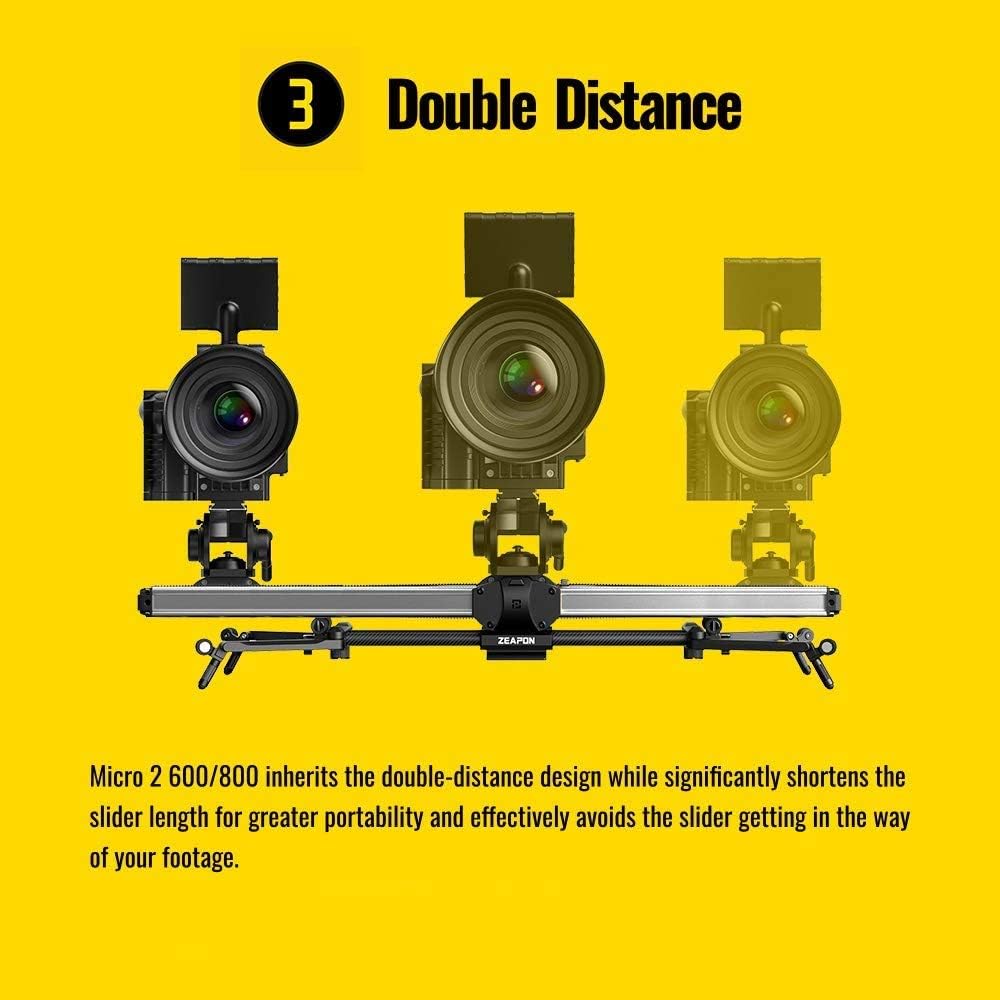
Figure 2.1: The ZEAPON Micro 2 M800 Double Distance Camera Slider neatly packed in its dedicated carrying case.
Video 2.1: An unboxing video demonstrating the contents of a similar ZEAPON Micro3 camera slider package, including the slider unit, accessories, and carrying case.
3. Setup Instructions
3.1 Attaching Tripod Support Rods
For enhanced stability, especially with heavier camera setups or when extending the slider, utilize the included tripod support rods. These rods can be clamped onto your tripod legs and connected to the slider's mounting points to create a four-point support structure.

Figure 3.1: The slider shown with tripod support rods attached for increased stability during operation.
3.2 Mounting Camera and Pan/Tilt Head
The slider features a universal 1/4"-3/8" screw for attaching your camera directly or a pan/tilt head. Ensure the camera or head is securely fastened to the slider's carriage.

Figure 3.2: A camera and pan/tilt head mounted on the ZEAPON Micro 2 M800 slider, ready for use.
3.3 Powering the Slider
The Micro 2 M800 slider can be powered using an NP-F series battery or via its USB-C port for continuous power during extended shoots. Insert the battery into the designated slot or connect a USB-C power source.

Figure 3.3: The battery compartment of the slider, designed for NP-F series batteries.
Video 3.1: A hands-on and setup guide for a similar ZEAPON Micro3 slider, demonstrating assembly and initial configuration.
4. Operating the Slider
4.1 Manual Control
The slider features an integrated control panel with a small screen and a dial for direct adjustments. You can manually set A/B points, control the speed, and navigate through menu options directly from the unit.
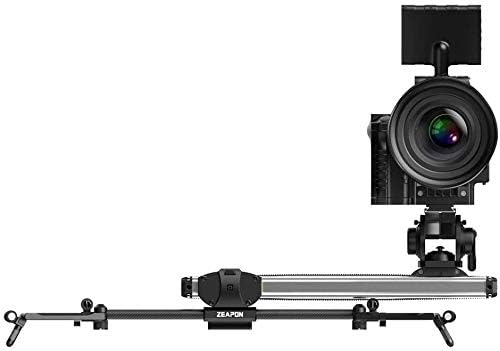
Figure 4.1: The slider's control panel, showing the screen, dial, and buttons for manual operation.
4.2 App Control
For more advanced control and precise movements, download the dedicated ZEAPON smartphone application. The app allows you to set complex motion paths, adjust speeds, and manage various settings remotely.
Video 4.1: Demonstration of various camera slider use methods, including app control for precise motion and time-lapse functions.
5. Maintenance
To ensure the longevity and optimal performance of your ZEAPON Micro 2 M800 slider, regular maintenance is recommended:
- Cleaning: Regularly wipe down the rails and carriage with a soft, dry cloth to remove dust and debris. Avoid using harsh chemicals.
- Belt Tension: Periodically check the tension of the rubber belt. If it feels loose, use the provided Hexagon Wrench to adjust it according to the user manual.
- Storage: When not in use, store the slider in its dedicated carrying case to protect it from dust, moisture, and physical damage.
- Battery Care: If using NP-F batteries, ensure they are charged and stored properly. Remove batteries during long periods of inactivity.
6. Troubleshooting
If you encounter any issues with your ZEAPON Micro 2 M800 slider, please refer to the following common troubleshooting tips:
- Slider Not Moving: Check if the battery is charged and properly inserted, or if the USB-C power source is connected. Ensure the slider is powered on.
- Unstable Movement: Verify that the slider is placed on a stable surface or securely mounted on a tripod. Ensure all screws and clamps are tightened. If using tripod support rods, confirm they are correctly installed.
- Unresponsive Controls: If using the app, ensure Bluetooth is enabled on your device and the slider is properly connected. For manual controls, check if the buttons are functioning correctly and the screen is responsive.
- Unusual Noise: Inspect the rails and belt for any obstructions or damage. Ensure the belt tension is appropriate.
If the problem persists, please consult the full user manual or contact customer support.
7. Specifications
| Feature | Value |
|---|---|
| Product Length | 53 cm |
| Total Travel Distance | 94 cm |
| Wheel Distance | 50 cm |
| Horizontal Payload | 8 KG |
| Inclined Payload | 3.5 KG |
| Package Dimensions | 23.7 x 6.4 x 5.5 inches |
| Item Weight | 7.7 pounds (3.5 Kilograms) |
| ASIN | B08DR42535 |
| Date First Available | July 28, 2020 |
| Manufacturer | Zeapon |
| Color | Black |
| Brand | ZEAPON |
| Compatible Devices | Camera |
| UPC | 712350115531 |
8. Warranty and Support
Your ZEAPON Micro 2 M800 Double Distance Camera Slider comes with a Warranty Card. Please retain this card and your proof of purchase for any warranty claims.
For technical support, service, or additional information, please visit the official ZEAPON website or contact their customer service department. Contact details can typically be found in the included user manual or on the manufacturer's website.


