
1. Introduction to FortiGuard Advanced Threat Protection
FortiGuard Advanced Threat Protection (ATP) is a comprehensive cybersecurity service designed to safeguard your network from evolving threats. This service integrates seamlessly with Fortinet FortiGate firewalls, providing real-time threat intelligence, AI-powered security, and automated protection against malware, ransomware, phishing, and unauthorized intrusions.
Powered by FortiGuard Labs, this service leverages AI-driven threat intelligence to detect and neutralize emerging cyber threats before they impact your business operations. It ensures optimized performance and hassle-free deployment, making it suitable for businesses of all sizes.
2. Key Features and Components
The FortiGuard Advanced Threat Protection bundle offers a robust set of security services to protect your network infrastructure. Key features include:
- Intrusion Prevention System (IPS): Protects against network-based exploits and vulnerabilities.
- Anti-Malware (Antivirus + Cloud-based Sandbox): Detects and blocks known and unknown malware, including zero-day threats, through signature-based detection and behavioral analysis in a secure sandbox environment.
- Application Control: Provides granular control over network applications, allowing administrators to manage and restrict application usage.
- FortiCare Premium Support: Offers 24x7x365 support via phone, chat, and web, with one-hour response times for critical inquiries.
- Web Filtering: Prevents access to malicious websites, blocks phishing attempts, and enforces security policies.
- Digital Download: The service is provided as a digital license for activation.
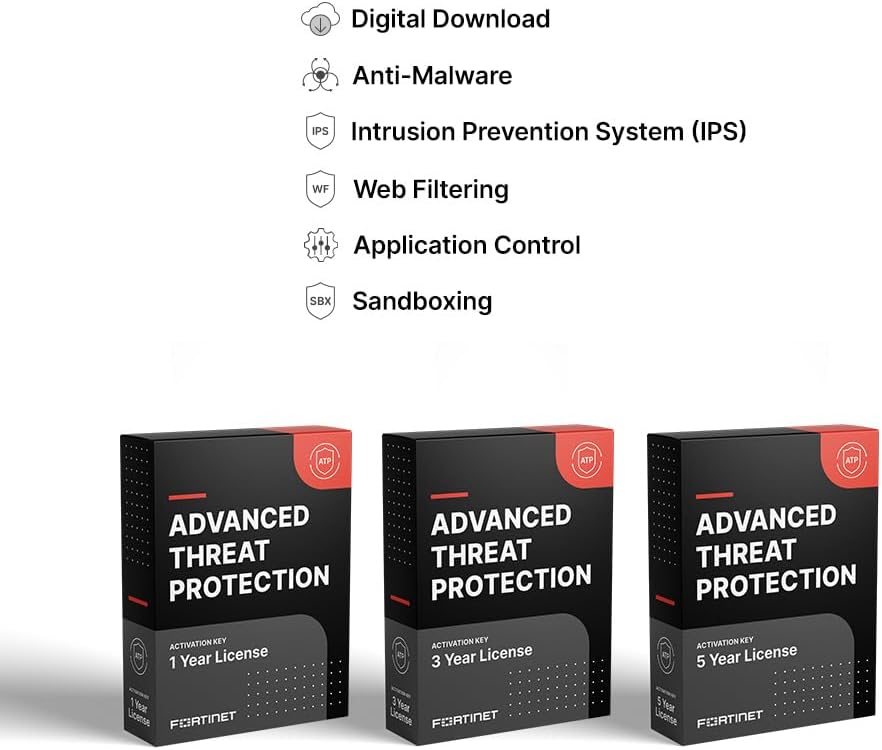
Figure 2.1: Visual representation of key FortiGuard Advanced Threat Protection features including Anti-Malware, IPS, Web Filtering, Application Control, and Sandboxing.

Figure 2.2: The FortiGuard Security Services pyramid illustrating layers of protection from vulnerability/exploit (IPS) to data loss prevention (DLP), covering malware, ransomware, web security, and inline malware prevention.
3. Setup and Activation
The FortiGuard Advanced Threat Protection service is a digital license. Activation typically involves associating the license with your FortiGate-100F device through the Fortinet support portal or your FortiManager/FortiCloud account.
3.1. License Purchase and Delivery
Upon purchase, you will receive an activation key or license certificate. This key is essential for activating your service.

Figure 3.1: The product packaging for the FortiGuard Advanced Threat Protection 1 Year License, indicating it is an activation key.
3.2. Activation Steps
- Locate Your Activation Key: This will be provided digitally or on a physical card/certificate.
- Access Fortinet Support Portal: Go to support.fortinet.com and log in with your FortiCloud account. If you do not have an account, you will need to register.
- Register Your Product: Navigate to the "Product Registration" section.
- Enter Activation Code: Input your unique activation key.
- Associate with FortiGate: Select or register your FortiGate-100F device to associate the ATP service with it.
- Confirm Activation: Follow the on-screen prompts to complete the activation. The services will then be enabled on your FortiGate device.
For detailed instructions, refer to the official Fortinet documentation available on their support portal.
4. Operating Principles and Service Integration
Once activated, FortiGuard Advanced Threat Protection services operate continuously in conjunction with your FortiGate-100F firewall. The services leverage FortiGuard Labs' global threat intelligence to provide real-time updates and protection.
4.1. Threat Protection Workflow
The ATP bundle provides AI-powered protection against network- and file-based threats. This includes:
- Intrusion Prevention: Monitors network traffic for malicious activity and blocks known attack patterns.
- Anti-Malware: Scans files and traffic for viruses, ransomware, and other malicious software. Cloud-based sandboxing provides an isolated environment to analyze suspicious files.
- Application Control: Identifies and manages applications running on your network, allowing for policy enforcement.
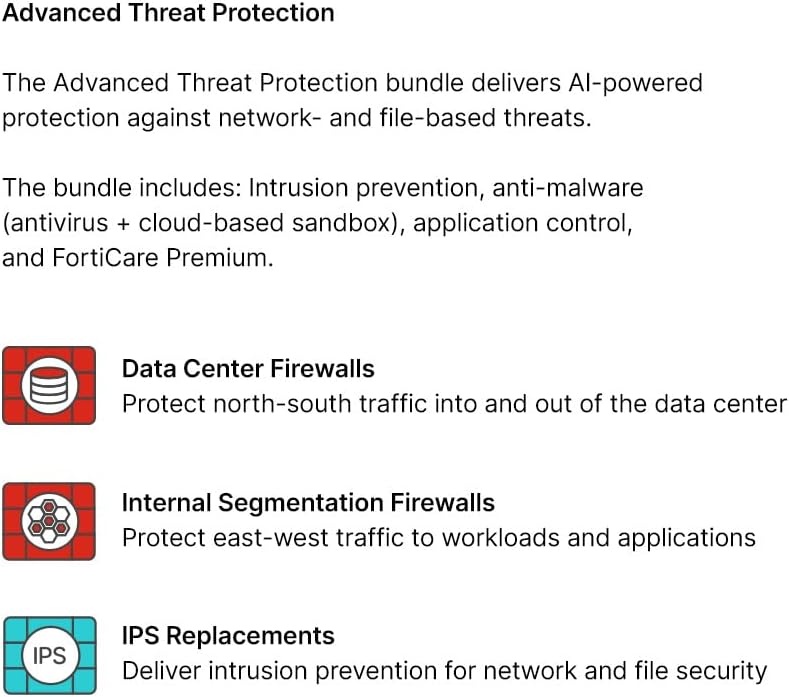
Figure 4.1: The core components of the Advanced Threat Protection bundle, including Intrusion Prevention System (IPS), Anti-Malware, and Application Control, designed to protect various network segments.
4.2. Protection Tiers
FortiGuard services are structured in tiers, with Advanced Threat Protection forming the foundational layer for network and file security. Higher tiers like Unified Threat Protection and Enterprise Protection build upon this foundation, adding web/DNS security and SaaS/data security respectively.

Figure 4.2: A diagram illustrating the layered approach of FortiGuard protection, starting with Advanced Threat Protection (Network & File Security), moving to Unified Threat Protection (Web/DNS Security), and culminating in Enterprise Protection (SaaS & Data Security), all underpinned by FortiCare Premium.
5. Maintenance and Updates
FortiGuard services are designed for continuous, automated updates to ensure your FortiGate-100F remains protected against the latest threats. These updates are managed by FortiGuard Labs and delivered directly to your device.
5.1. Automated Security Updates
The ATP service automatically receives updates for IPS signatures, anti-malware definitions, and application control databases. This ensures your defenses are always current without requiring manual intervention.
5.2. FortiOS Firmware Updates
While FortiGuard services update automatically, it is important to keep your FortiGate-100F's FortiOS firmware up to date. Firmware updates often include security patches and performance enhancements. You can manage firmware updates through your FortiGate's administrative interface or the Fortinet Support Portal.
6. Troubleshooting Common Issues
If you encounter issues with your FortiGuard Advanced Threat Protection service, consider the following troubleshooting steps:
- Verify License Status: Ensure your ATP license is active and correctly associated with your FortiGate-100F. Check the license status on the Fortinet Support Portal.
- Check FortiGate Connectivity: Confirm that your FortiGate-100F has stable internet connectivity to reach FortiGuard update servers.
- Review FortiGate Logs: Access your FortiGate's system and security logs for any error messages related to FortiGuard services or updates.
- Consult Fortinet Documentation: The Fortinet Support Portal hosts extensive documentation, including troubleshooting guides for FortiGuard services and FortiOS.
- Contact FortiCare Support: If issues persist, leverage your FortiCare Premium support for direct assistance.
7. Specifications and Service Details
This section outlines the key specifications and service details for the FortiGuard Advanced Threat Protection bundle for FortiGate-100F.
7.1. Product Identification
- Product Name: FortiGuard Advanced Threat Protection
- Service Model: FC-10-F100F-928-02-12 (1 Year License for FortiGate-100F)
- Compatible Device: FortiGate-100F Firewall
- Manufacturer: Fortinet
- UPC: 739420419504
7.2. Service Offerings Overview
The FortiGuard Advanced Threat Protection bundle includes a specific set of security services. For a comprehensive overview of all FortiGuard Security Services and their availability across different bundles (A-la-carte, Enterprise Protection, Unified Threat Protection, and Advanced Threat Protection), refer to the detailed subscriptions table provided by Fortinet.

Figure 7.1: A detailed table outlining various FortiGuard Security Services, including IPS, Anti-Malware, Application Control, and FortiCare Premium, and their inclusion in different protection bundles.
8. Support and Warranty
Your FortiGuard Advanced Threat Protection service includes FortiCare Premium Support, ensuring you have access to expert assistance whenever needed.
8.1. FortiCare Premium Support
FortiCare Premium provides 24x7x365 support through multiple channels:
- Phone Support: Available around the clock.
- Chat Support: Real-time assistance.
- Web Support: Access to the Fortinet Support Portal for knowledge base, forums, and ticket submission.
Response times for critical issues (Priority 1 and Priority 2 inquiries) are typically within one hour. FortiCare Premium also includes firmware upgrades and access to the Asset Management Portal.

Figure 8.1: A comparison table detailing the differences between FortiCare Premium and FortiCare Elite support services, highlighting response times, support channels, and additional features like RMA support.
8.2. Warranty Information
As a software service, the "warranty" typically refers to the duration of the license and the continuous provision of updates and support as per the service agreement. This specific product is a 1-year license for Advanced Threat Protection.
For full terms and conditions regarding your FortiGuard service and FortiCare support, please refer to the official Fortinet End User License Agreement (EULA) and service descriptions available on the Fortinet website.