Introduction
Thank you for choosing the X-Sense Wireless Doorbell. This manual provides essential information for the proper installation, operation, and maintenance of your new doorbell system. Please read this manual thoroughly before use and retain it for future reference.
The X-Sense Wireless Doorbell offers an ultra-long wireless range, a wide selection of melodies, and adjustable volume levels, ensuring you never miss a visitor. Its durable, waterproof design and memory function provide reliable performance in various environments.
Product Overview and Components
The X-Sense Wireless Doorbell system typically includes the following components:
- 1 x Wireless Doorbell Receiver (Plug-in unit)
- 1 x Wireless Doorbell Transmitter (Push button unit)
- Mounting Accessories (Screws, wall anchors, double-sided adhesive tape)
- User Manual

Image: The X-Sense Wireless Doorbell set, showing the receiver and the push button transmitter.

Image: Contents of the X-Sense Wireless Doorbell kit, including the receiver, transmitter, user manual, and mounting hardware.
Setup and Installation
Follow these steps to set up your X-Sense Wireless Doorbell:
- Prepare the Transmitter:
Before installation, ensure the insulating film behind the battery in the transmitter is removed. This activates the battery for operation.

Image: Step-by-step guide showing how to remove the insulating film from the battery compartment of the doorbell transmitter.
- Install the Transmitter (Push Button):
The transmitter can be mounted using either the included screws or the double-sided adhesive tape.
- Using Screws: Mark the desired mounting location. Drill pilot holes, insert wall anchors if necessary, and secure the transmitter base with the provided screws. Attach the transmitter to the base.
- Using Adhesive Tape: Clean the mounting surface thoroughly. Peel off one side of the protective film from the double-sided adhesive tape and apply it firmly to the back of the transmitter. Peel off the other side and press the transmitter firmly onto the desired clean, dry surface for at least 30 seconds.
Choose a location that is easily accessible for visitors and protected from direct heavy rain, although the unit is IP55 waterproof.
- Install the Receiver:
Plug the receiver into a standard electrical outlet indoors. Ensure it is within the wireless range of the transmitter. For optimal range, avoid placing it near large metal objects or thick walls.

Image: The doorbell transmitter is rated IP55 waterproof and operates in temperatures from -20°C to 60°C, suitable for various weather conditions.
Operating Instructions
Pairing the Transmitter and Receiver (If not pre-paired)
Your doorbell set should be pre-paired from the factory. If pairing is lost or you add new transmitters/receivers, follow these steps:
- Plug in the receiver.
- Press and hold the volume button on the receiver for 5 seconds until the LED indicator flashes rapidly. This indicates pairing mode.
- Immediately press the transmitter button. The receiver will chime, indicating successful pairing.
Changing Melodies
The doorbell offers 56 different melodies. To change the melody:
- Press the "Melody Selection" button on the receiver to cycle through the available tunes.
- Once you find your desired melody, it will be automatically saved due to the memory function.

Image: The X-Sense doorbell receiver, highlighting its 56 melody options and the transmitter's 3-year battery life.
Adjusting Volume
There are 5 adjustable volume levels, with a maximum output of 115 dB. To adjust the volume:
- Press the "Volume" button on the receiver to cycle through the volume levels.
- The selected volume level will be saved automatically.
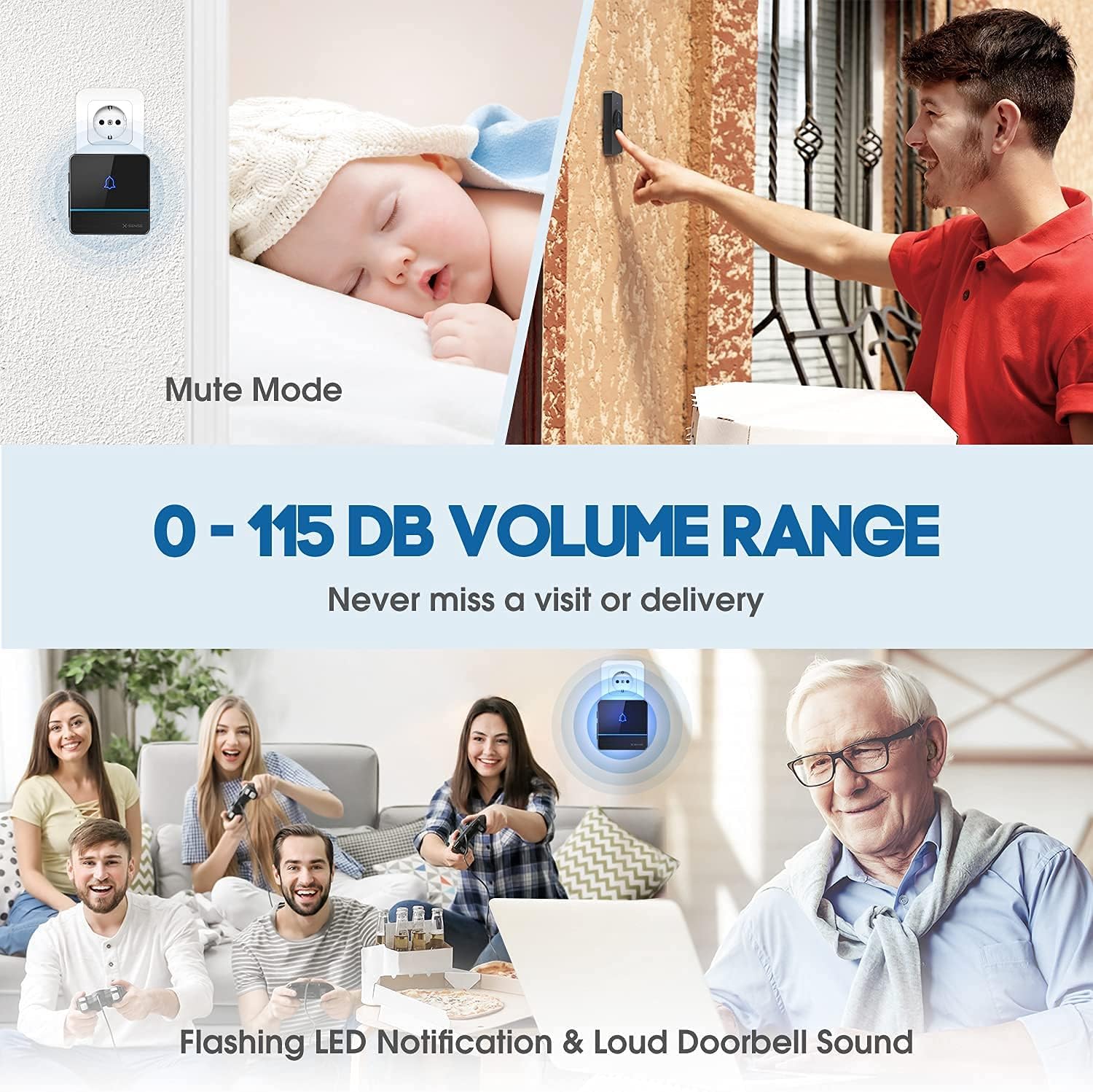
Image: The doorbell receiver showing mute mode and the 0-115 dB volume range, ensuring you never miss a visit.
Memory Function
The doorbell features an innovative memory function. Your last selected melody and volume level will be automatically saved, even after a power outage. You do not need to reconfigure settings.

Image: Illustration of the doorbell's memory function, showing how it retains the last set melody and volume level.
Wireless Range
The receiver features a relay function that can extend the wireless range up to 1000 meters (approximately 600m direct range, extendable). This strong signal penetration ensures improved signal stability and reliability, making sure you are always alerted to visitors.

Image: Diagram illustrating the ultra-long wireless range of the X-Sense doorbell, showing signal penetration through walls and extended range capabilities.
Maintenance
Battery Replacement (Transmitter)
The transmitter uses a replaceable CR2032 lithium metal battery, designed for a long lifespan of up to 3 years due to its extremely low power consumption.
- Carefully open the transmitter casing.
- Remove the old CR2032 battery.
- Insert a new CR2032 battery with the positive (+) side facing up.
- Close the casing securely.
Note: Dispose of old batteries responsibly according to local regulations.
Cleaning
To clean the doorbell units, wipe them with a soft, damp cloth. Do not use abrasive cleaners or solvents, as these may damage the surface.
Troubleshooting
| Problem | Possible Cause | Solution |
|---|---|---|
| Doorbell does not ring. |
|
|
| Short wireless range. |
|
|
| Volume is too low or too high. | Incorrect volume setting. | Adjust the volume using the volume button on the receiver. |
Specifications
| Feature | Detail |
|---|---|
| Model Number | RKB08JM6DZXT |
| Wireless Range | Up to 600m (extendable to 1000m with relay function) |
| Melodies | 56 selectable tunes |
| Volume Levels | 5 levels (0-115 dB) |
| Transmitter Battery | CR2032 Lithium Metal (included, 3-year lifespan) |
| Waterproof Rating (Transmitter) | IP55 |
| Operating Temperature | -20°C to 60°C (-4°F to 140°F) |
| Item Weight | 190 grams |
| Dimensions (Packaging) | 13.1 x 10.5 x 6.9 cm |
Warranty and Support
X-Sense products are designed for reliability and durability. For any questions, technical support, or warranty inquiries, please contact X-Sense customer service through the retailer's platform or the official X-Sense website.
Please retain your proof of purchase for warranty purposes.


