1. Introduction
Thank you for choosing the VSYSTO P6-4.0 Evolution Motorcycle Dash Cam. This device is designed to provide reliable video recording for your motorcycle, enhancing safety and providing evidence in case of incidents. It features front and rear cameras, a Sony IMX307 STARVIS sensor for superior low-light performance, 1080P Full HD recording, WiFi connectivity, GPS tracking, HDR/WDR image correction, and a G-sensor for automatic emergency recording. Please read this manual thoroughly before installation and operation to ensure proper use and optimal performance.
2. Product Overview
The VSYSTO P6-4.0 Evolution Dash Cam system includes a main unit with a 2-inch display, front and rear cameras, a wired remote control, a GPS module, and necessary power cables. The system is designed to be waterproof and durable for motorcycle use.
Key Features:
- Front & Rear 1080P Full HD Recording: Captures clear video from both directions.
- Sony IMX307 STARVIS Sensor: Provides excellent low-light night vision capabilities.
- 170° Ultra Wide Angle Lens: Offers a broad field of view to capture more of the road.
- HDR/WDR Function: Corrects overexposure and underexposure for balanced images in varying light conditions.
- 2-inch Display: Compact screen for real-time viewing and settings adjustment.
- WiFi Connectivity: Connects to a smartphone app for video review, sharing, and settings management.
- GPS Module: Records location, speed, and synchronizes time automatically.
- G-Sensor: Automatically triggers emergency recording upon impact.
- Wired Remote Control with Vibration Reminder: Allows manual recording/photo capture and alerts the rider if recording stops unexpectedly.
- Engine Linkage (Automatic Recording): Starts recording automatically when the engine is on.
- Loop Recording: Overwrites the oldest files when the SD card is full.
- Parking Monitoring: Records 30-second video clips if vibration or impact is detected while parked.
- Waterproof Design: All components are designed to withstand various weather conditions.
- High Temperature Protection: Utilizes a supercapacitor for enhanced durability and safety in extreme temperatures.
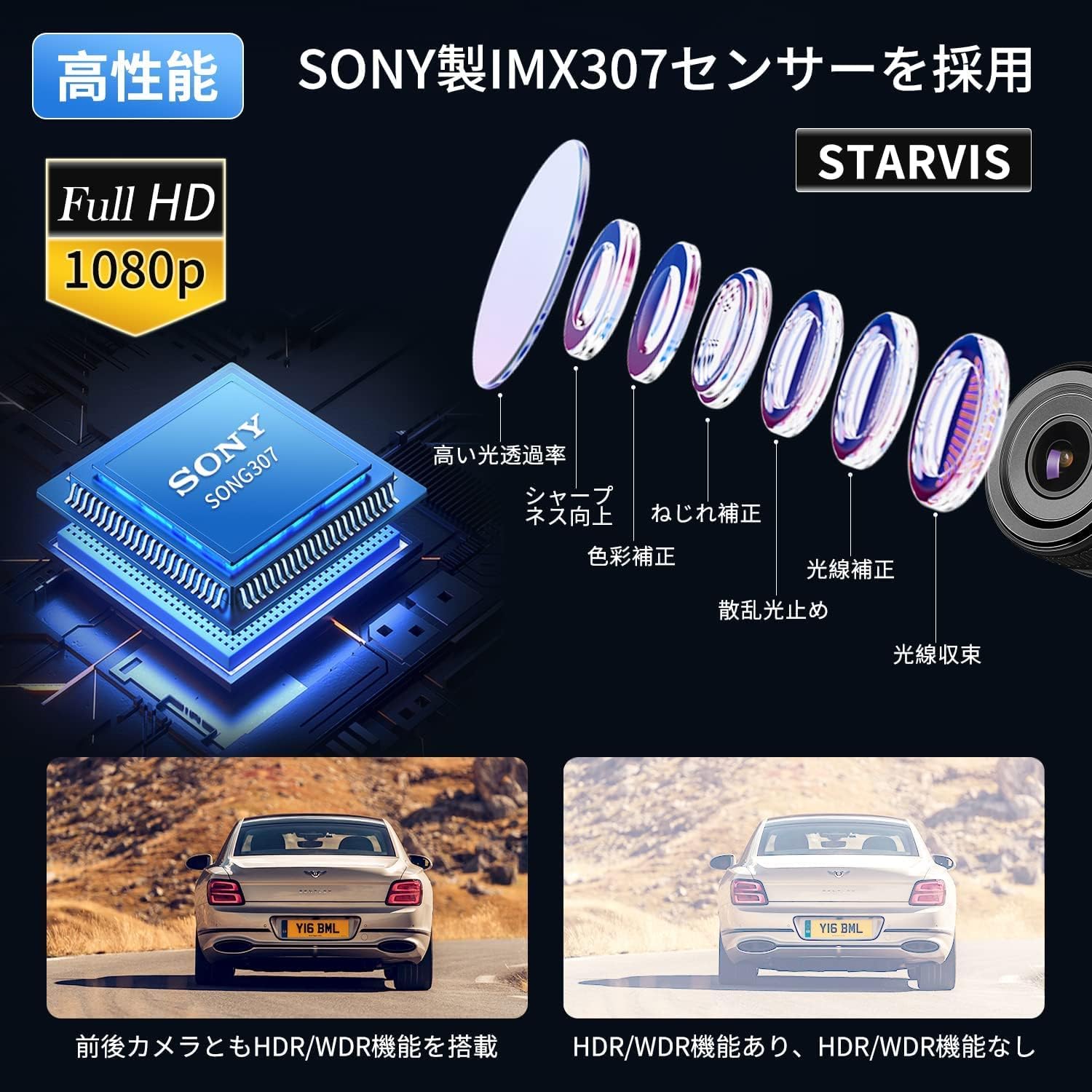
Figure 2.1: Main unit, cameras, and remote control.
3. Package Contents
Please check the package to ensure all items are present:
- Dash Cam Main Unit (with 2-inch display)
- Front Camera
- Rear Camera
- Wired Remote Control
- GPS Module
- Power Cable
- Camera Extension Cables
- Mounting Brackets and Adhesives
- User Manual (Japanese)
4. Installation Guide
Proper installation is crucial for the dash cam's performance and durability. It is recommended to have the installation performed by a professional if you are unsure.
4.1 Mounting the Main Unit
- Choose a secure, dry location for the main unit, such as under the seat or in a storage compartment, away from direct heat and moisture.
- Ensure the display is accessible for initial setup and occasional checks.
- Use the provided adhesive pads or brackets to secure the main unit.
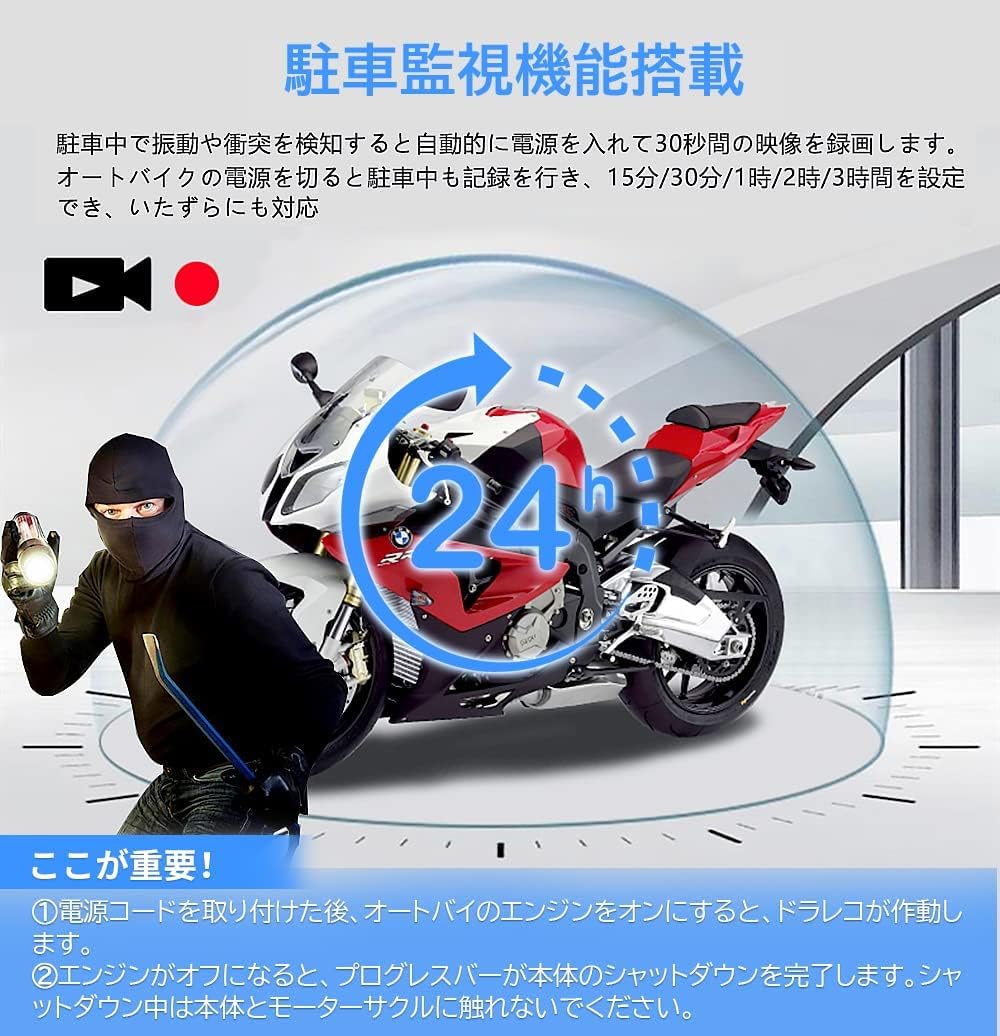
Figure 4.1: Main unit with cable connections.
4.2 Camera Installation
- Front Camera: Mount the front camera in a position that provides a clear, unobstructed view of the road ahead. Common locations include the front fairing or handlebar.
- Rear Camera: Mount the rear camera to capture the view behind your motorcycle. The license plate area or rear fender are typical mounting points.
- Ensure both cameras are securely attached and their lenses are clean.

Figure 4.2: Examples of camera mounting positions.
4.3 GPS Module Installation
- Mount the GPS module in a location with a clear view of the sky, free from metal obstructions that could interfere with the signal. The handlebar or dashboard are suitable.
- Connect the GPS module to the main unit.

Figure 4.3: GPS module placement.
4.4 Wired Remote Control Installation
- Mount the wired remote control in an easily accessible location on your handlebar.
- Ensure the buttons are within reach for quick operation.

Figure 4.4: Wired remote control.
4.5 Wiring
- Connect the front and rear cameras, GPS module, and wired remote control to the main unit using the provided cables.
- Connect the power cable to the main unit. The power cable typically has three wires: positive (red), negative (black), and ACC (yellow).
- Connect the red wire to the battery's positive terminal, the black wire to the battery's negative terminal or chassis ground, and the yellow ACC wire to a switched power source that turns on and off with the ignition.
- Route all cables neatly and securely, avoiding moving parts or heat sources. Use cable ties to prevent tangling.
5. Operating Instructions
5.1 Power On/Off and Automatic Recording
The dash cam is designed for engine linkage. When the ACC power is connected, the device will automatically power on and begin recording when your motorcycle engine starts. It will automatically power off and save recordings when the engine is turned off.
5.2 Inserting/Removing the SD Card
- Ensure the device is powered off before inserting or removing the SD card.
- Locate the SD card slot on the main unit.
- Insert the SD card with the contacts facing the correct direction until it clicks into place.
- To remove, gently push the SD card until it pops out.
5.3 Basic Recording Modes
- Loop Recording: The device continuously records video in segments (e.g., 1, 2, or 3 minutes). When the SD card is full, the oldest unlocked files are automatically overwritten.
- G-Sensor (Impact Recording): If the G-sensor detects a sudden impact or collision, it will automatically lock the current video segment, preventing it from being overwritten. The sensitivity of the G-sensor can be adjusted in the settings.
- Manual Recording: Press the designated button on the wired remote control to manually lock the current recording segment.
5.4 Wired Remote Control Functions
The wired remote control provides convenient access to key functions:
- Recording Status Indicator: An LED light on the remote indicates the recording status.
- Vibration Reminder: If the dash cam stops recording due to an SD card error or camera disconnection, the remote will vibrate continuously to alert you.
- Manual Video Lock: Short press a button to lock the current video file.
- Photo Capture: Long press a button to take a still photo.
Figure 5.1: Wired remote control functions.
6. Advanced Features
6.1 WiFi Connectivity and App Control
Connect your smartphone to the dash cam via WiFi to access advanced features:
- Download the dedicated VSYSTO app from your smartphone's app store (available for iOS and Android).
- Turn on the dash cam's WiFi function (refer to the main unit's menu settings).
- Connect your smartphone to the dash cam's WiFi network (SSID and password can be found in the dash cam's settings or manual).
- Use the app to view live footage, review recorded videos, download files to your phone, and adjust device settings.

Figure 6.1: Smartphone app interface for WiFi control.
6.2 GPS Functionality
The integrated GPS module provides valuable data:
- Time Synchronization: Automatically sets the correct date and time for your recordings.
- Location & Speed Data: Records your motorcycle's position and speed, which can be viewed using the dedicated PC viewer software along with the video footage.

Figure 6.2: GPS data displayed with video footage.
6.3 Parking Monitoring
When the motorcycle is parked and the ignition is off, the dash cam can enter parking monitoring mode. If the G-sensor detects vibration or impact, it will automatically power on and record a short video clip (e.g., 30 seconds) to capture potential incidents. This feature provides added security for your parked motorcycle.

Figure 6.3: Parking monitoring in action.
6.4 HDR/WDR and Night Vision
The dash cam utilizes HDR (High Dynamic Range) and WDR (Wide Dynamic Range) technology along with the Sony IMX307 STARVIS sensor to ensure clear video quality in challenging lighting conditions, such as bright daylight, tunnels, or low-light environments. This minimizes overexposed bright areas and underexposed dark areas.

Figure 6.4: Comparison of day and night recording quality.
7. Maintenance
7.1 SD Card Management
- Formatting: It is recommended to format the SD card regularly (e.g., once a month) to maintain optimal performance and prevent data corruption. This can usually be done through the dash cam's menu settings or via the smartphone app.
- Capacity: The device supports up to 256GB SD cards. Ensure you use a high-quality, high-speed (Class 10 or U3 recommended) SD card.
7.2 Cleaning
- Lenses: Regularly clean the camera lenses with a soft, lint-free cloth to ensure clear recordings. Avoid abrasive materials that could scratch the lenses.
- Main Unit: Wipe the main unit with a damp cloth. Do not use harsh chemicals.
8. Troubleshooting
If you encounter any issues, please refer to the following common problems and solutions:
| Problem | Possible Solution |
|---|---|
| Device does not power on. | Check power cable connections. Ensure the ACC wire is connected to a switched power source. Verify battery voltage. |
| No recording / Remote vibrates continuously. | Check if the SD card is inserted correctly and formatted. Ensure cameras are properly connected. The remote's vibration indicates a recording error. |
| Poor video quality. | Clean camera lenses. Ensure cameras are securely mounted and not vibrating excessively. Check resolution settings. |
| GPS signal not found. | Ensure the GPS module is mounted in an open area with a clear view of the sky. Avoid metal obstructions. |
| WiFi connection issues. | Ensure WiFi is enabled on the dash cam. Restart both the dash cam and your smartphone. Check WiFi password. |
| Files are being overwritten too quickly. | Adjust loop recording duration in settings. Reduce G-sensor sensitivity if too many files are being locked unnecessarily. Consider a larger capacity SD card. |
If the problem persists after trying these solutions, please contact VSYSTO customer support.
9. Specifications
| Feature | Detail |
|---|---|
| Screen Size | 2 inches |
| Compatible Devices | Smartphones |
| Color | P4.5-170° Wide Angle |
| Battery Included | Yes |
| Battery Usage | Yes |
| Manufacturer | VSYSTO |
| Included Components | GPS, Dash Cam Main Unit, Front & Rear Cameras, Wired Remote Control, Power Cable |
| Special Features | 170° Ultra Wide Angle, G-Sensor, S-ONY307 Camera, Motor Vibration, Parking Surveillance Recording |
| Connectivity Technology | Wi-Fi |
| Display Type | LCD |
| Mounting Type | Adhesive Mount |
| Product Dimensions | 6.8 x 6.8 x 2 cm |
| Item Weight | 1.17 kg |
| Video Capture Resolution | 1080p |
| Control Method | App |
10. Warranty and Support
This product comes with a 1-year warranty from the manufacturer. In the unlikely event of a defect or malfunction, please contact VSYSTO customer support for assistance.
Customer Support Email: support@vsysto.com
Please provide your product model and a detailed description of the issue when contacting support.