
1. Product Overview
The RYOBI EXPAND-IT RPH1100E is an 1100W electric power head designed as a core component of the RYOBI Expand-It multi-tool system. This power head allows users to connect various Expand-It attachments (sold separately) such as hedge trimmers, pole saws, and string trimmers, transforming a single power unit into a versatile garden maintenance system.
Key features include a powerful 1100W 240V motor, an ergonomic design for balanced and comfortable use, and overmolded rubber grips for enhanced handling. Its electric operation eliminates the need for gasoline, offering an easy-to-start and maintain solution for garden tasks.
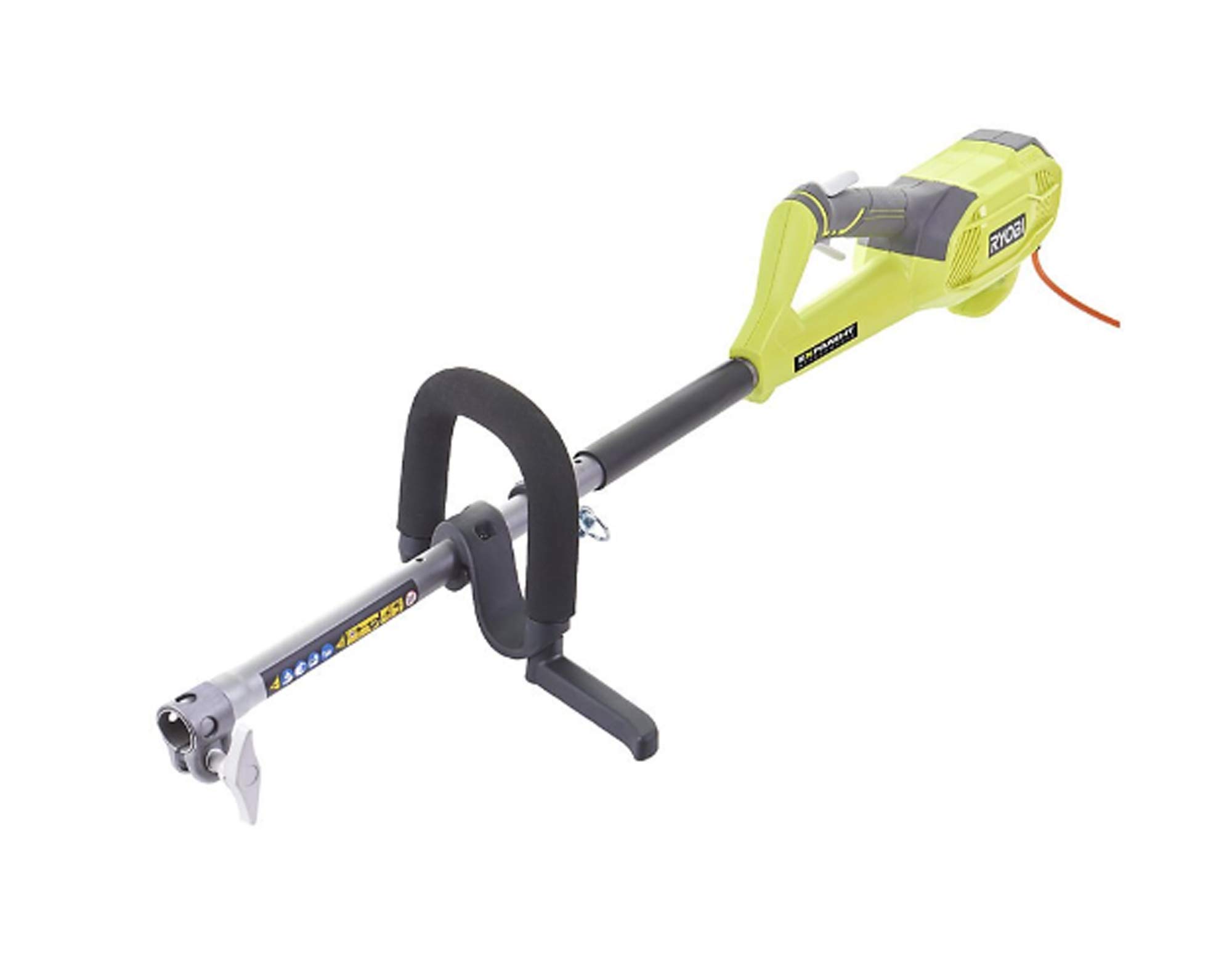
Figure 1: RYOBI EXPAND-IT 1100W Electric Power Head RPH1100E. This image shows the main power head unit, typically green and black, with its ergonomic handles and connection point for Expand-It attachments.
2. Safety Information
Always read and understand all safety warnings and instructions before operating this product. Failure to follow the warnings and instructions may result in electric shock, fire, and/or serious injury.
General Safety Warnings:
- Work Area Safety: Keep the work area clean and well-lit. Cluttered or dark areas invite accidents. Do not operate power tools in explosive atmospheres, such as in the presence of flammable liquids, gases, or dust.
- Electrical Safety: Avoid body contact with earthed or grounded surfaces. Do not expose power tools to rain or wet conditions. Water entering a power tool will increase the risk of electric shock.
- Personal Safety: Always wear eye protection and appropriate personal protective equipment (PPE) such as gloves, sturdy footwear, and hearing protection. Dress properly; avoid loose clothing or jewelry that can get caught in moving parts.
- Tool Use and Care: Do not force the power tool. Use the correct power tool for your application. Disconnect the plug from the power source before making any adjustments, changing accessories, or storing power tools.
- Maintenance: Have your power tool serviced by a qualified repair person using only identical replacement parts. This will ensure that the safety of the power tool is maintained.
3. Setup and Assembly
The RYOBI EXPAND-IT RPH1100E power head is designed for quick and easy attachment of Expand-It accessories using its tool-less mounting system.
Attaching an Expand-It Accessory:
- Ensure the power head is disconnected from the power supply.
- Align the shaft of the desired Expand-It accessory with the coupling on the power head.
- Push the accessory shaft into the power head coupling until it clicks into place.
- Tighten the coupling knob securely to prevent the accessory from detaching during operation.
- To remove, loosen the coupling knob and press the release button (if present) while pulling the accessory shaft out.
Note: Always refer to the specific instruction manual for each Expand-It accessory for detailed assembly and usage instructions.
4. Operation
Before operating, ensure all safety precautions are followed and the accessory is correctly attached.
Starting the Power Head:
- Connect the power head to a suitable 240V electrical outlet using an appropriate extension cord if necessary. Ensure the extension cord is rated for outdoor use and the power requirements of the tool.
- Hold the power head firmly with both hands, maintaining a balanced stance.
- Press and hold the safety lock-off button (if equipped), then squeeze the trigger switch to start the motor.
- Release the safety lock-off button once the motor starts.
Stopping the Power Head:
- Release the trigger switch to stop the motor.
- Always disconnect the power head from the electrical outlet when not in use or before performing any adjustments or maintenance.
Important: Do not operate the power head if the switch does not turn it on and off correctly. Any power tool that cannot be controlled with the switch is dangerous and must be repaired.
5. Maintenance
Regular maintenance ensures the longevity and safe operation of your RYOBI EXPAND-IT RPH1100E power head.
Cleaning:
- Always disconnect the power tool from the power source before cleaning.
- Clean the tool's housing with a soft, damp cloth. Do not use strong detergents or solvents.
- Keep ventilation openings clear of debris to prevent overheating.
Storage:
- Store the power head and its accessories in a dry, secure location, out of reach of children.
- Protect the tool from direct sunlight and extreme temperatures.
Inspection:
- Periodically inspect the power cord for damage. If damaged, have it replaced by a qualified service technician.
- Check all fasteners for tightness.
6. Troubleshooting
This section addresses common issues you might encounter with your RYOBI EXPAND-IT RPH1100E power head.
| Problem | Possible Cause | Solution |
|---|---|---|
| Tool does not start | No power supply; Power cord damaged; Safety lock-off not engaged; Faulty switch. | Check power connection and outlet; Inspect power cord for damage (replace if necessary); Ensure safety lock-off is pressed before trigger; Contact service center if switch is faulty. |
| Loss of power during operation | Overload; Loose connection; Extension cord too long or too thin. | Reduce load; Check all connections; Use a shorter, heavier gauge extension cord. |
| Accessory detaches during use | Coupling knob not tightened sufficiently; Accessory not fully engaged. | Ensure accessory is fully inserted and coupling knob is securely tightened. |
If you encounter problems not listed here or if the suggested solutions do not resolve the issue, contact RYOBI customer support or an authorized service center.
7. Specifications
| Feature | Detail |
|---|---|
| Brand | RYOBI |
| Model | RPH1100E |
| Power Source | Corded Electric |
| Motor Power | 1100 W |
| Voltage | 240 V |
| Material | Alloy Steel |
| Color | Green |
8. Warranty and Support
RYOBI products are manufactured to high quality standards and are backed by a comprehensive warranty. For specific warranty terms and conditions applicable to your region, please refer to the warranty card included with your product or visit the official RYOBI website.
For technical assistance, spare parts, or service inquiries, please contact RYOBI customer support. Contact information can typically be found on the RYOBI website or in the documentation provided with your purchase.
Online Resources: For additional information, product registration, and FAQs, visit the official RYOBI website.


