
ziidoo BT6PRO
ZIIDOO Visible Bluetooth Car Adapter User Manual
Model: BT6PRO
Introduction
The ZIIDOO Visible Bluetooth Car Adapter (Model BT6PRO) is a portable Bluetooth receiver designed to add Bluetooth functionality to non-Bluetooth audio devices. Featuring Bluetooth 5.0, a visible display screen, DSP/CVC noise cancellation, and a TF card socket, this adapter allows for high-quality wireless audio streaming and hands-free calling in various settings, including vehicles and home audio systems.
Product Overview

Figure 1: ZIIDOO Bluetooth Adapter (Model BT6PRO) with its 3.5mm audio jack extended, showcasing the visible display screen. The screen indicates "BT-6 PRO" and "Tom's Phone" as connected, along with battery level and signal strength icons.

Figure 2: Connectivity diagram illustrating how the ZIIDOO Bluetooth adapter adds Bluetooth functionality to non-Bluetooth devices. It shows connections to mobile phones, tablet PCs, recreational machines, wired earphones, and wired speakers, highlighting its versatility.

Figure 3: The ZIIDOO Bluetooth adapter integrated into a car's audio system, demonstrating its use for hands-free calls. The image emphasizes the CVC Noise Cancellation and built-in high-sensitivity microphone features, ensuring clear communication.

Figure 4: Setup showing the ZIIDOO Bluetooth adapter connected to wired speakers, receiving audio wirelessly from a smartphone. This illustrates the device's capability for Hi-Fi original music playback, leveraging Bluetooth 5.0 technology for stable and high-quality audio transmission.

Figure 5: A detailed view of the ZIIDOO Bluetooth adapter's LCD screen, showcasing its visual operation design. The display provides essential information through icons for volume, battery status, Bluetooth connection, play/pause, and even temperature, enhancing user interaction.

Figure 6: A visual representation highlighting the advantages of the latest Bluetooth 5.0 version integrated into the ZIIDOO adapter. The diagram illustrates significant improvements in transmission speed (X2) and overall connection stability, ensuring a reliable wireless experience.
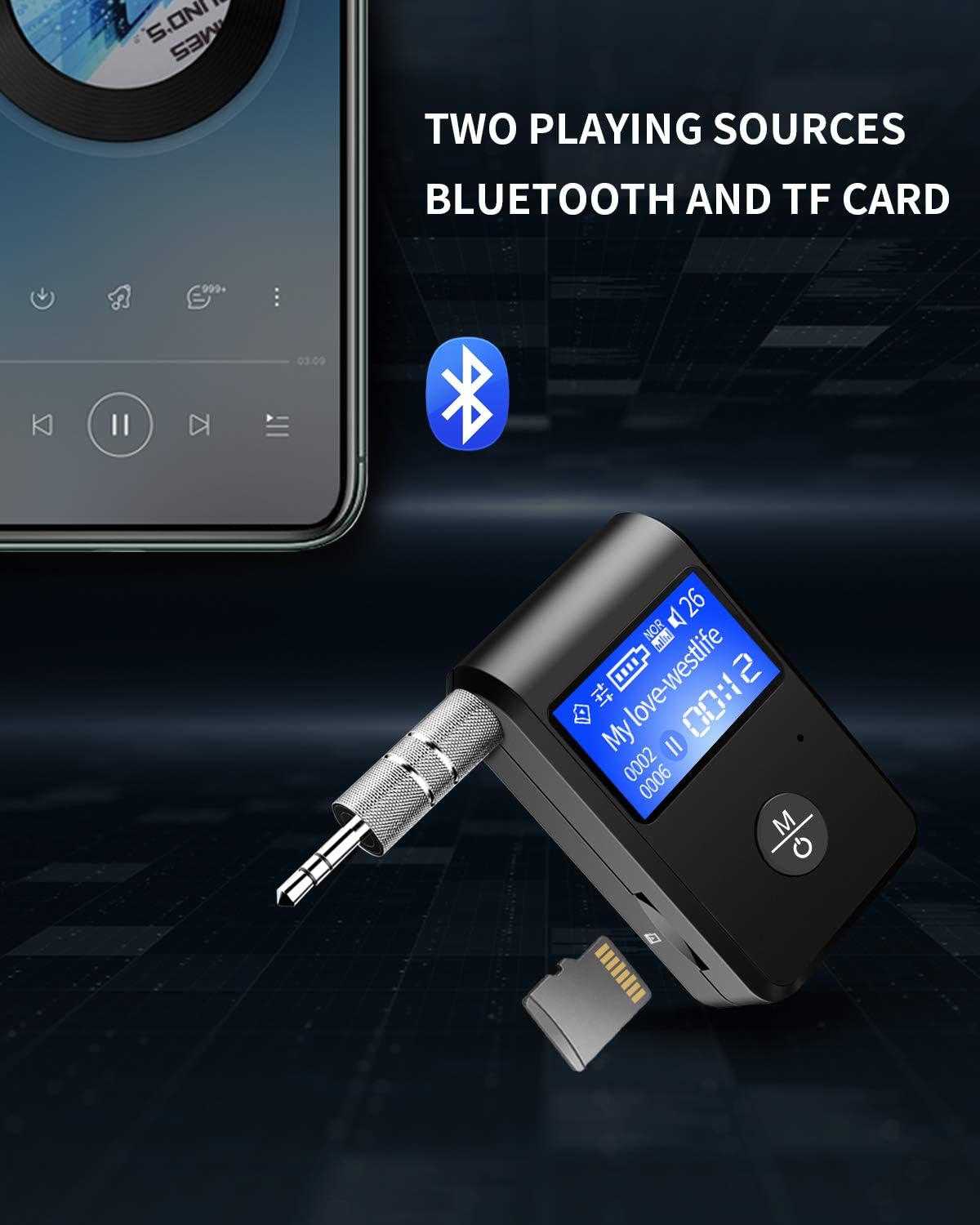
Figure 7: The ZIIDOO Bluetooth adapter shown with a TF (MicroSD) card inserted, illustrating its capability to play audio from two distinct sources: Bluetooth wireless connection and directly from a TF card. This provides flexible playback options for users.
Safety Guidelines
Please read and follow these safety guidelines to ensure proper operation and prevent damage to the device or injury.
- Do not expose the device to extreme temperatures, direct sunlight, or high humidity.
- Avoid dropping or subjecting the device to strong impacts.
- Do not disassemble, repair, or modify the device yourself. This may void the warranty and pose safety risks.
- Keep the device away from water or other liquids.
- Dispose of the device and its components responsibly according to local regulations.
- Be aware of potential interference with other electronic devices.
Setup
Charging the Device
Before first use, fully charge the ZIIDOO Bluetooth Adapter. Connect the device to a 5V DC power source using the provided USB charging cable. The display screen will indicate charging status. A full charge typically takes approximately 2 hours.
Connecting to Audio Device
The adapter connects to your non-Bluetooth audio device (e.g., car stereo, home speaker, wired headphones) via its 3.5mm audio jack.
- Ensure your audio device has a 3.5mm AUX input.
- Insert the 3.5mm audio jack of the ZIIDOO adapter into the AUX input of your audio device.
- Set your audio device's input source to AUX.
Operating Instructions
Power On/Off
- Power On: Press and hold the multi-function button (M/Power icon) for approximately 3 seconds until the display screen lights up.
- Power Off: Press and hold the multi-function button for approximately 5 seconds until the display screen turns off.
Bluetooth Pairing
- Ensure the ZIIDOO adapter is powered on. It will automatically enter pairing mode, indicated by a flashing Bluetooth icon on the display.
- On your mobile phone or other Bluetooth-enabled device, enable Bluetooth and search for available devices.
- Select "BT-6 PRO" from the list of found devices.
- Once successfully paired, the Bluetooth icon on the adapter's display will become solid, and the name of the connected device may appear.
- The adapter will automatically reconnect to the last paired device when powered on, if it is within range.
Music Playback
- Bluetooth Mode: After successful pairing, play music on your connected device. Audio will be streamed wirelessly to the ZIIDOO adapter and output through your connected audio system.
- TF Card Mode: Insert a TF (MicroSD) card with audio files into the designated slot. The adapter will automatically switch to TF card playback mode. Use the control buttons (if available on the device, otherwise control from the source) to navigate tracks.
- Volume Control: Adjust volume directly on your connected phone/device or on your audio system. The adapter's display may show volume levels.
Hands-Free Calling
- When a call comes in, the adapter's display may show the caller's number.
- Answer Call: Short press the multi-function button.
- End Call: Short press the multi-function button during a call.
- Reject Call: Press and hold the multi-function button for 2 seconds when a call comes in.
- The built-in microphone and CVC noise cancellation technology ensure clear call quality.
Maintenance
- Cleaning: Use a soft, dry cloth to clean the device. Do not use liquid cleaners or aerosols.
- Storage: When not in use for extended periods, store the device in a cool, dry place away from direct sunlight.
- Battery Care: To prolong battery life, avoid fully discharging the battery frequently. Charge the device regularly, even if not in constant use.
Troubleshooting
| Problem | Possible Cause | Solution |
|---|---|---|
| Device does not power on. | Low battery; device malfunction. | Charge the device fully. If problem persists, contact support. |
| Cannot pair with Bluetooth device. | Adapter not in pairing mode; device too far; Bluetooth on source device off. | Ensure adapter is in pairing mode (flashing Bluetooth icon). Move devices closer. Turn on Bluetooth on your phone/device. Forget previous pairings and try again. |
| No audio output. | Incorrect AUX input selected; volume too low; loose connection. | Verify your audio system is set to the correct AUX input. Increase volume on both adapter and audio system. Ensure 3.5mm jack is fully inserted. |
| Poor audio quality / static. | Interference; low battery; source audio quality. | Move away from sources of interference (e.g., Wi-Fi routers, other Bluetooth devices). Charge the adapter. Check the quality of the audio source. |
| TF card not recognized. | Incorrect format; card not inserted properly; damaged card. | Ensure TF card is formatted correctly (FAT32 recommended). Reinsert the card firmly. Try a different TF card. |
Specifications
| Model Number | BT6PRO |
| Brand | ZIIDOO |
| Bluetooth Version | 5.0 |
| Special Features | Portable, Bluetooth Receiver, DSP/CVC Noise Cancellation, TF Card Socket, Visible Display Screen |
| Connectivity | Bluetooth, 3.5mm AUX, USB (for charging) |
| Power Source | Battery Powered, Corded Electric (via USB) |
| Input Voltage | 5 Volts (DC) |
| Item Weight | 2.46 ounces (approx. 0.07 kg) |
| Dimensions (approx.) | 4.29 x 3.62 x 1.26 inches (Package Dimensions) |
Warranty and Support
ZIIDOO products are designed for reliability and performance. For warranty information and technical support, please refer to the official ZIIDOO website or contact their customer service directly.
- Official Website: ZIIDOO Store on Amazon (for general information and product range)
- Customer Service: Please check the product packaging or the ZIIDOO official website for the most current contact information for support.
When contacting support, please have your product model number (BT6PRO) and purchase details ready.
Ask a question about this manual
Ask about setup, troubleshooting, compatibility, parts, safety, or missing instructions. Manuals+ will review the question and use this page’s manual context to help answer it.