
1. Introduction and Overview
The Nicewell Digital Kitchen Scale is designed for high accuracy and ease of use in various kitchen and household tasks. Featuring a premium stainless steel platform and a large backlit display, it provides precise measurements for ingredients, packages, and more. This manual provides detailed instructions for setup, operation, maintenance, and troubleshooting to ensure optimal performance of your new food scale.

Figure 1: Nicewell Food Scale with included AAA batteries.
2. Product Features
- Accurate and Precise: Provides instant and stable results with a 1g (0.04oz) division, weighing from 1g up to 6kg (13lbs).
- Multiple Units: Measures in grams (g), ounces (oz), pounds (lb), milliliters (ml), and pound:ounce (lb:oz).
- Durable Platform: Equipped with a food-grade 304 stainless steel platform for easy cleaning and maintenance.
- User-Friendly Interface: Features responsive and easy-to-reach buttons for quick boot-up and unit conversion.
- Tare Function: Convenient tare button allows subtraction of the container's weight for accurate net measurements.
- Clear Display: Large, backlit LCD display ensures easy readability of measurements.
- Compact Design: Lightweight (320g) and compact dimensions (6.5 x 7.7 x 1.2 inches) for easy storage.
- Included Accessory: Comes with a silicone pastry mat for versatile use.

Figure 2: The scale provides accurate and stable results for various items.

Figure 3: Clear readings are available in grams, pounds, pound:ounces, ounces, and milliliters.
3. Setup
- Unpack the Scale: Carefully remove the Nicewell Food Scale and all accessories from the packaging.
- Install Batteries: Locate the battery compartment on the underside of the scale. Insert the three (3) AAA batteries provided, ensuring correct polarity (+/-). Close the battery compartment securely.
- Placement: Place the scale on a flat, stable, and level surface to ensure accurate readings. Avoid placing it on soft or uneven surfaces.
- Initial Power On: Press the power button (usually marked with a power symbol or "ON/OFF") to turn on the scale. The display will light up and show "0" or "0.0" when ready for use.
Video 1: Official Nicewell video demonstrating the premium stainless steel finish and basic operation of the scale, including battery installation.
4. Operating Instructions
- Power On/Off: Press the ON/OFF button to turn the scale on. Press and hold the same button for a few seconds to turn it off.
- Unit Conversion: Press the UNIT button to cycle through the available measurement units: grams (g), ounces (oz), pounds (lb), milliliters (ml), and pound:ounce (lb:oz).
- Tare Function:
- Place an empty container on the scale platform. The display will show the container's weight.
- Press the TARE button. The display will reset to "0" or "0.0", effectively subtracting the container's weight.
- Add the items you wish to weigh into the container. The display will show only the net weight of the added items.
- Weighing Items: Place the item directly onto the stainless steel platform or into a tared container. Wait for the display to stabilize and show the accurate weight.

Figure 4: The versatile scale can be used for weighing food, packages, and pet food.
Video 2: Official Nicewell video demonstrating the scale's features, including unit conversion, tare function, and accuracy.
5. Maintenance and Care
- Cleaning: The stainless steel platform is easy to clean. Wipe the scale with a damp cloth immediately after use. For stubborn stains, use a mild detergent and then wipe dry. Do not immerse the scale in water or use abrasive cleaners.
- Storage: Store the scale in a cool, dry place. Its compact and lightweight design allows for easy storage in a drawer or on a countertop.
- Battery Replacement: If the display shows a "Lo" indicator or becomes dim, replace all three AAA batteries.
- Avoid Overload: Do not exceed the maximum weight capacity of 6kg (13lbs) to prevent damage to the scale's sensors.
- Handle with Care: Avoid dropping the scale or subjecting it to strong impacts, as this can affect its accuracy and functionality.
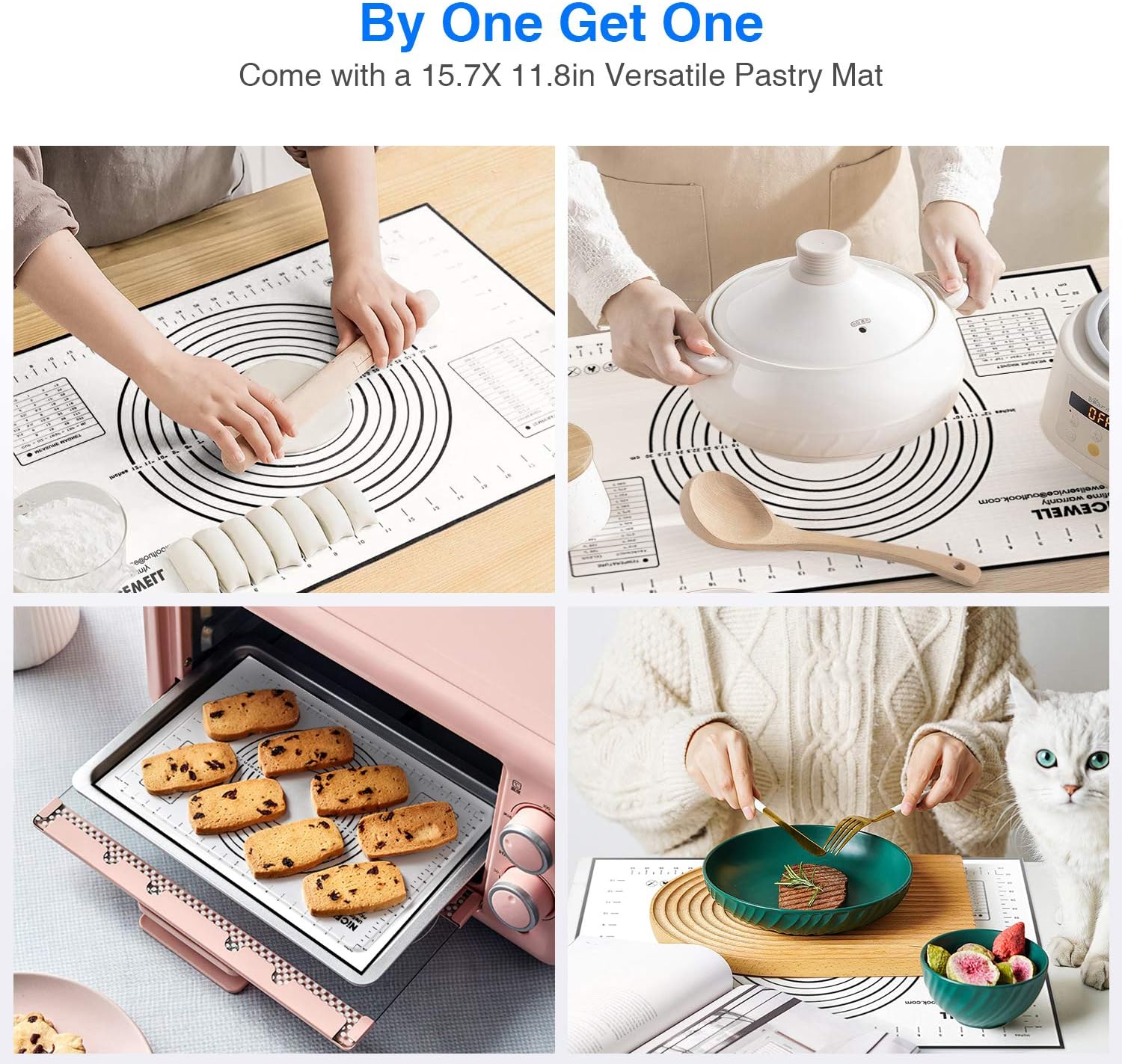
Figure 5: The included silicone pastry mat is easy to clean and store.
6. Troubleshooting
| Problem | Possible Cause | Solution |
|---|---|---|
| Scale does not turn on. | Dead or incorrectly installed batteries. | Check battery polarity or replace with new AAA batteries. |
| Inaccurate readings. | Uneven surface, overloaded, or damaged sensor. | Place on a flat, stable surface. Ensure weight is within capacity. If problem persists, contact support. |
| "Lo" or "Err" displayed. | Low battery ("Lo") or overload/error ("Err"). | Replace batteries for "Lo". Remove items from scale for "Err" and restart. |
| Display is dim or flickering. | Low battery. | Replace batteries. |
7. Specifications
- Model: CK782
- Brand: Nicewell
- Material: Food-grade 304 Stainless Steel Platform
- Color: Silver
- Weight Capacity: 6 kg (13 lbs)
- Accuracy: 1 gram (0.04 oz)
- Units: g, oz, lb, ml, lb:oz
- Display: Large Backlit LCD
- Power: 3 x AAA Batteries (included)
- Product Dimensions: 6.5 x 7.7 x 1.2 inches
- Item Weight: 1.04 pounds
- Recommended Uses: Food, Fruits, Vegetables, Packages, Envelopes, Herbs, Beads, Pins, Screws

Figure 6: Compact and lightweight design for easy storage.
8. Warranty and Support
Nicewell stands behind the quality of its products. This Nicewell Food Scale comes with a Lifetime Warranty. If you encounter any problems or have questions regarding your product, please contact Nicewell customer support directly.
For support, please refer to the contact information provided in your product packaging or visit the official Nicewell website. When contacting support, please have your order ID ready for faster assistance.