
1. Introduction
This manual provides instructions for the proper setup, operation, maintenance, and troubleshooting of your Retevis FC9162A Walkie Talkie Earpiece. Please read this manual thoroughly before using the product to ensure optimal performance and longevity.

Figure 1: Retevis FC9162A Walkie Talkie Earpiece
The Retevis FC9162A earpiece is designed for clear and private communication with compatible two-way radios. It features a coiled acoustic tube, an integrated microphone, a Push-to-Talk (PTT) button, and a K-type 2-pin connector for broad compatibility.
2. Package Contents
Verify that all items are present in your package:
- 1 x Retevis FC9162A Walkie Talkie Earpiece
3. Product Overview
Familiarize yourself with the components of your earpiece:

Figure 2: Labeled Components of the Earpiece
- Covert Acoustic Tube: Delivers sound privately to the ear.
- Soft Earbuds: Provides comfort and sound isolation.
- K Plug (2-Pin Connector): Connects to compatible two-way radios.
- PTT (Push-to-Talk) Button: Activates the microphone for transmission.
- Iron Back Clip: Secures the acoustic tube assembly to clothing.
- MIC (Microphone): Captures your voice for transmission.
- Rugged Cable: Connects the components and provides durability.
4. Setup and Installation
Follow these steps to set up your earpiece:
- Connect to Radio: Locate the 2-pin audio jack on your compatible walkie-talkie. Insert the K-type 2-pin connector of the earpiece firmly into the radio's jack. Ensure a secure connection for proper audio transmission and reception.
- Wear the Earpiece: Gently place the soft earbud into your ear. Position the coiled acoustic tube to run discreetly behind your ear.
- Secure the Cable: Use the 360° stainless clip on the acoustic tube assembly to attach it to your collar or clothing. An additional clip is provided on the main cable to manage excess wire and secure it to your belt or other convenient location, preventing tangles and ensuring comfort.
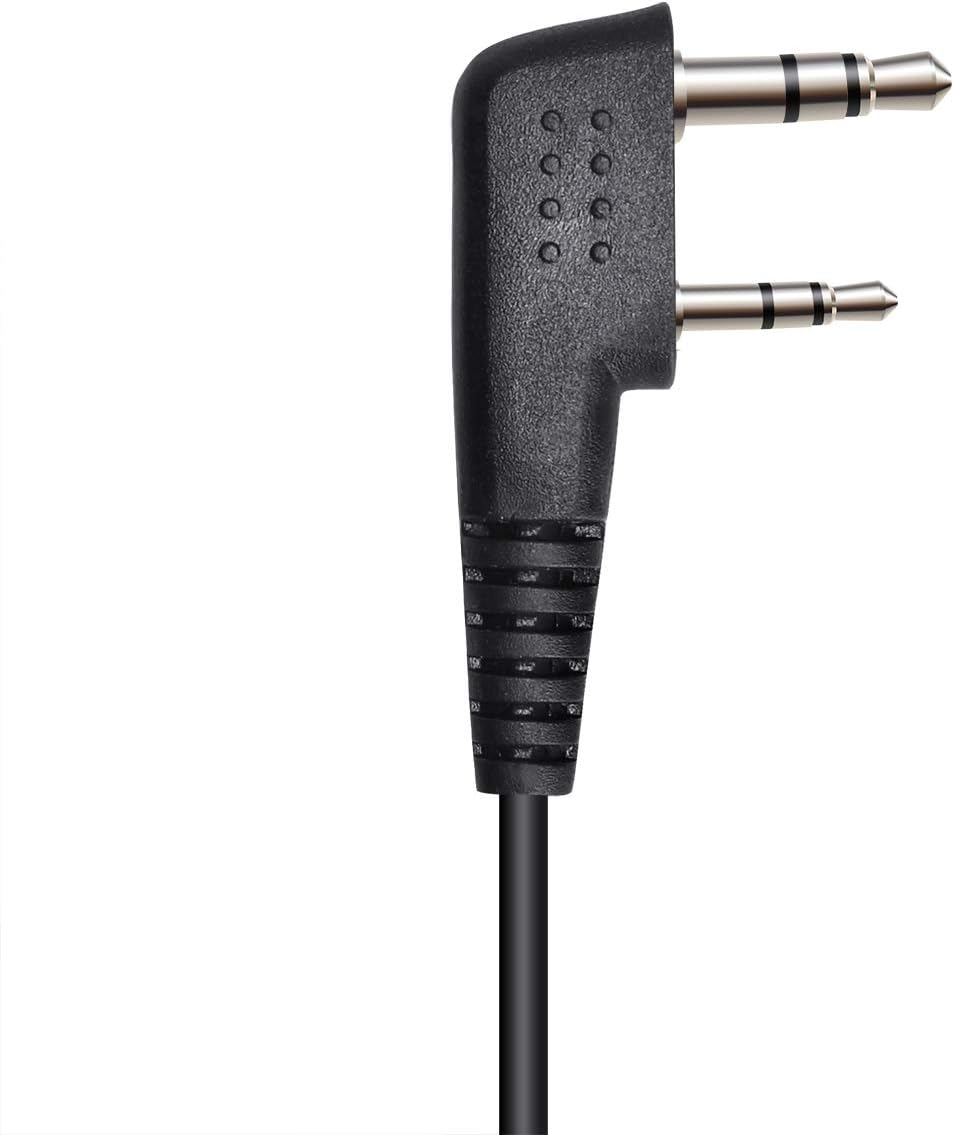
Figure 3: K-type 2-pin connector

Figure 4: Cable Clip Detail
5. Operation
Operating your Retevis FC9162A earpiece is straightforward:
- Receiving Audio: Once connected, audio from your walkie-talkie will be transmitted through the acoustic tube directly to your ear.
- Transmitting Audio (Push-to-Talk): To speak, press and hold the PTT button. Speak clearly into the integrated microphone. Release the PTT button when you have finished speaking to return to receive mode.

Figure 5: PTT Button and Microphone
6. Compatibility
The Retevis FC9162A earpiece features a K-head 2-pin connector, making it compatible with a wide range of two-way radios, including but not limited to:
- Retevis: RT22, RT21, H-777, RT68, RT19, RT27, RT28, RT22S, H-777S, RT15, RT18, RT27V, RT21V, RB38V, RT7, RB17V, RB27V, RT5R, RT5RV, RT5, RT85, RT76, RB26, RB17A, RB27, RT84, RT53, RT10, RT43, RT72, RT26, RT1, RT86, RB25, RT81, RT50, RT56, RA16, RB37, RB35, RT67, RT17, RB17, RB17P, RT66, RB27B, RB28, RT69, RT46, RB18, RT3S, RB28B, RB29, RT76P, RA85, RB85, RB87
- Kenwood: TH-F6/F6A/D7/D7A/D7AG/D7E/F7/F7E/G71/G71A, TH-G71E/K2/K2A/K2E/K2ET/21/21AT/21BT/22, TH-22A/22AT/22E/25/26/27/28/31AT/31BT/41AT/41BT, TH-205/-215/225/235/235A/235E/315/41, TK-360G/370/370G/372G/373G/320/340/340D/348/350, TK-378/378G/430/431/353/360, TK-3118/3130/3131/3160 etc.
- Linton: LT-2288/3288/6288/2268/3268,/6288/6188
- PUXING: PX-333/888/888K/328/358/999/666/777/777PLUS
- WOUXUN: KG-UVD1/UVDIPKG-669/659/679/689/639/699/801
- QUANSHENG: TG-K4AT/2AT/22AT/45AT/42AT/25AT/UV
- WEIERWEI: VEV-3288S, VEV-6288, VEV-3288
- BAOFENG: UV-5R Series, BF-480/490/320/V6/520/530/999/888/777/666S/777S/888S
For a comprehensive list of compatible devices or if you have questions about compatibility, please refer to the product description or contact Retevis customer support.
7. Maintenance and Care
Proper care ensures the longevity and hygiene of your earpiece:
- Cleaning: Regularly clean the soft earbud and the exterior of the acoustic tube with a mild, damp cloth. Avoid using harsh chemicals or abrasive materials.
- Earbud Replacement: The soft earbud can be removed and replaced if it becomes dirty or lost. Gently pull the earbud off the acoustic tube and push a new one onto the tip.
- Storage: When not in use, store the earpiece in a clean, dry place away from direct sunlight and extreme temperatures. Avoid tightly coiling the cable to prevent damage.

Figure 6: Earbud and Acoustic Tube Details
8. Troubleshooting
If you encounter issues with your earpiece, consider the following common solutions:
- No Audio/Intermittent Audio:
- Ensure the 2-pin connector is fully and securely inserted into the radio's jack.
- Check the radio's volume level.
- Inspect the cable for any visible damage or kinks.
- Test the earpiece with another compatible radio if available.
- Unclear/Distorted Audio:
- Ensure the earbud is clean and properly seated in your ear.
- Verify the acoustic tube is not pinched or obstructed.
- Check the radio's audio settings.
- PTT Button Not Working:
- Ensure the earpiece is correctly connected to the radio.
- Confirm the radio is powered on and functioning correctly.
If problems persist, contact Retevis customer support for further assistance.
9. Specifications
Technical specifications for the Retevis FC9162A Earpiece:
| Feature | Specification |
|---|---|
| Model Number | FC9162A (EEK009) |
| Connectivity Technology | Wired |
| Headphones Jack | Kenwood 2 Pin |
| Earpiece Shape | Acoustic Tube |
| Ear Placement | In Ear |
| Form Factor | In Ear |
| Noise Control | Sound Isolation |
| Impedance | 180 Ohm |
| Material | Rubber (earbud) |
| Cable Feature | Retractable (coiled cord) |
| Item Weight | 50 Grams (1.76 ounces) |
| Product Dimensions | 5.91 x 4.72 x 0.67 inches |
| Water Resistance Level | Not Water Resistant |
| Included Components | 1 x EHK009 Walkie Talkie Earpiece |

Figure 7: Sound Quality Characteristics
10. Warranty and Support
For warranty information, please refer to the documentation provided at the time of purchase or visit the official Retevis website. For technical support or further inquiries, please contact Retevis customer service through their official channels.


