
1. Introduction
Thank you for choosing the Xiaomi Mi True Wireless Earphones 2S. This manual provides essential information for the safe and effective use of your new wireless earphones. Please read this manual carefully before use and retain it for future reference.
2. Safety Information
- Do not disassemble, repair, or modify the product. This may cause fire, electronic breakdown, or even completely damage the product.
- Keep the product away from heat sources, direct sunlight, and high temperatures.
- Avoid exposing the product to water or other liquids.
- Do not use the product at high volume for extended periods to prevent hearing damage.
- Dispose of batteries according to local regulations. Do not dispose of batteries as household waste.
3. Package Contents
Ensure all items are present in your package:
- 1 x Earphone (pair)
- 1 x Charging Case
- 1 x USB Type-C Charging Cable
- 1 x User Manual
4. Product Overview
The Xiaomi Mi True Wireless Earphones 2S consist of two earbuds and a portable charging case. The earbuds are designed for comfortable wear and deliver high-quality audio.

Image: The Xiaomi Mi True Wireless Earphones 2S charging case, shown open with both earbuds securely placed inside. The case and earbuds are white.
5. Setup
5.1. Charging the Earphones and Case
- Place the earphones into the charging case. Ensure they are correctly seated.
- Connect the charging case to a power source using the provided USB Type-C cable. The indicator light on the case will show charging status.
- A full charge typically takes approximately 1 hour for the earphones and 2.5 hours for the case.
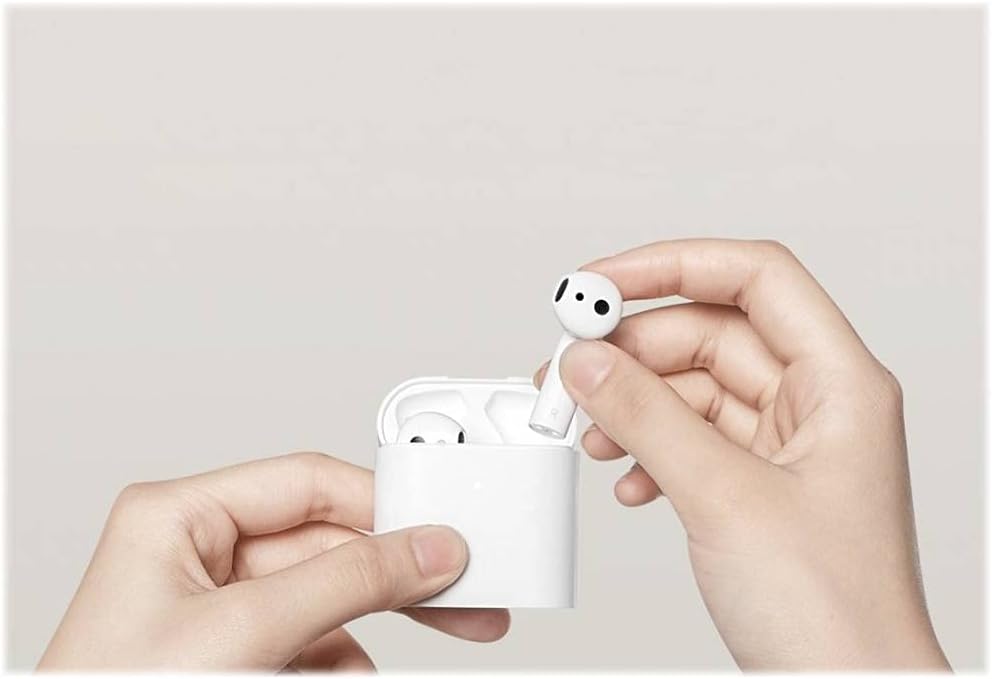
Image: A hand gently placing one of the white Xiaomi Mi True Wireless Earphones 2S into its matching white charging case, illustrating the correct way to insert the earbud for charging.
5.2. Pairing with a Device
The earphones support automatic pop-up pairing for compatible Xiaomi devices, and standard Bluetooth pairing for all other devices.
Automatic Pop-up Pairing (for compatible Xiaomi devices):
- Ensure Bluetooth is enabled on your Xiaomi smartphone.
- Open the charging case with the earphones inside and bring it close to your phone.
- A pop-up window will appear on your phone screen. Follow the on-screen instructions to complete pairing.
Standard Bluetooth Pairing (for all other devices):
- With the earphones in the charging case, open the lid.
- Press and hold the function button on the charging case for 2 seconds until the indicator light blinks white, indicating pairing mode.
- On your device (smartphone, tablet, laptop), go to Bluetooth settings and search for available devices.
- Select "Mi True Wireless Earphones 2S" from the list to connect.
6. Operating
6.1. Wearing the Earphones
The earphones feature an ergonomic half-in-ear design for a comfortable and secure fit during extended use.
- Identify the left (L) and right (R) earphones.
- Gently insert each earphone into your ear canal, adjusting for a snug and comfortable fit.
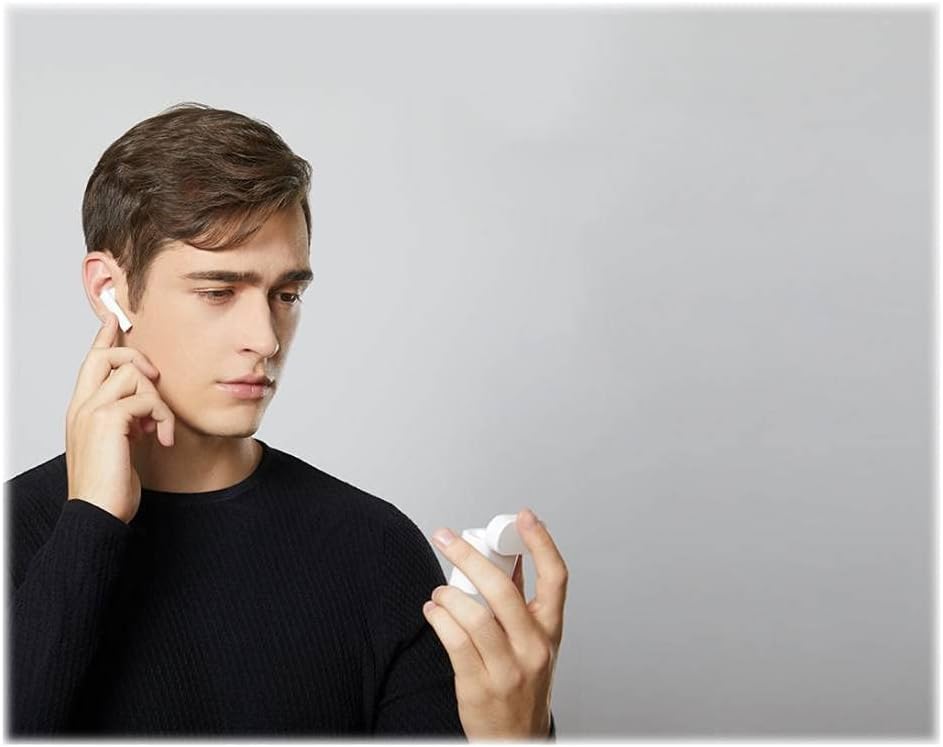
Image: A person wearing a white Xiaomi Mi True Wireless Earphone 2S in their right ear, demonstrating the earphone's fit and discreet appearance.
6.2. Touch Controls
The earphones feature intuitive touch controls on each earbud:
- Double-tap (Left Earphone): Activates voice assistant.
- Double-tap (Right Earphone): Play/Pause music.
- Double-tap (Either Earphone during call): Answer/End call.
- Remove Earphone: Music automatically pauses (In-ear detection).

Image: A person's hand gently touching the side of a white Xiaomi Mi True Wireless Earphone 2S while it is in their ear, illustrating the touch control functionality.
6.3. In-Ear Detection
The built-in optical sensors automatically pause music playback when an earphone is removed from your ear and resume when it is placed back in.
7. Maintenance
Proper maintenance ensures the longevity and optimal performance of your earphones.
- Cleaning: Regularly clean the earphones and charging case with a soft, dry, lint-free cloth. Do not use harsh chemicals or abrasive materials.
- Storage: When not in use, store the earphones in their charging case to protect them from dust and damage.
- Avoid Extreme Conditions: Do not expose the earphones to extreme temperatures, humidity, or corrosive environments.
8. Troubleshooting
If you encounter issues, refer to the following common problems and solutions:
| Problem | Solution |
|---|---|
| Earphones do not turn on/charge | Ensure the charging case is charged. Check if the earphones are correctly seated in the case. Clean charging contacts if necessary. |
| Cannot pair with device | Ensure earphones are in pairing mode (blinking white light). Turn off and on Bluetooth on your device. Forget the device in Bluetooth settings and try pairing again. |
| Only one earphone works | Place both earphones back into the charging case, close the lid, wait a few seconds, then open and try again. Ensure both earphones are charged. |
| Low volume or poor sound quality | Adjust volume on your connected device. Ensure earphones are clean and free of debris. Check for obstructions in the earphone speaker mesh. |
| Touch controls not responding | Ensure your fingers are clean and dry. Try restarting the earphones by placing them in the case and taking them out again. |
9. Specifications
Detailed technical specifications for the Xiaomi Mi True Wireless Earphones 2S:
| Feature | Specification |
|---|---|
| Model Name | Mi True Wireless Earphones 2S |
| Model Number | BHR4208GL |
| Connectivity Technology | Wireless (Bluetooth) |
| Bluetooth Version | Bluetooth 5.0 |
| Wireless Range | Up to 10 meters |
| Earphone Battery Life | Approx. 5 hours (single charge) |
| Total Battery Life (with case) | Up to 24 hours |
| Charging Time (Earphones) | Approx. 1 hour |
| Charging Time (Case) | Approx. 2.5 hours |
| Charging Port | USB Type-C |
| Wireless Charging | Supported |
| Weight (Earphone) | Approx. 4.5g each |
| Total Weight (Earphones + Case) | Approx. 50g |
| Impedance | 32 Ohm |
| Frequency Response | 20 Hz - 20,000 Hz |
| Control Type | Touch Control |
| Water Resistance | Resistant to water (Note: Not fully waterproof, avoid submersion) |
10. Warranty and Support
Your Xiaomi Mi True Wireless Earphones 2S are covered by a limited warranty. For detailed warranty terms and conditions, please refer to the warranty card included in your product packaging or visit the official Xiaomi website.
For technical support, troubleshooting assistance, or service inquiries, please contact Xiaomi customer service through their official website or authorized service centers. Please have your product model number (BHR4208GL) and proof of purchase ready when contacting support.


