
1. Introduction
Thank you for choosing the DEVAISE Ergonomics Recliner Office Chair. This manual provides essential information for the proper assembly, operation, maintenance, and troubleshooting of your new chair. Please read these instructions carefully before assembly and retain them for future reference.
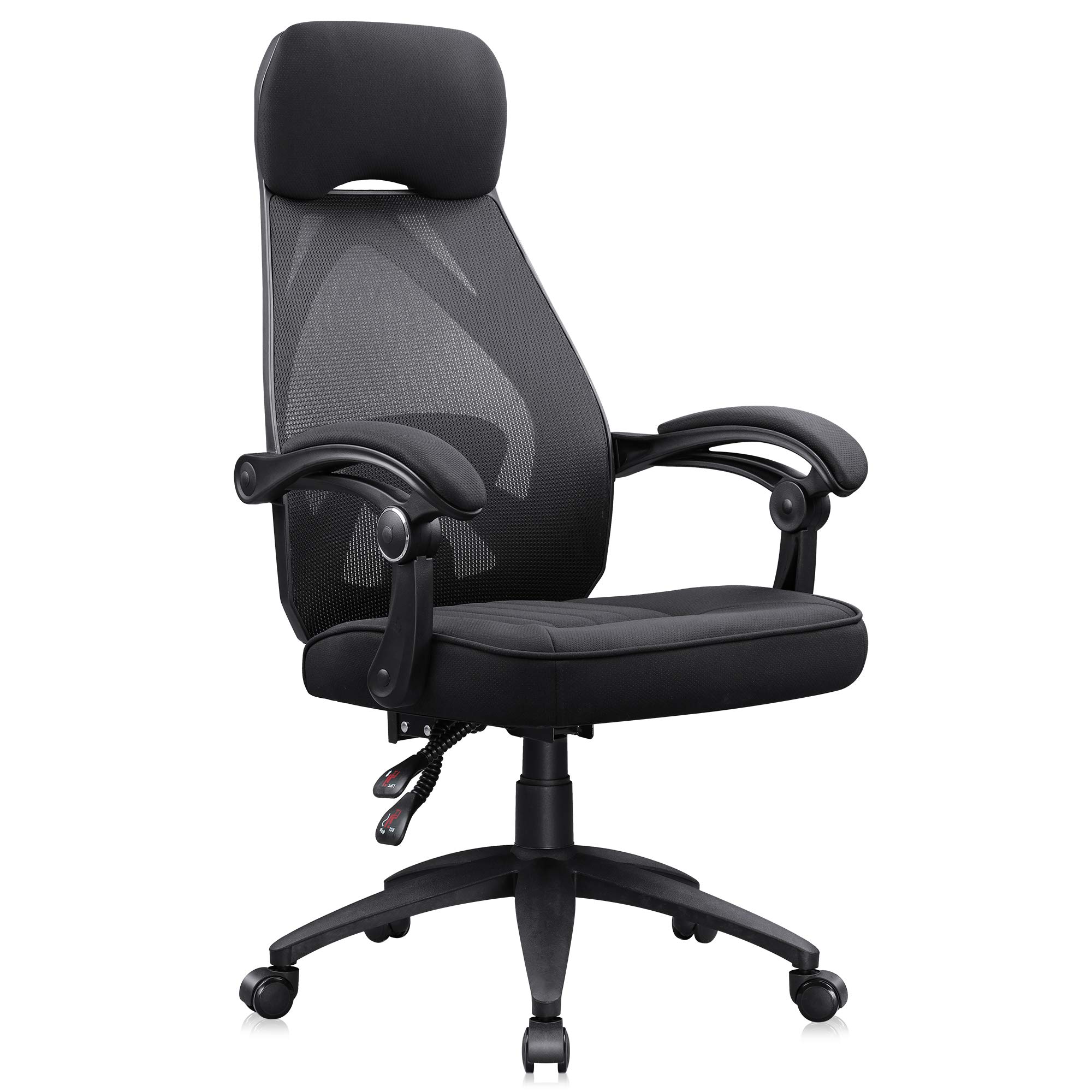
Image 1.1: The DEVAISE Ergonomics Recliner Office Chair in a modern office environment.
2. Safety Information
Please observe the following safety guidelines to ensure safe use and longevity of your chair:
- Always assemble the chair according to the provided instructions.
- Be cautious when adjusting the reclining mechanism and lumbar support to avoid injury.
- Do not exceed the maximum weight capacity of 300 lbs (136 kg).
- Ensure all screws and bolts are tightened securely before use. Periodically check and re-tighten as necessary.
- Avoid standing on the chair or using it as a step stool.
- Keep children and pets away from the chair during assembly.
3. Package Contents
Before beginning assembly, verify that all components are present and undamaged. If any parts are missing or damaged, please contact customer support.

Image 3.1: Key components of the DEVAISE Ergonomics Recliner Office Chair.
Typical package contents include:
- Backrest with headrest
- Seat cushion with armrests
- Gas lift cylinder
- Star base
- Casters (wheels)
- Control mechanism
- Hardware (screws, washers, Allen wrench)
4. Assembly Instructions
Follow these steps for proper assembly. It is recommended to assemble the chair on a soft, clean surface to prevent damage.
- Attach Casters to Base: Insert the five casters into the holes at the end of each leg of the star base. Push firmly until they click into place.
- Insert Gas Lift: Place the gas lift cylinder into the center hole of the star base.
- Attach Control Mechanism: Secure the control mechanism to the underside of the seat cushion using the provided screws. Ensure the front of the mechanism faces the front of the seat.
- Connect Seat to Gas Lift: Carefully place the assembled seat onto the gas lift cylinder.
- Attach Backrest: Align the backrest with the mounting points on the seat cushion and armrests. Secure with the remaining screws.
- Final Check: Ensure all screws are tightened and the chair is stable before use.
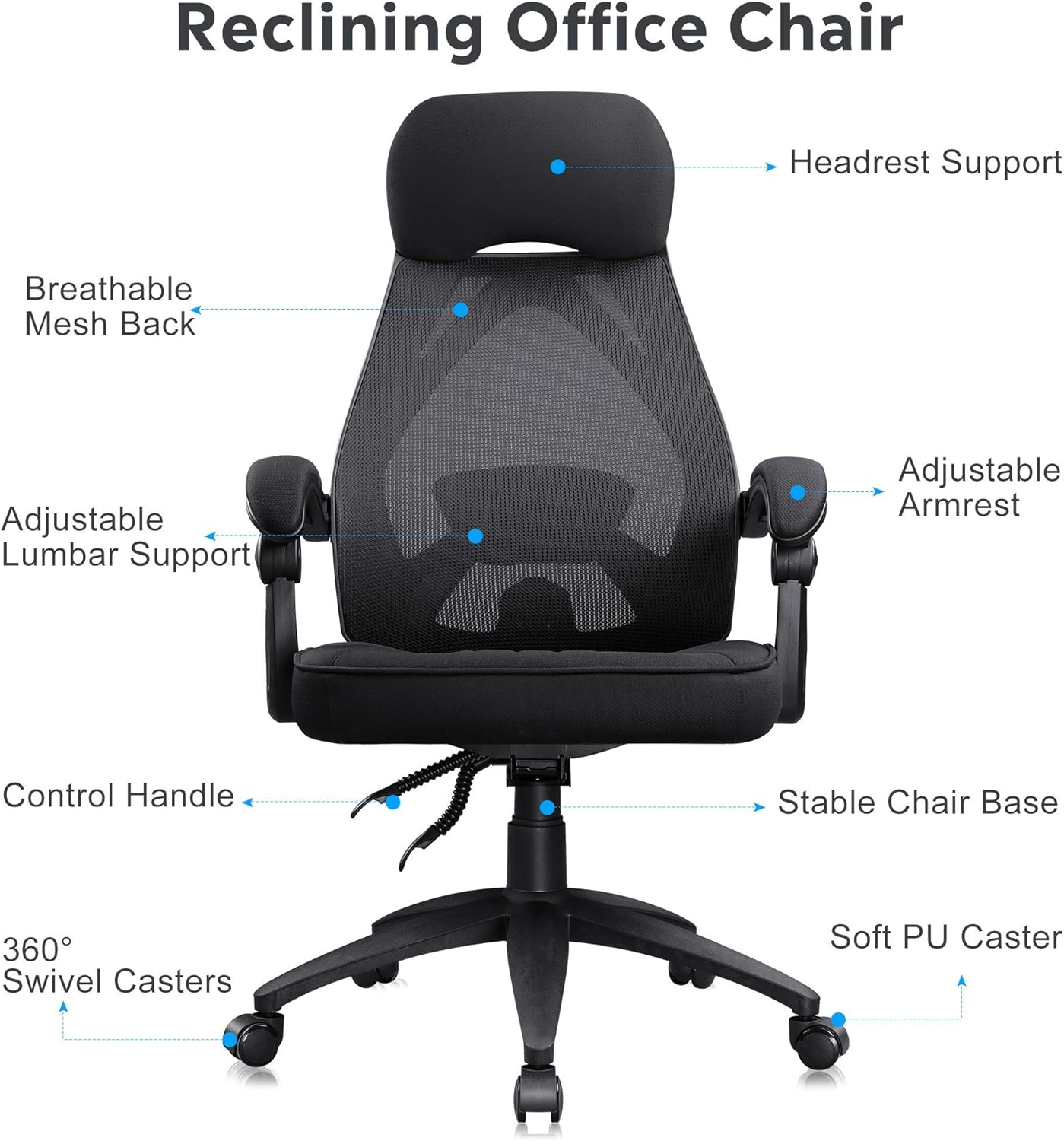
Image 4.1: Labeled components of the assembled chair.
5. Features and Adjustments
The DEVAISE Ergonomics Recliner Office Chair is designed with several adjustable features for personalized comfort.
5.1 Ergonomic Recliner and Mesh Back
The chair features an ergonomic human curve designed backrest to alleviate back pain. The breathable mesh material keeps your back cool and comfortable during extended use.

Image 5.1.1: Ergonomic design of the mesh back for optimal support.
5.2 Adjustable Lumbar Support
The adjustable lumbar support can be positioned to meet the needs of individuals of different heights, providing targeted support to reduce spinal pressure.
5.3 Reclining System (90-160 Degrees)
The synchronized tilt mechanism allows for smooth, effortless reclining. The chair can be locked at any angle between 90 and 160 degrees. Use 90 degrees for working and up to 160 degrees for resting.

Image 5.3.1: Illustration of the chair's adjustable recline function.
5.4 Adjustable Seat Height and Armrests
The chair features an adjustable seat height to accommodate various desk heights and user preferences. The armrests are also adjustable and include comfortable foam padding.

Image 5.4.1: Detail of the linkage armrests.
5.5 High-Density Seat Cushion
The seat cushion is constructed with thicker, high-density foam and base support for enhanced comfort and durability.

Image 5.5.1: Construction of the high-density seat cushion.
5.6 Product Features Video
Video 5.6.1: An official video demonstrating the features of the DEVAISE Ergonomics Recliner Office Chair.
6. Operating Instructions
To adjust your chair for optimal comfort:
- Seat Height Adjustment: Pull the lever located under the seat upwards while seated to lower the chair. Lift your weight off the seat and pull the lever upwards to raise the chair. Release the lever to lock the height.
- Recline Adjustment: Pull the recline lever (typically on the side of the seat) to unlock the backrest. Lean back to your desired angle (between 90 and 160 degrees) and push the lever down to lock it in place. To return to an upright position, pull the lever up and lean forward slightly.
- Lumbar Support Adjustment: The lumbar support is typically adjusted by a knob or lever on the backrest, allowing you to move it up or down, or in and out, to fit the curve of your lower back.
- Armrest Adjustment: The armrests are designed to move with the recline of the chair, providing continuous support.
7. Maintenance and Care
Regular maintenance will help prolong the life of your DEVAISE office chair:
- Cleaning: For the mesh back and fabric seat, use a soft cloth with mild soap and water. Avoid harsh chemicals or abrasive cleaners. For plastic and metal parts, wipe with a damp cloth.
- Inspection: Periodically check all bolts and screws to ensure they are tight. Re-tighten if necessary.
- Casters: Keep casters free of hair and debris to ensure smooth rolling.
- Avoid Overloading: Do not exceed the maximum weight capacity of 300 lbs.
8. Troubleshooting
If you encounter any issues with your chair, refer to the following common problems and solutions:
| Problem | Possible Cause | Solution |
|---|---|---|
| Chair does not adjust height | Gas lift cylinder malfunction or lever not engaged. | Ensure the lever is fully pulled. If issue persists, the gas lift may need replacement. |
| Chair wobbles | Loose screws or uneven floor. | Check and tighten all assembly screws. Ensure the chair is on a flat surface. |
| Backrest does not recline or lock | Recline mechanism jammed or lever not engaged. | Ensure the recline lever is fully engaged or disengaged. Check for obstructions. |
| Casters do not roll smoothly | Debris in casters or damaged casters. | Clean any hair or debris from the caster wheels. Replace damaged casters if necessary. |
If these solutions do not resolve the issue, please contact DEVAISE customer support for further assistance.
9. Specifications
Detailed specifications for the DEVAISE Ergonomics Recliner Office Chair:

Image 9.1: Product dimensions and maximum weight capacity.
- Brand: DEVAISE
- Model Number: d6c19df5-f548-4cb2-9369-8799d1f52cf3
- Color: Black
- Product Dimensions: 20.9"D x 20.9"W x 45.7"H (Adjustable to 48.8"H)
- Back Style: Solid Back with Mesh
- Special Feature: Adjustable (Recline, Lumbar Support, Height)
- Recommended Uses: Office
- Material: Mesh, Foam (Fill Material)
- Maximum Bearing Weight: 300 lbs
- Item Weight: 37.3 pounds
- Arm Style: With arms (Linkage Armrests)
- Surface Recommendation: Hard Floor
- Indoor/Outdoor Usage: Indoor
10. Warranty and Support
DEVAISE provides a warranty for this product. For specific warranty details, including coverage and duration, please refer to the warranty card included with your purchase or visit the official DEVAISE website.
For any questions, technical support, or assistance with parts, please contact DEVAISE customer service. Contact information can typically be found on the product packaging or the brand's official website.