
1. Introduction
This manual provides instructions for the setup, operation, maintenance, and troubleshooting of your Howard Miller Lakeside Mantel Clock, Model 635-223. Please read this manual thoroughly before using your clock to ensure proper function and longevity.
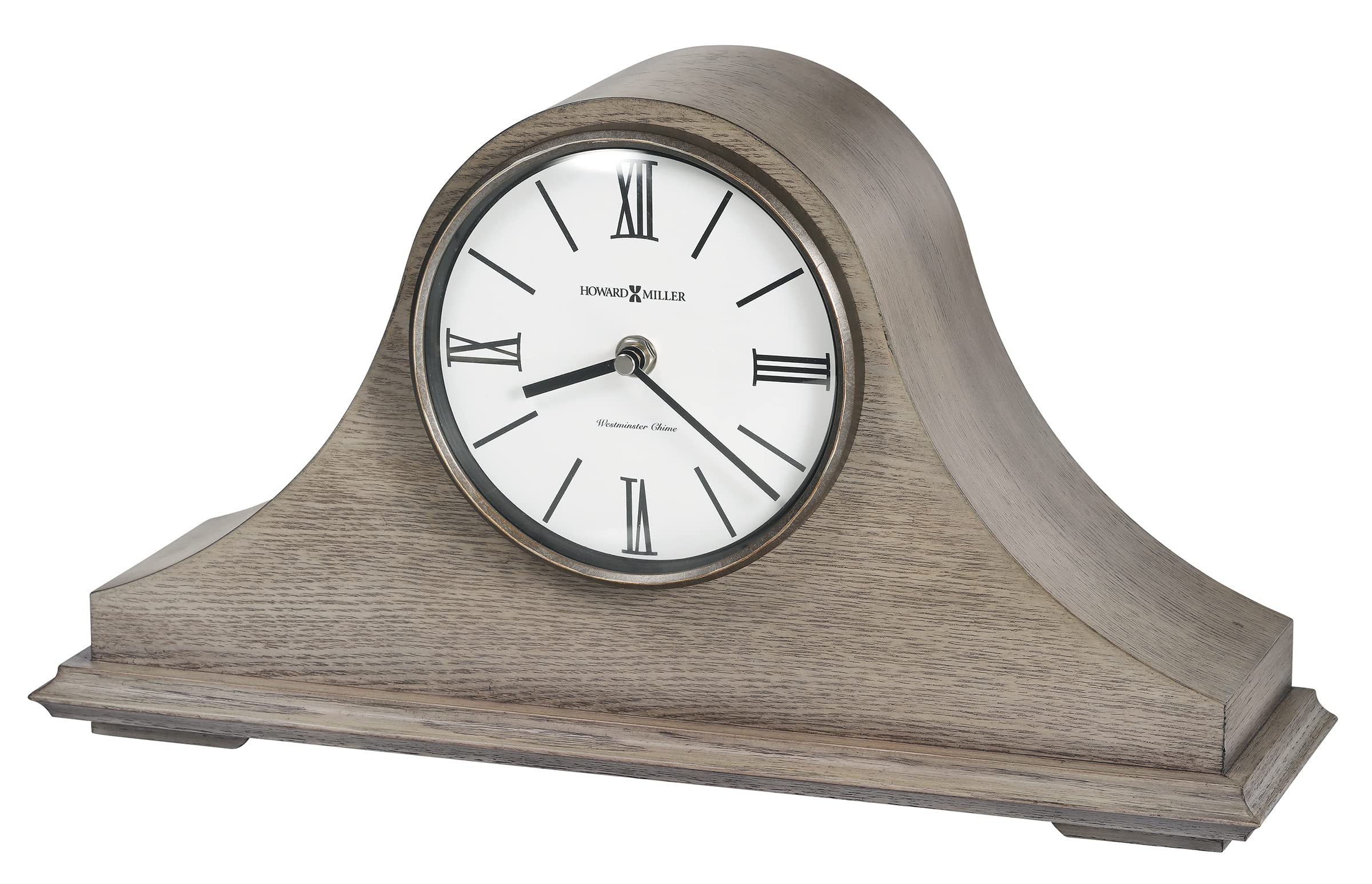
Figure 1: Front view of the Howard Miller Lakeside Mantel Clock.
2. Safety Information
- Keep batteries out of reach of children.
- Do not mix old and new batteries, or different types of batteries.
- Remove batteries if the clock will not be used for an extended period to prevent leakage.
- Handle the clock with care to avoid damage to the glass and wooden case.
3. Package Contents
Verify that all items are present in the packaging:
- Howard Miller Lakeside Mantel Clock (Model 635-223)
- User Manual
4. Setup
4.1 Battery Installation
The clock requires three (3) AA batteries (not included) for operation. Follow these steps to install the batteries:
- Locate the battery compartment on the back of the clock.
- Open the battery compartment cover.
- Insert three AA batteries, ensuring the correct polarity (+ and -) as indicated inside the compartment.
- Close the battery compartment cover securely.
4.2 Placement
Place the mantel clock on a stable, flat surface such as a mantelpiece, shelf, or side table. Ensure the surface is level to prevent the clock from tipping and to ensure accurate timekeeping.

Figure 2: Side view of the mantel clock, showing its profile.
5. Operation
5.1 Setting the Time
To set the time on your clock:
- Locate the time-setting knob on the back of the clock mechanism.
- Gently turn the knob clockwise until the hands display the correct time.
5.2 Westminster Chime
The clock features a Westminster chime that sounds on the hour. It is designed with an automatic night shutoff feature to ensure quiet during sleeping hours.
- The chime will automatically turn off between 10:01 PM and 5:59 AM.
- The chime will resume automatically at 6:00 AM.
- Consult the clock mechanism for any manual chime control options, if available.
6. Maintenance
6.1 Battery Replacement
Replace the batteries when the clock stops running or the chime becomes weak. Refer to Section 4.1 for battery installation instructions.
6.2 Cleaning
To maintain the appearance of your clock:
- Dust the wooden case with a soft, dry cloth.
- For the glass, use a soft, lint-free cloth and a non-abrasive glass cleaner. Apply cleaner to the cloth, not directly to the clock.
- Avoid using harsh chemicals or abrasive materials, as these can damage the finish.
7. Troubleshooting
If you encounter issues with your clock, refer to the table below for common problems and solutions:
| Problem | Possible Cause | Solution |
|---|---|---|
| Clock not running | Dead or incorrectly installed batteries | Replace batteries with new AA batteries, ensuring correct polarity. |
| Chime not sounding | Automatic night shutoff active | The chime is designed to be silent between 10:01 PM and 5:59 AM. It will resume automatically. |
| Time is incorrect | Time not set correctly or batteries low | Reset the time using the setting knob. If issue persists, replace batteries. |
8. Specifications
Key specifications for the Howard Miller Lakeside Mantel Clock Model 635-223:
| Feature | Detail |
|---|---|
| Brand | Howard Miller |
| Model Number | 635-223 |
| Display Type | Analog |
| Power Source | Battery Powered (3 AA batteries required, not included) |
| Material | Wood, Glass |
| Product Dimensions | 16.54"W x 9.06"H |
| Item Weight | 5.39 pounds |
| Special Feature | Westminster Chime with Automatic Night Shutoff |

Figure 3: Dimensions of the Howard Miller Lakeside Mantel Clock.
9. Warranty and Support
9.1 Warranty Information
This Howard Miller Lakeside Mantel Clock comes with a 3-month manufacturer warranty. Please retain your proof of purchase for warranty claims. The warranty covers defects in materials and workmanship under normal use.
9.2 Customer Support
For further assistance, technical support, or warranty inquiries, please visit the official Howard Miller store or contact their customer service department. You can find more information at the Howard Miller Store on Amazon.