1. Introduction
This manual provides essential instructions for the safe and efficient use of your TOWNEW Smart Trash Can. Please read this manual thoroughly before operating the device and retain it for future reference.
The TOWNEW Smart Trash Can is designed to simplify waste disposal with its advanced features, including automatic sealing, motion-sensing lid, and integrated odor neutralization. Its 15.5-liter capacity makes it suitable for various indoor environments.
2. Safety Information
- Do not immerse the device in water or other liquids.
- Keep the device away from direct sunlight, heat sources, and open flames.
- Ensure the charging port is dry before connecting the charger.
- Do not attempt to disassemble or repair the device yourself. Contact qualified service personnel for assistance.
- Keep out of reach of children and pets to prevent accidents.
- Use only the specified charging cable and power adapter.
- Avoid placing heavy objects on the lid.
3. Package Contents
Verify that all items are present in the package:
- TOWNEW Smart Trash Can
- User Manual
- Charging Cable
- One Refill Ring (pre-installed or separate)
4. Product Overview
The TOWNEW Smart Trash Can integrates intelligent features for a hygienic waste management experience.
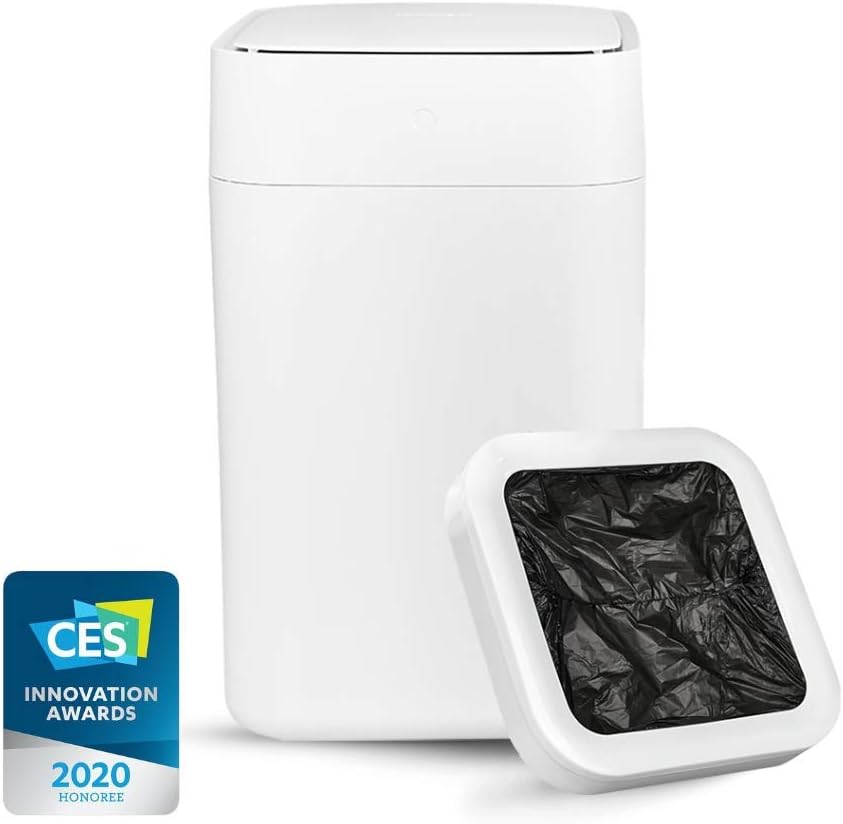
Figure 4.1: The TOWNEW Smart Trash Can, recognized with a CES Innovation Award.
Key features include:
- Automatic Sealing and Bag Replacement: With a press of a button, the trash can automatically seals the current bag and replaces it with a new one from the refill ring.
- Motion Sensor Lid: The lid opens automatically when motion is detected within its sensing range, allowing for touch-free operation.
- Full Bag Detection: The device intelligently detects when the trash bag is full and adjusts the sealing process to ensure all contents are securely contained.
- Odor Neutralization: Designed to minimize unpleasant odors, contributing to a cleaner environment.
- Rechargeable Battery: Equipped with a 2200 mAh battery, providing approximately one month of use on a single charge.

Figure 4.2: Top view of the trash can, showing the lid mechanism.

Figure 4.3: The trash can with its lid fully open, displaying the internal bag ring.

Figure 4.4: Detailed view of the sealing area, showing the blue indicator lights during operation.
5. Setup Instructions
5.1 Initial Charging
- Locate the charging port on the back or side of the trash can.
- Connect the provided charging cable to the port and plug the other end into a suitable power adapter (not always included) and wall outlet.
- Allow the device to charge fully before first use. The indicator light will change to indicate a full charge.
5.2 Installing the Refill Ring
- Open the lid of the trash can.
- If not already installed, place a TOWNEW refill ring into the designated compartment under the lid. Ensure it is seated correctly.
- Pull the first bag from the ring down into the main compartment of the trash can.
- Close the lid.
6. Operating Instructions
6.1 Automatic Lid Opening

Figure 6.1: Demonstrating the motion sensor for automatic lid opening.
To open the lid, simply approach the trash can or wave your hand over the motion sensor located on the top front of the device. The lid will open automatically and close after a few seconds of inactivity.
6.2 Automatic Sealing and Bag Replacement
- When the trash can is full, or you wish to seal the bag, press and hold the main button on the front of the device for 3 seconds.
- The device will automatically seal the current trash bag using thermoplastic sealing technology.
- Once sealed, the lid will open, and the sealed bag can be removed.
- The device will then automatically pull a new bag from the refill ring and prepare it for use.
6.3 Full Bag Detection
The TOWNEW Smart Trash Can is equipped with a sensor that detects when the bag is overfilled. If an overfilled bag is detected, the lid will lift higher to ensure a complete and secure seal before the bag replacement process begins.
7. Maintenance
7.1 Cleaning
To clean the exterior of the trash can, wipe it with a soft, damp cloth. Do not use abrasive cleaners or immerse the device in water. For the interior, ensure the bag is removed and wipe down with a damp cloth and mild detergent if necessary. Allow to dry completely before reinserting a bag.
7.2 Battery Charging
When the battery level is low, the indicator light will signal the need for charging. Connect the charging cable as described in Section 5.1. A full charge typically lasts for approximately one month, depending on usage frequency.
7.3 Replacing the Refill Ring
When the current refill ring is empty, the device will indicate that a new ring is needed. Open the lid, remove the empty ring, and insert a new TOWNEW refill ring into the compartment. Ensure the first bag is pulled down into the can before closing the lid.
8. Troubleshooting
| Problem | Possible Cause | Solution |
|---|---|---|
| Lid does not open automatically. | Motion sensor obstructed or dirty; battery low. | Clean the sensor area. Charge the battery. |
| Bag does not seal properly. | Bag overfilled; sealing mechanism obstructed; low battery. | Do not overfill the bag. Clear any obstructions around the sealing mechanism. Charge the battery. |
| New bag does not deploy. | Refill ring empty; bag jammed. | Replace the refill ring. Check for and clear any bag jams. |
| Battery does not hold charge. | Battery degradation; faulty charging cable/adapter. | Ensure proper charging. If issues persist after extended use, contact customer support for potential battery replacement or service. |
9. Specifications
- Brand: TOWNEW
- Model Number: TOWNEW Contenitore per rifiuti intellige
- Capacity: 15.5 Liters
- Color: White
- Material: Acrylonitrile Butadiene Styrene
- Mechanism: Motion Sensor, Automatic Sealing and Bag Replacement
- Battery: 1 x 12V (2200 mAh rechargeable)
- Dimensions (L x W x H): 31 x 24 x 40.2 cm
- Weight: 4.55 Kilograms
- Recommended Use: Indoor, Kitchen, Bathroom, Office

Figure 9.1: The trash can integrated into a kitchen environment.

Figure 9.2: The trash can integrated into a bathroom environment.
10. Warranty Information
TOWNEW products typically come with a limited warranty covering manufacturing defects. Please refer to the warranty card included with your product or visit the official TOWNEW website for detailed warranty terms and conditions specific to your region and purchase date. Keep your proof of purchase for warranty claims.
11. Support
For technical support, troubleshooting assistance, or inquiries regarding your TOWNEW Smart Trash Can, please contact TOWNEW customer service. Contact information can usually be found on the official TOWNEW website or on the product packaging.
Website: www.townew.com (Please check for your regional website)


