
RockJam RJ20WAR2
RockJam 20 Watt Electric Guitar Amplifier User Manual
Model: RJ20WAR2 | Brand: RockJam
Introduction
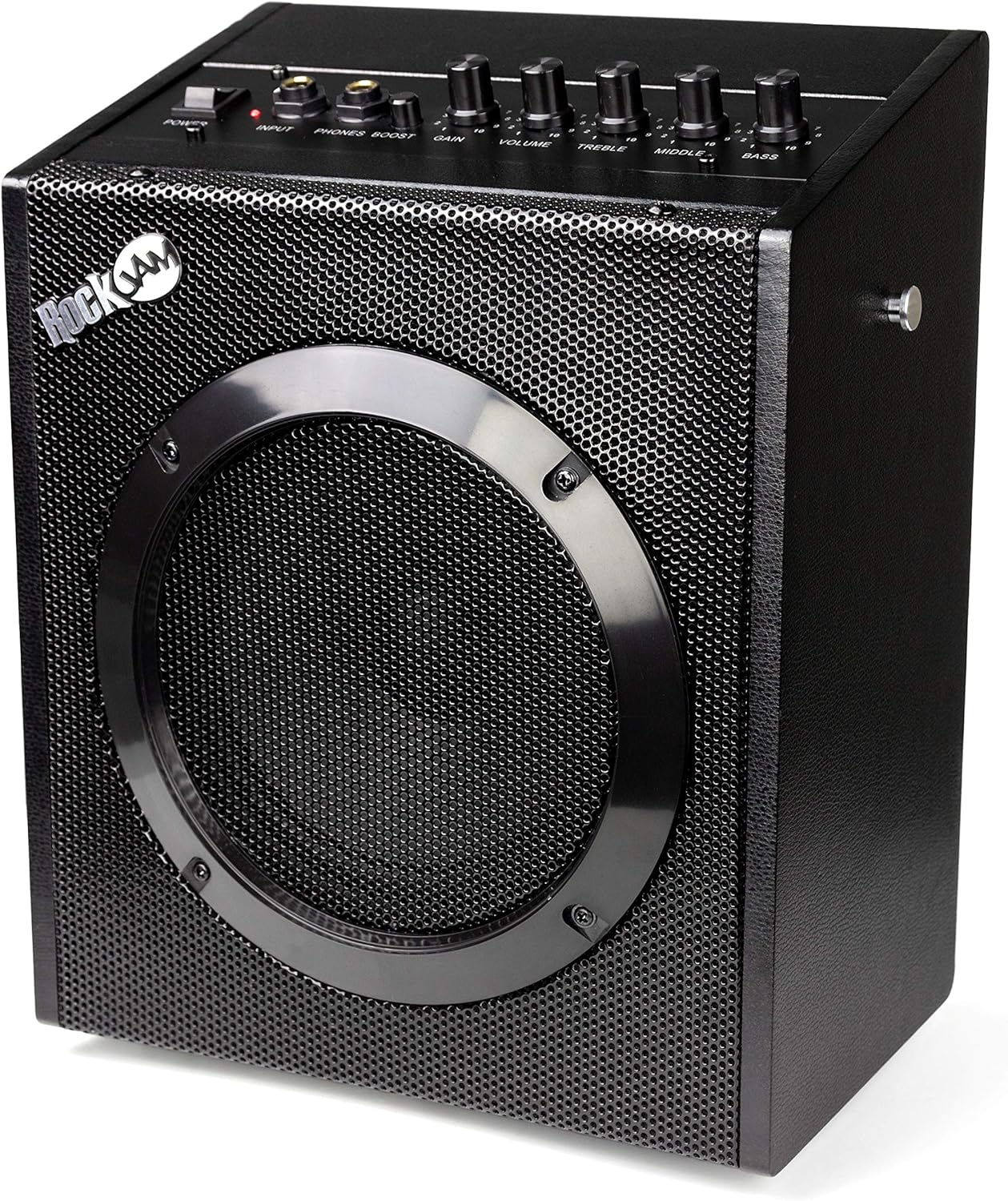
The RockJam 20-Watt guitar amplifier is designed as an ideal practice amp for guitarists of all levels. It incorporates essential features such as a three-band EQ, volume, gain control, and an overdrive boost function, allowing users to fine-tune their sound. This amplifier also includes a headphone jack for private practice sessions and a universal input, making it compatible with various instruments including electric guitars, bass guitars, and electronic drums. For convenience, a storage compartment is built into the rear for the mains lead, and its lightweight design (4.2kg) with a sturdy carry handle ensures easy portability.
What's in the Box
- Guitar Amp
- Guitar Lead
Key Features
- Wattage: This RockJam electric guitar amplifier is a true 20-watt RMS amp, ideal for both practicing and small performances.
- Equaliser: With a three-band equaliser (Bass, Treble & Middle), you can balance the output of your amp according to your playing style and environment.
- Guitar Amplifier With Effects: With both overdrive and gain functions, this guitar amplifier allows you to truly personalise your sound.
- Input & Output: Features a 6.55mm headphone output for private practice and a universal input for use with electric guitars, bass guitars, and drum amplifiers.
- Portable: Weighing in at 4.2 KG and coming with a handy carry handle, this amplifier is great for taking on the move.
Setup Guide
- Unpacking: Carefully remove the amplifier and all accessories from the packaging. Ensure all items listed in "What's in the Box" are present.
- Power Connection: Locate the power input on the rear of the amplifier. Connect the provided power cable to the amplifier and then to a suitable wall outlet. Ensure the power switch on the amplifier is in the "OFF" position before plugging it in.
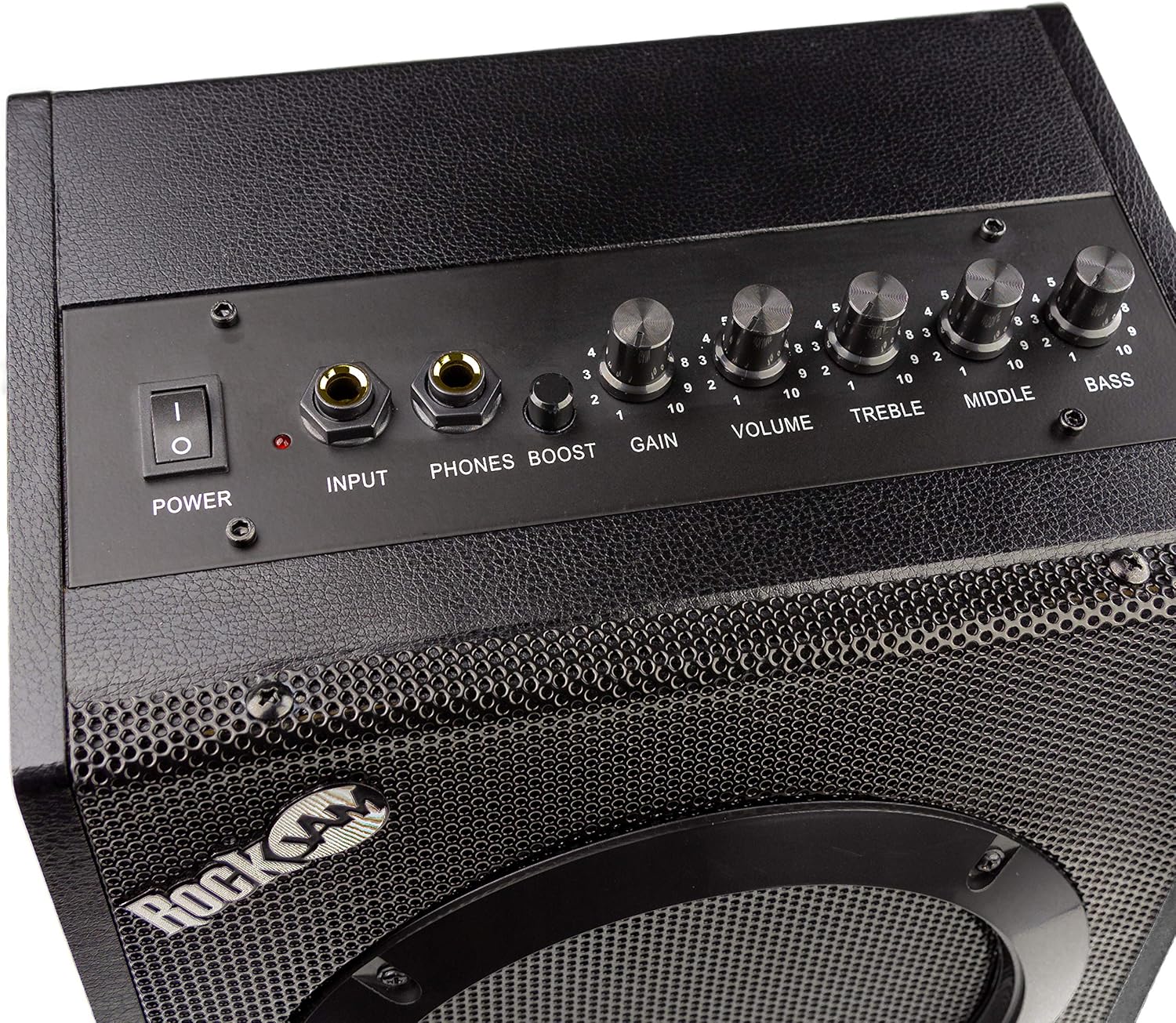
- Instrument Connection: Plug one end of the provided guitar lead into your instrument (electric guitar, bass, or electronic drum kit). Plug the other end of the guitar lead into the "INPUT" jack on the front panel of the amplifier.
- Headphone Connection (Optional): For private practice, connect your headphones to the "PHONES" jack on the front panel. This will mute the main speaker output.
- Initial Settings: Before powering on, set the "VOLUME", "GAIN", "TREBLE", "MIDDLE", and "BASS" knobs to their minimum (0) positions. Ensure the "BOOST" button is disengaged (out).
Operating Instructions
- Power On: Once all connections are secure and initial settings are adjusted, flip the "POWER" switch to the "ON" position. The power indicator light will illuminate.
- Adjusting Volume: Slowly increase the "VOLUME" knob to your desired listening level.
- Gain and Overdrive:
- For a clean sound, keep the "GAIN" knob at a lower setting and ensure the "BOOST" button is disengaged.
- To achieve an overdriven or distorted sound, increase the "GAIN" knob. For a more aggressive tone, engage the "BOOST" button. Experiment with these settings to find your preferred sound.
- Equalisation (EQ): Use the "TREBLE", "MIDDLE", and "BASS" knobs to shape your tone.
- TREBLE: Adjusts the high frequencies for brightness or warmth.
- MIDDLE: Controls the mid-range frequencies, affecting the presence and punch of your sound.
- BASS: Adjusts the low frequencies for depth and fullness.
- Power Off: When finished, turn the "VOLUME" and "GAIN" knobs down to minimum, then flip the "POWER" switch to "OFF". Disconnect your instrument and power cable.
Maintenance
- Cleaning: Use a soft, dry cloth to wipe down the amplifier's exterior. Avoid using abrasive cleaners or solvents, as they may damage the finish.
- Storage: Store the amplifier in a cool, dry place away from direct sunlight and extreme temperatures. Utilize the built-in storage compartment at the rear to neatly tuck away the mains lead when not in use.
- Handling: Always use the sturdy carry handle when transporting the amplifier. Avoid dropping or subjecting the unit to strong impacts.
- Ventilation: Ensure the amplifier has adequate ventilation during operation to prevent overheating. Do not block any vents.
Troubleshooting
| Problem | Possible Cause | Solution |
|---|---|---|
| No power / Unit does not turn on | Power cable not properly connected; Power outlet not working; Power switch is off. | Ensure power cable is securely plugged into the amplifier and wall outlet. Test the outlet with another device. Flip the power switch to "ON". |
| No sound output | Instrument cable not connected; Volume/Gain knobs are at minimum; Headphones plugged in; Faulty instrument cable or instrument. | Check instrument cable connections. Increase Volume and Gain. Unplug headphones from the "PHONES" jack. Test with a different cable or instrument. |
| Distorted or poor sound quality | Gain/Volume too high; Incorrect EQ settings; Faulty instrument or cable. | Reduce Gain and Volume. Adjust Treble, Middle, and Bass knobs. Test with a different instrument or cable. |
| Excessive hum or noise | Interference from other electronic devices; Ground loop issue; Faulty cable. | Move the amplifier away from other electronics. Try plugging into a different outlet. Use a high-quality, shielded instrument cable. |
Specifications
- Item Weight: 8.43 pounds
- Product Dimensions: 9.3 x 5.9 x 11.4 inches
- Item Model Number: RJ20WAR2
- Color Name: Black
- Compatible Devices: Guitar, Drum
- Connector Type: 3.5mm Jack
- Material Type: Plastic, Metal
- Output Wattage: 20 Watts
- Size: 20 Watt
- Power Source: Electric
- Brand: RockJam
Product Media
Product Images







Official Product Videos
No official seller videos are available for this product that meet the embedding criteria.
Warranty and Support
For warranty information and customer support, please refer to the official RockJam website or the documentation included with your product. You may also find additional support resources and FAQs on the RockJam Store on Amazon.
A downloadable User Guide (PDF) is available for further reference: User Guide (PDF)
Related documentsRJ20WAR2

Ask a question about this manual
Ask about setup, troubleshooting, compatibility, parts, safety, or missing instructions. Manuals+ will review the question and use this page’s manual context to help answer it.