
Faroro PF22
Faroro Automatic Pet Feeder User Manual
Model: PF22
Introduction
Thank you for choosing the Faroro Automatic Pet Feeder. This device is designed to provide convenient and consistent feeding for your beloved pet, ensuring they receive their meals on time, even when you are away. Equipped with advanced features like a 3MP HD camera, two-way audio, and smart APP control, this feeder offers peace of mind and enhanced interaction with your pet. Please read this manual carefully to ensure proper setup, operation, and maintenance of your new pet feeder.

The image depicts a cat comfortably eating from the feeder, highlighting the convenience of automatic feeding for pet owners during various daily activities.
Key Features
- 3MP HD Camera with IR Night Vision: Monitor your pet with a 3MP high-definition camera and 110° wide-angle lens, including infrared night vision for low-light conditions.
- Intelligent APP Control: Supports 2.4GHz WLAN and Bluetooth for easy setup and remote programming of feeding schedules (up to 8 meals/day, 1-10 portions/meal).
- 4L Capacity and Dual Power Supply: Holds up to 4L of dry food (kibble up to 10mm). Features a durable USB cable and backup power option with three D-size batteries (not included).
- Real-time Pop-up Notifications: Receive alerts for motion detection, low food levels, connection issues, and more. Supports 128GB SD card for video recording.
- Two-Way Audio and Personalized Feeding Call: Communicate with your pet in real-time and record a custom voice message to call your pet at feeding times.

A visual representation of the feeder's main features, including its programmable timer, 4L food capacity, dual power options, and voice recording capability.
Product Overview
The Faroro Automatic Pet Feeder consists of several key components designed for optimal functionality and ease of use.
- Food Hopper: The main storage compartment for dry pet food.
- Lid: Securely covers the food hopper to maintain freshness and prevent access.
- Control Panel/Dispensing Mechanism: Houses the camera, sensors, and food dispensing outlet.
- Feeding Bowl: Detachable bowl for your pet to eat from.
- Power Port: For connecting the USB power cable.
- Battery Compartment: Located at the bottom for backup D-size batteries.

This image shows the Faroro automatic pet feeder from a front-side angle, with dry food being dispensed into the attached feeding bowl. The feeder is white with a black control panel.
Setup Instructions
- Unpack the Feeder: Carefully remove all components from the packaging. Ensure you have the main feeder unit, feeding bowl, USB power cable, and desiccant bag.
- Assemble the Feeding Bowl: Attach the feeding bowl to the main unit by sliding it into place at the bottom front until it clicks securely.
- Power Supply:
- Primary Power: Connect the USB power cable to the feeder's power port and plug the adapter into a wall outlet.
- Backup Power (Optional): For power outage protection, insert three D-size batteries (not included) into the battery compartment at the bottom of the feeder.
- Load Dry Food: Open the top lid. Pour dry pet food into the hopper. Ensure the kibble size is no larger than 10mm to prevent jamming. Close the lid securely.
- Insert Desiccant Bag: Place the included desiccant bag into the designated slot under the lid to keep the food fresh. Replace every 1-2 months.
- Download and Connect APP: Download the Faroro Pet APP from your smartphone's app store. Follow the in-app instructions to connect the feeder to your 2.4GHz Wi-Fi network via Bluetooth.

A detailed view of the feeder's secure top lid, designed to keep food fresh and prevent pets from accessing the stored food.
Operating Instructions
APP Control and Feeding Schedule
- Access the APP: Open the Faroro Pet APP on your smartphone. Ensure the feeder is connected and online.
- Set Feeding Schedule: Navigate to the 'Feeding Plan' section. You can program up to 8 meals per day. For each meal, set the desired time and the number of portions (1 portion is approximately 10g). The feeder supports 1 to 10 portions per meal.
- Manual Feeding: Use the 'Feed Now' option in the APP to dispense food instantly outside of the scheduled times.
- Feeding Log: Review the real-time feeding log within the APP to track your pet's eating habits.
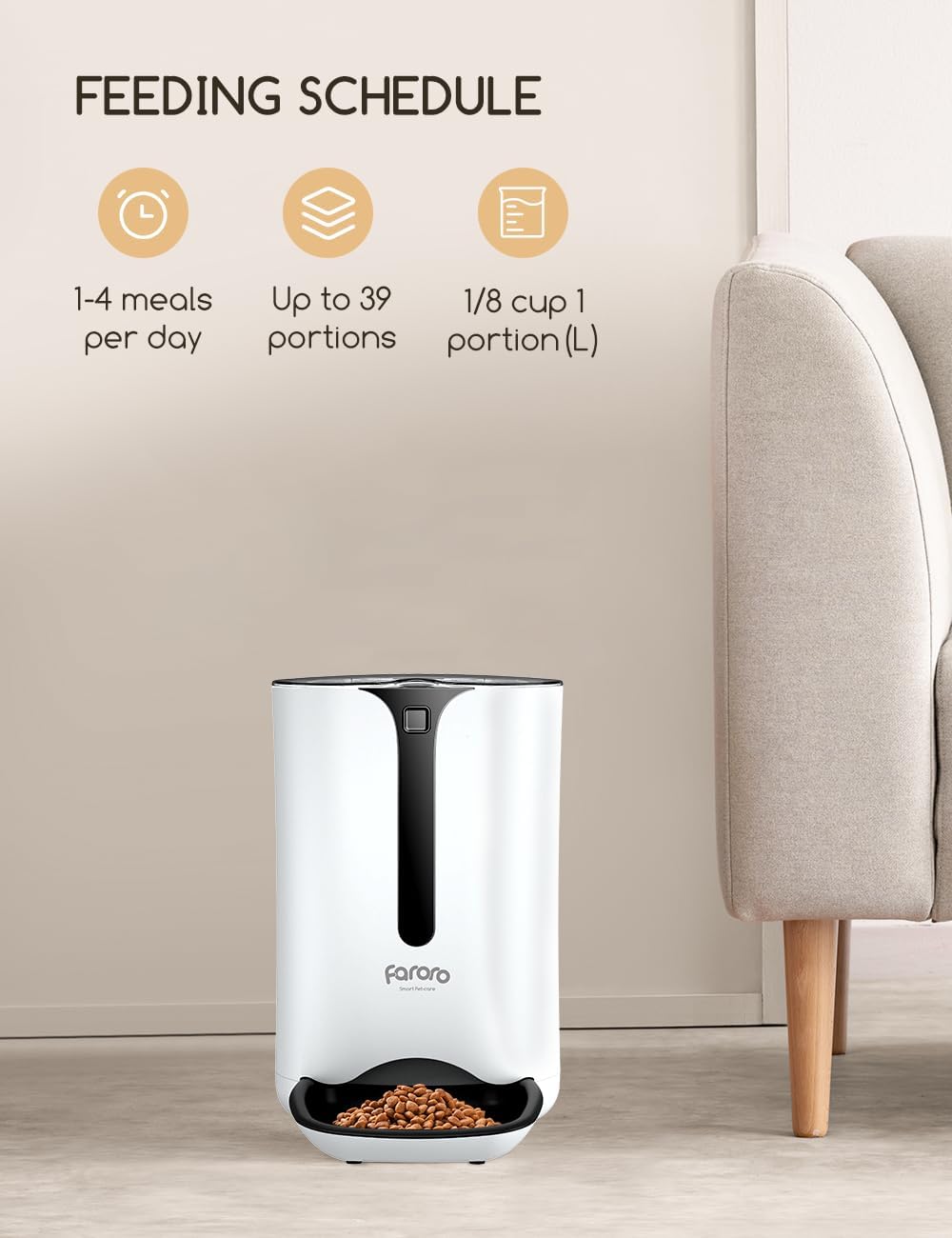
This graphic illustrates the flexibility of the feeding schedule, allowing users to set multiple meals per day with adjustable portion sizes.
Two-Way Audio and Voice Recording
- Live Communication: Use the two-way audio feature in the APP to speak to your pet in real-time through the feeder's built-in microphone and speaker.
- Record Custom Message: Record a personalized voice message (e.g., "Time to eat!") that will play automatically at each scheduled feeding time to call your pet.
Camera Features
- Live View: Access the 3MP HD camera's live feed through the APP to monitor your pet from anywhere.
- IR Night Vision: The camera automatically switches to infrared night vision in low-light conditions, providing clear visibility even in the dark.
- Motion Detection: The feeder's motion sensor will detect pet activity, and the camera will record videos. You will receive real-time pop-up notifications on your smartphone.
- SD Card Recording: Insert a 128GB SD card (not included) into the designated slot for continuous video recording of pet activities.

This image demonstrates the infrared detection system at the food dispensing outlet, which helps prevent food from spilling or getting stuck.
Maintenance
- Cleaning: Regularly clean the feeding bowl and the food dispensing area. The bowl is detachable for easy washing. Wipe the main unit with a damp cloth; do not immerse it in water.
- Food Freshness: Ensure the desiccant bag is replaced every 1-2 months to keep the dry food fresh and crisp.
- Hopper Cleaning: Periodically empty and clean the food hopper to prevent food residue buildup.
- Sensor Maintenance: Keep the infrared detection sensor clean and free from obstructions to ensure proper food dispensing.
Troubleshooting
| Problem | Possible Cause | Solution |
|---|---|---|
| Feeder not dispensing food. | Food hopper empty; food jammed; power issue; incorrect schedule. | Refill hopper; check kibble size (max 10mm); ensure power connection; verify APP schedule. |
| APP connection failure. | Incorrect Wi-Fi password; 5GHz Wi-Fi; feeder too far from router. | Ensure 2.4GHz Wi-Fi; re-enter password; move feeder closer to router; restart feeder/router. |
| Camera image unclear or black. | Lens dirty; poor lighting; night vision not active. | Clean camera lens; ensure adequate lighting or check night vision settings in APP. |
| No sound from two-way audio. | Microphone/speaker blocked; volume too low. | Check for obstructions; adjust volume in APP. |
Specifications
| Feature | Detail |
|---|---|
| Model Number | PF22 |
| Capacity | 4 Liters |
| Camera Resolution | 3MP HD (1080p video recording) |
| Connectivity | 2.4GHz Wi-Fi, Bluetooth |
| Power Supply | USB Cable (Primary), 3 x D-size Batteries (Backup) |
| Max Kibble Size | 10 mm |
| Dimensions (L x W x H) | 24.5 x 18 x 38.4 cm |
| Weight | 2.02 Kilograms |
| Included Components | 1*pet feeder |
Warranty and Support
Faroro products are designed for reliability and performance. For specific warranty information, please refer to the warranty card included with your purchase or visit the official Faroro website. If you encounter any issues or have questions regarding your pet feeder, please contact Faroro customer support through the contact information provided on the product packaging or the official website. Our support team is dedicated to assisting you.
Ask a question about this manual
Ask about setup, troubleshooting, compatibility, parts, safety, or missing instructions. Manuals+ will review the question and use this page’s manual context to help answer it.