
Fabater Fabater9ny1su42fh-13
Fabater 500W Brushless Motor Speed Controller Kit with LCD Display Panel
Model: Fabater9ny1su42fh-13
Product Overview
The Fabater 500W Brushless Motor Speed Controller Kit is designed to provide efficient and reliable control for electric bikes and scooters. This kit includes a durable aluminum shell controller and an intuitive LCD display panel, offering a comprehensive solution for managing your vehicle's performance.
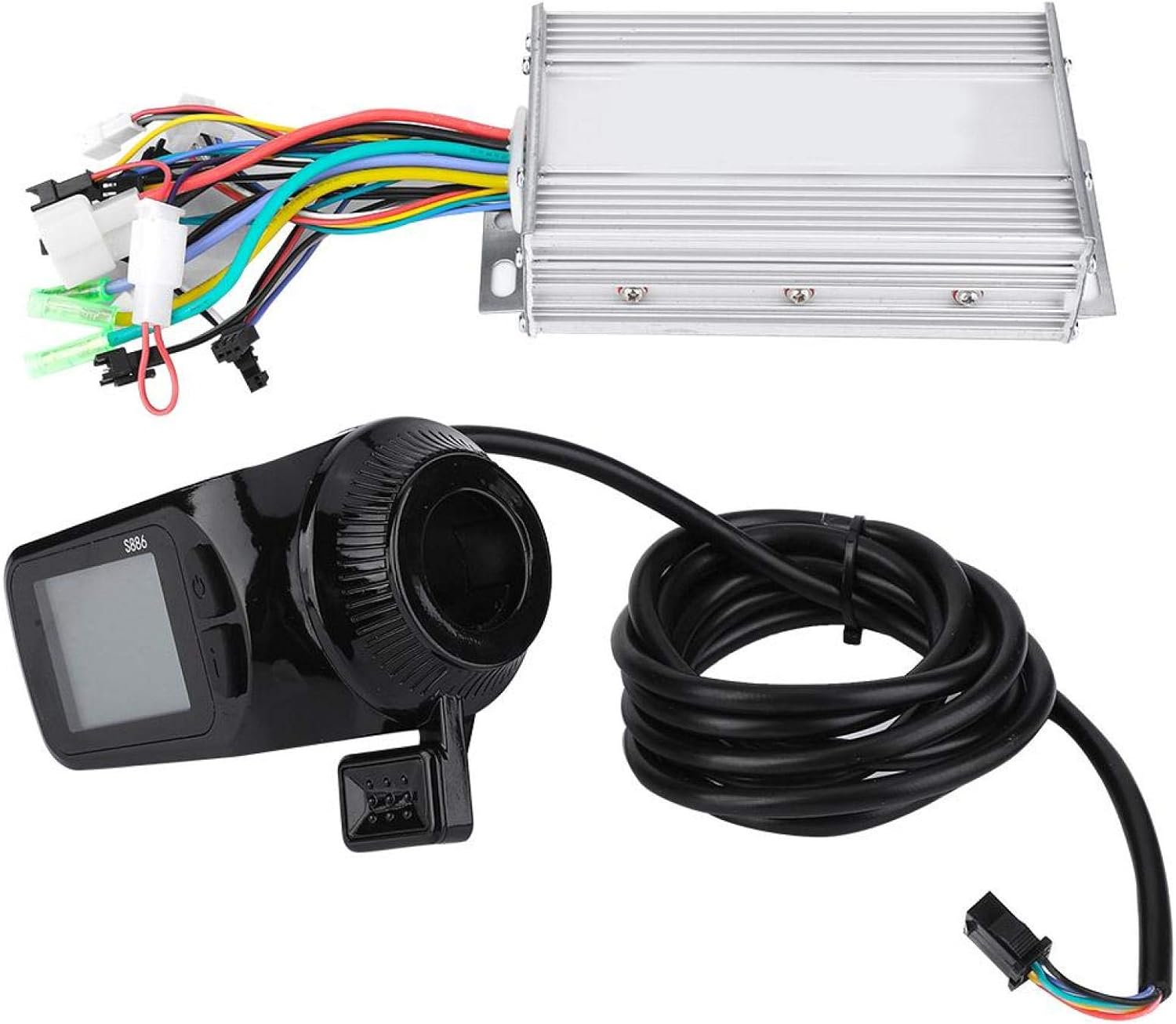
Image: The Fabater 500W Brushless Motor Speed Controller and LCD Display Kit, showing the main controller unit with multiple colored wires and the black LCD display panel with an attached cable.
The controller features an aluminum shell for excellent heat dissipation, ensuring stable operation and longevity. The LCD display provides clear, real-time data and allows for easy adjustment of various settings, enhancing your riding experience.

Image: A detailed wiring diagram illustrating the various connections of the Fabater motor controller, including inputs for main switch, LCD, motor hall wire, motor three-phase line, and outputs for car lamp/horn, 1:1 power, 6 km/h boost, intelligent learning, reverse, Hall electronic brake, positive/negative power supply, and low brake power.
Specifications
| Feature | Detail |
|---|---|
| Item Package Dimensions L x W x H | 9.02 x 7.99 x 3.66 inches |
| Package Weight | 0.78 Kilograms |
| Brand Name | Fabater |
| Model Name | Controller |
| Manufacturer | Fabater |
| Part Number | Fabater9ny1su42fh-13 |
| Model Year | 2020 |
| Included Components | LCD Display, Controller |
| Skill Level | Beginner |
| Voltage Compatibility | 24V/36V/48V/60V (500W intelligent identification) |
| Handlebar Compatibility | 22.5mm |
Setup and Installation
Proper installation is crucial for the optimal performance and safety of your Fabater controller kit. Please follow these general guidelines. For specific vehicle models, consult your vehicle's manual or a qualified technician.
1. Controller Mounting
- Choose a secure and dry location on your electric bike or scooter for mounting the controller.
- Ensure the aluminum shell has adequate airflow for heat dissipation.
- Use appropriate fasteners to firmly attach the controller to the frame.
2. LCD Display Installation
- Mount the LCD display on a standard 22.5mm handlebar.
- Position the display for easy visibility and access to buttons while riding.
- Secure the display firmly to prevent movement during operation.
3. Wiring Connections
Refer to the detailed wiring diagram provided. Each wire is color-coded and labeled for specific functions. Ensure all connections are secure and correctly matched to avoid damage to the components or vehicle.
- Power Supply: Connect the positive and negative poles of your battery to the corresponding wires on the controller. The controller supports 24V, 36V, 48V, and 60V systems with intelligent identification.
- Motor Connections: Connect the motor three-phase line and motor hall wire to the controller.
- LCD Display: Connect the liquid crystal instrument LCD wire to the controller.
- Brakes: Connect the Hall electronic brake and low brake power wires.
- Throttle/Speed Control: Connect the throttle input (if applicable).
- Additional Functions: Connect wires for main switch (electric lock), 6 km/h boost, 1:1 power assist, intelligent learning, reverse, and car lamp/horn power supply as needed.
Caution: Incorrect wiring can lead to component failure or electrical hazards. If unsure, seek professional assistance.
Image: A detailed wiring diagram for the Fabater controller, showing all input and output connections with labels for easy identification during installation.
Operating Instructions
1. Power On/Off
- To power on the system, turn the main switch (electric lock) to the ON position. The LCD display will illuminate.
- To power off, turn the main switch to the OFF position.
2. LCD Display Functions
The LCD display provides real-time information and allows you to customize your riding experience:
- Riding Speed Display: Shows current speed.
- Battery Status: Indicates remaining battery charge.
- Backlight Brightness: Adjustable to levels 1-3 for optimal visibility in various lighting conditions.
- 5-Gear Power Assist Adjustment: Allows you to select different levels of motor assistance.
- Other Data: May include trip distance, total distance, error codes, etc. (refer to display specific manual for full details).
3. Speed Limit Setting
The controller allows for setting a speed limit to ensure safe operation. Consult the LCD display's specific instructions for how to access and adjust this setting. Always adhere to local regulations regarding speed limits for electric vehicles.
4. Brushless Motor Control
The brushless controller provides silent operation and sensitive control of braking and direction changes, ensuring a smooth and responsive ride.
Maintenance
Regular maintenance helps prolong the lifespan and ensure the reliable operation of your Fabater controller kit.
- Cleaning: Keep the controller and LCD display clean and free from dust and debris. Use a soft, dry cloth for cleaning. Avoid using harsh chemicals or abrasive materials.
- Connections: Periodically check all electrical connections to ensure they are secure and free from corrosion. Loose connections can lead to intermittent operation or damage.
- Heat Dissipation: Ensure the controller's aluminum shell remains unobstructed to allow for proper heat dissipation. Avoid covering the controller with materials that could trap heat.
- Water Exposure: While the controller is designed to be waterproof, avoid submerging it in water or exposing it to heavy, prolonged rain. If it gets wet, allow it to dry completely before operating.
- Storage: When not in use for extended periods, store the kit in a dry, cool environment, away from direct sunlight and extreme temperatures.
Troubleshooting
If you encounter issues with your Fabater controller kit, refer to the following common troubleshooting steps:
| Problem | Possible Cause | Solution |
|---|---|---|
| LCD Display does not turn on. | No power, loose connection, faulty display/controller. |
|
| Motor not responding or intermittent power. | Loose motor/hall sensor wires, faulty throttle, controller issue. |
|
| Inaccurate speed reading on LCD. | Incorrect wheel diameter setting, faulty speed sensor. |
|
| Controller overheating. | Insufficient airflow, overloaded motor, internal fault. |
|
If the problem persists after attempting these solutions, please contact Fabater customer support for further assistance.
Warranty and Support
Fabater products are manufactured to high quality standards. This product comes with a standard manufacturer's warranty covering defects in materials and workmanship under normal use. The specific terms and duration of the warranty may vary by region and purchase date.
For warranty claims, technical support, or any inquiries regarding your Fabater 500W Brushless Motor Speed Controller Kit, please contact your retailer or visit the official Fabater website for customer service contact information.
Please have your model number (Fabater9ny1su42fh-13) and purchase details ready when contacting support.
For more information, visit the Fabater Store on Amazon.
Ask a question about this manual
Ask about setup, troubleshooting, compatibility, parts, safety, or missing instructions. Manuals+ will review the question and use this page’s manual context to help answer it.