
pTron Tangent Plus
pTron Tangent Plus Wireless Bluetooth Headphones User Manual
Model: Tangent Plus
Brand: pTron
Introduction
Thank you for choosing the pTron Tangent Plus Wireless Bluetooth Headphones. This manual provides essential information for setting up, operating, and maintaining your device. The Tangent Plus features Bluetooth 5.0 connectivity, magnetic in-ear earbuds, a flexible neckband design, and a built-in TF card slot for direct music playback. It offers extended battery life and is designed for comfort and durability, making it suitable for various activities including entertainment, fitness, and travel.
What's in the Box
- pTron Tangent Plus Wireless Bluetooth Headphones
- Micro USB Charging Cable
- Additional Eartips
- User Manual
Product Overview
The pTron Tangent Plus features an ergonomic neckband design with magnetic earbuds for secure storage. The control module is conveniently located on the neckband for easy access to functions.
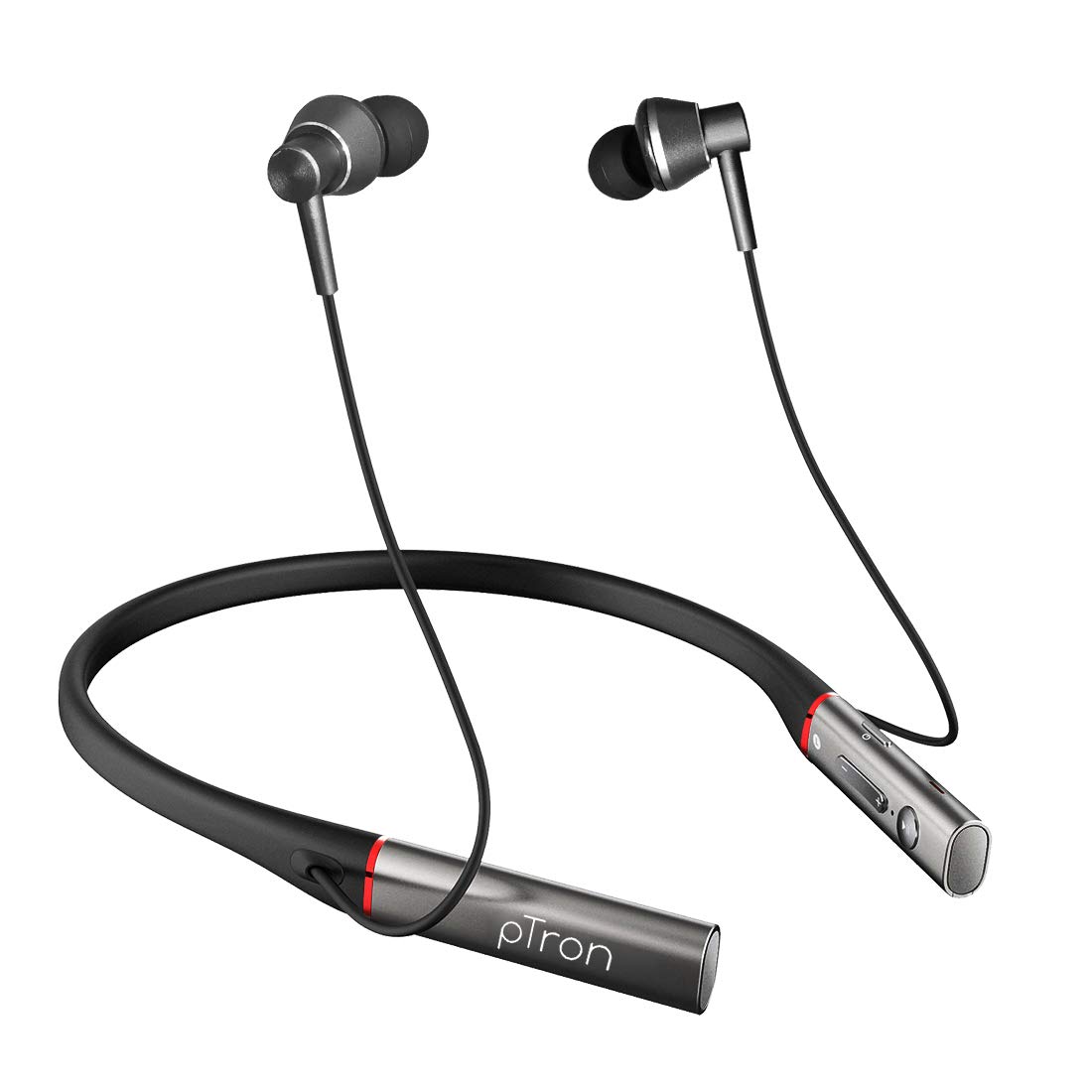
Image: Front view of the pTron Tangent Plus Wireless Bluetooth Headphones, showcasing the neckband and magnetic earbuds.

Image: Diagram illustrating the ergonomic and lightweight design of the pTron Tangent Plus, highlighting Bluetooth v5.0, 10m wireless range, quick pairing, built-in HD mic, and magnetic lock earbuds.
Setup
1. Charging the Headphones
Before first use, fully charge your pTron Tangent Plus headphones. Connect the provided Micro USB charging cable to the charging port on the neckband and the other end to a USB power source (e.g., computer USB port, wall adapter). The LED indicator will show charging status. A full charge takes approximately 2 hours.
2. Bluetooth Pairing
- Ensure the headphones are turned off.
- Press and hold the Power/Call Answer button for 3 seconds until the LED indicator flashes blue and red alternately, indicating pairing mode.
- On your device (smartphone, tablet, laptop), enable Bluetooth and search for available devices.
- Select "pTron Tangent Plus" from the list of found devices.
- Once successfully paired, the LED indicator will flash blue slowly, and you will hear a confirmation tone.
- The headphones will automatically reconnect to the last paired device when turned on, if Bluetooth is enabled on the device and it is within range.
3. TF Card Usage
The pTron Tangent Plus features a built-in TF card slot for direct music playback without needing a connected device.
- Insert a TF (microSD) card with your music files into the designated slot on the control module.
- Press the "M" button twice to switch to TF Card mode. The headphones will automatically begin playing music from the card.
- Press the "M" button twice again to switch back to Bluetooth mode.
Operating Instructions
Familiarize yourself with the control buttons located on the neckband for seamless operation.
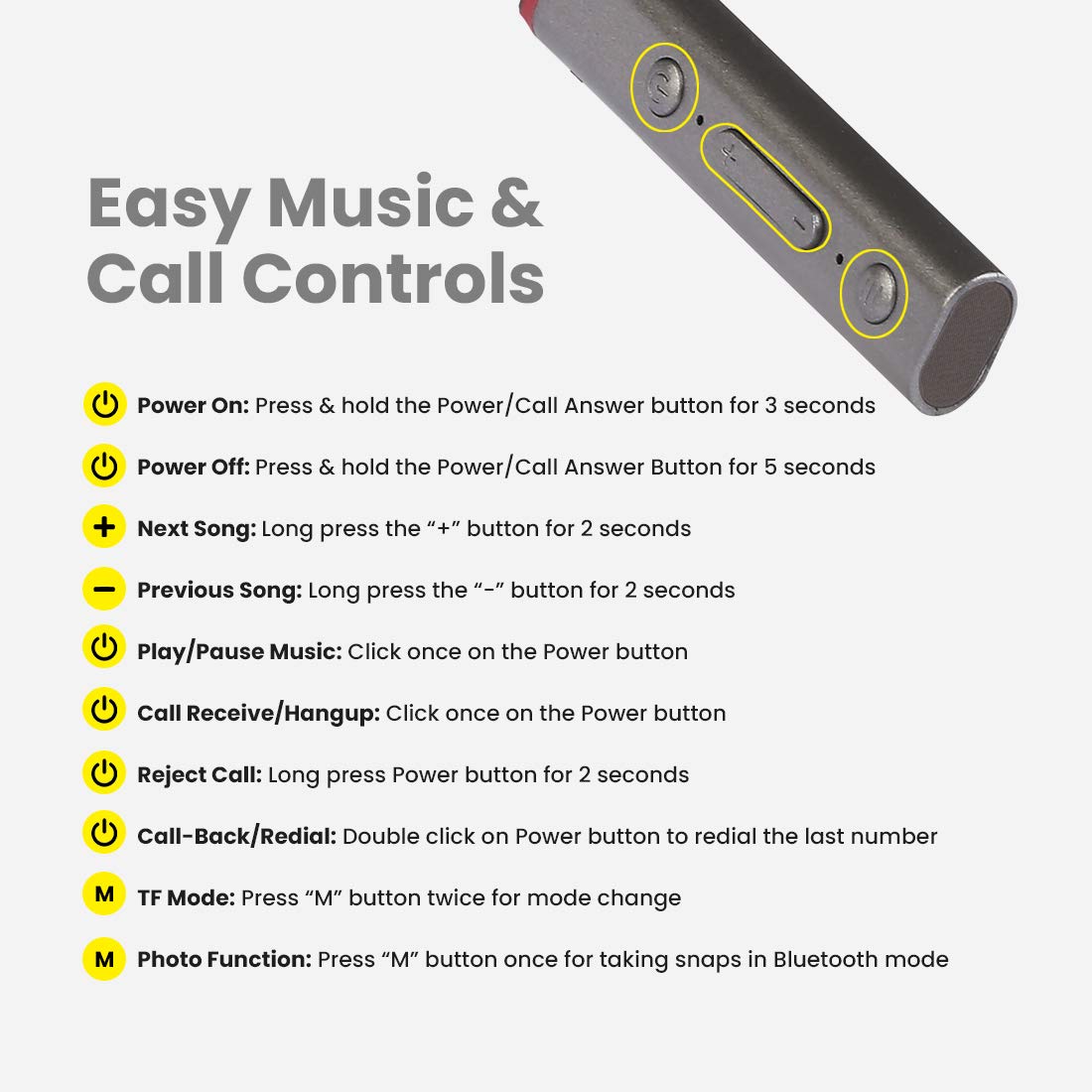
Image: Detailed diagram showing the control buttons on the pTron Tangent Plus neckband and their respective functions.
| Function | Action |
|---|---|
| Power On | Press & hold the Power/Call Answer button for 3 seconds. |
| Power Off | Press & hold the Power/Call Answer button for 5 seconds. |
| Next Song | Long press the "+" button for 2 seconds. |
| Previous Song | Long press the "-" button for 2 seconds. |
| Play/Pause Music | Click once on the Power button. |
| Call Receive/Hangup | Click once on the Power button. |
| Reject Call | Long press Power button for 2 seconds. |
| Call-Back/Redial | Double click on Power button to redial the last number. |
| TF Mode | Press "M" button twice for mode change. |
| Photo Function (Selfie Remote) | Press "M" button once for taking snaps in Bluetooth mode. |
Maintenance
- Cleaning: Use a soft, dry cloth to clean the headphones. Do not use harsh chemicals or abrasive materials.
- Storage: When not in use, store the headphones in a cool, dry place, away from direct sunlight and extreme temperatures.
- Water Resistance: The headphones are IPX4 water/sweat resistant, meaning they can withstand splashes and sweat. Do not submerge them in water or expose them to heavy rain. Dry them thoroughly if they get wet.
- Battery Care: To prolong battery life, avoid fully discharging the battery frequently. Charge the headphones regularly, even if not in use for extended periods.
Troubleshooting
| Problem | Possible Solution |
|---|---|
| Headphones do not power on. | Ensure the battery is charged. Connect to a power source and charge for at least 30 minutes before attempting to power on again. |
| Cannot pair with device. |
|
| No sound or low volume. |
|
| Intermittent connection/audio drops. |
|
| Microphone not working. |
|
Specifications
| Feature | Detail |
|---|---|
| Model Name | Tangent Plus |
| Bluetooth Version | 5.0 |
| Wireless Range | Up to 10 meters (33 feet) |
| Battery Capacity | 250mAh Li-Polymer |
| Music Playback Time | Up to 15 hours |
| Talk Time | Up to 10 hours |
| Standby Time | Up to 200 hours |
| Charging Time | Approximately 2 hours |
| Charging Port | Micro USB |
| Driver Size | 10mm Dynamic Driver |
| Frequency Range | 20Hz - 20kHz |
| Impedance | 32 Ohm |
| Water Resistance | IPX4 (Water/Sweat Resistant) |
| Material | Acrylonitrile Butadiene Styrene (ABS), Metal |
| Item Weight | 38 grams |
| Product Dimensions | 8.8 x 0.9 x 0.9 cm |
Warranty & Support
The pTron Tangent Plus Wireless Bluetooth Headphones come with a 1-Year Manufacturer's Warranty from the date of purchase.
For warranty claims, technical support, or any product-related inquiries, please contact pTron customer care:
- Customer Care Contact: 040 - 67138888
- Email Support: support@ptron.in
Please retain your purchase invoice for warranty validation.
Ask a question about this manual
Ask about setup, troubleshooting, compatibility, parts, safety, or missing instructions. Manuals+ will review the question and use this page’s manual context to help answer it.