
Introduction
This manual provides instructions for the installation, operation, and maintenance of the Oasis PG8AC VersaCooler II Refrigerated Drinking Fountain. Please read all instructions carefully before installation and use to ensure proper function and safety.
Safety Information
- Ensure the unit is properly grounded to prevent electrical shock.
- Disconnect power before performing any maintenance or service.
- Installation must comply with all local plumbing and electrical codes.
- Do not operate the unit if any parts are damaged or missing.
- Keep children away from the unit during installation and maintenance.
Package Contents
Verify that all components are present before beginning installation:
- Oasis PG8AC VersaCooler II Refrigerated Drinking Fountain unit
- Funnel (included component)
- Installation hardware (screws, anchors, etc. - typically included)
- User Manual (this document)
Installation
The Oasis PG8AC VersaCooler II is designed for wall-mounted installation. Proper mounting and connection to water and electrical supplies are crucial for safe and efficient operation.
Mounting the Unit
The unit should be securely mounted to a sturdy wall structure capable of supporting its weight (approximately 68 pounds). Refer to the provided image for overall dimensions to plan your installation space.
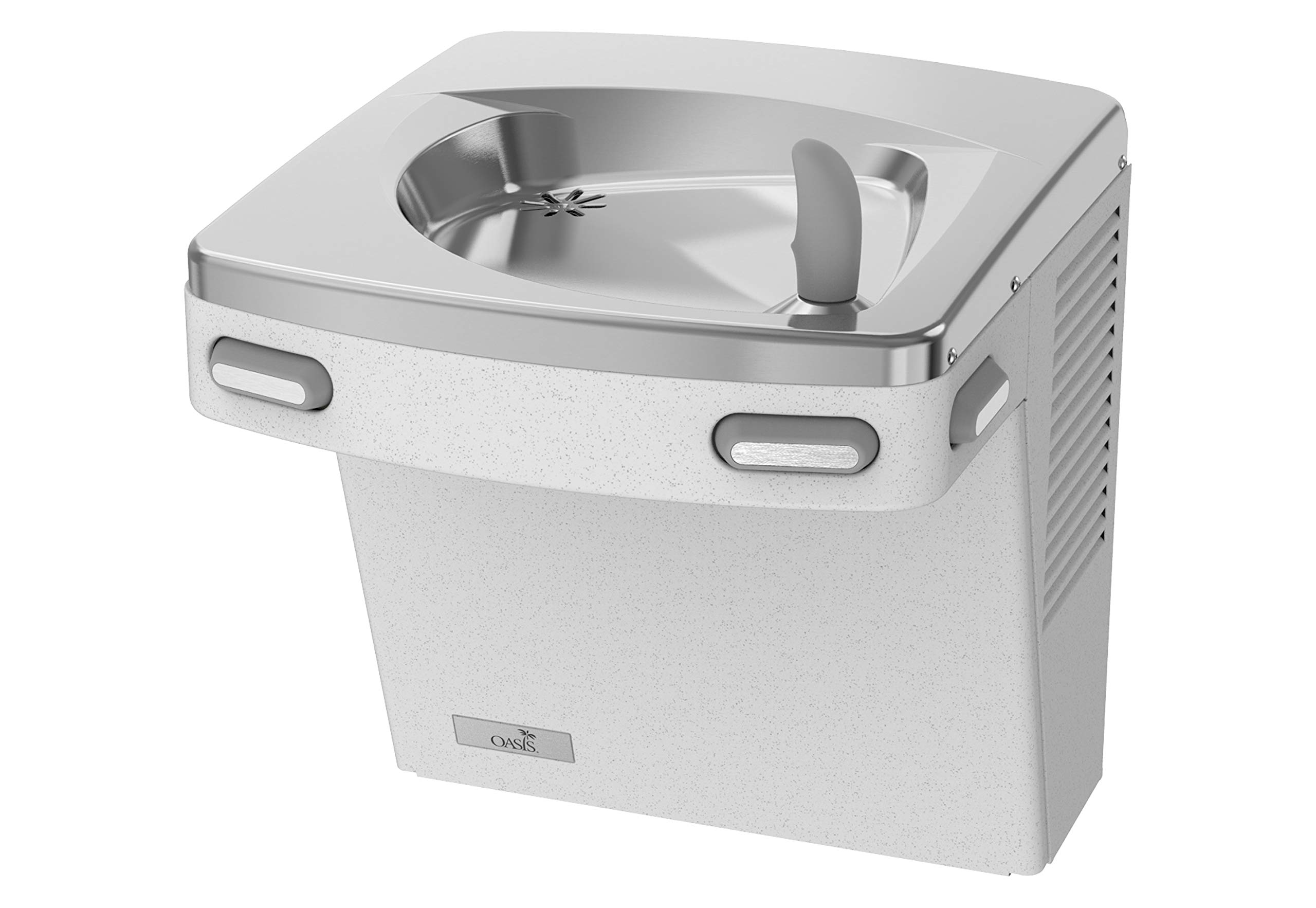
Image: Oasis PG8AC VersaCooler II Refrigerated Drinking Fountain in Greystone color, with indicated dimensions for height (18.88 inches), width (18.62 inches), and depth (17.62 inches). The unit features a stainless steel basin and a push-button dispenser.
Plumbing and Electrical Connections
Connect the unit to a potable water supply and a suitable drain. The unit requires a corded electric power source. Ensure all connections are watertight and meet local codes. It is recommended that a qualified plumber and electrician perform these connections.
Operation
The Oasis PG8AC VersaCooler II features a single setting for water dispensing and a top access location for the drinking stream.
Using the Drinking Fountain
To dispense water, press the button located on the front or side of the unit. Release the button to stop the water flow. The water stream is designed for direct drinking.
Using the Bottle Filler (if applicable)
Some VersaCooler II models may include an integrated bottle filler. If present, place your water bottle under the filler spout and press the dedicated button to activate the water flow. Release the button when the bottle is filled.
Video: Demonstration of the Oasis VersaCooler II, showing both the drinking fountain and the bottle filler station in operation. It illustrates how to activate the water flow for both functions.
Video: A close-up view demonstrating the basic operation of the Oasis drinking fountain, showing the water stream when the button is pressed.
Maintenance
Regular maintenance ensures optimal performance and longevity of your drinking fountain.
- Cleaning: Regularly clean the stainless steel basin and exterior surfaces with a mild, non-abrasive cleaner and a soft cloth. Avoid harsh chemicals that could damage the finish.
- Drainage: Ensure the drain is clear of debris to prevent blockages and overflow.
- Filter Replacement: If your model includes a water filter, follow the manufacturer's instructions for periodic replacement.
- Inspection: Periodically inspect all connections for leaks and the power cord for damage.
Troubleshooting
Refer to the following common issues and solutions:
- No Water Flow: Check if the water supply valve is open and if the unit is receiving power. Ensure no clogs in the water line or dispenser.
- Weak Water Stream: Verify adequate water pressure. Check for mineral buildup in the nozzle or a partially closed water supply valve.
- Water Leaks: Immediately shut off the water supply and power. Inspect all plumbing connections for tightness and damage. Contact a qualified plumber if the leak persists.
- Water Not Cold: Ensure the unit is plugged in and receiving power. Allow sufficient time for the refrigeration system to cool the water, especially after initial setup or if the unit has been off. Check for proper ventilation around the unit.
For issues not listed here or if troubleshooting steps do not resolve the problem, contact Oasis customer support.
Specifications
| Model Number | PG8AC GST |
| Brand | Oasis |
| Color | Greystone |
| Material | Stainless Steel |
| Capacity | 8 Gallons |
| Product Dimensions (D x W x H) | 30"D x 8"W x 6"H |
| Installation Type | Wall Mounted |
| Access Location | Top |
| Number of Settings | 1 |
| Power Source | Corded Electric |
| Lower Temperature Rating | 50 Degrees Fahrenheit |
| Item Weight | 68 Pounds |
| UPC | 092026172915 |
Warranty and Support
For warranty information and customer support, please refer to the documentation provided with your purchase or visit the official Oasis website. Keep your proof of purchase for warranty claims.


